| Author |
Message |
danquey
Joined: 23 Feb 2008
Posts: 7
Location: Australia
|
| Posted: Sat Feb 23, 2008 9:32 am Post subject: Vidikron projector - no colour |
|
|
hi,
I have just bought a Vidikron TGS-300 CRT projector. I have hooked it up and it is not displaying any color, I thought it may be the s-video cable i am using so i plugged it into another TV and it is fine.
Any help would be greatly appreciated as i am really frustrated and have no idea what i am doing.
Thanks
|
|
| Back to top |
|
 |
Nashou66

Joined: 12 Jan 2007
Posts: 16171
Location: West Seneca NY
|
|
| Back to top |
|
|
Curt Palme
CRT Tech
Joined: 08 Mar 2006
Posts: 24396
Location: Langley, BC
TV/Projector: All of them!
|
| Posted: Mon Feb 25, 2008 5:06 am Post subject: |
|
|
|
No, this is a Vidikron made unit with little info out on it. I'd try running a composite video cable to the projector rather than Svideo and see if that works.
|
|
| Back to top |
|
|
danquey
Joined: 23 Feb 2008
Posts: 7
Location: Australia
|
| Posted: Mon Feb 25, 2008 11:19 am Post subject: |
|
|
Hi,
I have tried running a compostie video cable to the unit with no change in the colour.
Would using a SCART cable make any difference??
Thanks for the help.
|
|
| Back to top |
|
|
oliverg

Joined: 15 May 2007
Posts: 800
Location: Melbourne, Australia
TV/Projector: Sony G90 X2 - Vidikron Vision 1
|
| Posted: Mon Feb 25, 2008 12:22 pm Post subject: |
|
|
Is your source NTSC? You might be in PAL mode
Good luck
_________________
( R ) G ( G ) 9 ( B ) 0 ( R ) G ( G ) 9 ( B ) 0
( R ) G ( G ) 9 ( B ) 0 ( R ) G ( G ) 9 ( B ) 0
|
|
| Back to top |
|
|
danquey
Joined: 23 Feb 2008
Posts: 7
Location: Australia
|
| Posted: Mon Feb 25, 2008 10:07 pm Post subject: |
|
|
My source is in PAL as I am Aussie!
How would I know what mode I am in??
Thanks
|
|
| Back to top |
|
|
Curt Palme
CRT Tech
Joined: 08 Mar 2006
Posts: 24396
Location: Langley, BC
TV/Projector: All of them!
|
| Posted: Mon Feb 25, 2008 10:27 pm Post subject: |
|
|
|
I thought those sets had on screen menus?
|
|
| Back to top |
|
|
danquey
Joined: 23 Feb 2008
Posts: 7
Location: Australia
|
| Posted: Mon Feb 25, 2008 10:33 pm Post subject: |
|
|
|
Not exactly sure, will check when I get home
|
|
| Back to top |
|
|
Tinman

Joined: 09 Mar 2006
Posts: 1326
Location: Carson City Nevada
|
| Posted: Tue Feb 26, 2008 1:48 am Post subject: |
|
|
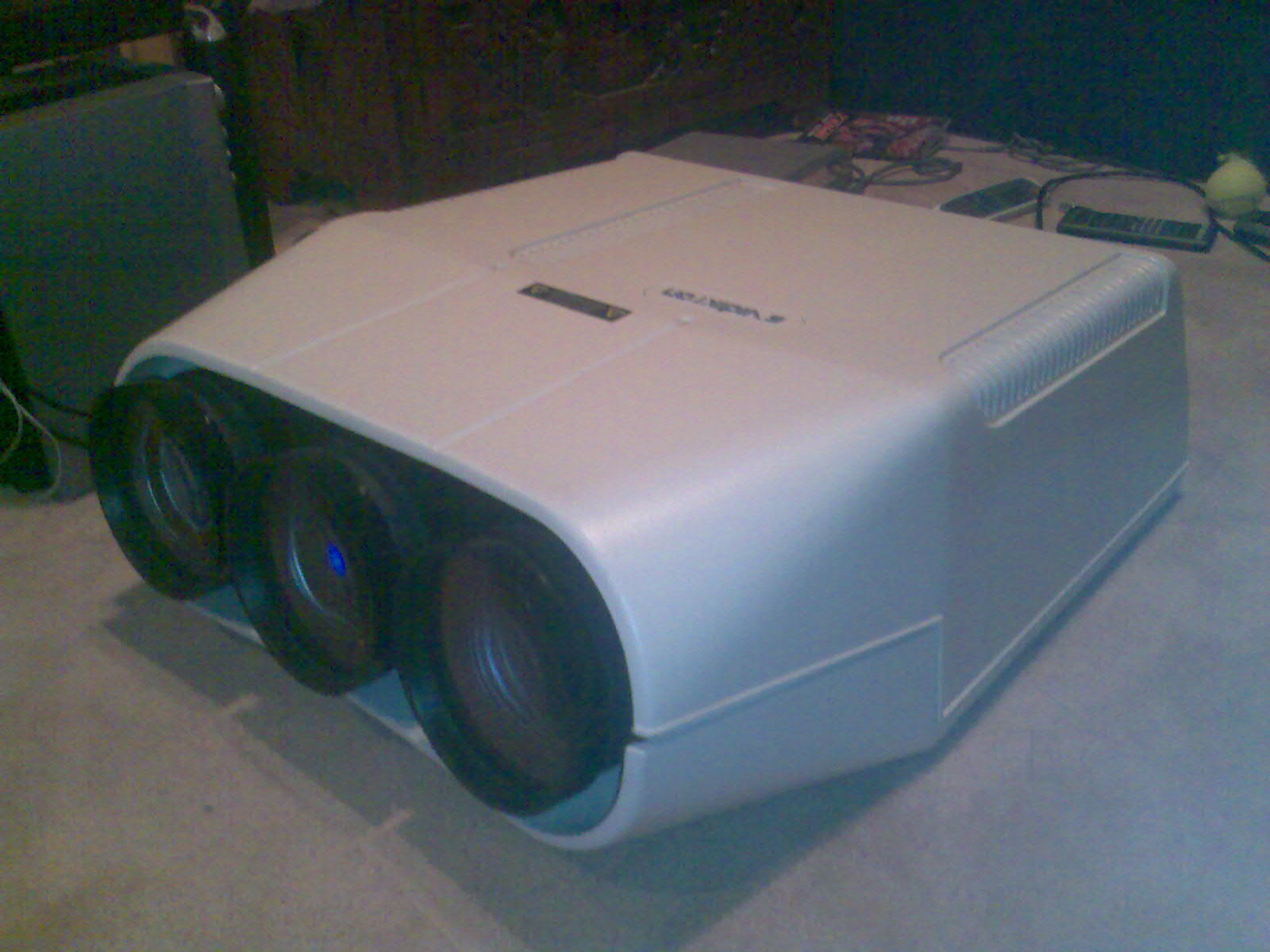
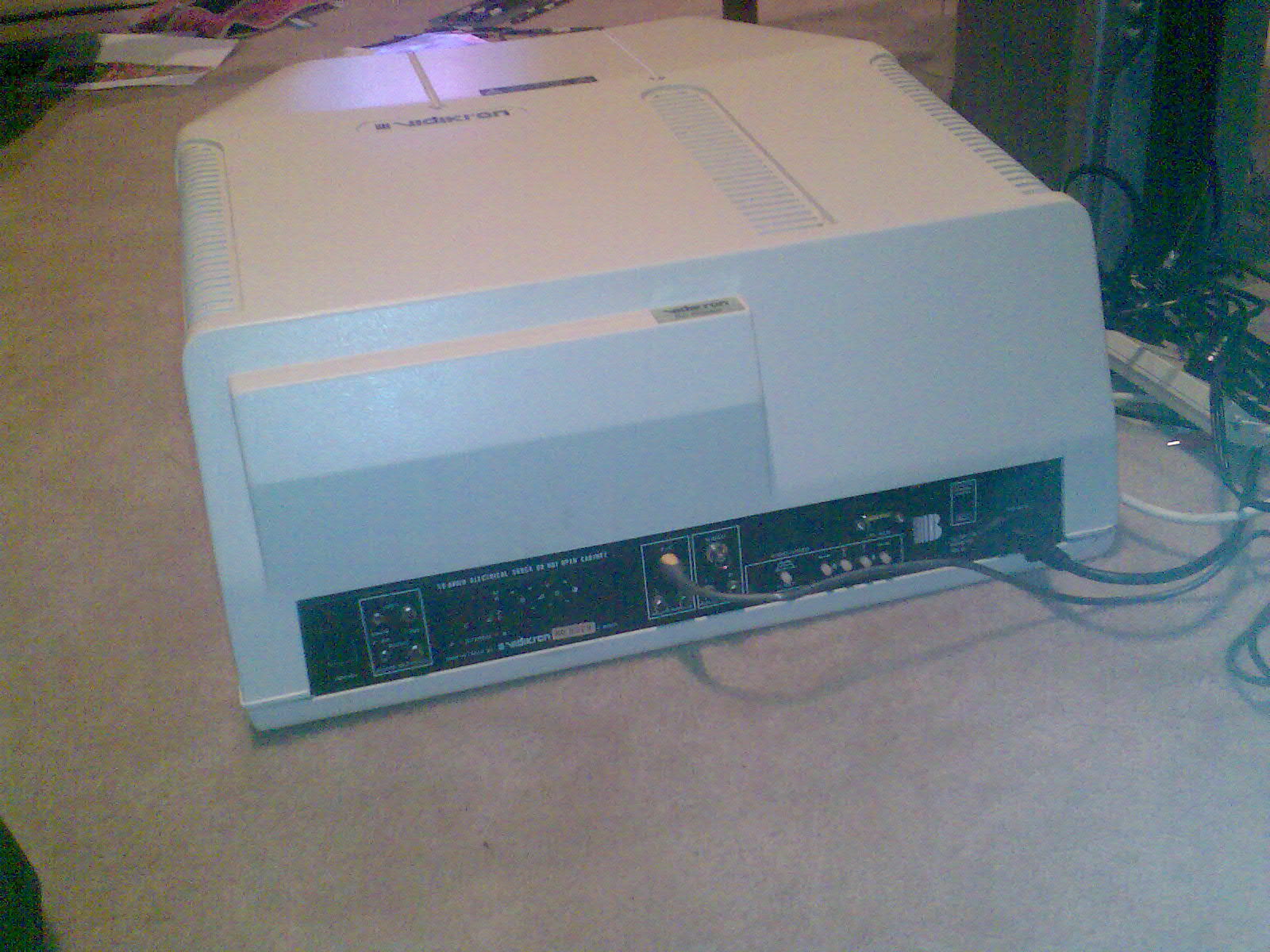
Got a pic of the projector? If it is what I think, I may have a copy of the manual.
Marc
_________________
This space for rent.
|
|
| Back to top |
|
|
oliverg
Joined: 15 May 2007
Posts: 800
Location: Melbourne, Australia
TV/Projector: Sony G90 X2 - Vidikron Vision 1
|
| Posted: Tue Feb 26, 2008 2:16 am Post subject: |
|
|
| danquey wrote: | My source is in PAL as I am Aussie!
How would I know what mode I am in??
Thanks |
Or the other way around 
_________________
( R ) G ( G ) 9 ( B ) 0 ( R ) G ( G ) 9 ( B ) 0
( R ) G ( G ) 9 ( B ) 0 ( R ) G ( G ) 9 ( B ) 0
|
|
| Back to top |
|
|
danquey
Joined: 23 Feb 2008
Posts: 7
Location: Australia
|
| Posted: Tue Feb 26, 2008 9:41 am Post subject: |
|
|
Hi Marc,
These are some pics of the projector, if you have the manual that would be great as info on this unit is proving very hard to find.
The projector does not have an on screen menu but I am pretty sure that it is in PAL mode which is correct for Aus.
| Description: |
|
| Filesize: |
195.69 KB |
| Viewed: |
13055 Time(s) |
|
| Description: |
|
| Filesize: |
341.28 KB |
| Viewed: |
13038 Time(s) |
|
|
|
| Back to top |
|
|
Curt Palme
CRT Tech
Joined: 08 Mar 2006
Posts: 24396
Location: Langley, BC
TV/Projector: All of them!
|
| Posted: Tue Feb 26, 2008 1:53 pm Post subject: |
|
|
|
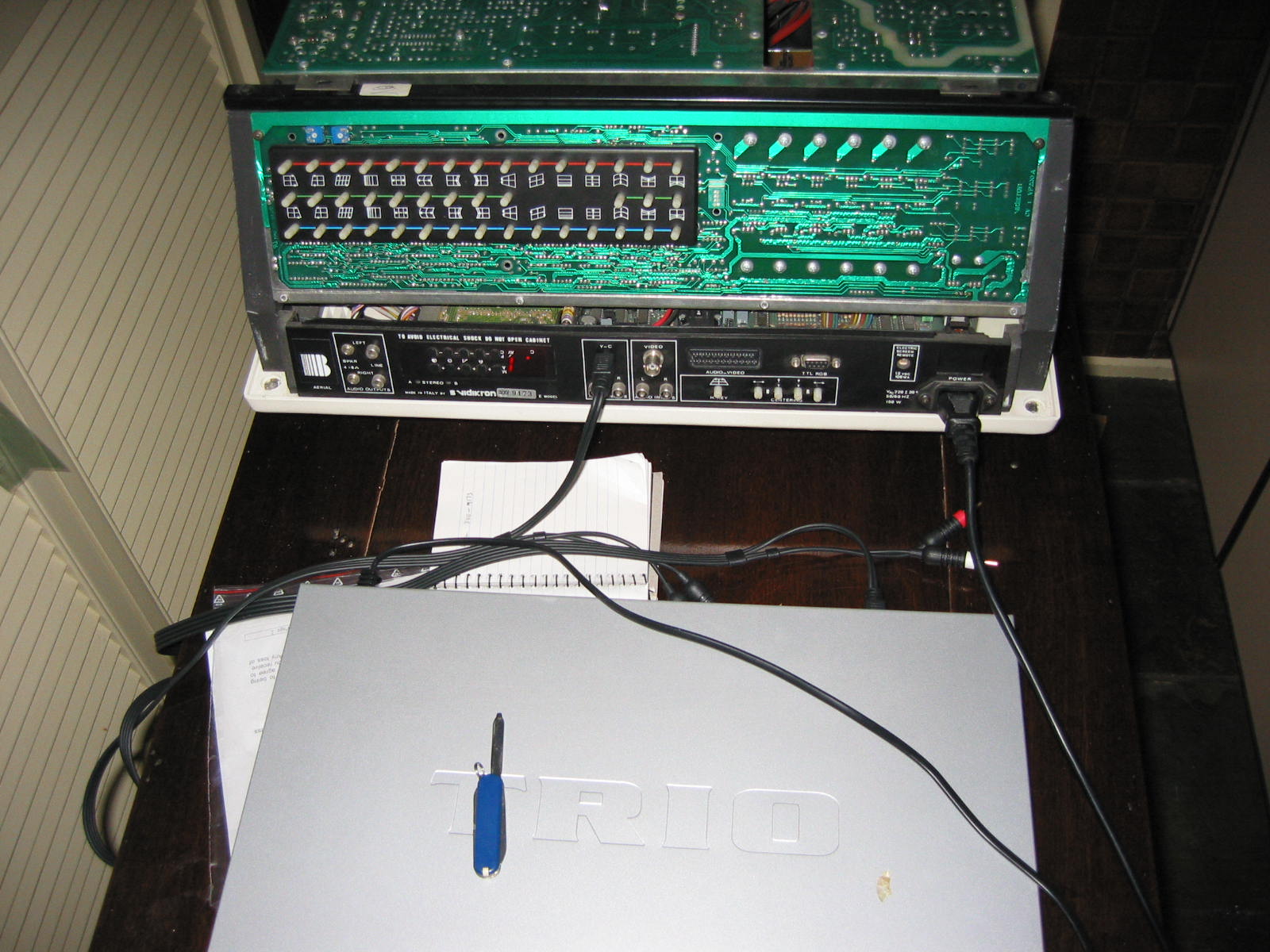
Pop the cover and give us some pix of the internals. I don't think I hvae anything here for that set, but I won't know for sure until I see some PC boards.
|
|
| Back to top |
|
|
huppy
Joined: 09 Mar 2008
Posts: 4
|
| Posted: Mon Mar 10, 2008 12:28 am Post subject: |
|
|
Hi,
I also have Vidikron TGS 300. It took me a while to find a manual, and I have one here somewhere if I can find it.
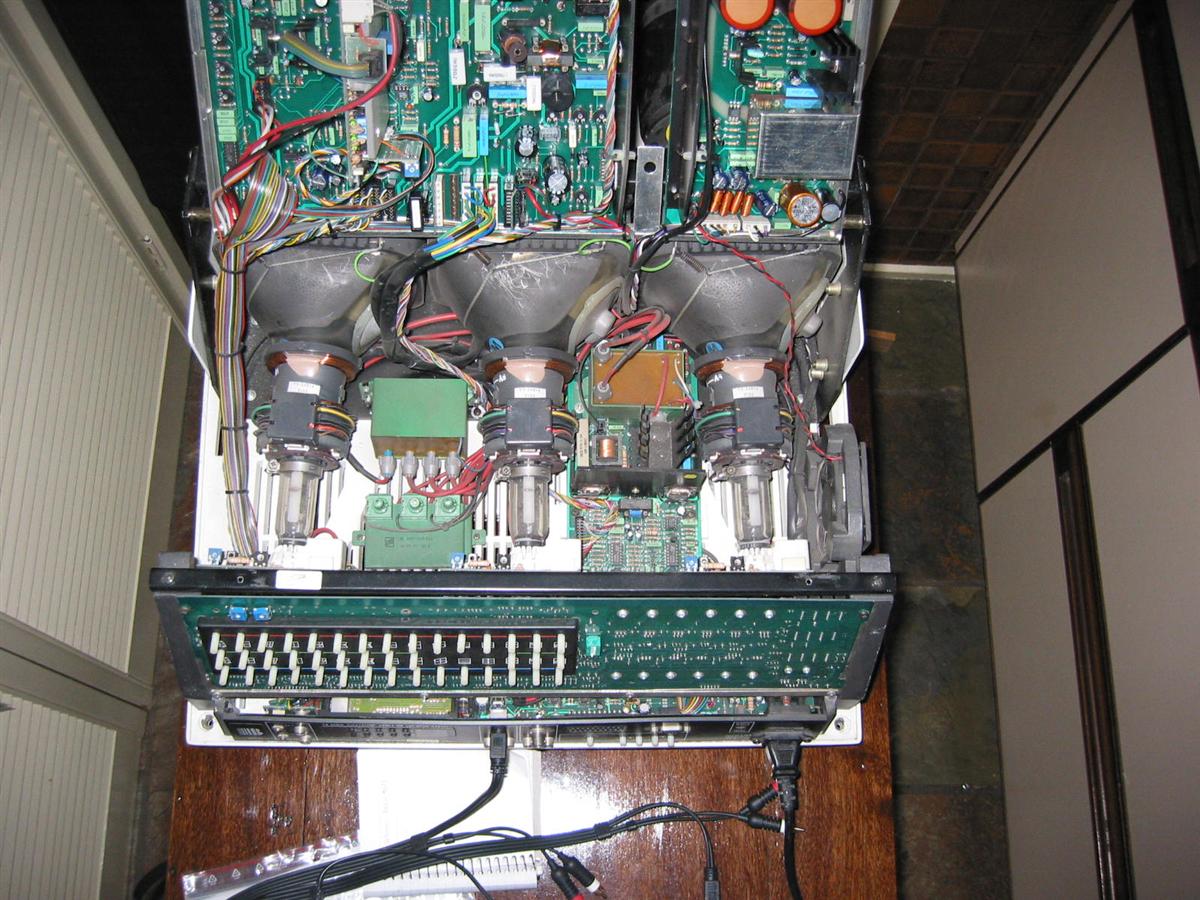
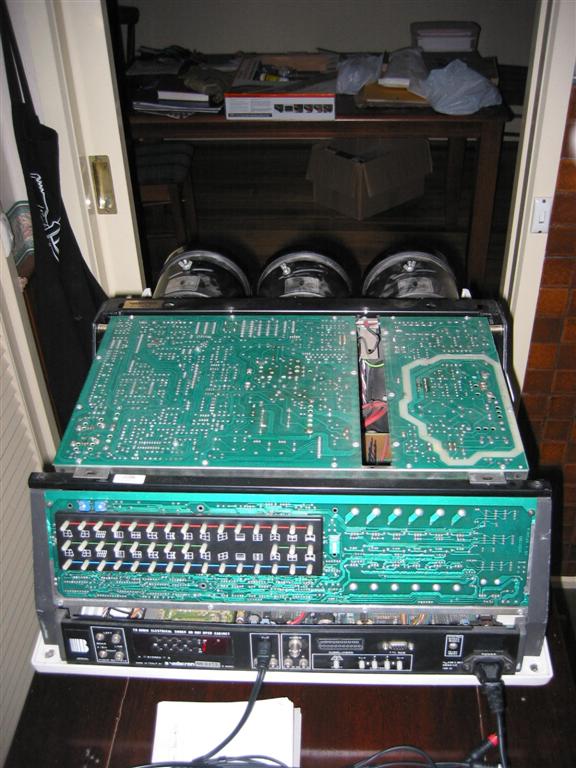
I have internal photos of the chassis somewhere, and will post when I can. I would love some advice on whether there exists some setup/information guides. I have tried to do a focus on the tubes, but I am sure the tube's yoke rings are set incorrectly and I am unsure how to best set them.
My tube colour seems to be ok (I was able to get a certain area of the image focused centre of screen) but the manual set up controls on the chassis are a pain. It takes ages to get things looking ok!
| Description: |
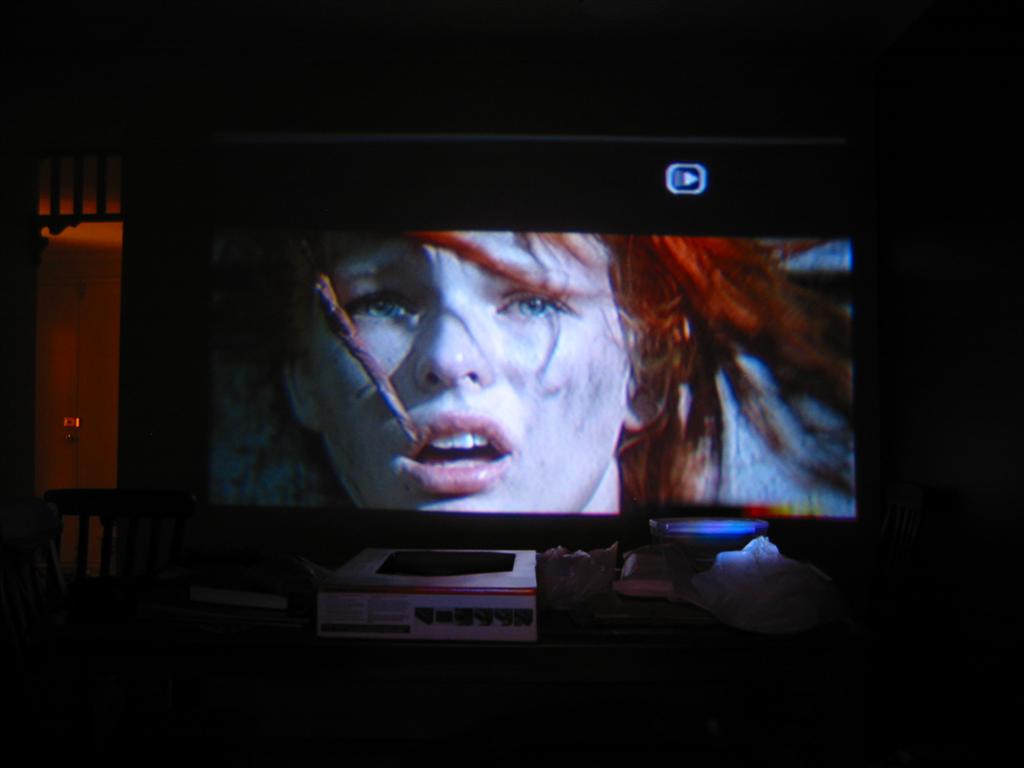
| Not the best pic, but a large image of 5th element scene (was a large wall image, probably too big for projector realistically) |
|
| Filesize: |
41.75 KB |
| Viewed: |
15862 Time(s) |
|
| Description: |
| Tubes, internal control boards |
|
| Filesize: |
200.55 KB |
| Viewed: |
13017 Time(s) |
|
| Description: |
| Rear panel, top board visible. |
|
| Filesize: |
88.77 KB |
| Viewed: |
15862 Time(s) |
|
| Description: |
|
| Filesize: |
266.58 KB |
| Viewed: |
13014 Time(s) |
|
|
|
| Back to top |
|
|
Tinman
Joined: 09 Mar 2006
Posts: 1326
Location: Carson City Nevada
|
| Posted: Mon Mar 10, 2008 11:46 pm Post subject: |
|
|
Yep, a friend of mine has the manual for that thing. It may NOT be in PAL mode, though. If it were, it should have color. I'll see if I can get a look into the manual.
Marc
_________________
This space for rent.
|
|
| Back to top |
|
|
huppy
Joined: 09 Mar 2008
Posts: 4
|
| Posted: Tue Mar 11, 2008 12:26 am Post subject: |
|
|
If anyone knows anything about proper set up of these projectors I would love to hear from them..
I have tried focusing, and even adjusting yoke rings to get the best green setup possible, before following detailed instructions on setting up, but not matter what I do, I can't seem to gt a sharp focus of each beam.
Green is good, but red and blue just aren't as 'sharp' when in crosshair mode focusing the unit.
I guess it could be the lenses and their positioning, but I have tried numerous things.
Even when fully adjusting the focus controls (as seen in the image of the open case) doesn't fix it.
I did get 'some' of the fifth element image focused ok, and I was happy with what I saw (see left side of image, here eye with the hair falling in front of it). I just thought I would see if I could focus one screen section ok and it worked, but I haven't spent enough time (would have to start from scratch) to try and focus the whole screen...
its hard work when everything is manual, and parts are probably wearing out!
|
|
| Back to top |
|
|
danquey
Joined: 23 Feb 2008
Posts: 7
Location: Australia
|
| Posted: Tue Mar 11, 2008 1:18 am Post subject: |
|
|
hi,
have finally go the colour to work, it turned out to be a setting on the main board.
Thanks for you help guys
Daniel.
|
|
| Back to top |
|
|
huppy
Joined: 09 Mar 2008
Posts: 4
|
| Posted: Tue Mar 11, 2008 1:29 am Post subject: |
|
|
Danquey,
How have you gone with focusing and set up? Got a good picture from it?
|
|
| Back to top |
|
|
danquey
Joined: 23 Feb 2008
Posts: 7
Location: Australia
|
| Posted: Wed Mar 12, 2008 10:56 pm Post subject: |
|
|
hi huppy,
have got it focused fairly well, still needs minor adjustments though.
have you made sure that you are the right distance away from the screen?
Danquey.
|
|
| Back to top |
|
|
huppy
Joined: 09 Mar 2008
Posts: 4
|
| Posted: Tue Mar 25, 2008 12:15 am Post subject: |
|
|
Curt,
Did you have a look at the pics I uploaded?
Do you have any more information on these projectors? I can't find the electronic copy of the manual anymore...
Perhaps there was another projector brand out there using the same/similar boards that I might be able to get some technical info about?
Cheers
|
|
| Back to top |
|
|
|
|




