| Author |
Message |
Err0r4o4
Joined: 27 Dec 2007
Posts: 10
Location: Canada
|
| Posted: Tue Jan 01, 2008 12:32 am Post subject: Help --> Picture Sharpness and Convergence on 1270Q |
|
|
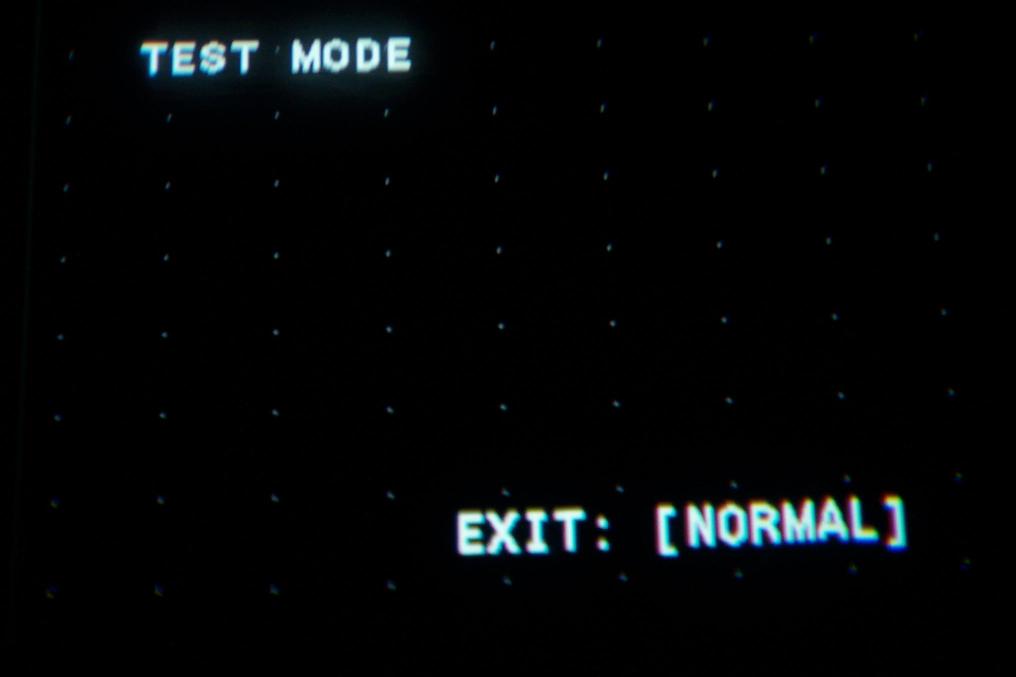
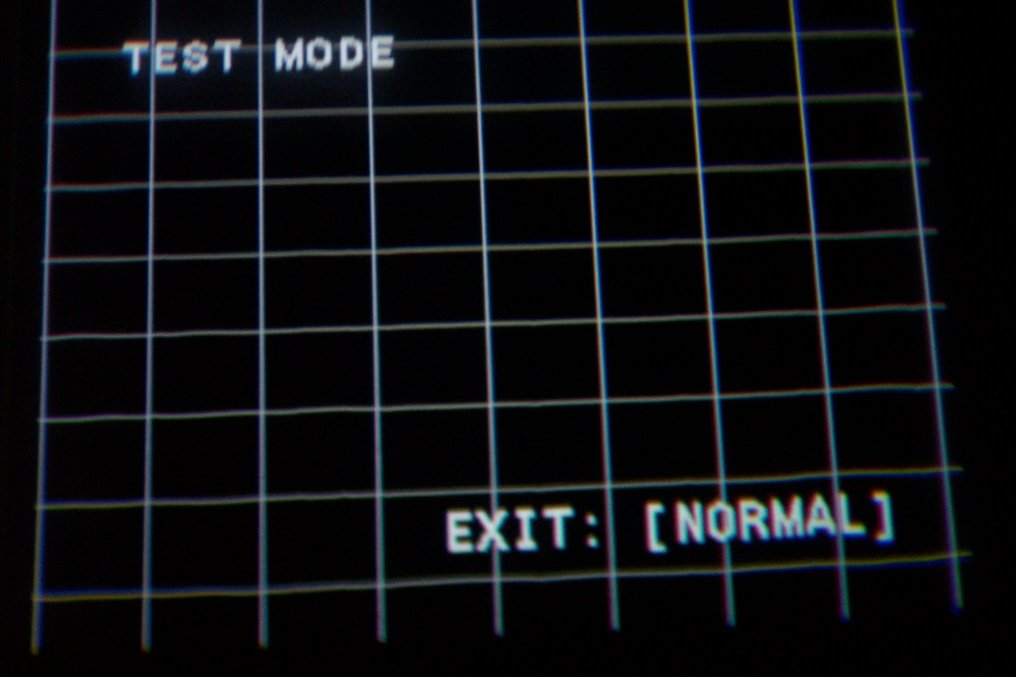
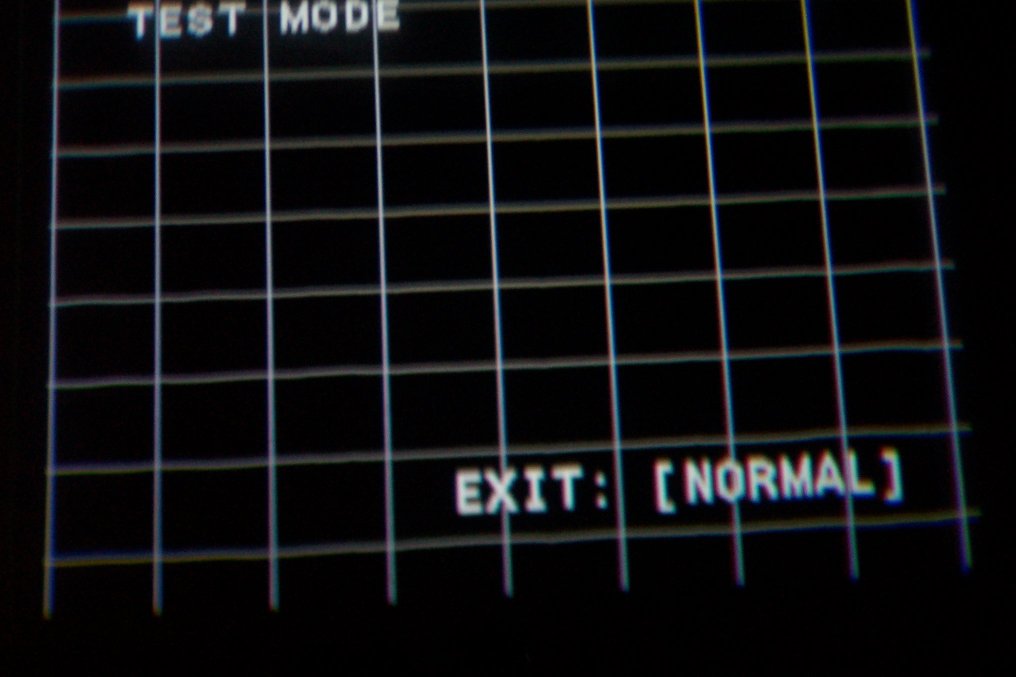
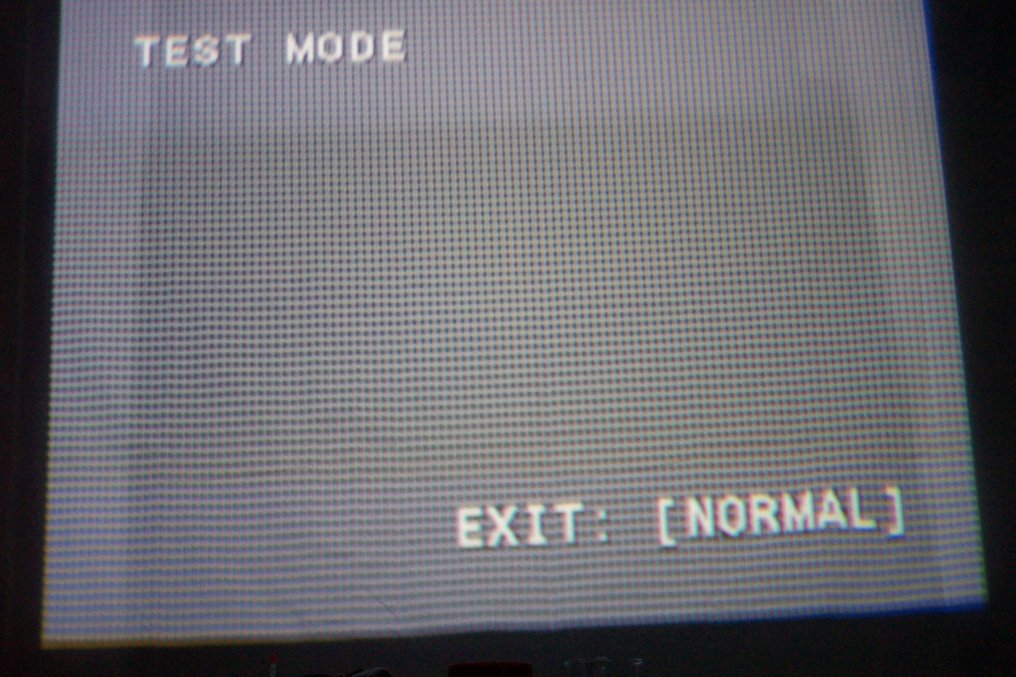
Hi, since i got my pj i always had a problem with convergence of the blue. The problem seems to be on the bottom left and top right. The convergence is at its best on these pictures and the blue is at maximum on some settings. These problems where there too when the projector was on horizontal position. The E-board is brand new from a sealed box.
And i have to lower the res to 800-600 to be able to read text in windows. The image is very blurry equally on the 3 colors. Is astigmation the answer for that? I tried to set the telescopes at best and played with the focus potentiometers.
tia
| Description: |
|
| Filesize: |
26.05 KB |
| Viewed: |
8437 Time(s) |
|
| Description: |
|
| Filesize: |
69.24 KB |
| Viewed: |
8437 Time(s) |
|
| Description: |
|
| Filesize: |
67.93 KB |
| Viewed: |
8437 Time(s) |
|
| Description: |
|
| Filesize: |
134.01 KB |
| Viewed: |
8437 Time(s) |
|
|
|
| Back to top |
|
 |
Sonynut

Joined: 08 Aug 2006
Posts: 367
Location: Bradford,PA
|
| Posted: Tue Jan 01, 2008 7:34 am Post subject: |
|
|
Seems to me that this may be from over use of the CENT controls.. for initial centering, try using a balance of ZONE 1(first) and CENT(2nd). This will keep the rest of the convergence controls from overflowing. Using the wrong spacers for your screen size can also cause this. As far as corner focus on the tube itself, astig may help, but with the wear that shows on that blue, the tube may just have enough hours that you will not get true focus all over the face of the tube. Running at lower contrast will definitely help, along with setting blue focus at the contrast level you run for viewing.
EDIT: Looking at the last pic, it also seems that you are using a completely different centered area than normal.. you may have to center your image more on the original wear, of course requiring a different vertical tilt of the projector itself. The way you have it set up puts a serious strain on the electronics causing an unstable image. A 1270 in my experience can be unstable enough even without overstraining the convergence controls.
Hope I dont sound to rough in my advice.. just my best guess. 
_________________
1272 Stack coming soon:)
|
|
| Back to top |
|
|
ecrabb
Forum Moderator

Joined: 13 Mar 2006
Posts: 15909
Location: Utah
TV/Projector: JVC RS40, Epson 5010
|
| Posted: Tue Jan 01, 2008 3:55 pm Post subject: |
|
|
I'll add one other thing to the mix. You don't say your screen size or aspect, but I'll assume 4x3 if you're talking 800x600 PC res. If you've maximized rasters and you're pushing out pretty close to the edge, you will sacrifice some corner focus. That's always a risk when you push rasters out really far - especially with 4x3 screen/source. Uniformity isn't as good, either as falloff increases towards the outside of the lens. Corner focus is also worse with smaller screens like we have in our HT's because of the toe-in angle for red/blue.
Oh yeah... and hours, too. Like Sonynut alluded to, high-hour ES-focusing tubes (like on lots of older 12xx) just don't focus well. It wouldn't be uncommon at all to have to run 800x600 to get readable Windows icon text on one of these old projectors. No hour counter on the 1270, right?
SC
|
|
| Back to top |
|
|
Sonynut
Joined: 08 Aug 2006
Posts: 367
Location: Bradford,PA
|
| Posted: Tue Jan 01, 2008 8:26 pm Post subject: |
|
|
To take care of most toe-in related corner focus issues the Ecrabb mentioned(as far as the lens focus goes), download and follow the "Mooneyass" manual from this section of the site:
http://www.curtpalme.com/Sony125x_Downloads.shtm
Also do the spacer mod:
http://www.curtpalme.com/Sony125x_SpacerMod1.shtm
Fair warning that there is lots of time involved in doing this- but try first to get your centering/convergence/electronic focus problems buttoned down(IF you have the right spacers for your screen size). By the time you get done, you will probably be itching for a new blue tube, though. 
_________________
1272 Stack coming soon:)
|
|
| Back to top |
|
|
tony359

Joined: 04 Aug 2006
Posts: 378
|
| Posted: Tue Jan 01, 2008 10:49 pm Post subject: |
|
|
Error
Watching the first image, I think you may have all the magnets wrong. The dots have ellipsis shape, this should be the Magnet setup very wrong. This will cause wrong focus all around the screen.
However, reset everything to 128, set the projector mechanically and check the spacers.
Let us know
Antonio
|
|
| Back to top |
|
|
Err0r4o4
Joined: 27 Dec 2007
Posts: 10
Location: Canada
|
| Posted: Wed Jan 02, 2008 2:07 am Post subject: |
|
|
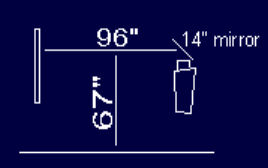
My spacers are set to "S" accordingly with pjcalc. My Screen size is 64x44". Aspect ration is 4:3. And the pj distance from the screen is 96". I have reset the convergence settings then i made the mecanical convergence then i made the final adjustement with the electronic settings.
*EDIT* I forgot to say that the tubes magnet still have the paint on it so it was never adjusted.
|
|
| Back to top |
|
|
ecrabb
Forum Moderator
Joined: 13 Mar 2006
Posts: 15909
Location: Utah
TV/Projector: JVC RS40, Epson 5010
|
| Posted: Wed Jan 02, 2008 2:19 am Post subject: |
|
|
64x44 isn't quite 4:3. 64x48 or 58.67x44 would be 4:3.
Wow, that screen is super small. Focus and convergence become more and more difficult the smaller the screen gets.
Your image looks sharper in the center than it does top and bottom - never mind the corners. I'm wondering if you have too much vertical offset for your very short throw. How far (vertically) off the center of the screen is the green lens? How much vertical keystone are you having to dial in?
I'm suspecting mechanical focus again.
SC
|
|
| Back to top |
|
|
Err0r4o4
Joined: 27 Dec 2007
Posts: 10
Location: Canada
|
|
| Back to top |
|
|
ecrabb
Forum Moderator
Joined: 13 Mar 2006
Posts: 15909
Location: Utah
TV/Projector: JVC RS40, Epson 5010
|
| Posted: Wed Jan 02, 2008 3:17 am Post subject: |
|
|
Very cool. I must have missed that when you posted it. I was going to do something similar when I was in my old house, but I decided against it because the throw distance over a couple of rows of seating made the screen size too large. Your throw distance must be REALLY short.
I'll sketch it up so I can get straight in my head how the reflection and throw works. Back soon!
SC
|
|
| Back to top |
|
|
Err0r4o4
Joined: 27 Dec 2007
Posts: 10
Location: Canada
|
| Posted: Wed Jan 02, 2008 4:20 am Post subject: |
|
|
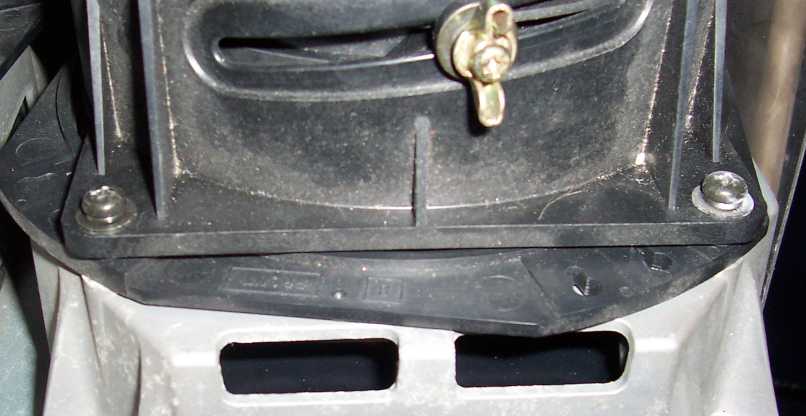
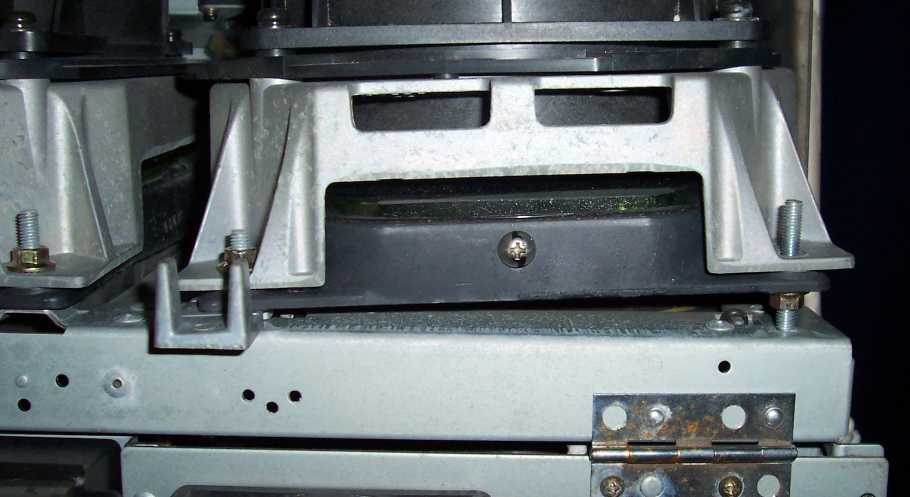
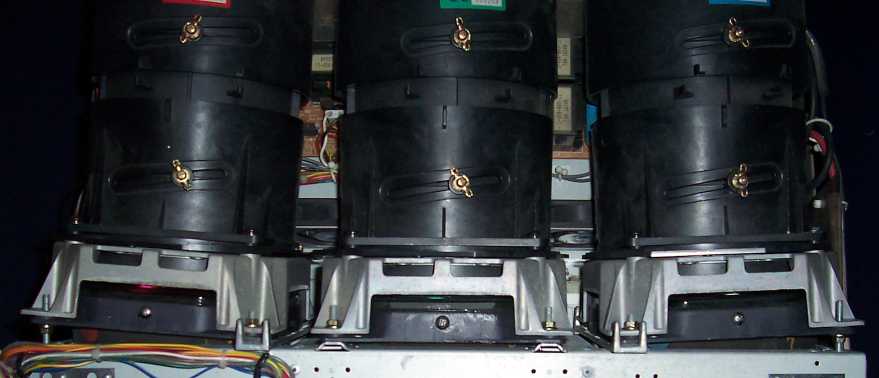
My pj is in vertical position so the weight of the optics make it possible to just place the nut UNDER so i can adjust the angle of the telescope.
Here it is:
| Description: |
|
| Filesize: |
34.71 KB |
| Viewed: |
8314 Time(s) |
|
| Description: |
|
| Filesize: |
41.18 KB |
| Viewed: |
8314 Time(s) |
|
| Description: |
|
| Filesize: |
29.79 KB |
| Viewed: |
8314 Time(s) |
|
| Description: |
|
| Filesize: |
6.65 KB |
| Viewed: |
8314 Time(s) |
|
|
|
| Back to top |
|
|
jkruger

Joined: 24 Oct 2007
Posts: 2435
Location: Carlsbad, CA
|
| Posted: Wed Jan 02, 2008 4:29 am Post subject: |
|
|
|
Is it possible that the mirror has some distortion in it that might affect the image on the screen?
|
|
| Back to top |
|
|
Err0r4o4
Joined: 27 Dec 2007
Posts: 10
Location: Canada
|
| Posted: Wed Jan 02, 2008 4:50 am Post subject: |
|
|
|
yes everywhere on internet they say we need to use a optical mirror or at least a very high quality mirror. The mirror i use i quite good. I cant see any deformation no matter what angle i look inside it but it can definitlely be a cause. But even when the pj is installed horizontal with no mirror the picture is very blurry.
|
|
| Back to top |
|
|
Err0r4o4
Joined: 27 Dec 2007
Posts: 10
Location: Canada
|
| Posted: Wed Jan 02, 2008 4:57 am Post subject: |
|
|
|
The main idea i had in mind when i started this thread was to know is astigmentation might be the key to my problem and i wanted to know the risk of messing with that. I know about the high current there but i mean, is it hard to find the right setting? Can i cause damages to the tube by going too far with the adjustement?
|
|
| Back to top |
|
|
jkruger
Joined: 24 Oct 2007
Posts: 2435
Location: Carlsbad, CA
|
| Posted: Wed Jan 02, 2008 5:01 am Post subject: |
|
|
|
I'm a newbie and I can see what looks like astig issues with your pj, but you might need to get the rest of it set up better before adjusting astig.
|
|
| Back to top |
|
|
tony359
Joined: 04 Aug 2006
Posts: 378
|
| Posted: Wed Jan 02, 2008 12:11 pm Post subject: |
|
|
You have a lot of variables... The mirror is the first. Then the magnets, the fact that you find them sealed means nothing.
You don't have CRT spacers but variables bolts. Didyou adjust them accordingly?
I'd try pointing the projector directly on the screen and optimize all the settings there. Then use the mirror and see if the image is the same.
Ciao
A
|
|
| Back to top |
|
|
ecrabb
Forum Moderator
Joined: 13 Mar 2006
Posts: 15909
Location: Utah
TV/Projector: JVC RS40, Epson 5010
|
| Posted: Wed Jan 02, 2008 5:34 pm Post subject: |
|
|
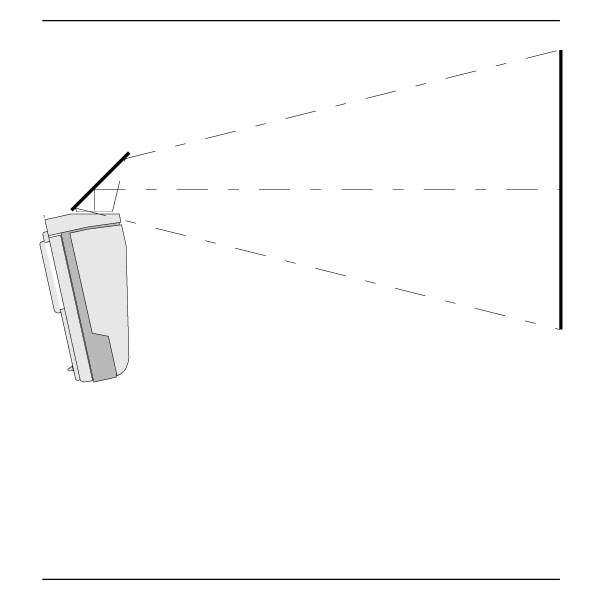
One thing that really sticks out to me looking at your diagram... PJCalc says throw should be 89" for a 64x48 screen. PJCalc is very conservative, so in practice, throw should probably be closer to 80" for that screen size. If your throw is really 96", then you're using considerably less raster than you should be. That will certainly soften the image.
I did a quick sketch (roughly to scale) so I could visualize what your setup really looks like. Looks like you're using zero keystone (or should be, anyway). Assuming you don't have a small wear pattern you're working around, zero keystone should allow you to enlarge your raster even more than most of us floor/ceiling mounters. For a 64" wide screen, your throw could probably be well under 80". Have you taken the lenses off to see how big your rasters are?
Considering you say it's still soft when you're not even using the mirror, and that it's a 1270 (older machine with no hour counter), I'm suspicious your soft focus is a combination of these:
A) High hours on the tubes
B) Electronic focus and astic
C) Rasters too small
SC
| Description: |
|
| Filesize: |
20.84 KB |
| Viewed: |
8263 Time(s) |
|
|
|
| Back to top |
|
|
Sonynut
Joined: 08 Aug 2006
Posts: 367
Location: Bradford,PA
|
| Posted: Wed Jan 02, 2008 10:21 pm Post subject: |
|
|
Cool setup!.. Though I still say make sure you aren't overusing your convergence controls. Astig is definitely in order, and the mooneyass lens flapping will probably help lots with that setup.
_________________
1272 Stack coming soon:)
|
|
| Back to top |
|
|
Err0r4o4
Joined: 27 Dec 2007
Posts: 10
Location: Canada
|
| Posted: Wed Jan 02, 2008 11:55 pm Post subject: |
|
|
One side note for those of you who might wanna do it:
When the pj is in vertical position the liquid on top of the tubes makes 2 bubbles on the exterior sides that make you loose a little bit of raster.
|
|
| Back to top |
|
|
ecrabb
Forum Moderator
Joined: 13 Mar 2006
Posts: 15909
Location: Utah
TV/Projector: JVC RS40, Epson 5010
|
| Posted: Thu Jan 03, 2008 12:01 am Post subject: |
|
|
Bubbles on the sides? Wow, how close to the edges have you pushed the rasters? Is it right out at the edge? Is your throw really what you say it is then?
Maximized rasters way beyond even what spec calls far - with no keystone, no less - but with throw distance well over spec. This is not computing for me.
SC
|
|
| Back to top |
|
|
Nitmoe
Joined: 10 Jan 2008
Posts: 60
Location: Iowa, USA
|
| Posted: Sat Feb 02, 2008 10:42 am Post subject: |
|
|
I say you definitely need to try aligning the astig magnets, that would be high priority on my list. As for the mirror, you probably will lose a little quality there. You can test it with a laser pointer reflected back onto a smooth hard white surface. If the dot is mis-shaped, blurry, has a shadow, or is irregular in any way, the mirror is a partial cause of the problem. Also, a problem could be a lack of scheimpflug adjustment. Theses pj's are basically pre-set with the lenses to produce the best focus when the pj is level, rather than when the lenses are level (which is theoretically the way yours is set up). Instead of an adjustment, you have plastic spacers for the lenses. You might try playing with them to get better edge focus, or change the angle of your setup to mimic a pj mounted level.
Also, as for the blue convergance issue: After you have done a full reset (most settings go back to 128) check if the blue level - you may need to adjust the deflection yoke. If this is the case, red may also be off a little.
|
|
| Back to top |
|
|
|
|




