| Author |
Message |
loribates

Joined: 02 Dec 2007
Posts: 185
Location: KS
|
| Posted: Sun Dec 16, 2007 1:29 am Post subject: Some screen shots and opinions wantd |
|
|
Ok, taken with Nikon D200 DSLR, auto WB, 100 ISO at 5 and 6 sec. exposures. My tripod is not the most stable and it certainly wasn't level, and I probably introduced some fuzziness with slight camera movement since I don't have a remote release cable for this camera and these are pretty long exposures. I've not retouched anything on these other than to resize them and convert to Srgb color profile from the Nikon RGB. The only thing I've got to say is the image appears much sharper on screen. I didn't want to sharpen these images to post them because I wanted them to be completely un-retouched. Camera was about 4 feet behind the pj
I just need opinions on how the colors are looking, etc. , if anyone spots anything inherently wrong with my setup, please point it out. I'm not exactly a screen shot pro, but here goes.....
Thanks in advance for any suggestions.


_________________
Lori Bates
|
|
| Back to top |
|
 |
AnalogRocks
Forum Moderator

Joined: 08 Mar 2006
Posts: 26706
Location: Toronto, Ontario, Canada
TV/Projector: Sony 1252Q, AMPRO 4000G
|
| Posted: Sun Dec 16, 2007 1:37 am Post subject: |
|
|
Well in the last shot she looks like a bug has just crawled up her dress. 
I'd say increase your exposure time just a bit and lock that tripod down solid. Also does your Nikon have mirror pre lock? That and using the built in timer will make for a more vibration free image.
_________________
Tech support for nothing
CRT.
HD done right!
|
|
| Back to top |
|
|
loribates
Joined: 02 Dec 2007
Posts: 185
Location: KS
|
| Posted: Sun Dec 16, 2007 1:44 am Post subject: |
|
|
Yeah, I've got mirror lockup and timer..... crap..... gotta go do this again. I take everything in RAW.... processing takes just a hair longer. CS is a hog.....
_________________
Lori Bates
|
|
| Back to top |
|
|
loribates
Joined: 02 Dec 2007
Posts: 185
Location: KS
|
| Posted: Sun Dec 16, 2007 5:24 am Post subject: |
|
|
Longer exposure, timer, defocused the blue a bit and bumped down the red drive a click or two since it was pointed out over on AVS that it was too red..... funny what the camera can see that you overlook when you're standing there....
Is this moving in the right direction? What else needs major fixing? I'm still not entirely satisfied with the sharpness of the image.


_________________
Lori Bates
|
|
| Back to top |
|
|
n@t
Joined: 02 Apr 2006
Posts: 63
|
| Posted: Sun Dec 16, 2007 6:54 am Post subject: |
|
|
Hi,
nice unsharp with noise the Screenshot`s.
Is this a Camera or CRT Problem?

_________________
think positiv
|
|
| Back to top |
|
|
loribates
Joined: 02 Dec 2007
Posts: 185
Location: KS
|
| Posted: Sun Dec 16, 2007 7:48 am Post subject: |
|
|
| n@t wrote: | Hi,
nice unsharp with noise the Screenshot`s.
Is this a Camera or CRT Problem?
|
Huh? No unsharp or noise filters applied here. These are completely unprocessed. I'm not sure I understand your question.
If you are asking if I sharpened them, no I did not. If you are telling me to use unsharp mask w/ noise, that's not what I'm going for, I can very well doctor these to the point of perfection, but what I'm looking for is what needs improvement as far as the projector is concerned, if I fix the photos, then what purpose does it serve?
_________________
Lori Bates
|
|
| Back to top |
|
|
kschmit2
Joined: 09 Mar 2006
Posts: 1141
Location: Heidelberg, Germany
|
| Posted: Sun Dec 16, 2007 9:18 am Post subject: |
|
|
can't see no pitchers :/

|
|
| Back to top |
|
|
kal
Forum Administrator

Joined: 06 Mar 2006
Posts: 18114
Location: Ottawa, Canada
TV/Projector: JVC DLA-NZ7
|
| Posted: Sun Dec 16, 2007 4:55 pm Post subject: Re: Some screen shots and opinions wantd |
|
|
| loribates wrote: | | My tripod is not the most stable and it certainly wasn't level, and I probably introduced some fuzziness with slight camera movement since I don't have a remote release cable for this camera and these are pretty long exposures |
There's no 10 second timer on the D200? That's what I use on my 40D when taking tripod shots when I don't want to use the remote release cable.
Kal
_________________

Support our site by using our affiliate links. We thank you!
My basement/HT/bar/brewery build 2.0
|
|
| Back to top |
|
|
loribates
Joined: 02 Dec 2007
Posts: 185
Location: KS
|
| Posted: Sun Dec 16, 2007 4:58 pm Post subject: |
|
|
Yep, it does. See my second post in this thread. I just didn't happen to be using it when I took the first batch......
_________________
Lori Bates
|
|
| Back to top |
|
|
kschmit2
Joined: 09 Mar 2006
Posts: 1141
Location: Heidelberg, Germany
|
| Posted: Sun Dec 16, 2007 6:30 pm Post subject: |
|
|
| kschmit2 wrote: | can't see no pitchers :/
|
Now I can see them
|
|
| Back to top |
|
|
loribates
Joined: 02 Dec 2007
Posts: 185
Location: KS
|
| Posted: Sun Dec 16, 2007 6:41 pm Post subject: |
|
|
| kschmit2 wrote: | | kschmit2 wrote: | can't see no pitchers :/
|
Now I can see them |

_________________
Lori Bates
|
|
| Back to top |
|
|
loribates
Joined: 02 Dec 2007
Posts: 185
Location: KS
|
| Posted: Sun Dec 16, 2007 6:45 pm Post subject: |
|
|
Well, either way.... I'm booting the hubby out of the basement today. He's just gonna have to watch football somewhere else. I'm going to size down from 96 wide to 92 and see if that gets me any better picture.... I've got the thing floor mounted and it will likely stay that way for a while. Bottom of the pj is far enough below the bottom of the screen I've got some keystone correction in place so I will raise it up a bit as well because I'd really like to square up the image on the raster and eek more light and more res. out of it and see if I can clean up the picture. It wows me in HD, at least it did at first, but now I'm starting get used to it and I'd really like to get it sharper.
This isn't going to please the hubby.... his comments are "can't you make it bigger" If I hear it one more time, I'm going to ask him the same damn question.
_________________
Lori Bates
|
|
| Back to top |
|
|
AnalogRocks
Forum Moderator
Joined: 08 Mar 2006
Posts: 26706
Location: Toronto, Ontario, Canada
TV/Projector: Sony 1252Q, AMPRO 4000G
|
| Posted: Sun Dec 16, 2007 7:25 pm Post subject: |
|
|
| loribates wrote: |
This isn't going to please the hubby.... his comments are "can't you make it bigger" If I hear it one more time, I'm going to ask him the same damn question. |
_________________
Tech support for nothing
CRT.
HD done right!
|
|
| Back to top |
|
|
draganm

Joined: 08 Mar 2006
Posts: 8990
Location: Colorado
|
| Posted: Sun Dec 16, 2007 7:31 pm Post subject: |
|
|
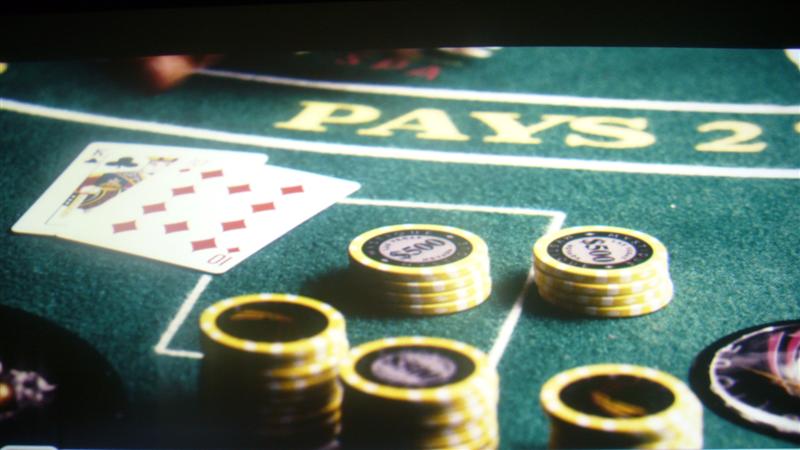
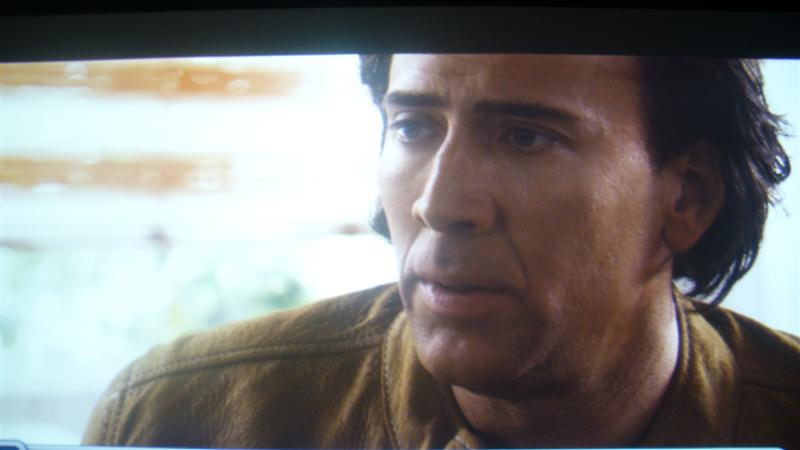
a couple of your shots look really good, but the rest have that grainy look that I got in my shots when I tried it. I have a cheap $170. Pannasonic camera and no tri-pod so that was probably the biggest problem. I finally gave up and decided to get really good screen-shots would have required more time and money than I was willing to invest in it. Here's the best two I ever got, M8500 @ 720P from HD-DVD on a 92" inch wide screen.
| Description: |
|
| Filesize: |
47.08 KB |
| Viewed: |
5522 Time(s) |
|
| Description: |
|
| Filesize: |
28.77 KB |
| Viewed: |
5522 Time(s) |
|
|
|
| Back to top |
|
|
loribates
Joined: 02 Dec 2007
Posts: 185
Location: KS
|
| Posted: Sun Dec 16, 2007 7:56 pm Post subject: |
|
|
I think alot of the grain you are seeing (mostly in brighter shots, right? ) is from the damned screen. I got the bright idea I needed to repaint it the other day (and it did need it, because the fresh paint sure showed how dirty it has gotten over the last 3 years) but I made the mistake of trying an eggshell paint instead of flat and the eggshell finish really shows up the roller nap in the lighter scenes and hotspots just a bit. You can see the hotspotting just a tad in these pics at the bottom center of the screen.
I'm gonna hit the screen with some fine sandpaper and the put on a coat of flat
_________________
Lori Bates
|
|
| Back to top |
|
|
|
|





