| Author |
Message |
jaredjaric
Joined: 05 Jun 2007
Posts: 228
Location: Philippines
|
| Posted: Sat Oct 06, 2007 10:32 am Post subject: Barco 808 g displays only upper half of image |
|
|
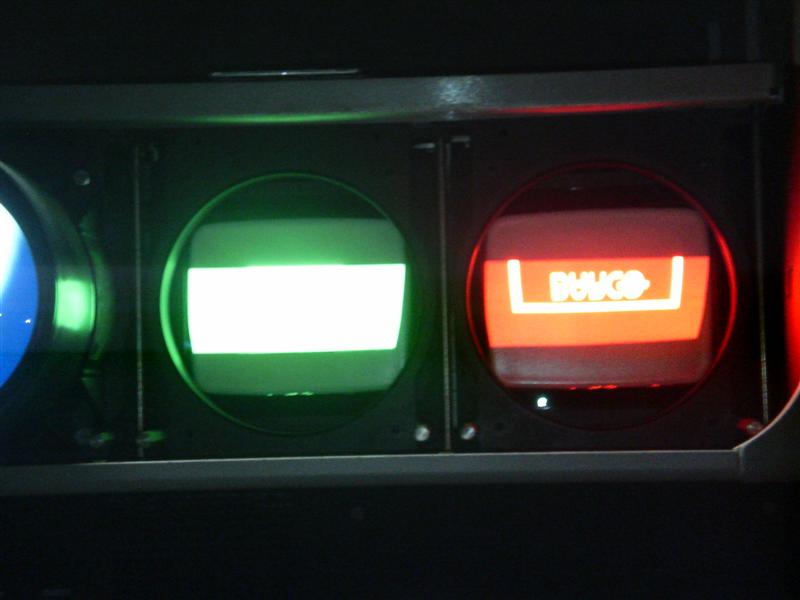
just bought an 808g,the tubes are burn free,but the video has some static or flickering and displays only upper half of the video.Please help before i do something to wrong. 
|
|
| Back to top |
|
 |
jaredjaric
Joined: 05 Jun 2007
Posts: 228
Location: Philippines
|
| Posted: Sat Oct 06, 2007 10:36 am Post subject: Barco 808 g displays only upper half of image |
|
|
|
also on the crt face ,you can clearly see the image cut in half,as if the blanking was covering it.
|
|
| Back to top |
|
|
Curt Palme
CRT Tech
Joined: 08 Mar 2006
Posts: 24396
Location: Langley, BC
TV/Projector: All of them!
|
| Posted: Sat Oct 06, 2007 12:44 pm Post subject: |
|
|
It sounds like the V board is bad, and I would not use the set that way.
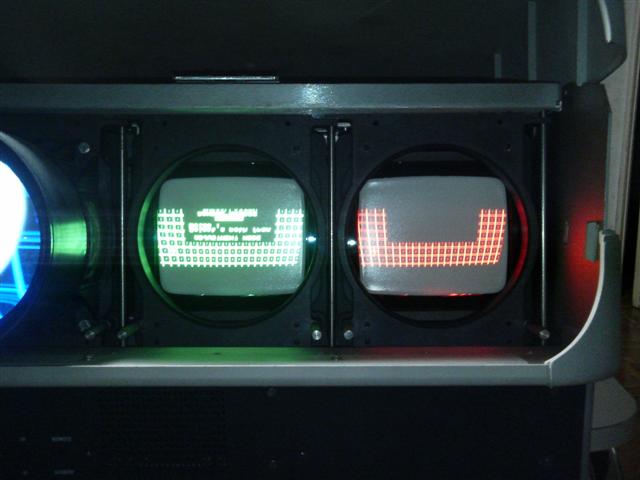
Can you post a pix of the test grid? (turn down the brightness and contrast to very low, and set the exposure time to high.)
|
|
| Back to top |
|
|
jaredjaric
Joined: 05 Jun 2007
Posts: 228
Location: Philippines
|
| Posted: Sat Oct 06, 2007 1:03 pm Post subject: |
|
|
|
right now it is only the middle half image.i will post a pic of it asap.Thanks
|
|
| Back to top |
|
|
jaredjaric
Joined: 05 Jun 2007
Posts: 228
Location: Philippines
|
| Posted: Sat Oct 06, 2007 2:18 pm Post subject: |
|
|
here are the pix
| Description: |
|
| Filesize: |
43.7 KB |
| Viewed: |
5986 Time(s) |
|
|
|
| Back to top |
|
|
jaredjaric
Joined: 05 Jun 2007
Posts: 228
Location: Philippines
|
| Posted: Sat Oct 06, 2007 2:20 pm Post subject: |
|
|
no. 2 pic
| Description: |
|
| Filesize: |
42.81 KB |
| Viewed: |
5984 Time(s) |
|
|
|
| Back to top |
|
|
Curt Palme
CRT Tech
Joined: 08 Mar 2006
Posts: 24396
Location: Langley, BC
TV/Projector: All of them!
|
| Posted: Sun Oct 07, 2007 12:40 am Post subject: |
|
|
|
OK, it's not V deflection failure, it's something to do with the blanking. I'd say V board or controller module issues. If you want, let me know, and you can send them to me for testing.
|
|
| Back to top |
|
|
Tom.W

Joined: 09 Mar 2006
Posts: 6635
|
| Posted: Sun Oct 07, 2007 12:20 pm Post subject: |
|
|
|
Try deleting all blocks then try centering the rasters in the setup menu.
|
|
| Back to top |
|
|
jaredjaric
Joined: 05 Jun 2007
Posts: 228
Location: Philippines
|
| Posted: Sun Oct 07, 2007 2:07 pm Post subject: |
|
|
thanks Curt ,Tom.will try to check the v board.
|
|
| Back to top |
|
|
jaredjaric
Joined: 05 Jun 2007
Posts: 228
Location: Philippines
|
| Posted: Sun Oct 07, 2007 3:31 pm Post subject: vertical amplitude too tall |
|
|
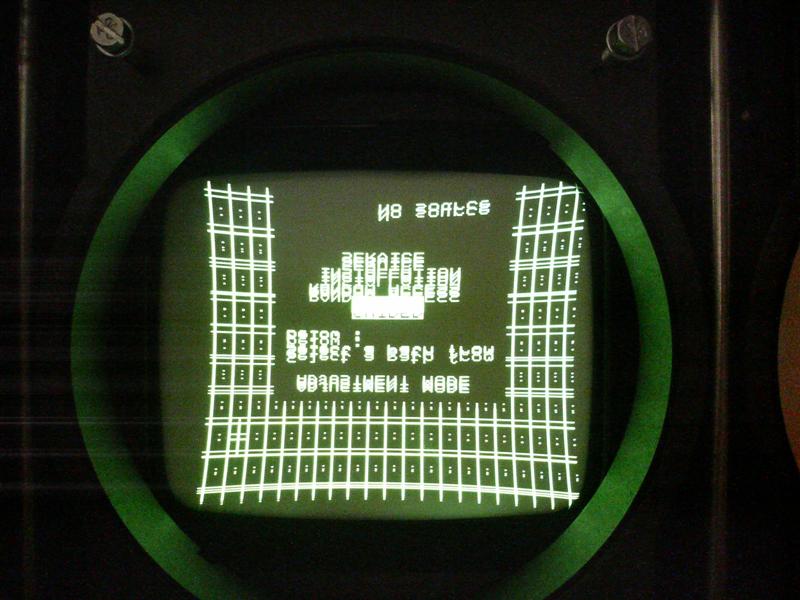
Here is a new pic after deleting all blocks and setting everything to midpoint.That is what i got ,still a stuttering image but
looks like the vertical adj.was set too high.Help ,Does anyone think that is the case?the trimpots are in the V board ,is it not?
| Description: |
|
| Filesize: |
80.58 KB |
| Viewed: |
5901 Time(s) |
|
|
|
| Back to top |
|
|
Tom.W
Joined: 09 Mar 2006
Posts: 6635
|
|
| Back to top |
|
|
jaredjaric
Joined: 05 Jun 2007
Posts: 228
Location: Philippines
|
| Posted: Mon Oct 08, 2007 5:58 am Post subject: |
|
|
|
Thanks,will check the smps solder.
|
|
| Back to top |
|
|
Curt Palme
CRT Tech
Joined: 08 Mar 2006
Posts: 24396
Location: Langley, BC
TV/Projector: All of them!
|
| Posted: Mon Oct 08, 2007 2:31 pm Post subject: |
|
|
|
Do resolder the SMPS regardless, but this is most likely an internal V board issue. That's also where the V sync takes place.
|
|
| Back to top |
|
|
jaredjaric
Joined: 05 Jun 2007
Posts: 228
Location: Philippines
|
| Posted: Tue Oct 09, 2007 1:44 am Post subject: |
|
|
|
the two trimmers onthe board,are almost not affecting the red and blue v amplitude.Probably some misadjustments in the whole v/sync board
|
|
| Back to top |
|
|
|
|




