|
As this forum is rarely used anymore, we've locked it. Feel free to browse and read. Questions? Please reach out to us directly. Cheers! |
|
|
 |
|
|
| Author |
Message |
jp25
Joined: 26 Apr 2025
Posts: 10
Location: Toronto, Canada
|
| Posted: Tue Apr 29, 2025 2:31 pm Post subject: Sony G90—No High Definition Input? |
|
|
I've gotten into CRTs over the past little while, and CRT projectors have piqued my interest.
I bought a local Sony G90, and the seller said it was in good shape, nothing notable was wrong with it, and demoed an RGB SNES game for me to see. There was only slight green burn-in, with under 3000 hours.
Once I got it home, I couldn't get my HDMI-to-component box with RCA-to-BNC connectors to show up as an input—it would just say no input.
So I tried my Blu-Ray player through the component and couldn't get that to show up.
I was able to get my Gamecube to show up perfectly through S-Video.
I thought perhaps my RCA-to-BNC connectors could be bad, so I bought another brand. Those didn't work. Then I tried 75-ohm connectors meant for hi-definition, and those also didn't work.
I thought maybe there was some sort of issue with the component rendering and that I had been shown the G90 on RGB, so I bought a VGA to BNC5 and an HDMI to VGA box. That also didn't work.
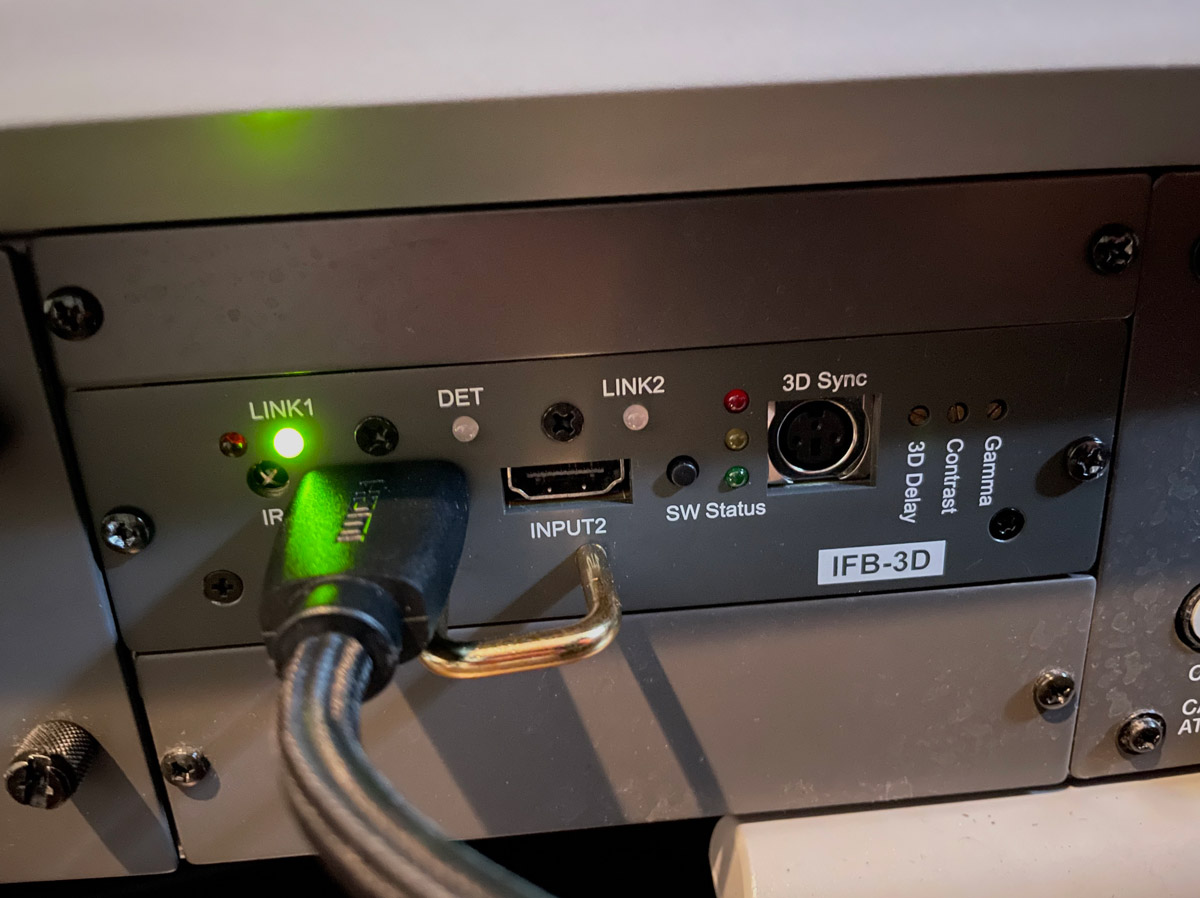
I thought maybe there was some sort of connection issue and was looking into buying some IFB cards to add to the machine.
Locally, someone was selling their Moome Sony HDMI card as they just upgraded to a 9" Marquee. He showed the card working on his Sony D50, I bought that.
When I got it home and installed it, there was no input.
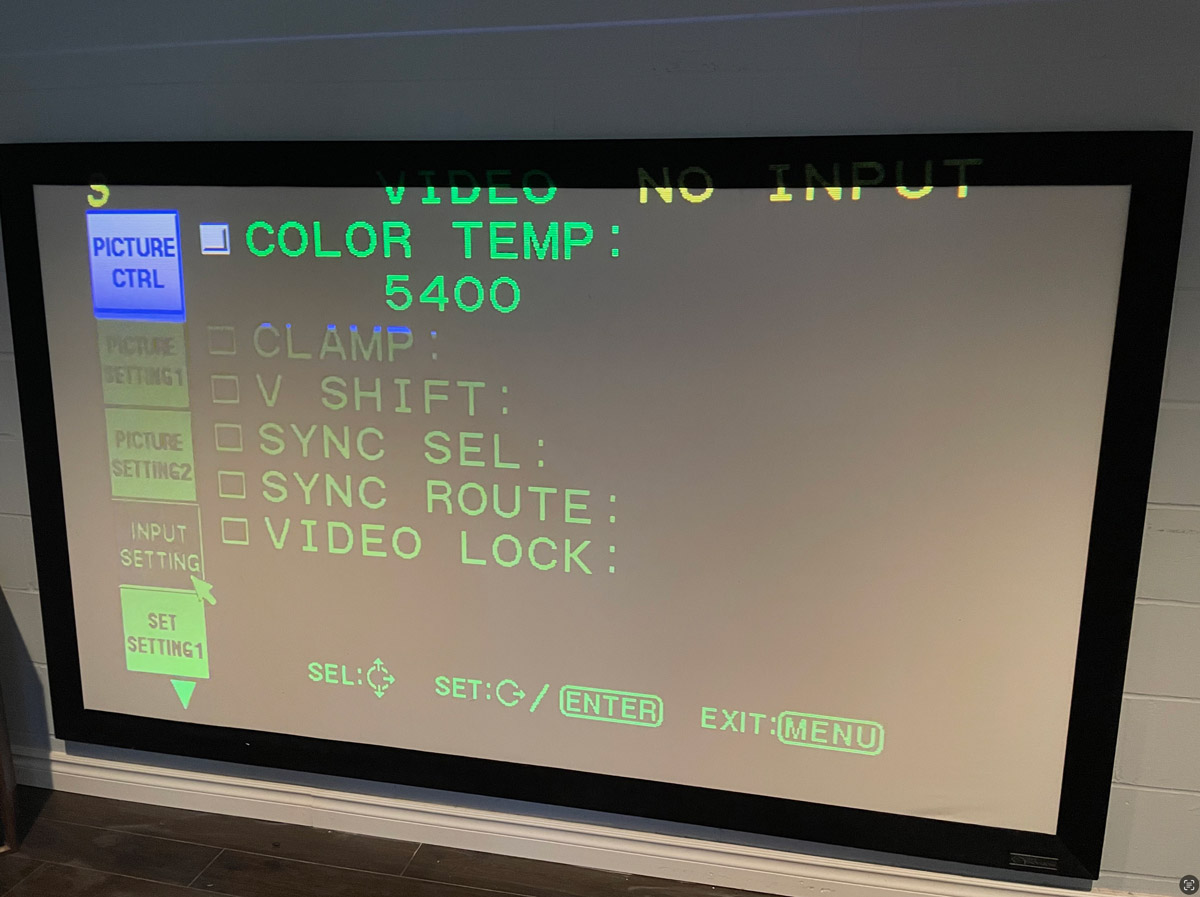
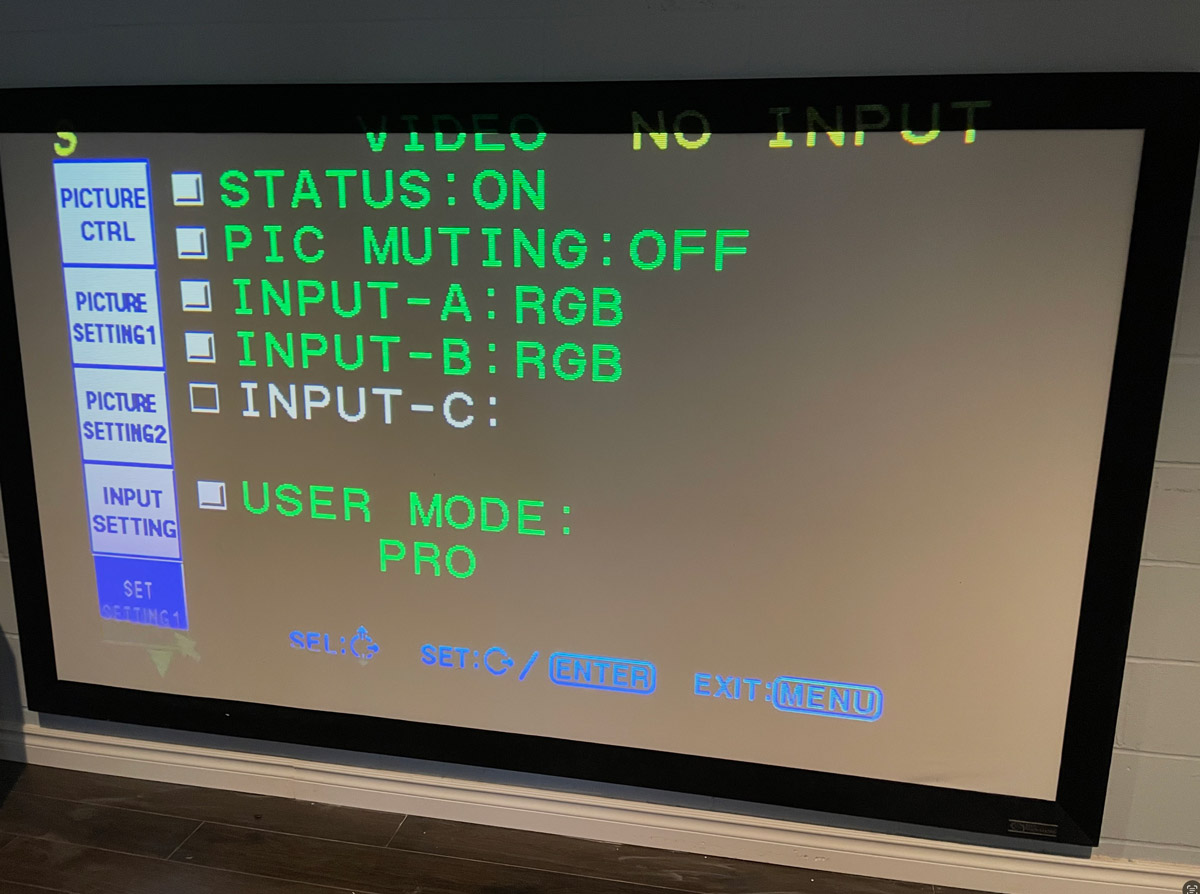
I realize that after watching the install videos with the HDMI card, I should have SYNC and CLAMP options, but those have never appeared on my set.
I am beginning to think that there is a problem with the machine, and after reading the theory of operation, it looks like there could be an issue with the BA board and high-definition signals?
Does anyone have any ideas about why only standard definition signals would work?
The video (yellow cable with BNC connector) and S-Video work, and the guy who sold me the G90 had shown me standard definition RGB working.
Hoping to get this running in high definition, as the quality of light with the S-Video alone is already pretty cool.
Many thanks,
Jared
| Description: |
|
| Filesize: |
161.7 KB |
| Viewed: |
132 Time(s) |
|
| Description: |
|
| Filesize: |
159.54 KB |
| Viewed: |
132 Time(s) |
|
| Description: |
|
| Filesize: |
175.54 KB |
| Viewed: |
132 Time(s) |
|
|
|
| Back to top |
|
 |
AFryia

Joined: 09 Mar 2006
Posts: 965
Location: S.E. Michigan VPH-G70Q
|
| Posted: Wed Apr 30, 2025 12:03 am Post subject: |
|
|
When the PJ is working with S-Video does it say "S-Video" at the top of screen?
I had different PJ and Card, G-70 and WMAN DVI card. I set input to RGB if memory serves me, and that would show at the top of screen. I only had one RGB input through DVI, and one component through the component input. Can't remember which was A or B.
Bottom right would be the registration preset and/or memory preset. If you run RGB 1080p or 1080i preset 3 or 4 should come up unless they are multiple registrations already stored then it could be 11-99 I believe.
https://www.curtpalme.com/forum/album_page.php?pic_id=517
_________________
My Volt Blog
|
|
| Back to top |
|
|
jp25
Joined: 26 Apr 2025
Posts: 10
Location: Toronto, Canada
|
| Posted: Wed Apr 30, 2025 2:55 am Post subject: |
|
|
| AFryia wrote: | When the PJ is working with S-Video does it say "S-Video" at the top of screen?
I had different PJ and Card, G-70 and WMAN DVI card. I set input to RGB if memory serves me, and that would show at the top of screen. I only had one RGB input through DVI, and one component through the component input. Can't remember which was A or B.
Bottom right would be the registration preset and/or memory preset. If you run RGB 1080p or 1080i preset 3 or 4 should come up unless they are multiple registrations already stored then it could be 11-99 I believe.
https://www.curtpalme.com/forum/album_page.php?pic_id=517 |
Appreciate your response! Yeah, it says S-Video at the top when it's working. Right now I have an HDMI to S-Video box at 480i, and it looks solid...but looking forward to seeing full 1080p on this machine.
I've played going through all the different memory presets with no luck.
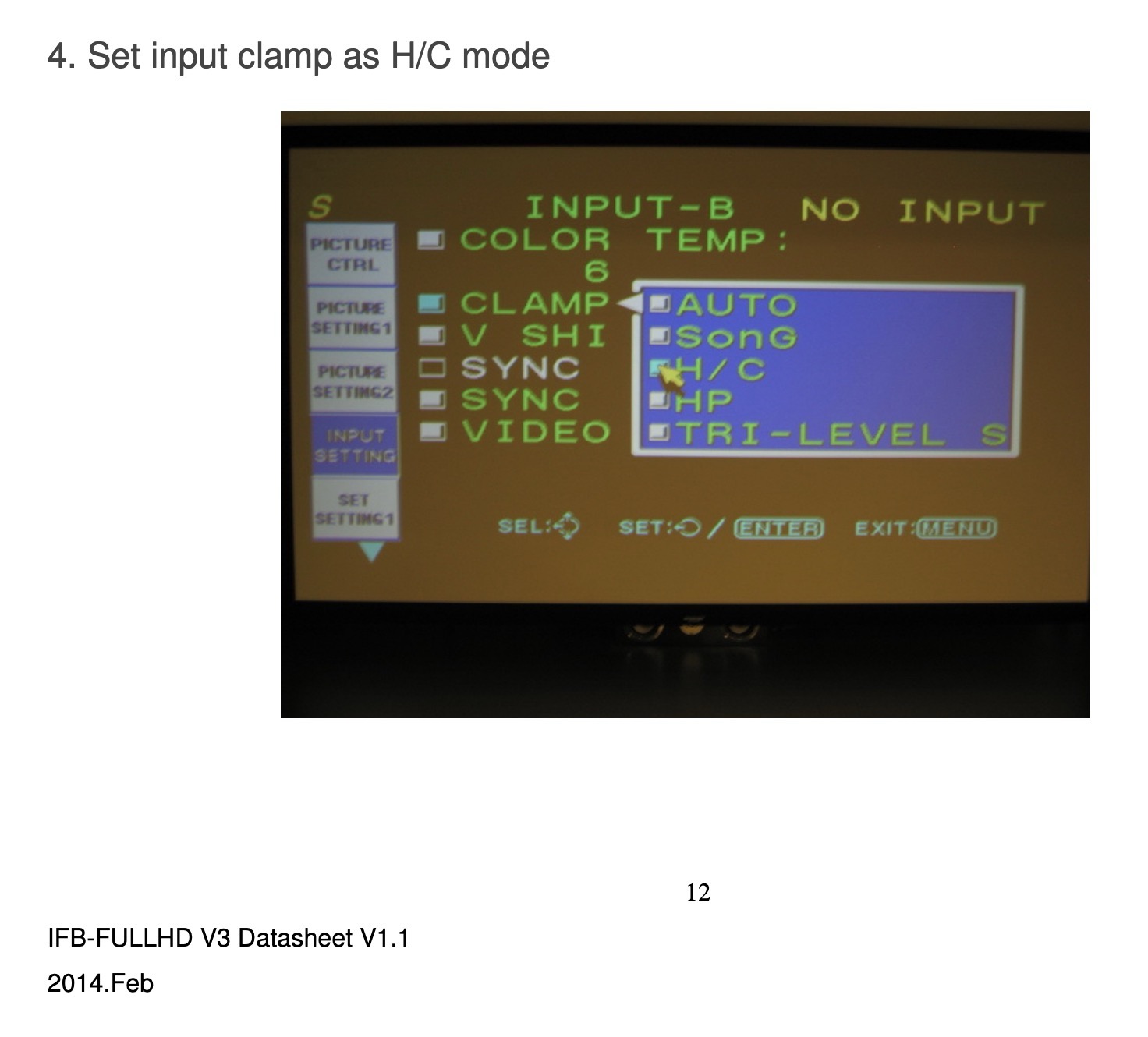
With the Moome HD card, it looks like it is fairly plug-and-play. Just set to RGB, and set the CLAMP to "H/C."
But none of those settings have ever had the white box beside them to select on my machine, even when I go into service mode.
| Description: |
|
| Filesize: |
152.75 KB |
| Viewed: |
120 Time(s) |
|
|
|
| Back to top |
|
|
jp25
Joined: 26 Apr 2025
Posts: 10
Location: Toronto, Canada
|
| Posted: Wed Apr 30, 2025 3:15 am Post subject: |
|
|
| AFryia wrote: | When the PJ is working with S-Video does it say "S-Video" at the top of screen?
I had different PJ and Card, G-70 and WMAN DVI card. I set input to RGB if memory serves me, and that would show at the top of screen. I only had one RGB input through DVI, and one component through the component input. Can't remember which was A or B.
Bottom right would be the registration preset and/or memory preset. If you run RGB 1080p or 1080i preset 3 or 4 should come up unless they are multiple registrations already stored then it could be 11-99 I believe.
https://www.curtpalme.com/forum/album_page.php?pic_id=517 |
Wow, I feel so embarrassed as a guy who's worked in web development for 15 years and considers myself somewhat technical...
Your post was on the money, and it made me go re-read the operator manual, and pressing the "SELECT" in the Input mode only switches between VIDEO and S-VIDEO. So it was cycling between my yellow video BNC and the S-Video I had. Because it would only cycle back and forth, I figured it couldn't lock onto the HD signal.
But I had to press SELECT once, and then "A" or "B" after for those inputs. Continually hitting select only cycles through the two video modes, and not the other inputs.
Thank you for your help!
|
|
| Back to top |
|
|
|
|
|
|
|
You cannot post new topics in this forum
You cannot reply to topics in this forum
You cannot edit your posts in this forum
You cannot delete your posts in this forum
You cannot vote in polls in this forum
You cannot attach files in this forum
You can download files in this forum
|
Forum powered by phpBB © phpBB Group
|
|




