| Author |
Message |
Zebra
Joined: 02 Jul 2020
Posts: 93
Location: NJ USA
|
| Posted: Tue Feb 20, 2024 9:16 pm Post subject: Sony VPH-D50HT raster set-up question |
|
|
I just picked up a (nearly) new VPH-D50HT and I'm a little unsure on the raster set-up instructions. I'm trying to follow this video:
https://www.youtube.com/watch?v=vCmhC1p5ANw
of a 1292 setup (and the D50 manual) but it doesn't look the same and Sony seems to use different names for raster...
So... is the "size" button on the remote the one that's used for the raster size? (I know it needs to be in service mode)
If it is, am I meant to use the test pattern that comes up (when I press "size") to adjust it? The man in the video says "all this is done without a test pattern" but I can see the edge of the raster on his 1292 tubes. On my D50 it just looks bright all the way to the edge of the tube no matter what size I set it to.
If I turn the brightness and contrast down I can only see the test pattern. If I turn it up it gets so bright it blinds me when I look in the lens. But either way I can't see a raster edge like in the video.
Is raster set-up called something else on the D50?
Can I take the lenses off on the D50 to make this first step easier or are they coupled to the tubes?
Any pointers would be really appreciated... CRT projector setup is humbling....
|
|
| Back to top |
|
 |
Curt Palme
CRT Tech
Joined: 08 Mar 2006
Posts: 24396
Location: Langley, BC
TV/Projector: All of them!
|
| Posted: Wed Feb 21, 2024 2:09 am Post subject: |
|
|
Generally speaking, Sonys are pretty good in keeping the rasters centered. Go into the service mode, and put up and all white field from the test pattern. Turn contrast low, and brightness high, and you might be able to see the overall raster that should be slightly larger than the test pattern, but if not, don't worry about it.
USE SUNGLASSES! 
Assuming that the rasters are centered (no reason for them not to be already), then set the height and width (well, mainly the width, assuming you're running a widescreen) so that the test pattern comes really close to touching the sides of the phosphor. An actual image from a source should end up being somewhat smaller than the test pattern. Then set the projector up so that the test pattern is slightly larger than the screen, and the image should then not overshoot the screen.
The Sonys have a main height and width, that affects both the image and the test patterns, but then also an RGB size that (if I remember correctly), only affects the image and not the test patterns. Set the test pattern first, then the image.
Store your settings often via the memory button, and remember to feed a live video signal into the projector while doing the convergence.
Do the full setup 3 times over the course of a week or so. By the third time, you'll get good at it.
|
|
| Back to top |
|
|
Zebra
Joined: 02 Jul 2020
Posts: 93
Location: NJ USA
|
| Posted: Wed Feb 21, 2024 11:51 pm Post subject: |
|
|
Thanks
I am planning to mainly use it for 4:3 content (in 15khz, 24khz and 31khz) although I may want to use it for some 16:9 DVDs if the image looks better than my digital projectors. Do I need to choose one or the other for the raster sizing or can I store two lots of settings?
Does the raster have to be exactly 4:3 or 16:9 in shape? I can't see any way of measuring that besides roughly guessing. I thought I'd be able to adjust the image height for each source when I switch between 224p, 240p, 256p, 384p etc like I do on my crt monitor.
I'm a little confused by the behavior when I switch between component (15khz) and rgb (15khz). It looked good with component but none of my settings seem to carry over to rgb. Do I need to go through set-up again for RGB?
|
|
| Back to top |
|
|
Curt Palme
CRT Tech
Joined: 08 Mar 2006
Posts: 24396
Location: Langley, BC
TV/Projector: All of them!
|
| Posted: Thu Feb 22, 2024 9:14 pm Post subject: |
|
|
See the main website where I have an article posted about raster setup. I use a Barco 808 as an example there, but the D50 setup and all other projectors is the same.
Yes, all data projectors have various memory locations for various resolutions. I think on the Sony you can transfer data from one memory block to another, but read the manual for that. It's been too many years since I've set up a D50 to remember.
Even if you can transfer data, you still need to fine tune for each resolution you want to use.
|
|
| Back to top |
|
|
Zebra
Joined: 02 Jul 2020
Posts: 93
Location: NJ USA
|
| Posted: Fri Feb 23, 2024 12:44 am Post subject: |
|
|
I've been using your guide. It's excellent.
I've got to say I am loving the crt projector quality. I think the world gave up on it too soon. I've still got a lot to do but it's so much brighter than I was expecting and the contrast is significantly better than my JVC lcos (which the specs claim to be twice as bright).
| Curt Palme wrote: | See the main website where I have an article posted about raster setup. I use a Barco 808 as an example there, but the D50 setup and all other projectors is the same.
Yes, all data projectors have various memory locations for various resolutions. I think on the Sony you can transfer data from one memory block to another, but read the manual for that. It's been too many years since I've set up a D50 to remember.
Even if you can transfer data, you still need to fine tune for each resolution you want to use. |
|
|
| Back to top |
|
|
Curt Palme
CRT Tech
Joined: 08 Mar 2006
Posts: 24396
Location: Langley, BC
TV/Projector: All of them!
|
| Posted: Fri Feb 23, 2024 2:34 am Post subject: |
|
|
Just beware that the tubes in this thing are TINY! Run the contrast under 80, like 60 if you can, and get a higher gain screen. Used on a small (100" diagonal) screen, these can be good sets, and that last set of ES focusing tubes that Sony made were by far the sharpest. I have seen D50s pushed too hard, that had dead tubes at 3500 hours.
With pricing being literally giveaway at this point on working CRT projectors, keep an eye out for a 9500 Ultra Marquee. If you like the D50, you'll LOVE the Marquee.
|
|
| Back to top |
|
|
Zebra
Joined: 02 Jul 2020
Posts: 93
Location: NJ USA
|
| Posted: Sun Feb 25, 2024 11:13 pm Post subject: |
|
|
| Curt Palme wrote: | Just beware that the tubes in this thing are TINY! Run the contrast under 80, like 60 if you can, and get a higher gain screen. Used on a small (100" diagonal) screen, these can be good sets, and that last set of ES focusing tubes that Sony made were by far the sharpest. I have seen D50s pushed too hard, that had dead tubes at 3500 hours.
With pricing being literally giveaway at this point on working CRT projectors, keep an eye out for a 9500 Ultra Marquee. If you like the D50, you'll LOVE the Marquee. |
I've been looking for a reasonably priced 9" for years. I have never found one close enough to NJ / NY (to pick up).The sellers never seem to offer shipping.
I had this vision of having one projector that could do everything from 240p games to 1080p movies but I still have 3 projectors on the shelf.
|
|
| Back to top |
|
|
Zebra
Joined: 02 Jul 2020
Posts: 93
Location: NJ USA
|
| Posted: Sat Mar 09, 2024 7:39 pm Post subject: |
|
|
| Curt Palme wrote: | Just beware that the tubes in this thing are TINY! Run the contrast under 80, like 60 if you can, and get a higher gain screen. Used on a small (100" diagonal) screen, these can be good sets, and that last set of ES focusing tubes that Sony made were by far the sharpest. I have seen D50s pushed too hard, that had dead tubes at 3500 hours.
With pricing being literally giveaway at this point on working CRT projectors, keep an eye out for a 9500 Ultra Marquee. If you like the D50, you'll LOVE the Marquee. |
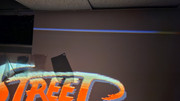
Do you by any chance know how I can get rid of these lines at the top of my image on the D50? Or what they might be?
https://i.postimg.cc/kMxrBt8L/20240308-160111.jpg
https://i.postimg.cc/MKxCRKmH/20240308-155956.jpg
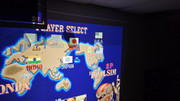
I still have a bunch of steps to go to finish setting it up but I think I have done something wrong to get these lines. Just not sure what. It's not in the source as they are there when nothing is connected too.
The blanking does not get rid of them. Nor do they move when I try shifting or resizing the image (within the raster).
Before I wipe my settings and start again... do you think it could be too much height on the raster? I can see a line at the bottom of each tube when I look in the lens but I assumed it was meant to help with centering. I don't see them on the 1292 set-up video though. I am hoping it's user error and not a hardware fault.
|
|
| Back to top |
|
|
Videodrome

Joined: 22 Feb 2023
Posts: 56
|
| Posted: Mon Apr 08, 2024 3:37 pm Post subject: |
|
|
To remove the lines turn off ABG.
Your picture will go down in brightness but this is easy to fix with brightness/contrast bias/gain settings.
|
|
| Back to top |
|
|
Zebra
Joined: 02 Jul 2020
Posts: 93
Location: NJ USA
|
| Posted: Tue Apr 09, 2024 6:15 pm Post subject: |
|
|
| Videodrome wrote: | To remove the lines turn off ABG.
Your picture will go down in brightness but this is easy to fix with brightness/contrast bias/gain settings. |
Thank you.
Do you by any chance use your crt projector for retro gaming? If so... how did you set the 75 ohm / 1k / open jumpers on the regular (analog rgb) input boards?
On my CRT arcade monitors I set the 1k / 75ohm switch to 1k for arcade PCBs and 75ohm for consumer hardware. That works fine for everything except the PS2 which comes out too dim on some CRT monitors no matter what.
On the CRT projector my Neo Geo MVS comes out too dim on both 75ohm and 1k. I use it with a supergun which is meant to bring the signal down to 0.7v consumer rgb. I tried it with the "open" setting (apparently meant for split signals) but it came out way too bright.
By "too bright" I mean washed out and unusable even with contrast and brightness set to zero.
I tried it with my peaking amplifier but that made it too dim on all settings.
I am really confused by this behavior because my PS2 comes out bright and perfect at 75ohm and that is normally the problem console. My Neo Geo/ Supergun comes out way brighter on my arcade monitors. I don't understand why it's dim on the crt projector.
|
|
| Back to top |
|
|
Videodrome
Joined: 22 Feb 2023
Posts: 56
|
| Posted: Wed Apr 10, 2024 5:13 am Post subject: |
|
|
Can't help you there.
I use a moome hdmi input card for 'modern' gaming, with a custom gamma curve from the PC.
I'd imagine the menu has clamp options in the INPUT SETTING that might help.
Or some setting in the PIC CTRL.
|
|
| Back to top |
|
|
Zebra
Joined: 02 Jul 2020
Posts: 93
Location: NJ USA
|
| Posted: Mon Apr 22, 2024 7:01 pm Post subject: |
|
|
| Videodrome wrote: | Can't help you there.
I use a moome hdmi input card for 'modern' gaming, with a custom gamma curve from the PC.
I'd imagine the menu has clamp options in the INPUT SETTING that might help.
Or some setting in the PIC CTRL. |
There's no settings I can find besides the regular contrast and brightness and the sub-contrast in the service menu. The way Sony expected people to deal with this rgb source variation is the jumpers on the input boards apparently.
Given that it's only an issue for my supergun / Neo Geo MVS I am going to assume it's my fault for buying a cheap supergun. I should have spent a little extra to get one with pots instead of plain resistors on the scart port.
I'm going to try connecting jamma PCBs directly with the 1K jumper to see how it looks. There's two RGB input boards so I could keep one for arcade /ttl and the other for consumer RGB.
On the plus side I have never seen the PS2 look so good. CRT projectors are magnificent. I should have got one sooner. I love how adjustable they are.
|
|
| Back to top |
|
|
Curt Palme
CRT Tech
Joined: 08 Mar 2006
Posts: 24396
Location: Langley, BC
TV/Projector: All of them!
|
| Posted: Mon Apr 22, 2024 10:56 pm Post subject: |
|
|
As Videodrome said, the ABG setting should get rid of that line, however if the color balance ends up being a mile off, you may need to turn it back on. Those tiny Sony tubes were driven really hard, they should never have pushed them to that level, and that throws off the color balance.
BUt, what you can do is remove the lenses (4 screws each) and put black electrical tape over just that line. Problem solved! 
|
|
| Back to top |
|
|
Zebra
Joined: 02 Jul 2020
Posts: 93
Location: NJ USA
|
| Posted: Tue Apr 23, 2024 6:18 pm Post subject: |
|
|
| Curt Palme wrote: | As Videodrome said, the ABG setting should get rid of that line, however if the color balance ends up being a mile off, you may need to turn it back on. Those tiny Sony tubes were driven really hard, they should never have pushed them to that level, and that throws off the color balance.
BUt, what you can do is remove the lenses (4 screws each) and put black electrical tape over just that line. Problem solved! |
I didn't know I can remove the lenses (I thought they were attached to the tube on this model). That's good to know because the lens on my red tube arrived scratched so I'd like to replace them with the Delta lenses from my (non-working) Vidikron crt projector.
I like the tape idea. Would I be able to put a mask in front of the lens instead though? I could cut a 4:3 wooden mask on my cnc machine and cover it with black velvet to block the unwanted lines.
I guess they'll still get burned into the tubes but it can't be helped. I can't live with the image when ABG is turned off.
When you say "those tiny Sony tubes were driven really hard" do you mean that Sony made this projector too bright for what 7" tubes can handle? I.e. would I be able to manage better without ABG if I reduced the screen size to 60" and turned the brightness and contrast down?
|
|
| Back to top |
|
|
Curt Palme
CRT Tech
Joined: 08 Mar 2006
Posts: 24396
Location: Langley, BC
TV/Projector: All of them!
|
| Posted: Tue Apr 23, 2024 8:10 pm Post subject: |
|
|
No, that won't work.. The focal point of the lens is at the tube face, so all you'll do is cast a shadow, and a vague one at that.
YEs, 800 lumens was overrated for these tubes. 80" or smaller is what I'd recommend, but ultimately what governs phosphor life is how high the contrast is set. Sony default is 80, but if you can keep it around 50-60, you'll do well.
|
|
| Back to top |
|
|
AnalogRocks
Forum Moderator

Joined: 08 Mar 2006
Posts: 26706
Location: Toronto, Ontario, Canada
TV/Projector: Sony 1252Q, AMPRO 4000G
|
| Posted: Sat Apr 27, 2024 4:25 am Post subject: |
|
|
I ran mine on a 110" Stewart Studioteck 130 screen - 1.3 gain. Ran contrast at 65-70 ish. Looked good in a dark room.
Also gamed the snot outta it with my PS3.
_________________
Tech support for nothing
CRT.
HD done right!
|
|
| Back to top |
|
|
Zebra
Joined: 02 Jul 2020
Posts: 93
Location: NJ USA
|
| Posted: Sat May 04, 2024 4:36 pm Post subject: |
|
|
| Curt Palme wrote: | No, that won't work.. The focal point of the lens is at the tube face, so all you'll do is cast a shadow, and a vague one at that.
YEs, 800 lumens was overrated for these tubes. 80" or smaller is what I'd recommend, but ultimately what governs phosphor life is how high the contrast is set. Sony default is 80, but if you can keep it around 50-60, you'll do well. |
I might be able to do that with video content and RGB from a PC but 80 contrast is just barely bright enough with some older gaming systems.
Am I right in assuming that more brightness from a higher voltage rgb signal is the same as more brightness from increasing the contrast setting (in terms of tube life)?
|
|
| Back to top |
|
|
Zebra
Joined: 02 Jul 2020
Posts: 93
Location: NJ USA
|
| Posted: Sat May 04, 2024 4:42 pm Post subject: |
|
|
| AnalogRocks wrote: | I ran mine on a 110" Stewart Studioteck 130 screen - 1.3 gain. Ran contrast at 65-70 ish. Looked good in a dark room.
Also gamed the snot outta it with my PS3. |
Did you try it with a PS2 and Guncon 2 by any chance?
I just ordered some light gun boards that are supposedly made for dimmer projection set-ups. I'm curious how well it might work at larger sizes.
|
|
| Back to top |
|
|
AnalogRocks
Forum Moderator
Joined: 08 Mar 2006
Posts: 26706
Location: Toronto, Ontario, Canada
TV/Projector: Sony 1252Q, AMPRO 4000G
|
| Posted: Sun May 05, 2024 1:34 am Post subject: |
|
|
For my 42nd birthday I bought a gun con and House of The dead for PS2. It did not work but I only tried it in a non dark room.
I always wanted to try a 15 or 13 gain curved screen but never got the chance.
_________________
Tech support for nothing
CRT.
HD done right!
|
|
| Back to top |
|
|
|
|





