| Author |
Message |
Arrius07
Joined: 03 Nov 2016
Posts: 6
|
| Posted: Thu Nov 03, 2016 3:36 pm Post subject: Zenith Pro 900X: Unable to enter setup/convergence |
|
|
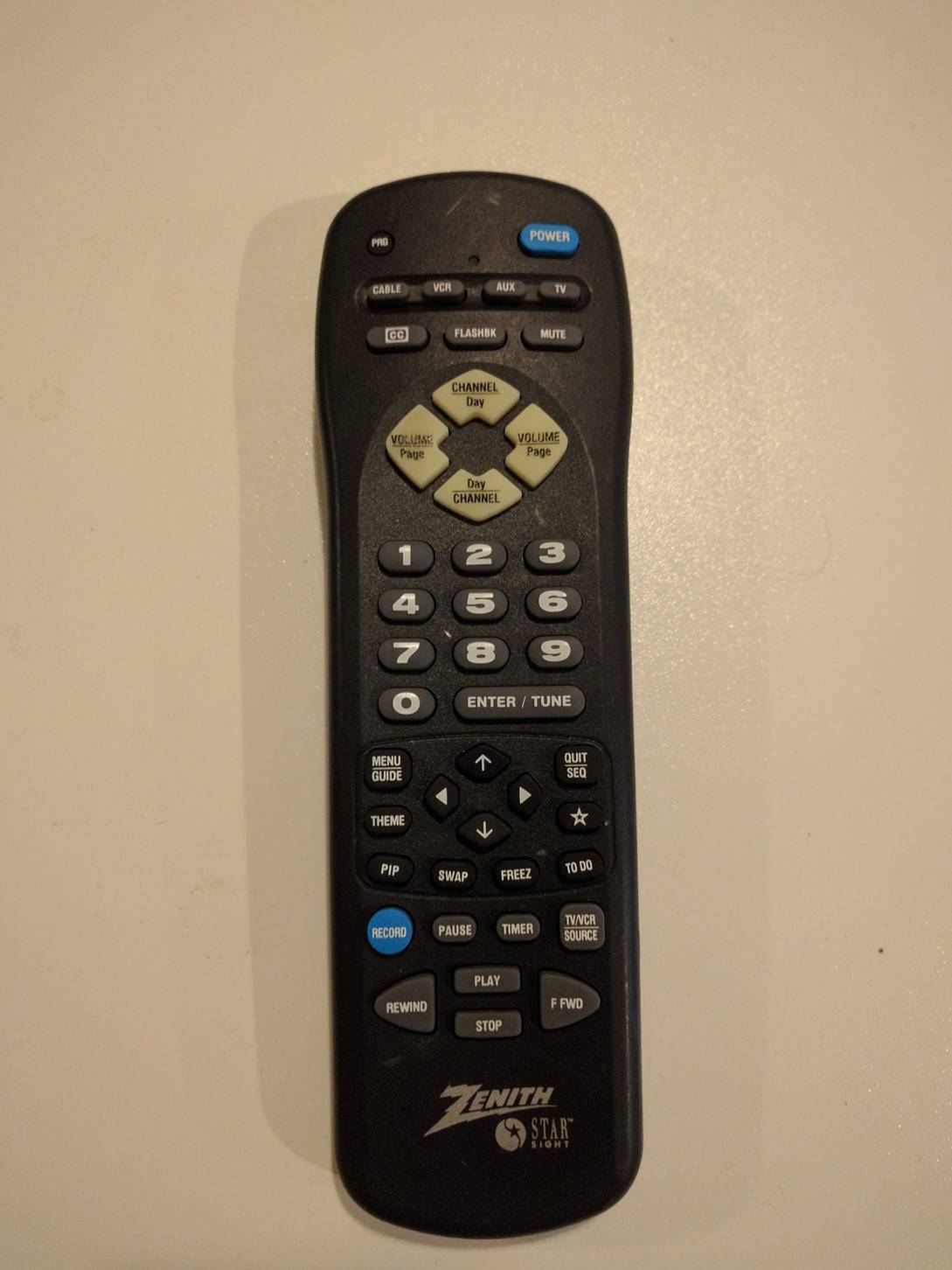
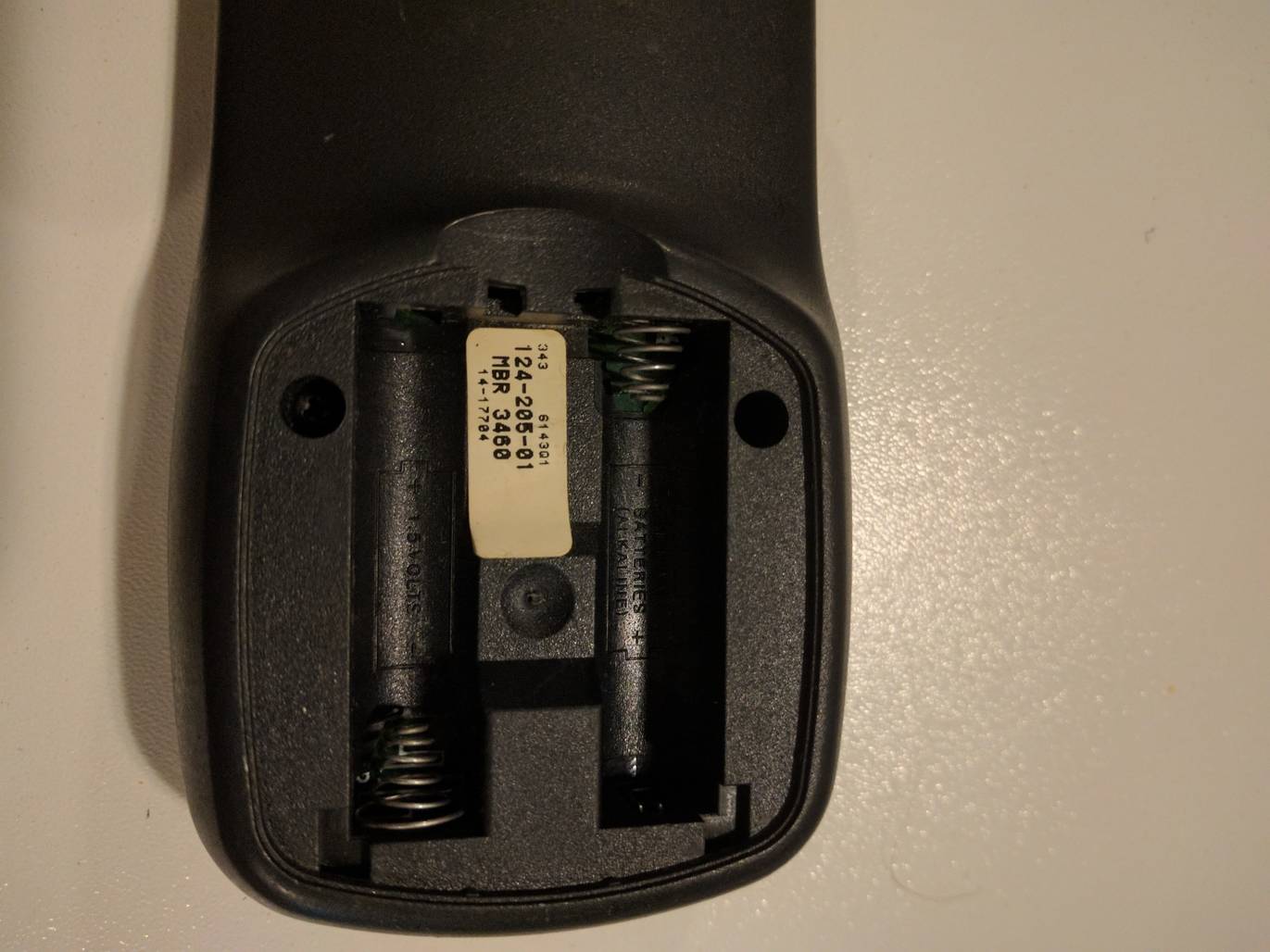
I've recently acquired a Zenith Pro 900X, and have picked up the 3460 remote for performing setup, but have been unable to enter setup mode. I'm hoping someone here can share some experience with me.
Using the setup (star) key, I'm able to enter the initial menu where 3 configuration options are presented, where "red" should enter setup/convergence mode. When I press the "red" button (closed caption as marked on the remote), it exits the menu. "Green" and "blue" both perform their expected tasks (force video mode and floor/ceiling mode). I found in the setup/service manual where it states that if a "proper" signal is not present, this is the expected behavior. I've used different signals through each input but each time I get the same result. I don't currently have a way to generate any test patterns, but I've ordered a cheap device off ebay to do this.
At this point, I don't know if this is an issue with the remote (differences in keys between the 3460 and 3470), or if it's lacking the proper signal. Does the projector require a specific test pattern, resolution, refresh rate, etc to enter setup mode?
Any assistance is greatly appreciated.
|
|
| Back to top |
|
 |
Curt Palme
CRT Tech
Joined: 08 Mar 2006
Posts: 24396
Location: Langley, BC
TV/Projector: All of them!
|
| Posted: Thu Nov 03, 2016 5:16 pm Post subject: |
|
|
|
Post a pix of your remote. It may be the wrong one. you'll need 4 more posts to post a pix I think, so go down to the bottom to the post testing forum to put up 4 more posts, then put the pix here. there should be no trick to it.
|
|
| Back to top |
|
|
Arrius07
Joined: 03 Nov 2016
Posts: 6
|
| Posted: Thu Nov 03, 2016 5:31 pm Post subject: |
|
|
Hi Curt, thank for the reply. I've included the images of the remote.
| Description: |
|
| Filesize: |
87.08 KB |
| Viewed: |
2937 Time(s) |
|
| Description: |
|
| Filesize: |
107.93 KB |
| Viewed: |
2937 Time(s) |
|
|
|
| Back to top |
|
|
Curt Palme
CRT Tech
Joined: 08 Mar 2006
Posts: 24396
Location: Langley, BC
TV/Projector: All of them!
|
|
| Back to top |
|
|
Arrius07
Joined: 03 Nov 2016
Posts: 6
|
| Posted: Thu Nov 03, 2016 5:43 pm Post subject: |
|
|
|
Ordered; for whatever reason, I wasn't able to find one of those remotes on ebay before. Thank you very much, I appreciate the help.
|
|
| Back to top |
|
|
|
|





