| Author |
Message |
Hulio
Joined: 15 Apr 2006
Posts: 494
Location: Belgium
|
| Posted: Sun Sep 16, 2012 5:41 pm Post subject: Fungus in HFQ900 lens |
|
|
Guys,
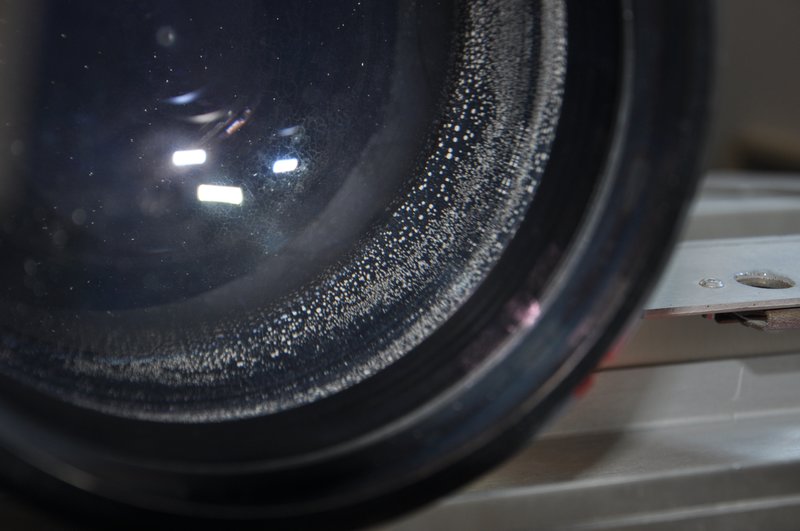
Does anyone know how to disassemble a HFQ 900 lens and what should i use to clean it ?
I think i have some fungus ( the lens i mean, not me ) 
Thanks,
Stan
| Description: |
|
| Filesize: |
96.31 KB |
| Viewed: |
18069 Time(s) |
|
|
|
| Back to top |
|
 |
HaydnG90

Joined: 22 May 2006
Posts: 1356
|
| Posted: Sun Sep 16, 2012 5:56 pm Post subject: |
|
|
|
That can't be fungus. There's no liquid in the lens itself, just air. Looks like corrosion of some sort.
|
|
| Back to top |
|
|
draganm

Joined: 08 Mar 2006
Posts: 8990
Location: Colorado
|
| Posted: Sun Sep 16, 2012 6:58 pm Post subject: |
|
|
This is what happens when you snort cocaine while watching movies 
I wonder what that could be, have the lenes ever been exposed to moisture, water leaks, etc?
|
|
| Back to top |
|
|
Tom.W

Joined: 09 Mar 2006
Posts: 6635
|
| Posted: Mon Sep 17, 2012 4:19 am Post subject: Re: Fungus in HFQ900 lens |
|
|
| Hulio wrote: | Guys,
Does anyone know how to disassemble a HFQ 900 lens and what should i use to clean it ?
I think i have some fungus ( the lens i mean, not me )
Thanks,
Stan |
Well you need two things moisture and fungus spores. If the lenses are moved from cold storage to a warm and humid location the lenses can fog up and if the spores are there they can grow. As for lens assembly you need a clean room and tools to measure the spacing and a tool to remove each element. In short don't even try...
The more I look at it I think what you are seeing is not fungus but lens separation. Is it only on the edges or in the middle too ?
|
|
| Back to top |
|
|
gjaky

Joined: 05 Jun 2010
Posts: 2802
Location: Budapest, Hungary
|
| Posted: Mon Sep 17, 2012 6:40 am Post subject: |
|
|
I had a similar issue with an old HD-10 plain lens, it looked exactly the same, this is on the edge of the lens )you see a mirrored image towards the middle), getting it out and painting the edge would probably solve the problem, however I don't think this would cause major performance loss, especially on blue tube.
_________________
projectors in the past : NEC 6-9PG xtra, Electrohome Marquee 6-7500, NEC XG 1351 LC ( with super modified Electrohome VNB neckboard !!!)
current: VDC Marquee 9500LC
The MOD: VNB-DB, VIM-DB
|
|
| Back to top |
|
|
Hulio
Joined: 15 Apr 2006
Posts: 494
Location: Belgium
|
| Posted: Mon Sep 17, 2012 8:43 am Post subject: |
|
|
Indeed, it is more on the edge of the lens and is for the blue tube. Even it won't affect the PQ, i am more concerned about getting worse over time, like Tom said.
Besides, i find it pity to let such a nice lens that way. If i can safely clean it, i will.
I also think is a result of dew (from previous owner).
Draganm, i think that's why a HFQ900 lens can focus so well from middle to edge : by snorting coke, the iris becames wider
|
|
| Back to top |
|
|
CIR Engineering

Joined: 25 Aug 2008
Posts: 4269
Location: Chicago USA & Berlin Germany
|
| Posted: Mon Sep 17, 2012 2:12 pm Post subject: |
|
|
If that is behind the front lens there are two ways to get to it on a 10E. The first is to take out all three focus bolt thingies (one of them has the thumb screw on it). Honestly the best way I have found to remove these is with a set of vise grips firmly grasping the four sided surface.
The second option is to use a #1 Philips screw driver to remove the Philips screws around the front lens. Once they are out, remove the ring and then carefully remove the front lens.
You can use a mix of 50/50 denatured alcohol and distilled water with a microfiber cloth to clean the lenses. If there is a lot of dirt.........................
No more time.....................
craigr
_________________
JETI 1501-HiRes 2nm Spectroradiometer
JETI 1211 Spectroradiometer
Photo Research PR-650 Spectroradiometer
Klein K10-A Colorimeter
Murideo Fresco SIX-G HDMI 2.x Multimedia Generator
Murideo Fresco SIX-A HDMI 2.x Analyzer
Light Illusion ColourSpace XPT Color Calibration Software
Light Illusion LightSpace XPT Pro Version 10.x Color Calibration Software
OMARDRIS JVC Software Patch to use K10-A and Jeti with JVC OEM AutoCal Software!
Sencore CR7000 CRT Tube Analyzer / Rejuvenater
Authorized Dealer for Lumagen & just about everything worth buying 
www.CIR-Engineering.com - craigr@cir-engineering.com
Phone: 865-405-6892
|
|
| Back to top |
|
|
Hulio
Joined: 15 Apr 2006
Posts: 494
Location: Belgium
|
| Posted: Thu Sep 20, 2012 9:02 pm Post subject: |
|
|
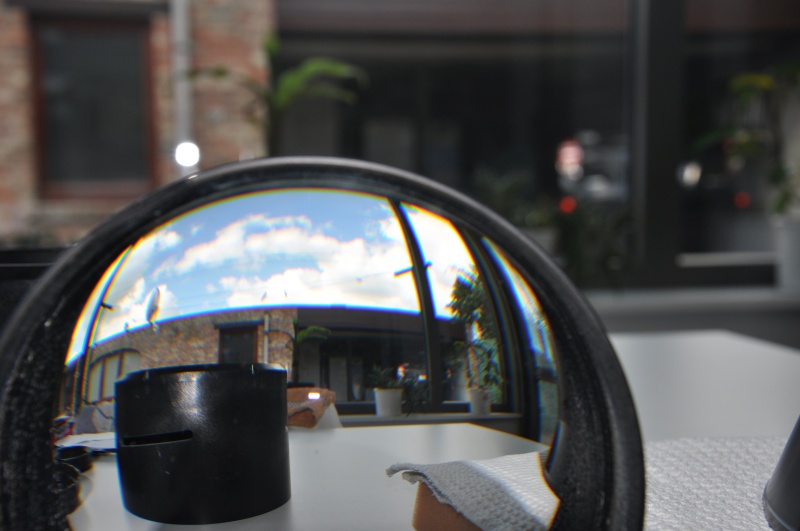
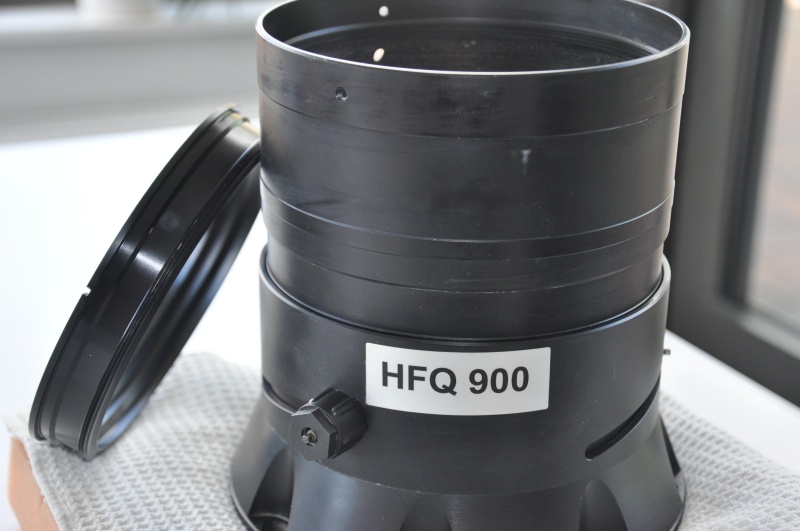
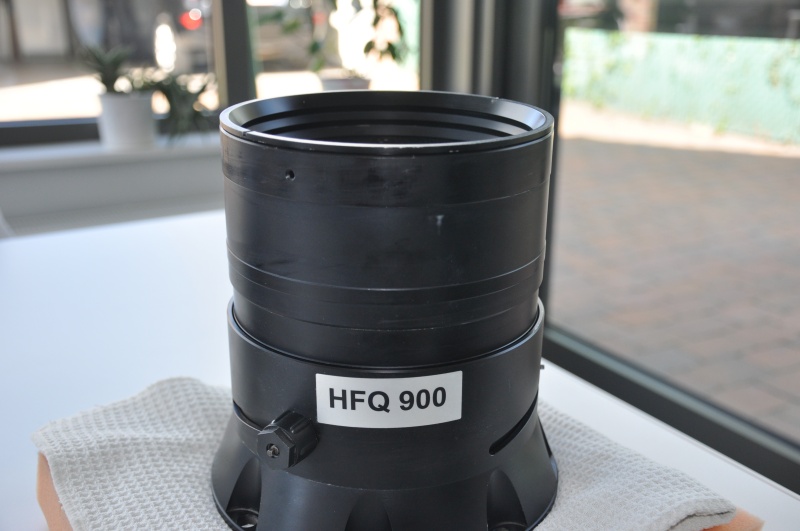
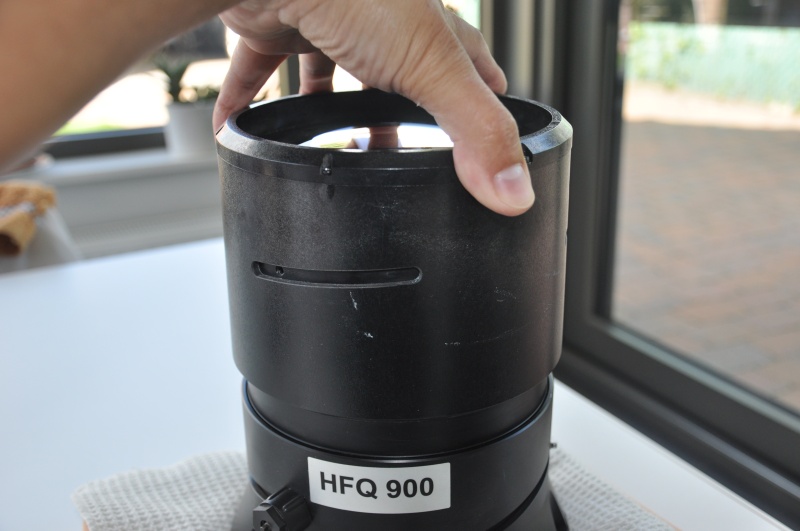
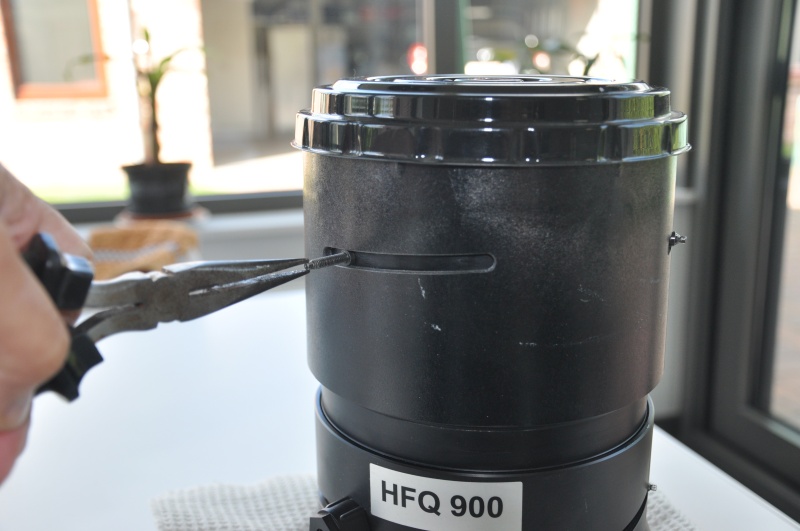
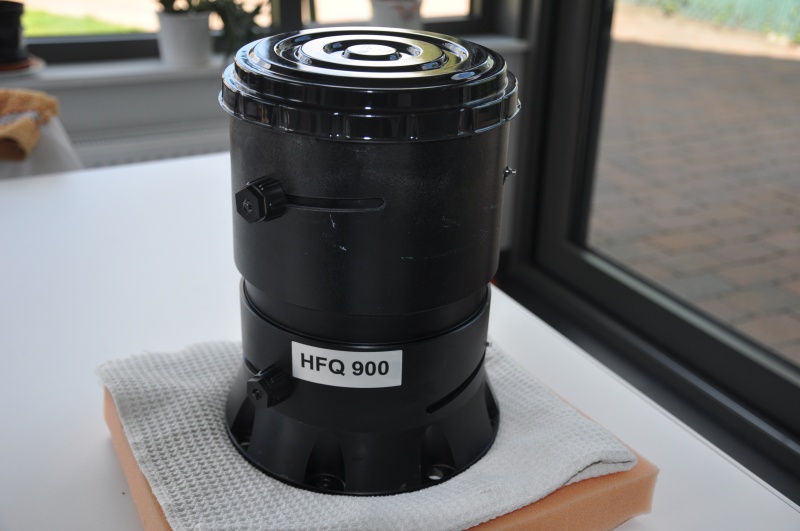
Well,i managed to open the lens the way Craig mentioned earlier, by first removing the three focus bolt thingies and than the front lens element. No fungus, moisture or dirt inside this one. The second lens element is fixed with a threaded ring.
By inserting a steel stick in the two holes of the ring and turning counter clockwise, i released the ring. Now, because the
second lens element rest a bit deeper in the aluminium flange, you can not grab it by hand. Don't turn the lens upside down either, the third lens element will fall on the second and we don't want that. Instead, gently bring the whole lens from
vertical to horizontal position and while slowly turning the lens, tilt it on the base. Both second and third elements will
come out without damaging each other.
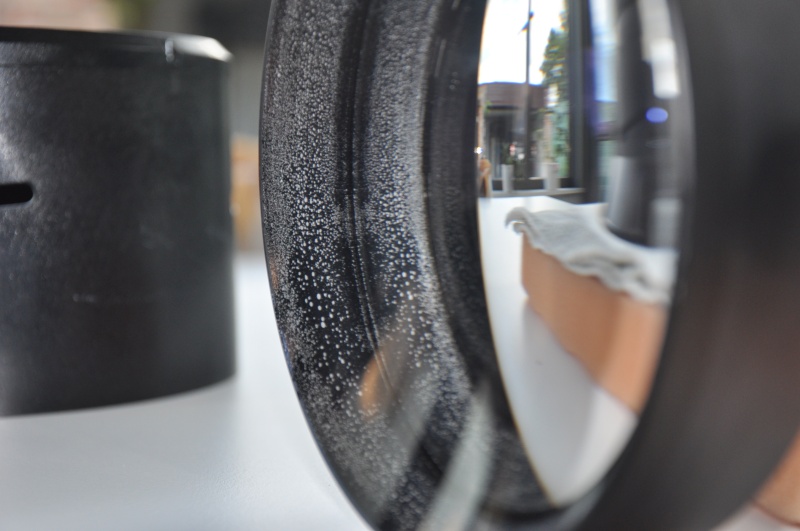
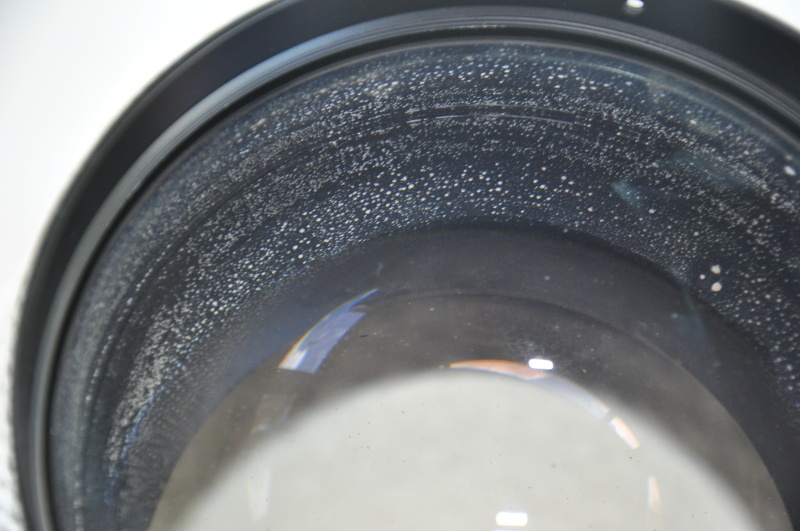
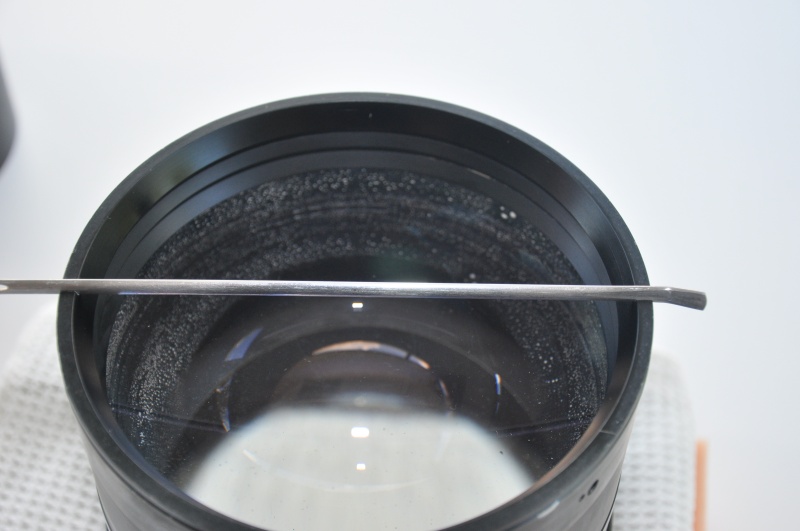
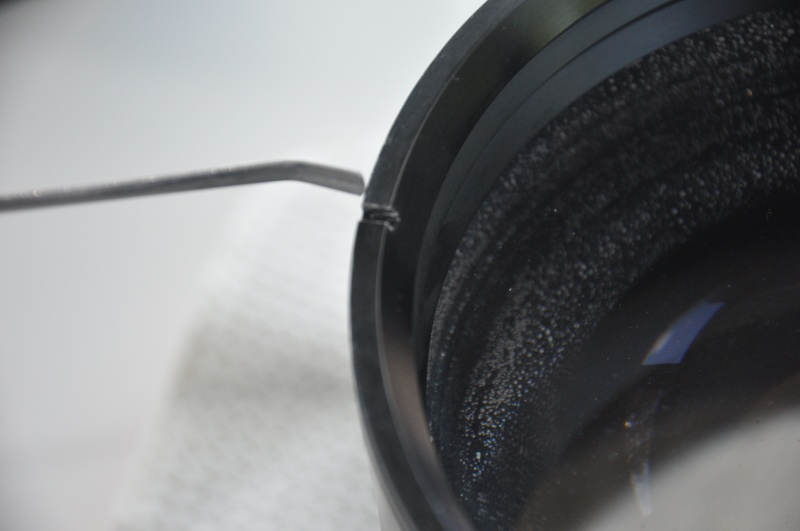
Bingo. The problem is on the second lens but, fortunately, is just the edge. ( the light pad of the lens is crystal clear ).
Gjaky was right. Reflection of the exfoliating black paint from lens edge. I quote someone from a photography forum :
"The edges of the lens elements are generally ground but not polished, leaving a dull matte surface. If this surface
is not painted,( mostly on bi-concave lenses ) due to the total internal reflection phenomenon, stray light reaching this
area will bounce back into the lens and contribute to flare. Even if the metal mount is black, it doesn't matter because
the light has reflected back before ever leaving the glass. Painting the ground surface black (doesn't matter whether it's
matte or gloss black) eliminates the glass/air surface and so very effectively kills these reflections. If the paint begins
to separate from the glass, even if the paint layer is still intact, the reflections will return."
In the photography jargon, this is called Schneideritis. It does not affect PQ, is more an aesthetical problem. But since i
already opened the lens, i would like to fix this. I must find a way to remove the existing paint and than repaint.
Here some pics too and a doc. from Edmund Optics. Maybe Curt ( Kal ), if relevant enough, will put this info on the "All about lenses" sticky.
Stan
| Description: |
|
| Filesize: |
134.12 KB |
| Viewed: |
17869 Time(s) |
|
| Description: |
|
| Filesize: |
138.6 KB |
| Viewed: |
17869 Time(s) |
|
| Description: |
|
| Filesize: |
162.19 KB |
| Viewed: |
17869 Time(s) |
|
| Description: |
|
| Filesize: |
135.21 KB |
| Viewed: |
17869 Time(s) |
|
| Description: |
|
| Filesize: |
118.9 KB |
| Viewed: |
17869 Time(s) |
|
| Description: |
|
| Filesize: |
104.37 KB |
| Viewed: |
17869 Time(s) |
|
| Description: |
|
| Filesize: |
130.53 KB |
| Viewed: |
17869 Time(s) |
|
| Description: |
|
| Filesize: |
128.23 KB |
| Viewed: |
17869 Time(s) |
|
| Description: |
|
| Filesize: |
135.07 KB |
| Viewed: |
17869 Time(s) |
|
| Description: |
|
| Filesize: |
132.43 KB |
| Viewed: |
17869 Time(s) |
|
|
|
| Back to top |
|
|
Hulio
Joined: 15 Apr 2006
Posts: 494
Location: Belgium
|
| Posted: Thu Sep 20, 2012 9:13 pm Post subject: |
|
|
Waiting...
Last edited by Hulio on Thu Sep 20, 2012 9:23 pm; edited 1 time in total
|
|
| Back to top |
|
|
Hulio
Joined: 15 Apr 2006
Posts: 494
Location: Belgium
|
| Posted: Thu Sep 20, 2012 9:17 pm Post subject: |
|
|
And the Doc.
| Description: |
|

Download |
| Filename: |
wp-edge-blackened-optics-en.pdf |
| Filesize: |
1.75 MB |
| Downloaded: |
769 Time(s) |
|
|
| Back to top |
|
|
CIR Engineering
Joined: 25 Aug 2008
Posts: 4269
Location: Chicago USA & Berlin Germany
|
| Posted: Thu Sep 20, 2012 10:28 pm Post subject: |
|
|
Well done. I don't recall anyone taking apart and HD-10E on the forum before. Maybe I will have to take mine apart and paint the edges black. I used to do this on RPCRT sets all the time.
So the white looking dirt in your lenses is actually on the edges and not on the lens than?
craigr
_________________
JETI 1501-HiRes 2nm Spectroradiometer
JETI 1211 Spectroradiometer
Photo Research PR-650 Spectroradiometer
Klein K10-A Colorimeter
Murideo Fresco SIX-G HDMI 2.x Multimedia Generator
Murideo Fresco SIX-A HDMI 2.x Analyzer
Light Illusion ColourSpace XPT Color Calibration Software
Light Illusion LightSpace XPT Pro Version 10.x Color Calibration Software
OMARDRIS JVC Software Patch to use K10-A and Jeti with JVC OEM AutoCal Software!
Sencore CR7000 CRT Tube Analyzer / Rejuvenater
Authorized Dealer for Lumagen & just about everything worth buying
www.CIR-Engineering.com - craigr@cir-engineering.com
Phone: 865-405-6892
|
|
| Back to top |
|
|
Hulio
Joined: 15 Apr 2006
Posts: 494
Location: Belgium
|
| Posted: Thu Sep 20, 2012 11:11 pm Post subject: |
|
|
Yes, the glass is clear. What we see are tinny air bubbles between the black paint and lens edge. Being multiplied by reflections between the rear and front curvature of the lens, they seems to go in the middle of the lens.
Repainting over the existing paint won't help, i have to remove it first. I just don't know what to use yet.
Any idea ?
stan
|
|
| Back to top |
|
|
CIR Engineering
Joined: 25 Aug 2008
Posts: 4269
Location: Chicago USA & Berlin Germany
|
| Posted: Fri Sep 21, 2012 12:04 am Post subject: |
|
|
Oh, so the lenses are originally painted black than? But your lens' paint is bubbled.
Try a flat razor blade, and scrape the old paint off maybe. I don't think using a chemical would be a good idea because you may strip off the lens coatings on the actual optics. You could also consider steel wool. Regular steel wool that does not have any soap or cleaner impregnated in it.
craigr
_________________
JETI 1501-HiRes 2nm Spectroradiometer
JETI 1211 Spectroradiometer
Photo Research PR-650 Spectroradiometer
Klein K10-A Colorimeter
Murideo Fresco SIX-G HDMI 2.x Multimedia Generator
Murideo Fresco SIX-A HDMI 2.x Analyzer
Light Illusion ColourSpace XPT Color Calibration Software
Light Illusion LightSpace XPT Pro Version 10.x Color Calibration Software
OMARDRIS JVC Software Patch to use K10-A and Jeti with JVC OEM AutoCal Software!
Sencore CR7000 CRT Tube Analyzer / Rejuvenater
Authorized Dealer for Lumagen & just about everything worth buying
www.CIR-Engineering.com - craigr@cir-engineering.com
Phone: 865-405-6892
|
|
| Back to top |
|
|
Tom.W
Joined: 09 Mar 2006
Posts: 6635
|
| Posted: Fri Sep 21, 2012 12:05 am Post subject: |
|
|
|
Schneideritis or lens separation can be found on some of the earlier large format schneider view camera lenses.Usually they are painted Black on the edges and glued in place. Good luck ! Nice photos.
|
|
| Back to top |
|
|
Tom.W
Joined: 09 Mar 2006
Posts: 6635
|
| Posted: Fri Sep 21, 2012 12:07 am Post subject: |
|
|
Schneideritis or lens separation can be found on some of the earlier large format Schneider view camera lenses.Usually they are painted Black on the edges and glued in place in aluminum cell mounts. Good luck repairing that ! Nice photos.
In some cases the glue came loose along with the paint. 
Most likely the lens was dropped at some point or not but it can still happen in either case...
|
|
| Back to top |
|
|
Hulio
Joined: 15 Apr 2006
Posts: 494
Location: Belgium
|
| Posted: Fri Sep 21, 2012 7:02 am Post subject: |
|
|
Tom, steel wool it's a good idea. Thanks.
There is no glue. Else i had to clean the lens inside too. The lens fit precisely in the aluminium flange, that's why i have to take care to repaint with approx. the same thickness of paint. Permanent marker won't be enough, it has to be some kind of acrylic paint.
I think the lens was stored in a humid environment for a long time.
I do have a spare HD10-GT17 and it would be easier to just swap the second lens element but i don't think is the same lens. Someone can confirm ?
Stan
|
|
| Back to top |
|
|
barclay66

Joined: 27 Jun 2011
Posts: 1304
Location: Germany
TV/Projector: Marquee 9500 Ultra
|
| Posted: Fri Sep 21, 2012 12:05 pm Post subject: |
|
|
| Hulio wrote: | | I do have a spare HD10-GT17 and it would be easier to just swap the second lens element but i don't think is the same lens. Someone can confirm? |
Hi,
correct. The HD10-GT17 are somewhat inferior to the HFQ900 but if You put it on the blue tube You might not even see any difference regarding sharpness. You might have an issue with throw distance and picture size/geometry though. There's only one way to find out: Just try it...
Regards,
barclay66
|
|
| Back to top |
|
|
|
|




