| Author |
Message |
fuchs
Joined: 27 Jun 2012
Posts: 153
Location: the NL
|
| Posted: Sat Jun 30, 2012 6:49 pm Post subject: NEC 9PG, my cheap setup |
|
|
Hi all, I'm new to CRT projectors.
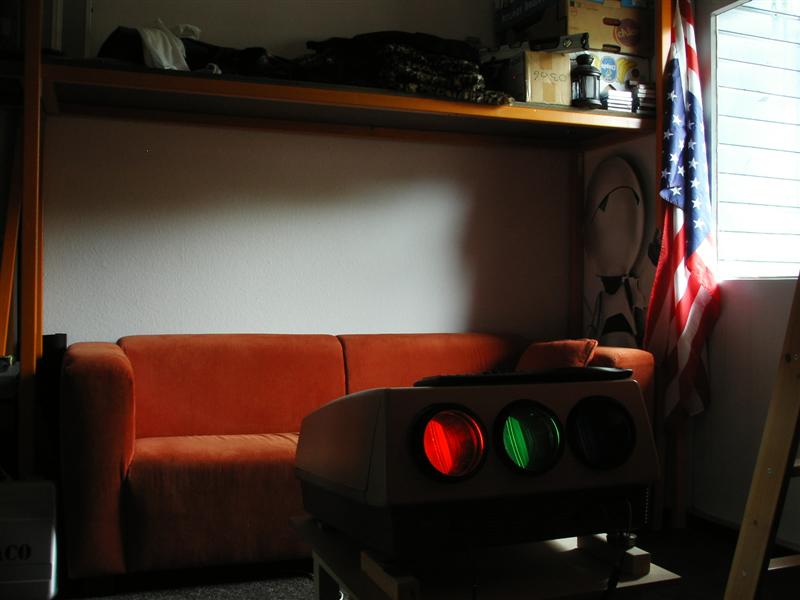
A few months ago, I've bought a (modified) NEC PG9000, basically for scrap metal value.
The tubes are good, green tube is about a 7 on the scale of 10; R and B look even better.
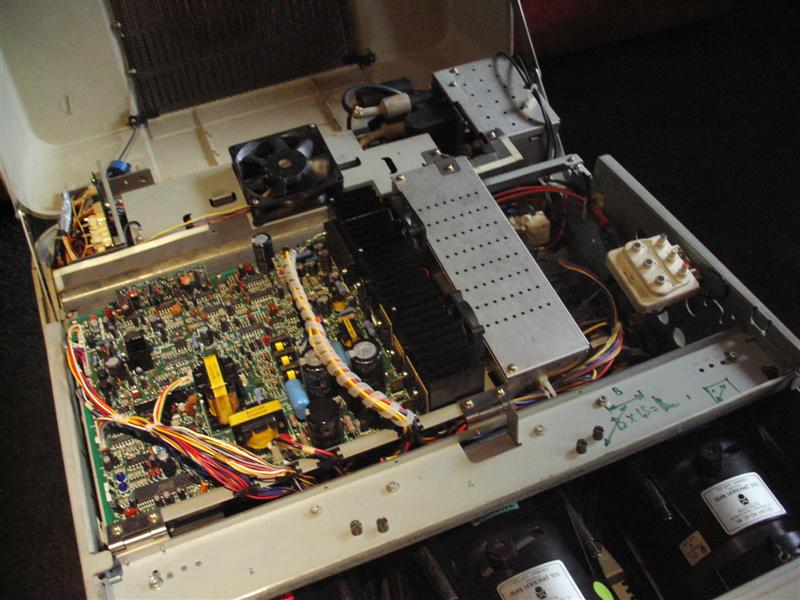
A previous owner added chassis fans on the bottom and small fans to the ...... is that the deflection board?
After disassembling half the projector because of a dropped screw I've finally set it up, and tried operating it three days ago.
I've succeeded in basic convergence!
There's some minor things I haven't figured out yet:
1] Sometimes the menu scrambles. Sometimes it doesn't.
2] The PG takes its time.... 30 ~ 60min ... to fully warm up.
The first 15 minutes the picture is pretty unwatchable.
Then bit by bit it comes into convergence (ssllloowwwwlllyyy)
Eventually it will be very sharp 
3] The PG doesn't seem to be very happy at 1280+ by [whatever] resolution @ 72+ Hz.
(this actually is not an issue, as my eyesight is not good enough)
4] The PG chooses weird memory blocks while in process of warming up, or doesn't recognise anything at all.
I think it's related to old capacitors (hope I get to find out where to start or what to check)
Or maybe because the PG has just been sitting somewhere for a very long time.
I've read here on the forums and found similar problems with NEC. Still lots of reading to do.
I haven't used point convergence yet (set to disabled). Maybe I'll try later on.
So far, this little PG has impressed me. Yes it did.
Many thanks to Kal for writing an instruction and to Curt for hosting it on a website.
| Description: |
|
| Filesize: |
49.53 KB |
| Viewed: |
14720 Time(s) |
|
| Description: |
|
| Filesize: |
58.28 KB |
| Viewed: |
14720 Time(s) |
|
| Description: |
|
| Filesize: |
91.21 KB |
| Viewed: |
14720 Time(s) |
|
| Description: |
|
| Filesize: |
86.37 KB |
| Viewed: |
14720 Time(s) |
|
_________________
onkel fuchs' cheapskate cinema
NEC plain 9PG
Last edited by fuchs on Sat Jun 30, 2012 7:42 pm; edited 6 times in total
|
|
| Back to top |
|
 |
Audiophile
Joined: 23 Jun 2012
Posts: 29
Location: Manassas, VA
|
| Posted: Sat Jun 30, 2012 6:53 pm Post subject: |
|
|
What are you feeding the projector - Blu-Ray, line doubler, HD Satellite? Any screen shots?
_________________
JVC RS40U Screening Room
|
|
| Back to top |
|
|
fuchs
Joined: 27 Jun 2012
Posts: 153
Location: the NL
|
| Posted: Sat Jun 30, 2012 7:13 pm Post subject: |
|
|
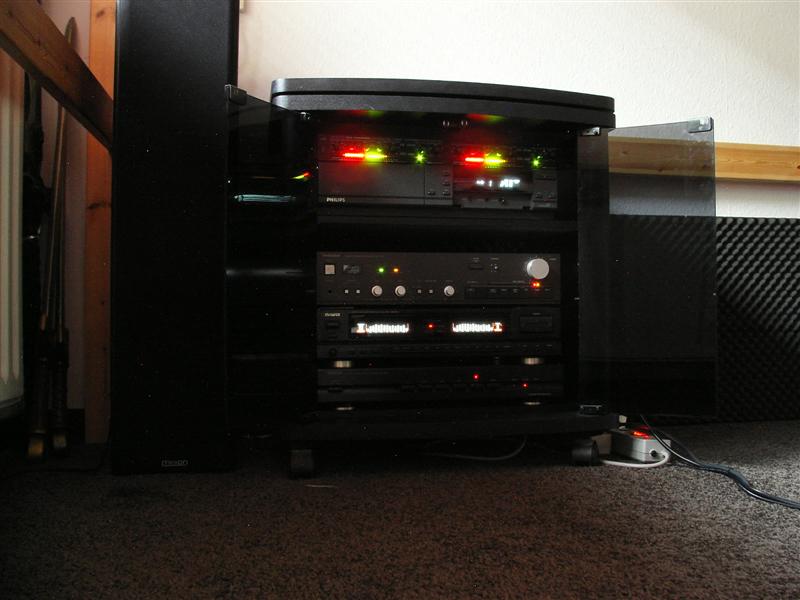
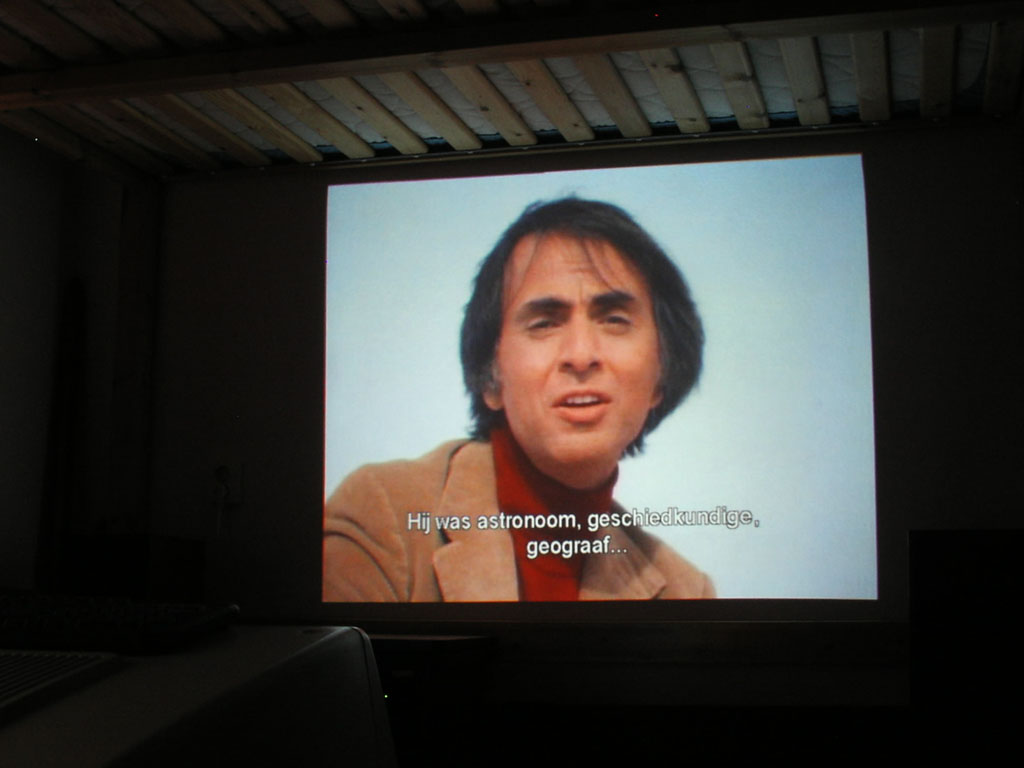
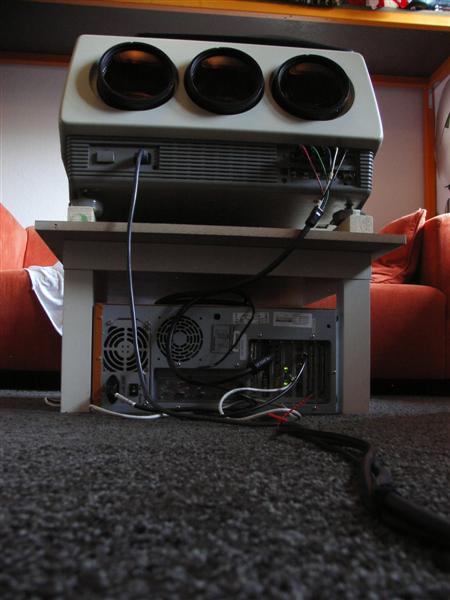
So far I've used my existing "multi media pc". It runs diskless (iSCSI) Windows XP.
It it configured for 1024x768 @ 85Hz with NVidia Fx6200 graphics card.
The sound runs digitally to my Denon DAC.
Then the Technics amplifier and Mission speakers.
Then an equalizer and limiter/compressor (for nighttime watching).
A screenshot is in the first post.
I'll probably have to do some fine-tuning the next few days.
One thing to keep in mind is that the PG needs 30+ minutes to warm up.
Figuring all those alignment and convergence controls out was pretty hard while the pictures were still drifting.
Yes, you can laugh now
| Description: |
|
| Filesize: |
47.31 KB |
| Viewed: |
14720 Time(s) |
|
_________________
onkel fuchs' cheapskate cinema
NEC plain 9PG
|
|
| Back to top |
|
|
Tinman

Joined: 09 Mar 2006
Posts: 1326
Location: Carson City Nevada
|
| Posted: Sat Jun 30, 2012 7:42 pm Post subject: |
|
|
The drift and most other problems are usually caused by dying capacitors.
I no longer work on projectors, but wrote a nice guide on the proper alignment of these. Look for the "Tinman and Feathers" guide someplace here.
I'll refer you to Curt for fixing the capacitor issues.
The PG will take 720P, but I wouldn't run it higher. I gave up my Runco990, which is actually an NEC PG10 that I modified. In the end, driving it with a HTPC was just too much trouble, though it was breathtaking with Bluray at 1080i. I needed the computer solution for other reasons, so went to a digital which gives me no fuss whatsoever, but at a slight sacrifice in pure image quality. I'll live with it.
Now if you can get 1080i to work out of your computer, the PG will love it!! (I could not, to save my life!)
I think it's the best resolution to run it at, period. Also does not stress it too much, so less drift and heat.
A really solid PG still needs some time to "come alive" as the picture goes, but drift should be minimal to none.
Proper setup is critical for this, though. Not just good caps on the boards.
Marc
_________________
This space for rent.
|
|
| Back to top |
|
|
Curt Palme
CRT Tech
Joined: 08 Mar 2006
Posts: 24396
Location: Langley, BC
TV/Projector: All of them!
|
| Posted: Sat Jun 30, 2012 11:12 pm Post subject: |
|
|
I'll add a bit.... Those sets are now approaching 20 years old, and yes, capacitors can cause drift. It's pretty much a matter of replacing electrolytics on the boards. It sounds like you know a bit of electronics, your screen shot looks fine If you know how to solder, look for electrolyte coming out of the bottom of the caps, those are the ones to change. The problem can virtually be on any board. For something like this, it's not really worth sending into me, since I could spend hours on a board changing caps, and it still might not fix the problem.
So change maybe 5-10 caps at a time, then power up to make sure everything is installed OK. Nothing worse than replacing 50 caps, then finding out the board now doesn't work, and you don't know where to start looking.
The intermittent locking of the signal and the scrambled menus is a problem on the system board which may or may not be solved with changing caps. All you can do is try.
|
|
| Back to top |
|
|
fuchs
Joined: 27 Jun 2012
Posts: 153
Location: the NL
|
| Posted: Sun Jul 01, 2012 1:24 am Post subject: |
|
|
Thank you for the suggestions, hopefully I can keep the PG running and also improve the electronics over time.
I'll also try and find out more about interlaced video output from NVidia cards. I think it can be done. I used to have a Matrox card that could be tweaked into almost any possible configuration.
_________________
onkel fuchs' cheapskate cinema
NEC plain 9PG
Last edited by fuchs on Sun Jul 01, 2012 10:02 am; edited 1 time in total
|
|
| Back to top |
|
|
Phoenixed
Joined: 13 Oct 2011
Posts: 514
Location: The mitten
|
| Posted: Sun Jul 01, 2012 4:27 am Post subject: |
|
|
Don't worry Fuchs. No one will make fun of your setup. You gotta do what you gotta do simple as that. If your happy with your setup that's all that matters. Welcome to the forum.
_________________
Planar PD-8150/Runco LS-5
|
|
| Back to top |
|
|
CasetheCorvetteman

Joined: 09 Nov 2008
Posts: 6326
Location: Australia
|
| Posted: Sun Jul 01, 2012 4:27 am Post subject: |
|
|
I have the same model in my bedroom, ive had it 5 years now. I had to repair it before i could use it cause it wouldnt lock onto signals, but that wasnt had to fix, and it has been bullet proof reliable since then, with the only failure being a system board. I have 4 more spares. I found the locking onto signals issue on the DEF board with leaking caps and "previous owner adjusted" trimpots. At certain resolutions mine would just be all scrambled.
I dont have any issue at all with drifting convergence on my PG, my XG i have a slight misalignment of the red when its first started, but the PG there is no noticeable movement at all, and i must say there never has been. I did have an issue with brightness of the red tube a while ago but that went away after i replaced the rest of the capacitors in the set, and has been perfect ever since. The moisture in the air here may have had a hand in that issue at the time too.
There may be better projectors out there, but these are an exceptional machine, and with the point convergence you can get the geometry and convergence pretty much 100% perfect.
| Phoenixed wrote: | | Don't worry Fuchs. No one will make fun of your setup. |
Yeah and who cares if they do, its got what was probably one of the best projectors on the market when it came out.
|
|
| Back to top |
|
|
fuchs
Joined: 27 Jun 2012
Posts: 153
Location: the NL
|
| Posted: Sun Jul 01, 2012 9:41 pm Post subject: |
|
|
Thanks for the kind greeting and suggestions!
Okay, I've been playing a bit with different resolutions and refresh-freq's.
The internal NVidia driver kept insisting my "monitor" doesn't do interlaced video.
But managed to get the computer to output interlaced video with Powerstrip, probably not unknown to you.
With 1080i @ 50 or 60Hz the image looks good, but the flicker reminds me of my old '80s TV. I did not like that.
At 1080i @ 85 Hz the flicker was gone, but the horizontal lines of the Windows desktop were still "jumpy". It still reminded me that it was interlaced.
Another quirk of interlaced output was that the Windows desktop looks okay, but the overlay picture (the movie) is doubled in height, so I see only the upper half, and stretched. This obviously is a driver<->player mismatch, but I couldn't yet check how movies look like in interlaced output.
I'm not sure if I'll go ahead with interlaced, maybe there's "anti-aliasing" style options.
Maybe I'll just have to get used to it a bit, possibly it's not that visible at all in a movie.
I'll start looking into changing the deflection board caps in a few days/weeks.
Right now I want to check if this machine is reliable enough to put a lot of effort in.
_________________
onkel fuchs' cheapskate cinema
NEC plain 9PG
|
|
| Back to top |
|
|
fuchs
Joined: 27 Jun 2012
Posts: 153
Location: the NL
|
| Posted: Sun Jul 01, 2012 11:15 pm Post subject: |
|
|
on a side note: I was reading this post (and others on the topic of standby mode).
It seems that on my NEC the "standby" function powers off the tubes entirely (as would seem logical to me)
Someone mentions situations of 3500 hours of tube on / picture on, and 70k hours of tube on / picture off.
But .... why would anyone run a projector with the picture muted for 70k hours ?
_________________
onkel fuchs' cheapskate cinema
NEC plain 9PG
|
|
| Back to top |
|
|
Phoenixed
Joined: 13 Oct 2011
Posts: 514
Location: The mitten
|
| Posted: Mon Jul 02, 2012 3:08 am Post subject: |
|
|
We have talked about this a lot. Maybe someone didn't know the pj was still on or maybe they needed it to be "woke up" instantly. OR companies just didnt care.
_________________
Planar PD-8150/Runco LS-5
|
|
| Back to top |
|
|
CasetheCorvetteman
Joined: 09 Nov 2008
Posts: 6326
Location: Australia
|
| Posted: Mon Jul 02, 2012 4:18 am Post subject: |
|
|
| fuchs wrote: |
It seems that on my NEC the "standby" function powers off the tubes entirely (as would seem logical to me)
|
It does on all NECs.
|
|
| Back to top |
|
|
fuchs
Joined: 27 Jun 2012
Posts: 153
Location: the NL
|
| Posted: Mon Jul 09, 2012 12:13 pm Post subject: |
|
|
| CasetheCorvetteman wrote: | | [...] my XG i have a slight misalignment of the red when its first started, but the PG there is no noticeable movement at all, and i must say there never has been. I did have an issue with brightness of the red tube a while ago but that went away after i replaced the rest of the capacitors in the set, and has been perfect ever since. |
Was that brightness issue related to the image on the entire tube face?
I've noticed that a large spot on the "right-ish" side of the projected images is just slightly greener than the surrounding area.
It doesn't really bother me, I noticed that the subtitle colour is not pure white at that spot.
I'm wondering if it is an electronic problem in the green tube being slightly to bright, or (possibly) the blue tube being slightly dim.
Or maybe it's just burned that way into the tubes for some reason.
.... and ...... I've tried point convergence  It really works. It really works.
I'll make some pictures soon. 
_________________
onkel fuchs' cheapskate cinema
NEC plain 9PG
|
|
| Back to top |
|
|
CasetheCorvetteman
Joined: 09 Nov 2008
Posts: 6326
Location: Australia
|
| Posted: Mon Jul 09, 2012 12:46 pm Post subject: |
|
|
That is probably some burn in, youd be able to see better if you remove the lens, and it may even be just abit of dirt.
Point convergence is awesome
|
|
| Back to top |
|
|
Tinman
Joined: 09 Mar 2006
Posts: 1326
Location: Carson City Nevada
|
| Posted: Mon Jul 09, 2012 8:34 pm Post subject: |
|
|
Make sure you do NOT over-use point convergence. Get it as tight as absolutely possible with regular first.
Too much point causes problems.
Marc
_________________
This space for rent.
|
|
| Back to top |
|
|
Curt Palme
CRT Tech
Joined: 08 Mar 2006
Posts: 24396
Location: Langley, BC
TV/Projector: All of them!
|
| Posted: Mon Jul 09, 2012 8:49 pm Post subject: |
|
|
|
What MArc said. You should get the convergence to within 2 test pattern line thicknesses anywhere in the screen.
|
|
| Back to top |
|
|
CasetheCorvetteman
Joined: 09 Nov 2008
Posts: 6326
Location: Australia
|
| Posted: Fri Jul 13, 2012 1:13 am Post subject: |
|
|
| Curt Palme wrote: | | What MArc said. You should get the convergence to within 2 test pattern line thicknesses anywhere in the screen. |
If you cant get it that close something is drastically wrong!! Youd be very lucky to ever get it perfect without using POINT though, especially straight on a wall. Ive never needed more than 5 presses at any one point, and usually 2 or 3 does it. Always make sure its all ZERO before you start, there is no numbers on it so just zero the whole POINT heading.
There is two different rates of POINT as well, and it will move at a different rate depending on the test pattern you have up, CROSS COARSE will move more than CROSS FINE. This may depend on the software revision on the SYSTEM board though, and im not sure what other convergence settings that may work with.
|
|
| Back to top |
|
|
gjaky

Joined: 05 Jun 2010
Posts: 2802
Location: Budapest, Hungary
|
| Posted: Fri Jul 13, 2012 7:00 am Post subject: |
|
|
| Quote: | | Youd be very lucky to ever get it perfect without using POINT though, |
In my 6PG xtra there is no POINT board installed, and there are only one or two points on the test patterns where I would use point convergence (mostly at the bottom of the picture)
_________________
projectors in the past : NEC 6-9PG xtra, Electrohome Marquee 6-7500, NEC XG 1351 LC ( with super modified Electrohome VNB neckboard !!!)
current: VDC Marquee 9500LC
The MOD: VNB-DB, VIM-DB
|
|
| Back to top |
|
|
fuchs
Joined: 27 Jun 2012
Posts: 153
Location: the NL
|
| Posted: Fri Jul 13, 2012 10:42 am Post subject: |
|
|
| CasetheCorvetteman wrote: | Always make sure its all ZERO before you start, there is no numbers on it so just zero the whole POINT heading.
There is two different rates of POINT as well, and it will move at a different rate depending on the test pattern you have up, CROSS COARSE will move more than CROSS FINE. This may depend on the software revision on the SYSTEM board though, and im not sure what other convergence settings that may work with. |
Okay. I've converged with POINT set to Disable.
Then watched that picture for about a week and set it as best as I could in the meantime.
Now I've enabled Point, but I couldn't find how to zero it. I just started in the centre of the image on the Cross Fine, and then converged outward in a circular motion, converging on the lines in-between (the ones you can't adjust). It looked very good afterward.
What kind of "problems"can be caused by too much Point?
I realise it probably works by means of somehow compressing and expanding the control signal sent to the tubes, so you shouldn't overdo that.
Right now I'm trying to "paint" a screen on the wall with diluted wall-filler-paste. I don't have a lot of spare time so progress is a bit slow I'll make pictures when finished that.
_________________
onkel fuchs' cheapskate cinema
NEC plain 9PG
|
|
| Back to top |
|
|
gjaky
Joined: 05 Jun 2010
Posts: 2802
Location: Budapest, Hungary
|
| Posted: Fri Jul 13, 2012 8:14 pm Post subject: |
|
|
I'm not sure, but I think you can zero all point settings with pressing the CTL+NORMAL key combo while you are in point convergence mode.
Too much point convergence can cause picture banding (certain bands on the picture will be notably brighter, while others will be darker), the other thing I know is the point convergence system is not implemented in the best way to the convergence path making it unstable (eg. the precision is more heat dependent than the normal convergence adjustments)
_________________
projectors in the past : NEC 6-9PG xtra, Electrohome Marquee 6-7500, NEC XG 1351 LC ( with super modified Electrohome VNB neckboard !!!)
current: VDC Marquee 9500LC
The MOD: VNB-DB, VIM-DB
|
|
| Back to top |
|
|
|
|





