Robbks
Joined: 30 Apr 2012
Posts: 1
Location: Australia
|
| Posted: Mon May 14, 2012 1:37 am Post subject: My Pana PZ800 Plasma Calibration Questions |
|
|
Hi All.
I'm delving into the world of DIY calibration on my PZ800 Plasma in an effort to maximise it's picture until I can afford a newer model.
It's in a reasonably bright lounge-room, and I have bias lighting for when watching in the evenings.
Anyway, i've previously "calibrated" it using the THX optimiser and filter glasses to get a reasonable picture.
I've now bought an iOne D2 and using HCFR and the Dummies guide have come up with the following baseline after running a quick scan over the set
it's pretty bright with peak output around 55FtL
And my bias light reflecting off the wall behind measures 35FtL in the area above the centre of the display.
I use the "Normal" picture setting (Cinema has exactly the same gamma curve, just shifted lower)
And the "Normal" Colour temp, it looks more natural than the warm temp in this state
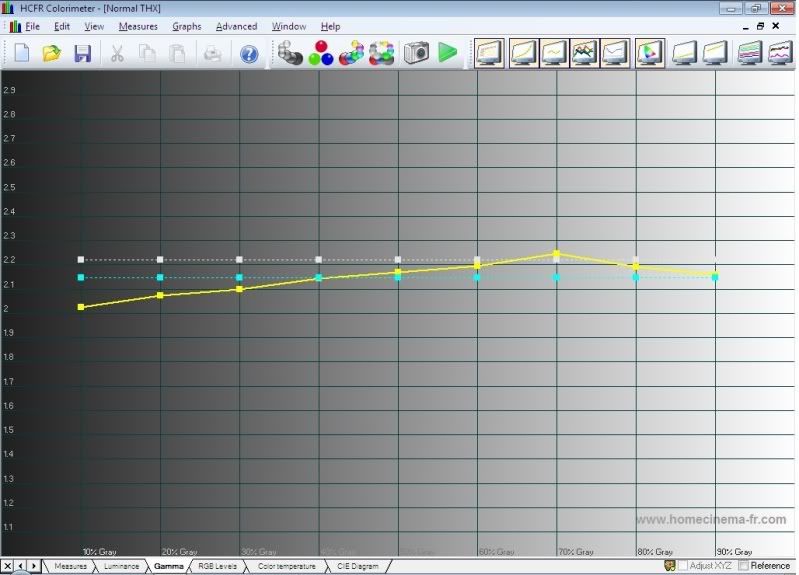
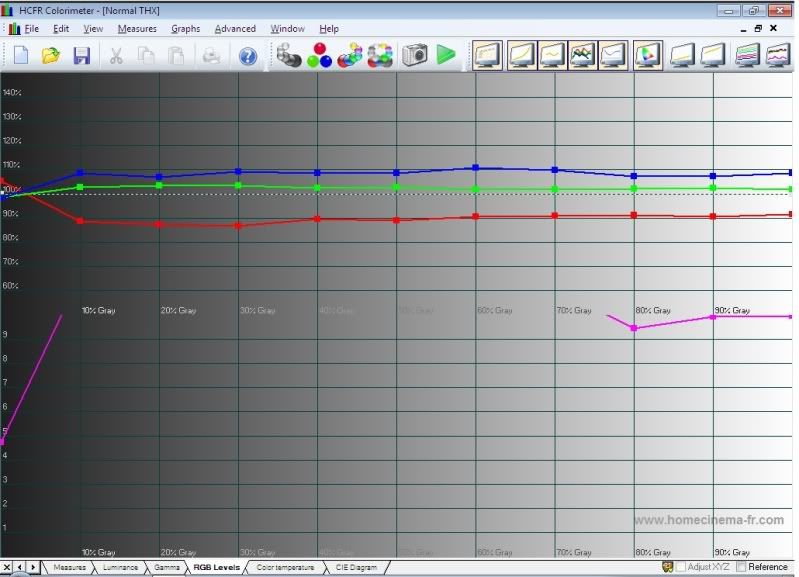
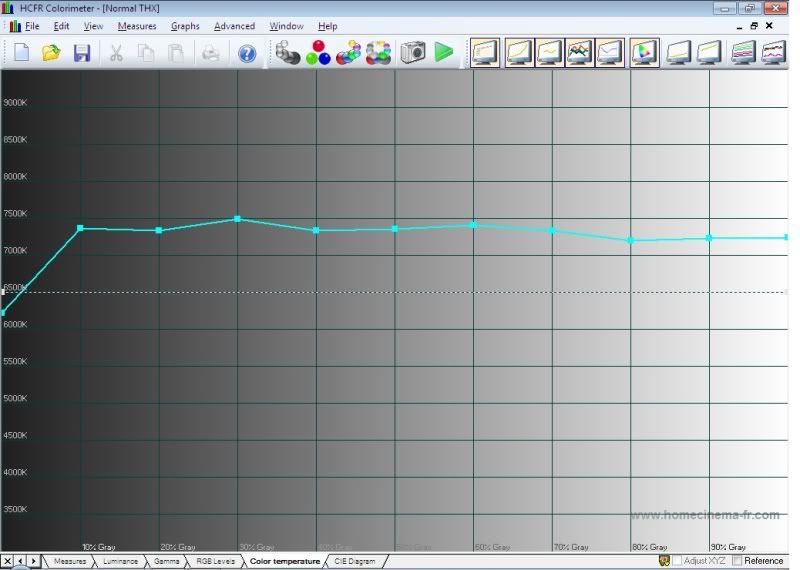
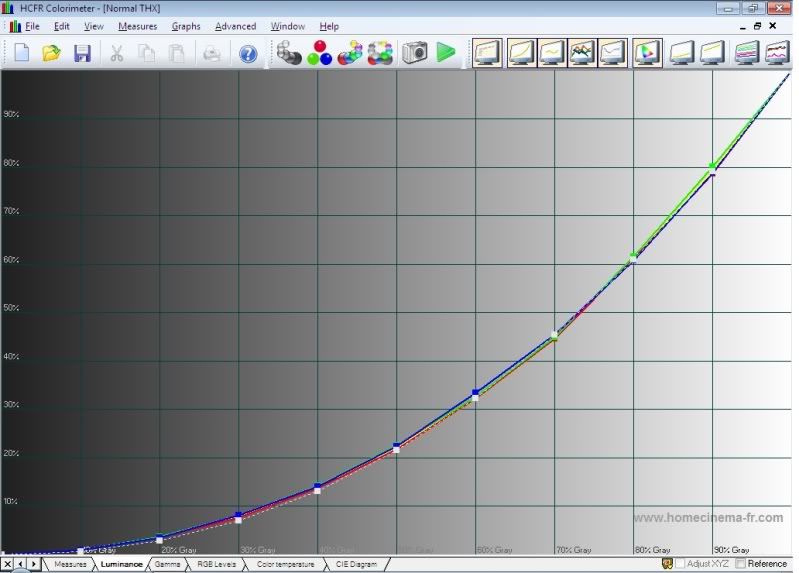
My main questions are
1) HCFR has a few options for target gamma. The dummies guide shows "Display Gamma with black compensation" selected.
What is different between this option and the "Display Gamma" option.
Which should i be using?
2) from my RGB Luminance graph, we can see that the luminance is slightly too high for all colours in the <50% region.
No doubt that would explain the low gamma in that region too.
Without an external processor, can this luminance be lowered with the individual RGB or All RGB Drive controls in the service menu?
OR lowering the user-menu colour (croma) control?
And my Service menu also has a "Sub-Brt" control, but i assume that only affects the same region as the user-menu Brightness control?
I'm pretty happy with the picture as it stands but i can definitely see, even by eye, that it needs to be slightly warmer.
Hopefully, warming it up may even bring that gamma up in the low end a little.
|
|





