| Author |
Message |
ccaddaddy
Joined: 18 Apr 2010
Posts: 113
Location: Corpus Christi, Tx
|
| Posted: Sat Mar 17, 2012 9:51 pm Post subject: help!lol |
|
|
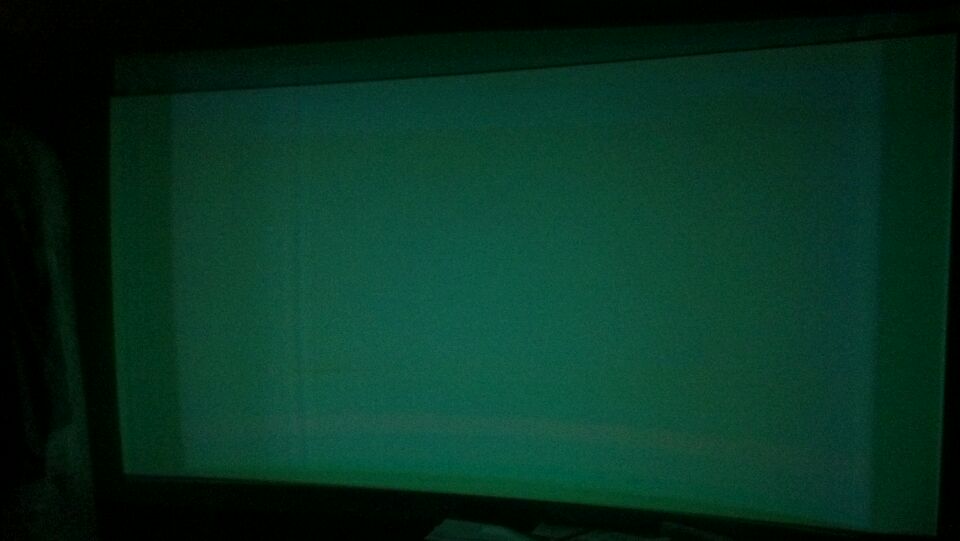
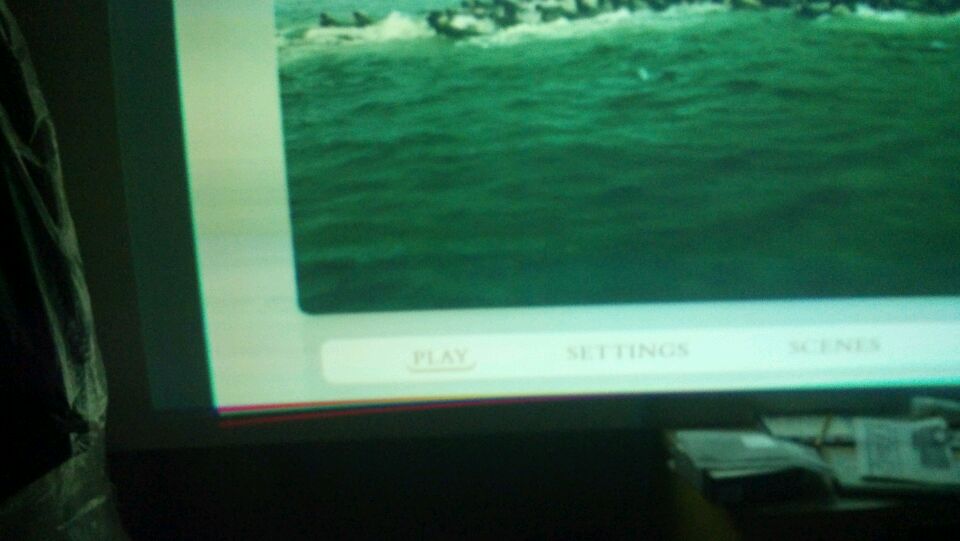
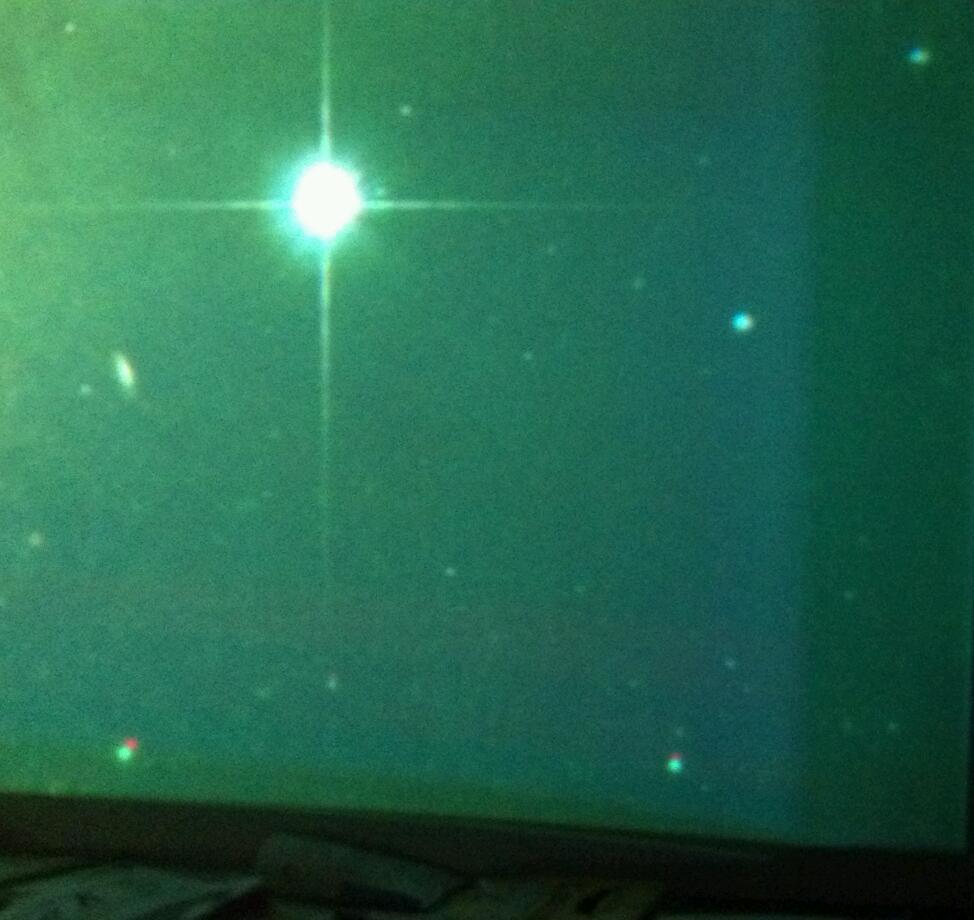
I know it looks like crap but at the same time it looks pretty cool. There is a demo of a roller coaster and I got motion sick!lol but seriously how do I remedy these problems. I understand there is burn in but right now im trying to get the picture even. Nec xg75,toshiba hddvd,moome hdmi card.
| Description: |
|
| Filesize: |
41.44 KB |
| Viewed: |
5631 Time(s) |
|
| Description: |
|
| Filesize: |
49.95 KB |
| Viewed: |
5631 Time(s) |
|
| Description: |
|
| Filesize: |
86.58 KB |
| Viewed: |
5631 Time(s) |
|
_________________
"To forgive is divine but never pay full price for late pizza." Michaelangelo
|
|
| Back to top |
|
 |
CasetheCorvetteman

Joined: 09 Nov 2008
Posts: 6326
Location: Australia
|
| Posted: Sun Mar 18, 2012 12:37 am Post subject: |
|
|
Move it back abit and run within the wear area. Or live with it 
And for f*** sake, turn your green down abit!!
|
|
| Back to top |
|
|
Jeremy112

Joined: 28 Sep 2006
Posts: 2649
Location: Fond du Lac, WI
|
| Posted: Sun Mar 18, 2012 2:20 pm Post subject: Re: help!lol |
|
|
| ccaddaddy wrote: | | I know it looks like crap but at the same time it looks pretty cool. There is a demo of a roller coaster and I got motion sick!lol but seriously how do I remedy these problems. I understand there is burn in but right now im trying to get the picture even. Nec xg75,toshiba hddvd,moome hdmi card. |
Your first pic, the top one, I dont know if you can see it, but do you see the visible raster banding on the screen?? I have that same exact issue... no one here seems to know how to remedy it 
_________________
When I'm asking for a Model number, that doesn't mean I'm asking for a nude photo with your number on it
|
|
| Back to top |
|
|
mc86
Joined: 20 Sep 2008
Posts: 767
Location: pittsburgh, pa
TV/Projector: ECP 4500 (Vidikron box), ECP4500+, wanting 07MS/07MTS, evaluating pc soft-blend
|
| Posted: Mon Mar 19, 2012 6:22 pm Post subject: |
|
|
Ok, I read about banding a lot but don't "see" it and haven't worried. But I am learning, so can someone educate me a bit? Sorry for the complete ignorance -- just want to understand and couldn't find a sort-of FAQ. Hopefully, this won't sidetrack this thread, but can be used in-context to help the OP.
Gjaky's schematic here conflicts a little with what can be seen on the announcement for Tim's fix. Is banding always as Gjaky described -- a horizontal band of light on a dark screen with light area on RHS of screen by definition? Wouldn't a projected image be all wavy if the convergence grid is wavy or are these separate circuits/feeds to the tubes (seems like bad conceptual design)? I take it once the grid is correct, the image is correct and we would THINK no banding occurs...but it can?
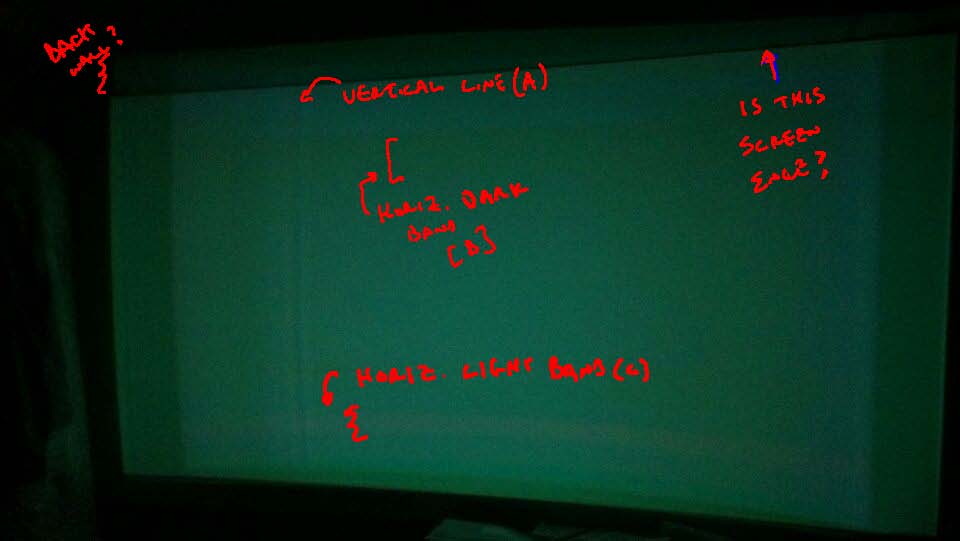
Anyway, I've marked the first image in this thread for what I think I make out -- a line at the top indicating where the raster is off screen and various areas of non-uniform color. I've never seen anything like these on my ECP. I annotated the image so as to make discussion more clear. What is he seeing in these shot?
I see raster area off of the screen, overshooting onto the back wall as marked at upper left. I see a dark vertical line (A) inside a vertical, lighter region. I see two areas of horizontal bands (B) and (C), one dark, one light. Are these bands? At first I thought they were burn-in within the current image area...but that'd be impossible to imagine -- using 30% of the raster area would push the record for crappiest setup ever!
cheers
Matt
| Description: |
| marked-up image for discussion |
|
| Filesize: |
32.94 KB |
| Viewed: |
5464 Time(s) |
|
|
|
| Back to top |
|
|
ccaddaddy
Joined: 18 Apr 2010
Posts: 113
Location: Corpus Christi, Tx
|
| Posted: Mon Mar 19, 2012 10:25 pm Post subject: |
|
|
Is there a way to fix this? Im not a seasoned crt'er but kinda get the gist of things. My main concern at this time is getting a square even picture without the lighter and darker areas. Like I said before I understand the burn in issue but want to learn to get and even square area before I go into buying new tubes. What can anyone suggest I do first?
_________________
"To forgive is divine but never pay full price for late pizza." Michaelangelo
|
|
| Back to top |
|
|
ccaddaddy
Joined: 18 Apr 2010
Posts: 113
Location: Corpus Christi, Tx
|
| Posted: Mon Mar 19, 2012 10:32 pm Post subject: |
|
|
No sarcastic or rude comments please. Im really trying to get this thing situated. 
_________________
"To forgive is divine but never pay full price for late pizza." Michaelangelo
|
|
| Back to top |
|
|
ccaddaddy
Joined: 18 Apr 2010
Posts: 113
Location: Corpus Christi, Tx
|
| Posted: Mon Mar 19, 2012 10:41 pm Post subject: |
|
|
| mc86 wrote: | Ok, I read about banding a lot but don't "see" it and haven't worried. But I am learning, so can someone educate me a bit? Sorry for the complete ignorance -- just want to understand and couldn't find a sort-of FAQ. Hopefully, this won't sidetrack this thread, but can be used in-context to help the OP.
Gjaky's schematic here conflicts a little with what can be seen on the announcement for Tim's fix. Is banding always as Gjaky described -- a horizontal band of light on a dark screen with light area on RHS of screen by definition? Wouldn't a projected image be all wavy if the convergence grid is wavy or are these separate circuits/feeds to the tubes (seems like bad conceptual design)? I take it once the grid is correct, the image is correct and we would THINK no banding occurs...but it can?
Anyway, I've marked the first image in this thread for what I think I make out -- a line at the top indicating where the raster is off screen and various areas of non-uniform color. I've never seen anything like these on my ECP. I annotated the image so as to make discussion more clear. What is he seeing in these shot?
I see raster area off of the screen, overshooting onto the back wall as marked at upper left. I see a dark vertical line (A) inside a vertical, lighter region. I see two areas of horizontal bands (B) and (C), one dark, one light. Are these bands? At first I thought they were burn-in within the current image area...but that'd be impossible to imagine -- using 30% of the raster area would push the record for crappiest setup ever!
cheers
Matt |
(B) is indeed burn in on my blue tube. I have no idea how the vertical line got there. I want to be able for the image to go into the lighter areas to the left and right.
_________________
"To forgive is divine but never pay full price for late pizza." Michaelangelo
|
|
| Back to top |
|
|
tanwn
Joined: 26 Dec 2006
Posts: 104
|
| Posted: Mon Mar 19, 2012 11:29 pm Post subject: |
|
|
|
You obviously do not know how to calibrate a CRT, my advise is to get someone to do it. Or go read up the installation manual again.
|
|
| Back to top |
|
|
CasetheCorvetteman
Joined: 09 Nov 2008
Posts: 6326
Location: Australia
|
| Posted: Tue Mar 20, 2012 6:33 am Post subject: |
|
|
| tanwn wrote: | | You obviously do not know how to calibrate a CRT, my advise is to get someone to do it. Or go read up the installation manual again. |
 Tis true However, we can help him out if he wants to listen Tis true However, we can help him out if he wants to listen 
|
|
| Back to top |
|
|
mc86
Joined: 20 Sep 2008
Posts: 767
Location: pittsburgh, pa
TV/Projector: ECP 4500 (Vidikron box), ECP4500+, wanting 07MS/07MTS, evaluating pc soft-blend
|
| Posted: Tue Mar 20, 2012 6:51 pm Post subject: |
|
|
Hi -
My understanding is the XG is no machine to screw-around with if you don't know what you are doing or you'll mess everything up. Maybe you are there already.  I hope not, of course. I just skimmed over your (the OP's) posts dating to April 2010 -- you have slowly and steadily been learning and have asked several times for someone in your area to help. Clearly, you don't have a lot of time to tinker/learn, but kudos for sticking with it. I hope not, of course. I just skimmed over your (the OP's) posts dating to April 2010 -- you have slowly and steadily been learning and have asked several times for someone in your area to help. Clearly, you don't have a lot of time to tinker/learn, but kudos for sticking with it.
I, too, think you might benefit from stopping and reading more...perhaps iterative tinkering isn't the way to go here. Below is what worked for me -- it took a lot of time, but saved even more for me and I has helped me to waste less of peoples' time. Anyway, you might try anew like this:
Step 1: I went through a) FAQ: setting it all up, b) the CRT primer, c) the Setup Tips and Manuals, and d) the Advanced Procedures areas AND copied each and every page from b) and c) into Microsoft OneNote. I made notes on top of those pages.
Step 1b: After quick review, I re-did this, going back and forth with my projector's setup manual (download from here). Sometimes different terms referred to same item/task. Or Curt's procedures would say to do something but not mention how. Around that time I became a member of the site -- how grateful I felt for the "free" info and support. From step 1 I had a master setup plan.
Step 2: I searched and read all ~200 threads on here (Curts site) for my type of projector. I saved or copied key threads on generic help, too. For example, references to Guy Kuo's method, for example, abounds.
Step 3: I then searched and read most everything I could stomach on AVS archives on the my machine.
Step 4: I contacted, via PM, a handful of folks who I could find who have my machine on this site (all of about 2 other people)
Step 5: AFTER all of that, I played a bit, sort of doing a mock-setup. A few hours on this mock-setup to see if I "got" it all, I decided it was actually good enough to live with for a few weeks. That was over a year ago, I think.
Step 6: I am just now learning to "see" and to be critical of what I see. That 80% complete setup is really starting to annoy me. Scheimpflug was not completed, etc. I'll fix it this summer, but I think in another 2 years I'll be tired of my system's limitations. In the meantime, I'm trying to learn about issues with g90 and 9500. Step 7 will be to start over at Step 1 with a nicer machine. Right now, I'm saving money...
If I knew stuff about the XG, I'd try to help. Again, I'd start from square one - it isn't obvious to me there is a "problem" with your machine itself...
bests - I hope others can lend a hand...
Matt
|
|
| Back to top |
|
|
ccaddaddy
Joined: 18 Apr 2010
Posts: 113
Location: Corpus Christi, Tx
|
| Posted: Tue Mar 20, 2012 10:02 pm Post subject: |
|
|
Thanks for the support friend. I a guy from houston set it up for me just recently. When I got home with it convergence was a bit off but was easily fixed. Then I got my moome card and that's when everything went out of whack. Maybe I should go back to using my laptop as my source.?
_________________
"To forgive is divine but never pay full price for late pizza." Michaelangelo
|
|
| Back to top |
|
|
Das444
Joined: 22 Dec 2006
Posts: 145
|
| Posted: Tue Mar 20, 2012 11:24 pm Post subject: |
|
|
[quote=" I a guy from houston set it up for me just recently. When I got home with it convergence was a bit off but was easily fixed.[/quote]
1) What source did he set up for 480p,720p,1080i?
2) What are you feeding it now? Looks like 1080p with the banding issue.
You need to feed the projector the signal it was set up for.
***WARNING DO NOT TOUCH ANY POTS IN THE CARD CAGE.***
Dan
|
|
| Back to top |
|
|
A Rogers
Joined: 14 Feb 2011
Posts: 133
Location: Toronto On
|
| Posted: Wed Mar 21, 2012 11:37 pm Post subject: |
|
|
Well... the definitive CRT projector setup guide was made with an XG. Reading it should be your first step. The XG has a very logical setup process. A few reads of the guide should make you a pro
http://www.curtpalme.com/CRTSetupGuide.shtm
|
|
| Back to top |
|
|
CasetheCorvetteman
Joined: 09 Nov 2008
Posts: 6326
Location: Australia
|
| Posted: Thu Mar 22, 2012 7:41 am Post subject: |
|
|
|
Will certainly make you more than capable of getting it to look ok mate yes, they are not hard to set up at all.
|
|
| Back to top |
|
|
|
|




