| Author |
Message |
dfisk
Joined: 08 May 2009
Posts: 8
TV/Projector: DWIN HD-500
|
| Posted: Thu Dec 17, 2009 4:43 pm Post subject: Dwin HD500 powering off when changing inputs on reciever |
|
|
I'm not sure where the real problem is as there are 3 components involved
DWIN HD500
Moome Ext-FullHD
Onkyo TX-NR807
I've had the Ext-FullHD a while now to connect my HDMI sources to the projector. I've been switching cables around until I got a new HDMI reciever.
Now, whenever I change inputs on the reciever, the Dwin shuts down. It's always been a little twitchy about input sources, but this is a little annoying. I've got the Onkyo set to output 1080i and also have all the sources set to 1080i. Is there anything I can do with the projector, or could it be the Ext-FullHD dropping the signal.
Dave
|
|
| Back to top |
|
 |
Curt Palme
CRT Tech
Joined: 08 Mar 2006
Posts: 24396
Location: Langley, BC
TV/Projector: All of them!
|
| Posted: Thu Dec 17, 2009 10:21 pm Post subject: |
|
|
|
Try going into the menus and disable the 'auto power on' function. See if it will stay on when you disable that.
|
|
| Back to top |
|
|
dfisk
Joined: 08 May 2009
Posts: 8
TV/Projector: DWIN HD-500
|
| Posted: Fri Dec 18, 2009 5:49 pm Post subject: |
|
|
Thanks,
I'll confirm things when I get home tonight, but I'm pretty sure it's already disabled.
Dave
|
|
| Back to top |
|
|
dfisk
Joined: 08 May 2009
Posts: 8
TV/Projector: DWIN HD-500
|
| Posted: Sat Dec 19, 2009 1:18 am Post subject: |
|
|
|
I checked and Power On is set to Manual.
|
|
| Back to top |
|
|
Curt Palme
CRT Tech
Joined: 08 Mar 2006
Posts: 24396
Location: Langley, BC
TV/Projector: All of them!
|
| Posted: Sat Dec 19, 2009 3:39 am Post subject: |
|
|
I'll guess that the power supply itself is bad. If you want to pull it and send it in, I can repair it.
Curt
|
|
| Back to top |
|
|
dfisk
Joined: 08 May 2009
Posts: 8
TV/Projector: DWIN HD-500
|
| Posted: Sat Dec 19, 2009 8:24 pm Post subject: |
|
|
Thanks Curt, It's good to know there is someone to service the Dwin as I think it's got quite a bit of life in it.
This projector has a bit if history to it. It used to be Steve Bruzonsky's and I think he had it back and forth with Dwin for various tweaks before he had it re-tubed and sold to me. UPS promptly damaged it (snapped the end off of the red tube) and it went back for another visit to Dwin. The HD-500 is not supposed to have any fans, but this unit does seem to have a fan in the power supply. I can hear a faint sound of a fan and feel air movement.
I ran it with a HTPC for a while and then put it in storage while my media room was built. Many years later....it's back up on the ceiling.
Once it is on an input, it's fine. It's just when I switch to a new source, and the EXT-HD (V1.3) DET light turns off and then on, it turns off. I've had it do this when I send it a signal that is out of it's range.
I'm just curious why you suspect the power supply? Is this something you've seen before? How bad it is to get the power supply out?
Dave
|
|
| Back to top |
|
|
draganm

Joined: 08 Mar 2006
Posts: 8990
Location: Colorado
|
| Posted: Sat Dec 19, 2009 8:34 pm Post subject: |
|
|
| dfisk wrote: | I'm just curious why you suspect the power supply? Is this something you've seen before? How bad it is to get the power supply out?
Dave |
well the power supply is driving things like G2 voltage and Horizontal sweep which can be hundreds of volts. When you switch inputs the draw on the Ps will drop dramatically and then surge back up to normal operating levels. If the power supply is weak from worn components it could be tripping an over-voltage protection circuit which in a fresh PS would not be triggered.
|
|
| Back to top |
|
|
Curt Palme
CRT Tech
Joined: 08 Mar 2006
Posts: 24396
Location: Langley, BC
TV/Projector: All of them!
|
| Posted: Sat Dec 19, 2009 9:06 pm Post subject: |
|
|
|
How can that be Steve's unit when I bought his 700 last year? Did he have two?
|
|
| Back to top |
|
|
dfisk
Joined: 08 May 2009
Posts: 8
TV/Projector: DWIN HD-500
|
| Posted: Sat Dec 19, 2009 9:15 pm Post subject: |
|
|
|
You bought his --700--. This is the 500 he sold when he got that.
|
|
| Back to top |
|
|
Curt Palme
CRT Tech
Joined: 08 Mar 2006
Posts: 24396
Location: Langley, BC
TV/Projector: All of them!
|
| Posted: Sun Dec 20, 2009 4:08 am Post subject: |
|
|
|
Oh, OK, I didn't know that he 'upgraded' to another DWIN, but that does prove what I suspected, that the 500 was older than the 700.
|
|
| Back to top |
|
|
dfisk
Joined: 08 May 2009
Posts: 8
TV/Projector: DWIN HD-500
|
| Posted: Mon Dec 21, 2009 12:05 am Post subject: |
|
|
Yeah, I bought the 500 back in 2000. I ran it for a while and then it was in storage for about 6 years (gasp) while I was building a new room.
How hard is it to remove the power supply? Can I do it with the PJ on the ceiling? Do you have any instructions on how to do it? I'm comfortable with most electronic components, but wary of the high voltage stuff in CRT's.
Thanks,
Dave
|
|
| Back to top |
|
|
Curt Palme
CRT Tech
Joined: 08 Mar 2006
Posts: 24396
Location: Langley, BC
TV/Projector: All of them!
|
|
| Back to top |
|
|
dfisk
Joined: 08 May 2009
Posts: 8
TV/Projector: DWIN HD-500
|
| Posted: Tue Jan 19, 2010 1:24 am Post subject: |
|
|
Curt,
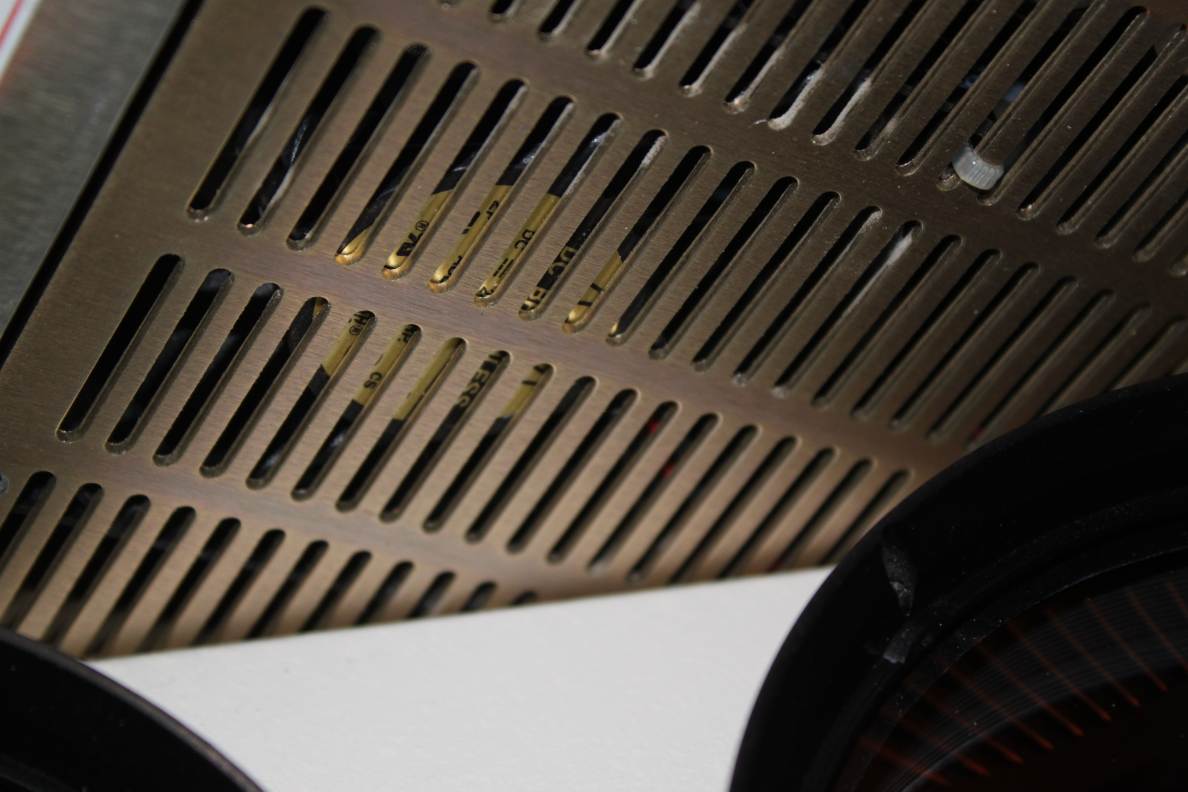
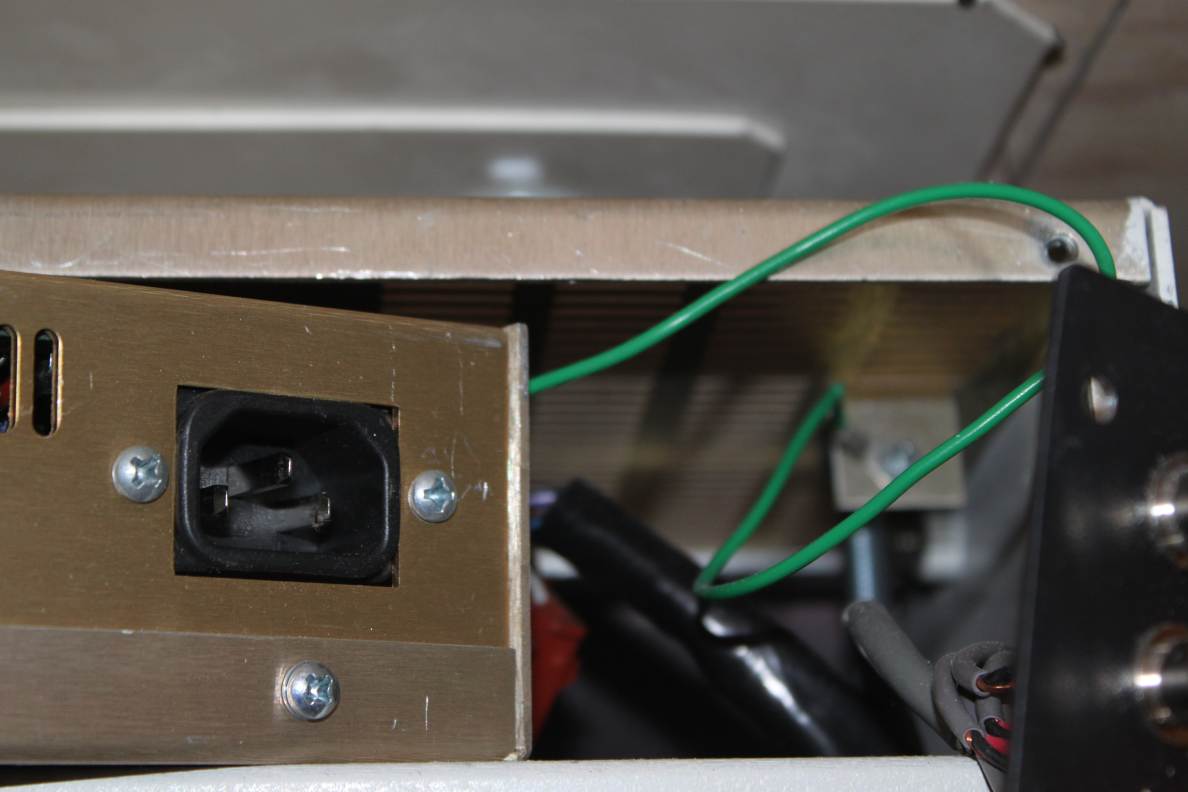
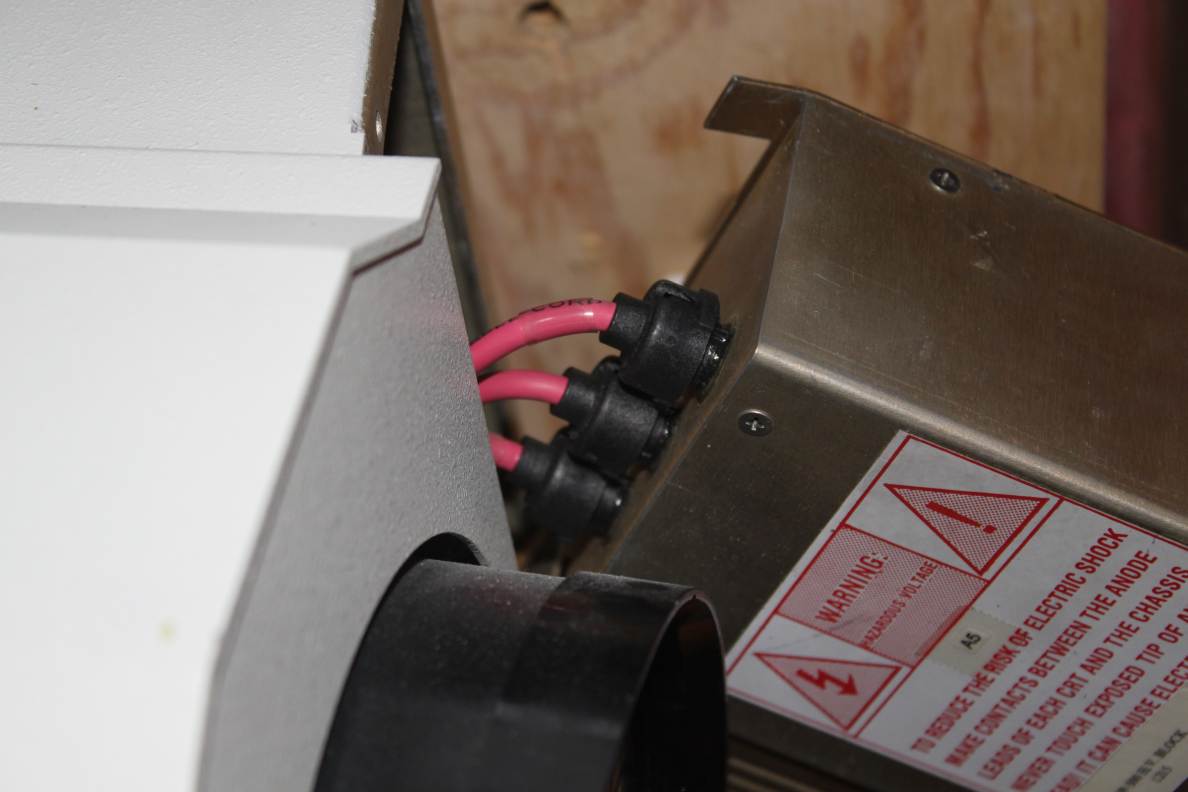
Sorry it took so long to follow up, but I hadn't had a chance to attack the projector. My 500 seems to differ from the pics you had online of the 700. The power inlet and the video connectors are on the opposite side. The video connectors are attached to a plate which is held in place with 4 screws. There are another 2 screws that hold the front of the power supply to the front plate. Pulling thing out gently, there is a green (ground i assume) wire on one side and three red wires attached to the back of the power supply. I've attached some pictures.
Dave
| Description: |
|
| Filesize: |
106.43 KB |
| Viewed: |
3000 Time(s) |
|
| Description: |
|
| Filesize: |
78.94 KB |
| Viewed: |
2994 Time(s) |
|
| Description: |
|
| Filesize: |
78.42 KB |
| Viewed: |
2998 Time(s) |
|
|
|
| Back to top |
|
|
|
|





