|
As this forum is rarely used anymore, we've locked it. Feel free to browse and read. Questions? Please reach out to us directly. Cheers! |

|
 |
|
|
| Author |
Message |
perisoft

Joined: 29 Aug 2007
Posts: 2920
Location: Ithaca, NY
|
| Posted: Fri Apr 24, 2009 3:58 am Post subject: Color calibration - woooot! |
|
|
So, I've been using a weird method to color calibrate. I can't afford/justify a colorimeter, but I do have a Nikon D80 DSLR my job paid for. I've taken to using the DSLR to set whitepoint - I throw up a full white screen, set the D80 to 6700k whitepoint (it only has 6300 and 6700 - grr) and to show me the R/G/B curves, and take a picture. If the R G and B histograms peak at different points, I adjust the PJ gains until they match. Voila! Basically calibrated whitepoint!
I can set the black level the obvious way, and then in my HTPC adjust the gamma for each channel. I'd been doing it by setting the gamma so 4 or 5% is barely visible with each color, and that worked reasonably well - a HELL of a lot better than no gamma. But not perfect.
Now, a guy out there made a very detailed gamma adjustment program (I can't remember the name of it now... videoequalizer I think - it's linked here in a couple of places, but I forget where). It suddenly occurred to me that by putting up a gray ramp, and taking photos zoomed in of just the areas I want to calibrate, I can alter the gamma for each bit separately and build a curve that's correct all the way through.
So, I:
-Set whitepoint 'normally'
-Put up a gray ramp
-Color selected green
-Set a normal gamma curve for all three channels as a baseline, until 4% was just visible (with the green only)
-Re-set so I could see the full gray ramp
Now I've got a horrible green mess.
From there, I went iteratively, zooming in on 50%, then 30%, then 10%, then 20%, etc, and fighting tooth and nail with the frequent crashing and buggy user interface of this wonderful gamma program.  The result? Happy PeriSoft! The result? Happy PeriSoft!
My previous method got me this (which I posted in my triumphant black level thread - note that I overexposed it a bit to show the lower IREs...):
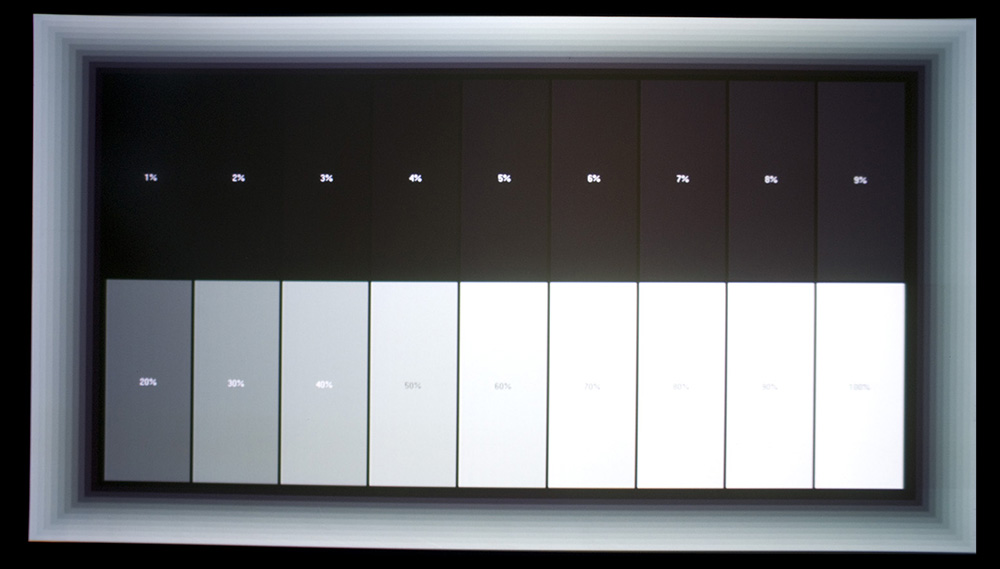
You can see problems down under 20IRE, and bluishness where there shouldn't be (of course, this is assuming your monitor is right. You can double-check in an image editor just by looking at the R/G/B values - they go all over).
And here's what I have now, after an hour and a half of work:
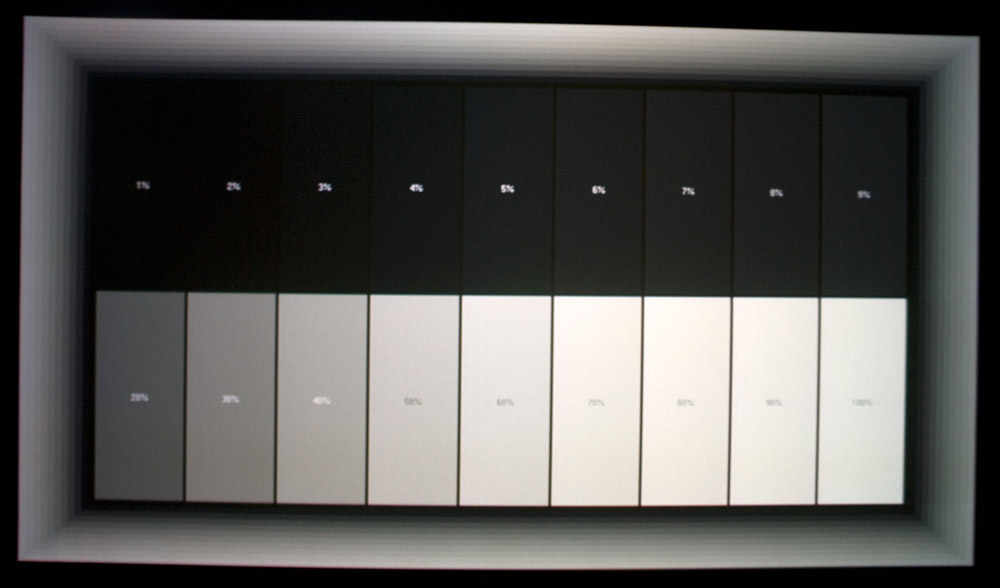
Not too shabby... If you stick that in photoshop and look at the low IREs from 3, 4, 5, 6, 7, 8, 9, 10% - the R, G, and B levels are within 2% of each other. And that's with PERFECT blacks!
(By the way, I never turned off manual focus and didn't bother to focus well, so all of these shots are blurry..  ) )
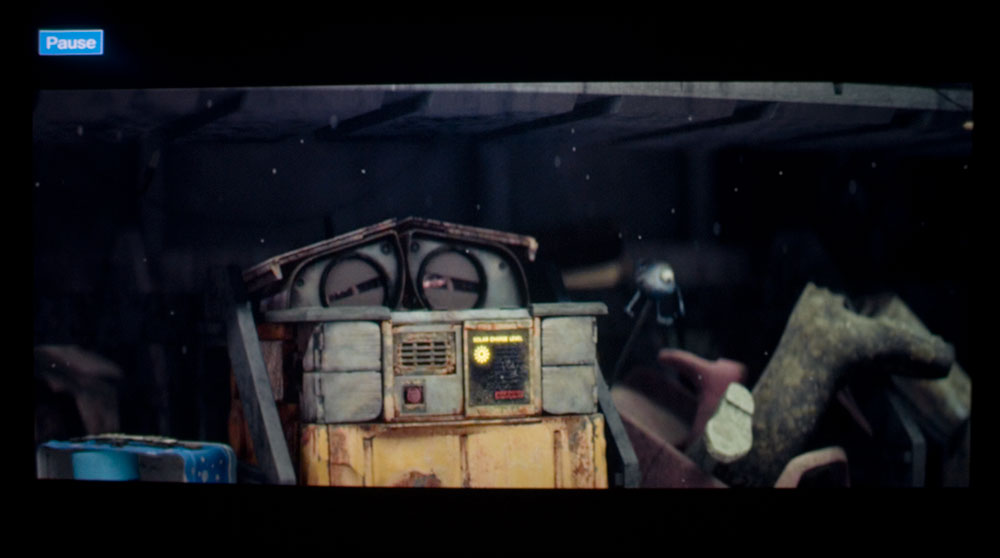
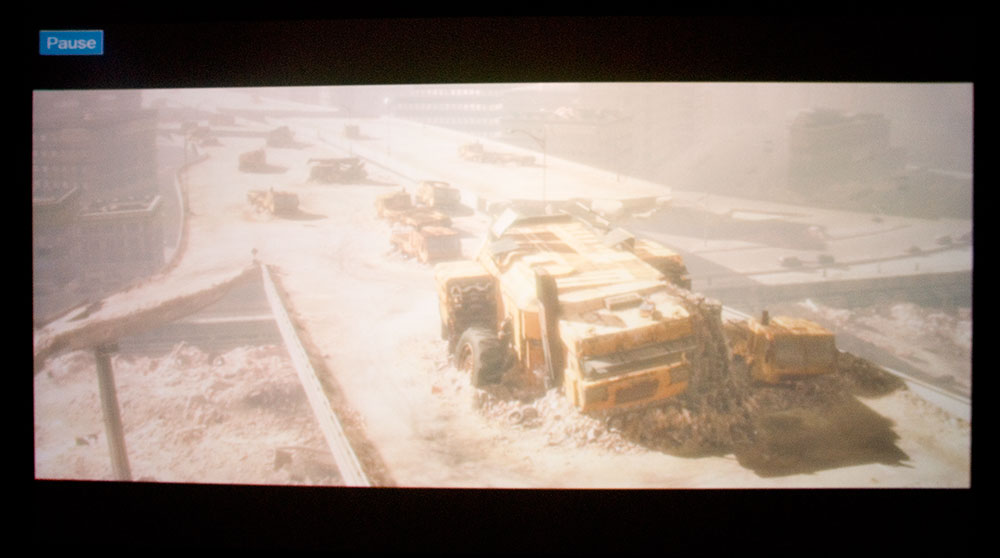
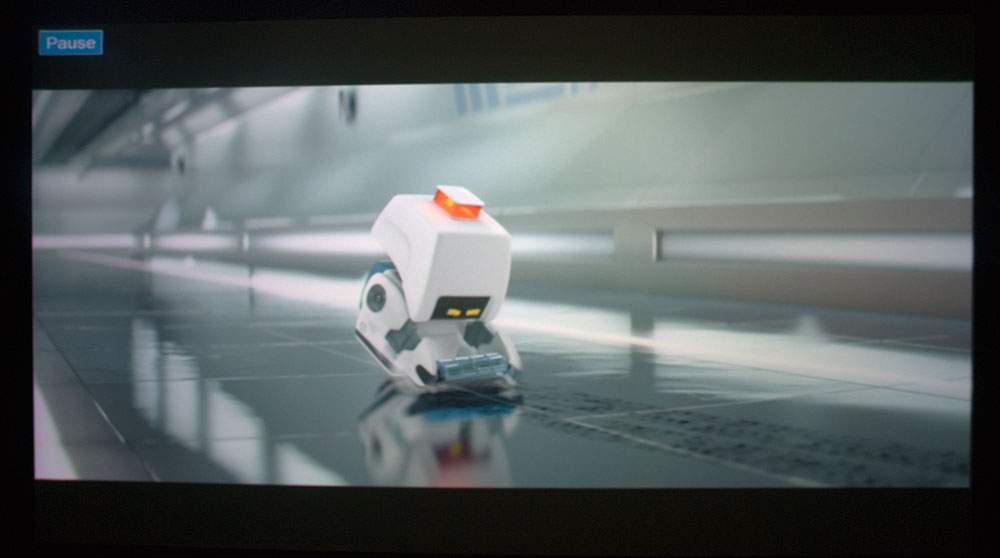
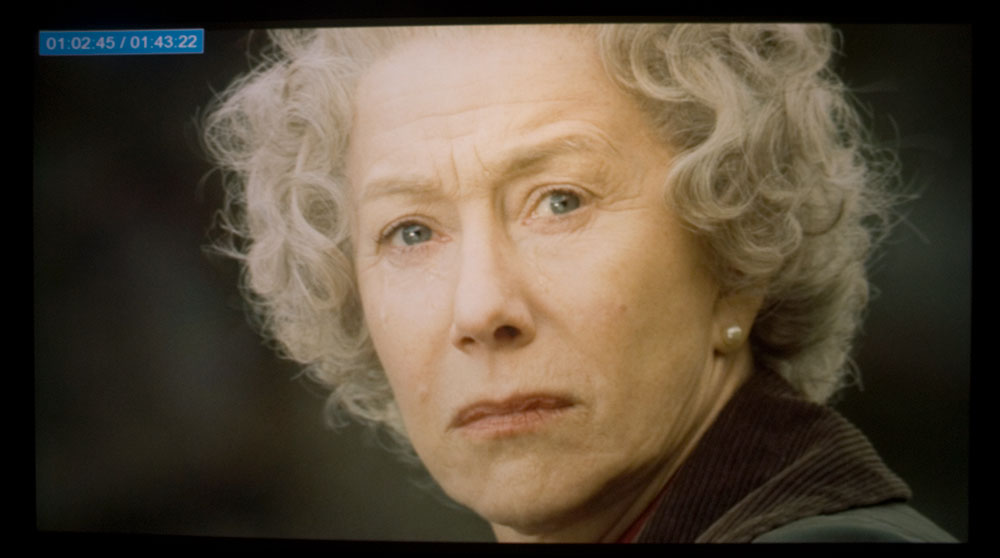
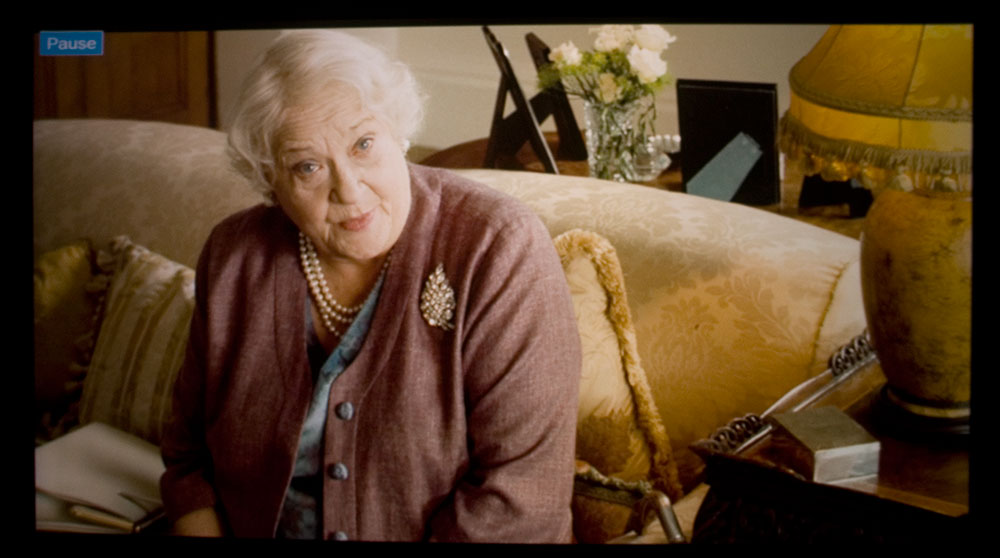
And the result with some screenshots. Pointless if your display isn't calibrated anyway, but what the hey... The cool part is the wall-e shots: One where wall-e is waking up, and it's dark in his truck, and the next as he's outside. I had to really lengthen the exposure on the inside shot vs. the outside shot, which you can see - the 'pause' in the upper left is a lot brighter in the first shot, but is the same in real life! But there's still a ton of detail in the low IREs of the inside shot, and it's not skewed. For the others I just tried to pick some color challenging scenes of people.
Anyway.. just thought I'd share another little triumph of projection...
 [/img] [/img]
_________________

|
|
| Back to top |
|
 |
Elaine Benes
Joined: 25 Apr 2006
Posts: 1416
|
| Posted: Fri Apr 24, 2009 9:34 am Post subject: |
|
|
So is there some way someone who's not a photoshop/computer/camera expert can use this to achieve a similarly excellent gamma curve ?
Is it only possible from an HTPC ?
|
|
| Back to top |
|
|
perisoft
Joined: 29 Aug 2007
Posts: 2920
Location: Ithaca, NY
|
| Posted: Fri Apr 24, 2009 3:30 pm Post subject: |
|
|
| Elaine Benes wrote: | | So is there some way someone who's not a photoshop/computer/camera expert can use this to achieve a similarly excellent gamma curve ? |
You don't need to be an expert... you DO need to have a good camera, though, since the calibration will only be as good as the camera. But photography people are pretty picky about colors, so any reasonable DSLR will probably work. You ABSOLUTELY need to manually set the whitepoint, for obvious reasons. You could theoretically get away without having a histogram display, but then you'd have to suck each photo onto a computer - in raw mode - to check the RGB levels, and that would be an UNHOLY pain in the ass. I probably averaged 5 to 6 iterations for each R / B adjustment at each of ~10 points.
With detailed instructions it would be reasonably simple to do with the right camera.
| Quote: | | Is it only possible from an HTPC ? |
Having never used gamma adjustment on another device, I don't know - the only reason this worked so well was that I could adjust gamma for each color at each point independently. Do things like the lumagen have that option?
If not, you could still use the camera as a colorimeter, of course, but it has a significant drawback in that it's only measuring the color, NOT luminance, in an absolute way. It's measuring color vs. green, but the way I'm doing it, overall luminance is set with the original gamma adjustment on the green channel, so I could be way off on luma even though my grayscale tracking is very good - eg, maybe 10IRE is actually 15.
I'm not sure how you WOULD get good grayscale tracking without detailed point-to-point adjustment... trying to do this with combinations of overall per-channel gamma and breakpoint/etc would be folly!
_________________
|
|
| Back to top |
|
|
jask

Joined: 17 Mar 2006
Posts: 10187
Location: kamloops BC
|
| Posted: Fri Apr 24, 2009 8:36 pm Post subject: |
|
|
|
Great idea! I will try this out on the weekend.
|
|
| Back to top |
|
|
Zebu Fellenz
Joined: 21 Dec 2006
Posts: 2567
|
| Posted: Sat Apr 25, 2009 3:21 am Post subject: |
|
|
I'll have to give this a try. Looks like a way I may be able to improve my greyscale on the cheap.
Erik
|
|
| Back to top |
|
|
Mark_A_W
Joined: 15 Mar 2006
Posts: 3068
Location: Sunny Melbourne Australia
|
| Posted: Sat Apr 25, 2009 6:58 am Post subject: |
|
|
Can you post a picture of your VideoEqualizer curves?
I struggle with VideoEqualizer...the settings never stick..
|
|
| Back to top |
|
|
perisoft
Joined: 29 Aug 2007
Posts: 2920
Location: Ithaca, NY
|
| Posted: Sat Apr 25, 2009 11:49 am Post subject: |
|
|
| Mark_A_W wrote: | Can you post a picture of your VideoEqualizer curves?
I struggle with VideoEqualizer...the settings never stick.. |
I'll try to do that sometime today. Yeah, it's a real pain in the ass - for me, when you click on a point, it first says, "Could not set Gamma table!" or similar, but sets it anyway. Only it doesn't set it where I click - it sets it somewhere between that and where it used to be. Except when it doesn't. So if I go to edit a point later, and click somewhere, it usually moves off some way and I have to go click-enter-click-enter-click-enter to move it back up where I want it.
But if you click-enter twice too quickly on one spot, it crashes.
It also has a very strange way of setting the actual curve - it alters the spline only up to the next point and then abruptly transitions to the curve as it continues unaltered. If you click on the point where the discontinuity is, it smooths it out, but it adjusts the position of that point - and then of course you have to go back and fix it, thus altering the curve to the next point...
It also tends to generate stairsteps across individual points if you're doing detailed adjustments, which you have to go through and try to fix.
The main functionality is great, but the implementation probably quintuples or more the amount of time it should take to get something done. Maybe he's posted a new version now; I'll have to check.
I never had trouble with curves being kept, and I can drag a saved .lut onto the commandline set gamma app and it works every time. For some reason, it used to only set gamma on the primary display. Now it does it on both. You should see the horrible grayscale on my equipment room LCD panel now... 
_________________
|
|
| Back to top |
|
|
perisoft
Joined: 29 Aug 2007
Posts: 2920
Location: Ithaca, NY
|
| Posted: Sat Apr 25, 2009 11:59 am Post subject: |
|
|
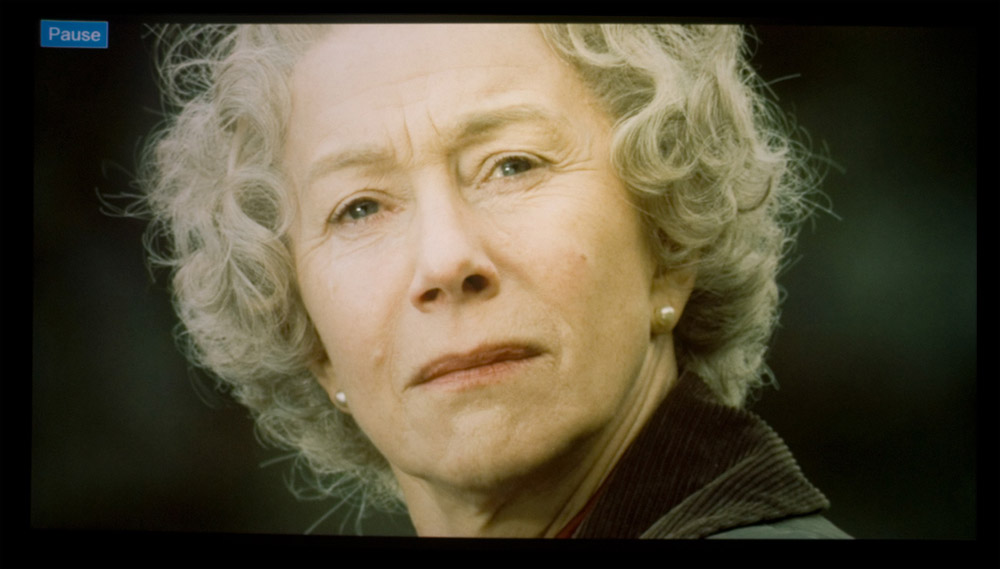
Oh, an interesting comparison of a shot from before the new calibration and after... the before looked pretty good until I saw it next to the after. Again, this doesn't mean much without a good display to look at it on - but LCD and CRT monitors tend to have realtively good grayscale tracking (at least, good ones) so the comparison won't be too far off if the whitepoint is basically right.
Old first, then new.
_________________
|
|
| Back to top |
|
|
Mark_A_W
Joined: 15 Mar 2006
Posts: 3068
Location: Sunny Melbourne Australia
|
| Posted: Sat Apr 25, 2009 11:59 am Post subject: |
|
|
Have you got Powerstrip active Perisoft?
I think Powerstrip may be overwriting VideoEqualizer - they fight to set the LUT.
I'll disable it and see.
|
|
| Back to top |
|
|
perisoft
Joined: 29 Aug 2007
Posts: 2920
Location: Ithaca, NY
|
| Posted: Sat Apr 25, 2009 12:01 pm Post subject: |
|
|
I am, but I specifically disabled powerstrip's gamma when I found it was screwing with the ATI control panel's all the time.
_________________
|
|
| Back to top |
|
|
antorsae
Joined: 16 Jul 2006
Posts: 297
|
| Posted: Tue Apr 28, 2009 10:26 pm Post subject: |
|
|
Hey Perisoft,
I am working on my software to use a Canon DSLR to measure N points of gamma and later equalize 256 points using the (Nvidia) 10-bit gamma LUT.
I was working on this a few months ago but suffered a fatal HD crash - so I've had to write the software from scratch. I will record a video and post it so you can see it in action. I am playing around with this to see if I can get PERFECT color matching on my two marquees to do edge matching.
|
|
| Back to top |
|
|
perisoft
Joined: 29 Aug 2007
Posts: 2920
Location: Ithaca, NY
|
| Posted: Wed Apr 29, 2009 12:04 am Post subject: |
|
|
| antorsae wrote: | Hey Perisoft,
I am working on my software to use a Canon DSLR to measure N points of gamma and later equalize 256 points using the (Nvidia) 10-bit gamma LUT.
I was working on this a few months ago but suffered a fatal HD crash - so I've had to write the software from scratch. I will record a video and post it so you can see it in action. I am playing around with this to see if I can get PERFECT color matching on my two marquees to do edge matching. |
If you're interested, I'd be interested in collaborating / testing, assuming it's possible to make it work with my Nikon. I can do VB and C, though I don't do much object oriented stuff. Given a skeleton I can make my way around, though.
Right now I'm running an ATI card, but I can switch to nV assuming I can get the custom resolutions I run (not sure if powerstrip runs with the nV card I have access to). The other option would be to make it work with the ATI, which would then cover Nikon/Canon and nV/ATI... would make it a rather useful piece of software for more people then.
_________________
|
|
| Back to top |
|
|
antorsae
Joined: 16 Jul 2006
Posts: 297
|
| Posted: Wed Apr 29, 2009 8:51 am Post subject: |
|
|
Perisoft,
The reason I am supporting Nvidia is because my primary goal is to match my two PJs color-wise across all 256 IRE values, and I am running horizontal span mode, so that windows sees only one monitor but there are really two. Nvidia offers an SDK so that I can equalize the gamma ramps for each PJ but it is still transparent to windows.
I can very easily convert the software so that if only one PJ is to be supported, I use graphic card-independent API, e.g. as described here http://developer.amd.com/gpu/radeon/RadeonSampleCode/GammaCorrection/Pages/default.aspx to upload the LUT to your card. This would work with either NVIDIA or ATI for single projector systems.
On a side note: I woke up early today and did a quick test and I have a first operational version of the software. Measuring 30 points takes about 2 hours of unattended operation (F/22 and Tv of 30 secs). What is great is that I can have my projectors completely off calibration wise, and have them calibrated AND matched running this software.
Not only the software maintains the correct ratio of R G B (i.e. color temp) across all IREs, but also it modulates the ramp to follow an arbitrary gamma value, e.g. 2.2, 2.5 - etc. My next improvement would be to add an offset at the low end and then "sink" the very very low end of the IRE scale (e.g. full black at 0,1,2 IRE and then climb to the dark -not pitch blak- offset following the regular exponential law thereafter).
Any suggestions in this regard (e.g. WHERE exactly in the IRE curve should full black start to climb and until what level) would be welcome.
Regarding the software - it's done in C++ with emphasis on object orientation. I did this on purpose precisely b/c I wanted to abstract the camera SDK from my software so it should be feasible to add more cameras. I am not familiar with the Nikon SDK but the minimal requirement is to be able to read RAW data without any processing on the camera. I am basically using the camera as a photon meter.
rgs - Andres
|
|
| Back to top |
|
|
antorsae
Joined: 16 Jul 2006
Posts: 297
|
| Posted: Wed Apr 29, 2009 9:50 am Post subject: |
|
|
OK, I think I found something. REC 709 does in fact include the TOE SLOPE which is what I intuitively referred to as "sink" and "climb". I will try this weekend.
See this: http://www.13thmonkey.org/~boris/gammacorrection/
|
|
| Back to top |
|
|
perisoft
Joined: 29 Aug 2007
Posts: 2920
Location: Ithaca, NY
|
| Posted: Wed Apr 29, 2009 6:26 pm Post subject: |
|
|
Interesting. If you're willing to share I'd love to take a look at what you have - I'm assuming it's a visual studio project?
One question - why does it take so long to do a run? And why F22? I was shooting defocused with the lens wide open, onto the patches in ntest. That's not optimal because the ambient and AC halo from the bright bits will lighten the dark bits, but the only other way was to custom make 10% windows for each IRE, which would have been a pain in the ass. Is that how you're doing it? Or with full screen color? Full screen would presumably be inaccurate since a full white field doesn't get displayed at the same brightness as a 10% white...
Which brings to mind a general question: What do you calibrate for? The same output will be different luminances depending on scene content - but what, exactly, is the effect? And is it the same for all projectors? EG, if you have half of the screen full white and a normal scene in the other half, presumably the whole other side will be somewhat darker than it would be if you had half of the screen black. Or do high IREs just clip off (crush), and anything greater than, say, 80, gets displayed as 80?
And presumably this will be different depending on whether you're talking about R, G or B? So wouldn't that alter your color balance dynamically depending on scene APL?
_________________
|
|
| Back to top |
|
|
antorsae
Joined: 16 Jul 2006
Posts: 297
|
| Posted: Wed Apr 29, 2009 9:07 pm Post subject: |
|
|
Hi,
In the current version I manually set the lens parameters aperture and exposure. Last test I did was F/22 and Tv 30 secs. Right now (as we are speaking) I am having measurements taken at F/5.3 and Tv 8". The only important thing is to make sure dynamic range is maximized but that there is no overexposure nor an artifical limit of the camera's dynamic range (mine has a 12-bit ADC) so at a minimum I should set parameters so that IRE 100% is measured as high as possible but not over 65535 (RAW samples are 16-bit).
It takes a lot of time because it goes like this:
- First it shows checkerboard patterns and uses computer vision to detect them and locate the center of each (one for each projector)
- Then, for each IRE being measured, it shows a small circle for each color, for each projector. E.g. IRE 10% shows red circle, takes pic, green cirlce, takes pic, blue circle, takes pic, etc. and now for the other projector... now IRE 11%, etc... Obviously I've had to build a test pattern server (controlled via HTTP) so that the whole thing happens automatically. I run the pattern server on my HTPC and the controlling software on a laptop, but they can be run on the same machine if needed.
So if each picture takes 8 secs, then add 5 secs for transfer from camera to PC plus processing, that's 12 secs for measurement. If you want to measure 40 IRE steps, that's 40 x 12 x 3 x 2 = 2280 secs = 48 mins. Not bad (there are many optimizations one could do to measure multiple things in a single picture, but I prefer to stay safe. In addition, one could set different exposure times depending on where you are so in essence you would be measuring gamma in HDR, i.e. more than 12-bits; but so far I have not needed it).
Once I have the 6 transfer function curves I have a second command line program that asks for what the target gamma curve should be (I just added REC 709 gamma with toe slope, which is kind of what we call "gamma boost") and then creates a gamma-correction LUT for each VGA head compensating for everything that needs to be adjusted so that the end result is the target gamma curve we are after. Right now I have the option of either using the whitepoint of IRE 100% on either the left of right projector, or let the camera specify the whitepoint (note I still need to add ICC profile support to do this right).
|
|
| Back to top |
|
|
perisoft
Joined: 29 Aug 2007
Posts: 2920
Location: Ithaca, NY
|
| Posted: Thu Apr 30, 2009 12:06 am Post subject: |
|
|
I see what you mean about dynamic range. Since my manual calibration was mainly a, "Hmm, I wonder what happens if I..." test, I just pointed the camera at a given patch of the right input, zoomed so it filled the frame, and set exposure to whatever the camera thought best. The main thing was to avoid any clipping at all, or else nothing would work...
Like I said, I'd love to test/work with you. One, it's fascinating stuff, and two, it's something that lets me do more than I ought to be able to with the equipment I have - which, as anyone who knows me from these forums will attest, is something I really get a charge out of.
_________________
|
|
| Back to top |
|
|
antorsae
Joined: 16 Jul 2006
Posts: 297
|
| Posted: Fri May 01, 2009 7:12 pm Post subject: |
|
|
Here's the 6 uncalibrated transfer curves:

And here's the 6 guns again measured after equalization:

I still need to do some work...
|
|
| Back to top |
|
|
perisoft
Joined: 29 Aug 2007
Posts: 2920
Location: Ithaca, NY
|
| Posted: Fri May 01, 2009 7:47 pm Post subject: |
|
|
Not bad, though. Where do you think the error is coming from - do you think the camera's not seeing what's really there, or that the gamma adjustment isn't having quite the effect you're after?
_________________
|
|
| Back to top |
|
|
antorsae
Joined: 16 Jul 2006
Posts: 297
|
| Posted: Sat May 02, 2009 2:44 pm Post subject: |
|
|
I think either the camera or the raw -> 16-bit linear is doing something funny as I think the camera is adding some compensation. The equalized curve looks almost perfect (let alone some rounding errors of the camera and LUT, which can be fixed) but what I want to find out is that leaving the manual settings untouched if the raw data is purely a linear measurement of the light in a single point.
Maybe a way to test it is to display two matched IRE windows separately and then overlap them and see if the raw data in the latter is just the sum of the two initial circles.
In other word: I want to verify that what I am reading is a linear factor of the light being present at a given pixel, with no further processing, averaging or metering.
|
|
| Back to top |
|
|
|
|
|
|
|
You cannot post new topics in this forum
You cannot reply to topics in this forum
You cannot edit your posts in this forum
You cannot delete your posts in this forum
You cannot vote in polls in this forum
You cannot attach files in this forum
You can download files in this forum
|
Forum powered by phpBB © phpBB Group
|
|




