| Author |
Message |
DocNyr
Joined: 05 Apr 2009
Posts: 29
|
| Posted: Sun Apr 05, 2009 3:30 pm Post subject: ecp 4100 help please? |
|
|
Dear CRT Gods and gurus...
I got a ecp4100. It appears pretty unused and the tubes appear clean. I connected my laptop to the 5 pin BNC - slot 0, input 1, set resolution to 800*600 on laptop and cloned monitor and switched on the pj. No sync. Press *. no image of sotware type, etc. I can see the image scrolling past, but cannot get the damned thing to sync. The unit was made in 1994. I read curt's primer on these machines and I heard that the dallas chip may need to be replaces. What else can anyone suggest? On the AVS forum, someone suggested trying the flip switches in the card cage.... am tired of that.... spent hours on this darn thing and cannot get it to display any darn picture. Am frustrated and ready to get my gun down here in the basement and shoot this animal.... PLEASE help me guys.... or you may see one of your beloved CRT projectors get it in between the tubes!
Thanks thanks thanks in advance for any help
|
|
| Back to top |
|
 |
Curt Palme
CRT Tech
Joined: 08 Mar 2006
Posts: 24396
Location: Langley, BC
TV/Projector: All of them!
|
| Posted: Sun Apr 05, 2009 3:49 pm Post subject: |
|
|
|
Should be easy. Get a BNC 'T' connector, combing the H and V sync cables and feed them into the composite sync input. Common problem with the ECP models, no one knows why these do it, but composite sync will work fine.
|
|
| Back to top |
|
|
DocNyr
Joined: 05 Apr 2009
Posts: 29
|
| Posted: Sun Apr 05, 2009 4:06 pm Post subject: |
|
|
| Curt Palme wrote: | | Should be easy. Get a BNC 'T' connector, combing the H and V sync cables and feed them into the composite sync input. Common problem with the ECP models, no one knows why these do it, but composite sync will work fine. |
Thanks for your reply, but my input card has 5 BNC connectors -RGBHV. Where do I attach the combined H and V composite sync to? Thanks
|
|
| Back to top |
|
|
Curt Palme
CRT Tech
Joined: 08 Mar 2006
Posts: 24396
Location: Langley, BC
TV/Projector: All of them!
|
| Posted: Sun Apr 05, 2009 4:13 pm Post subject: |
|
|
|
The BNC connector right below the blue.
|
|
| Back to top |
|
|
DocNyr
Joined: 05 Apr 2009
Posts: 29
|
| Posted: Sun Apr 05, 2009 4:14 pm Post subject: |
|
|
| Curt Palme wrote: | | The BNC connector right below the blue. |
Wow! That was a fast response. Thanks so much... I am off to radio shack to look for the T. Will report on what happens after I get it hooked up. Thanks again for your help.
|
|
| Back to top |
|
|
DocNyr
Joined: 05 Apr 2009
Posts: 29
|
| Posted: Sun Apr 05, 2009 7:37 pm Post subject: |
|
|
| DocNyr wrote: | | Curt Palme wrote: | | The BNC connector right below the blue. |
Wow! That was a fast response. Thanks so much... I am off to radio shack to look for the T. Will report on what happens after I get it hooked up. Thanks again for your help. |
Well, I got the t connector and still no luck. I am wondering whether the Dallas chip on this has gone bad. Will that cause the sync to fail? Thanks
|
|
| Back to top |
|
|
DocNyr
Joined: 05 Apr 2009
Posts: 29
|
| Posted: Sun Apr 05, 2009 7:43 pm Post subject: |
|
|
| DocNyr wrote: | | DocNyr wrote: | | Curt Palme wrote: | | The BNC connector right below the blue. |
Wow! That was a fast response. Thanks so much... I am off to radio shack to look for the T. Will report on what happens after I get it hooked up. Thanks again for your help. |
Well, I got the t connector and still no luck. I am wondering whether the Dallas chip on this has gone bad. Will that cause the sync to fail? Thanks |
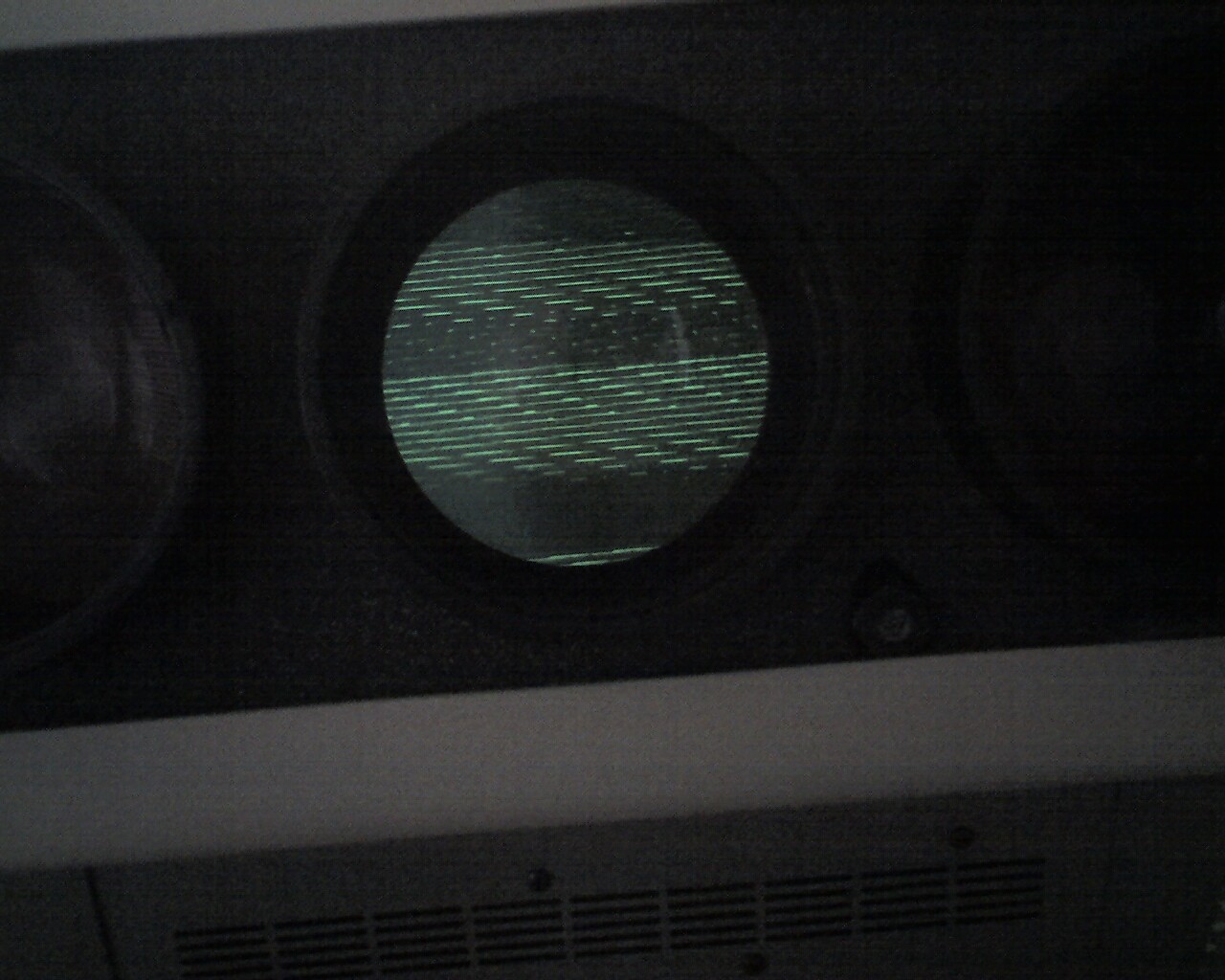
Well, tried to sync it again and the picture shows what appears on the green tube. I have turned other tubes off. Any help would be really appreciated.
Thanks
| Description: |
|
| Filesize: |
204.83 KB |
| Viewed: |
6000 Time(s) |
|
|
|
| Back to top |
|
|
DocNyr
Joined: 05 Apr 2009
Posts: 29
|
| Posted: Sun Apr 05, 2009 8:16 pm Post subject: |
|
|
|
BUMP... please help??
|
|
| Back to top |
|
|
AnalogRocks
Forum Moderator

Joined: 08 Mar 2006
Posts: 26706
Location: Toronto, Ontario, Canada
TV/Projector: Sony 1252Q, AMPRO 4000G
|
| Posted: Sun Apr 05, 2009 8:58 pm Post subject: |
|
|
You sure the cable is good?
_________________
Tech support for nothing
CRT.
HD done right!
|
|
| Back to top |
|
|
DocNyr
Joined: 05 Apr 2009
Posts: 29
|
| Posted: Sun Apr 05, 2009 9:01 pm Post subject: |
|
|
|
I used to use this same cable with my Barco 808 before (three months ago) and it used to work fine then. I am tearing up what little hair I have left in frustration at this machine. sorry for the rants..
|
|
| Back to top |
|
|
AnalogRocks
Forum Moderator
Joined: 08 Mar 2006
Posts: 26706
Location: Toronto, Ontario, Canada
TV/Projector: Sony 1252Q, AMPRO 4000G
|
| Posted: Sun Apr 05, 2009 10:56 pm Post subject: |
|
|
What input card do you have on that projector?
_________________
Tech support for nothing
CRT.
HD done right!
|
|
| Back to top |
|
|
DocNyr
Joined: 05 Apr 2009
Posts: 29
|
| Posted: Mon Apr 06, 2009 2:28 pm Post subject: |
|
|
| AnalogRocks wrote: | | What input card do you have on that projector? |
The input card is in slot 0 and has two columns of 5 BNCs for RGBHV (input 1 and 2 on slot 0). I tried both and same thing. When I hook up the computer and I ask it to "identify" the monitor, the tube shows a difference. So, I know that some sort of signal is coming to the pj from the computer. I seem to be having a locking problem on the signal. Someone on the AVS forum said that the PJ could be in the manual locking mode instead of automatic. So, I tried resetting by pressing the reset button on remote and then the large red button on one of the cards in the card cage. When I did this, the pj shut down, which I am told is what is supposed to happen when you do a total reset to get it back to default values. Now, it should be in automatic lock mode, right? So, it should be able to lock on the signal, but still no luck.
|
|
| Back to top |
|
|
Curt Palme
CRT Tech
Joined: 08 Mar 2006
Posts: 24396
Location: Langley, BC
TV/Projector: All of them!
|
| Posted: Mon Apr 06, 2009 2:31 pm Post subject: |
|
|
|
Do make sure that both H and V syncs are in auto mode. You should be able to see the menu flash up in sync. Also make sure the RGB card isn't a passthrough, in which case the second set of RGB 'inputs' are actually outputs to go to another card.. and need 75 ohm termination resistors on them. If the card says 'input 1 and 2', then the termination resistors are already there.
|
|
| Back to top |
|
|
DocNyr
Joined: 05 Apr 2009
Posts: 29
|
| Posted: Mon Apr 06, 2009 2:51 pm Post subject: |
|
|
| Curt Palme wrote: | | Do make sure that both H and V syncs are in auto mode. You should be able to see the menu flash up in sync. Also make sure the RGB card isn't a passthrough, in which case the second set of RGB 'inputs' are actually outputs to go to another card.. and need 75 ohm termination resistors on them. If the card says 'input 1 and 2', then the termination resistors are already there. |
Hi Curt,
Thanks for your reply. I am getting very frustrated with this machine. In any case, no menu flashes up to indicate sync function. Nothing (no words or anything legible) appears on the tubes when I turn it on. I have no clue how to make the H and V sync go to auto mode. There is nothing displaying - no words or anything. I press * and it does not even tell me the software version like the manual says it should.
My input card says input 1 and 2. So, I know I have a good input card. As I said earlier, when I hook it up to my computer and ask the computer to identify the displays/monitor, I can see a discernible change in the image rolling across the tube, even though it looks like horizontal lines rolling up the tubes.
Any clues what is happening here? Thanks
|
|
| Back to top |
|
|
DocNyr
Joined: 05 Apr 2009
Posts: 29
|
| Posted: Mon Apr 06, 2009 2:53 pm Post subject: |
|
|
| Curt Palme wrote: | | Do make sure that both H and V syncs are in auto mode. You should be able to see the menu flash up in sync. Also make sure the RGB card isn't a passthrough, in which case the second set of RGB 'inputs' are actually outputs to go to another card.. and need 75 ohm termination resistors on them. If the card says 'input 1 and 2', then the termination resistors are already there. |
Forgot to say, but no MENU flashes up. Or if it does, I can't see it.
What button do I press to get the menu? I tried pressing * to see software version, but nothing shows up.
|
|
| Back to top |
|
|
Curt Palme
CRT Tech
Joined: 08 Mar 2006
Posts: 24396
Location: Langley, BC
TV/Projector: All of them!
|
| Posted: Mon Apr 06, 2009 3:02 pm Post subject: |
|
|
|
Do a hard reset. Push the 'reset' or 'recall' button on the keypad, then press the 'reset' button on the CPU board. If the reset 'took', then the contrast will be reset to about 3, and all other controls will be set to 5. If the CPU glitched, that could do it.
|
|
| Back to top |
|
|
DocNyr
Joined: 05 Apr 2009
Posts: 29
|
| Posted: Mon Apr 06, 2009 3:07 pm Post subject: |
|
|
|
Curt, I believe I already did a hard reset but no luck. The reset button on the CPU board is that large red button, near the green LED, right? Still, no menus show up. What could explain this?
|
|
| Back to top |
|
|
DocNyr
Joined: 05 Apr 2009
Posts: 29
|
| Posted: Tue Apr 07, 2009 5:23 pm Post subject: |
|
|
|
BUMP... bump... bump..... Just tryin to get some help on this. Please forgive me if this is irritating.
|
|
| Back to top |
|
|
DocNyr
Joined: 05 Apr 2009
Posts: 29
|
| Posted: Fri Apr 10, 2009 3:17 pm Post subject: Questions about the ecp4100 |
|
|
Have some questions for the forum...
(1) CAn anyone tell me whether a menu can be displayed without locking onto a signal first?
(2) What are the positions that the 4 dip switches need to be in to display from a particular input card?
(3) How do I get the projector to be in automatic lock instead of manual lock?
Thanks
I am really getting upset with this projector... and my impotence in dealing with it.
Any help would be most appreciated.
Thanks
|
|
| Back to top |
|
|
DocNyr
Joined: 05 Apr 2009
Posts: 29
|
| Posted: Fri Apr 10, 2009 4:17 pm Post subject: |
|
|
By the way, I posted in AVS forum as well, and here is what Tim says:
The ECP has autolocking sync mode as well as manual adjust mode. You could be in manual mode without intending, or the autolock board may have issues. Those would drift off over time as well as cold to warm, a realignment may be needed. Go over to curtpalme.com and post your problem, Curt probably has the answer; I have not messed with ECPs in eleven years.
SO I am really counting on Curt getting back to me on this. Thanks
|
|
| Back to top |
|
|
|
|




