| Author |
Message |
WanMan

Joined: 19 Mar 2006
Posts: 10270
|
| Posted: Fri Dec 12, 2008 2:13 pm Post subject: Here come the multi-GPU |
|
|
Looks like the day of multi-GPU video cards is coming soon.
Firstly, GeForce GTX295 VGA card will feature two GPUs of 55nm GT200. And the number of stream processors is 480 (240×2), not 216×2 as we reported. Besides, its memory bus width is 896 bit (448bitx2), and memory size is 1792MB DDR3 (896MBx2). It won’t adopt GDDR5, and its total power is 289W. GTX 295 will be launched on Jan 8th, exactly on the day when CES2009 starts.
The frequency and pricing of GeForce GTX295 are unknown yet. Judging from the above specifications, it isn’t dual-GPU GTX260 or dual-GPU GTX280. Anyway, it’s obvious that GeForce GTX295 is about to regain its performance dominance.
You know your chit is old when you measure the video memory in MB. 
_________________
Trust no one. Absolutely no one. Advice of the board.
|
|
| Back to top |
|
 |
CRT_Ben
Joined: 28 Aug 2006
Posts: 1684
Location: Northern Virginia
|
| Posted: Fri Dec 12, 2008 2:23 pm Post subject: |
|
|
Gawd...it doesn't seem that long ago that I thought a 64MB TNT2 was the hot sh*t. 
|
|
| Back to top |
|
|
Z-Photo

Joined: 07 Mar 2006
Posts: 2749
Location: Huntsville - Alabama
|
| Posted: Fri Dec 12, 2008 3:59 pm Post subject: |
|
|
Thats a huge watt draw for one video card.....
_________________
Engineer by Day
Photographer by Night
My Portfolio
The Only GOOD AMPRO - is a Dead AMPRO.
wait - are they not all DEAD already?
|
|
| Back to top |
|
|
Clarence

Joined: 08 Mar 2006
Posts: 3827
Location: Smith Mtn Lake, VA
|
| Posted: Fri Dec 12, 2008 4:14 pm Post subject: |
|
|
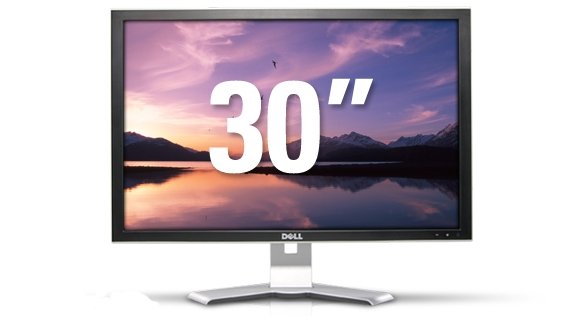
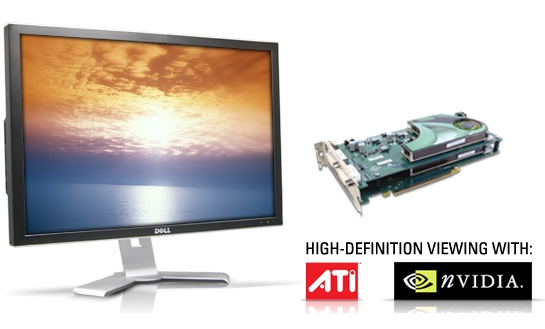
I wonder if that would work nicely with the Dell 30" monitor I was looking at this morning...
http://accessories.us.dell.com/sna/productdetail.aspx?c=us&l=en&s=dhs&cs=19&sku=222-7175
"To fully utilize your new 3007WFP-HC monitor and enjoy the ultra-high resolution settings, your PC must have a dual-link DVI-D graphics card that supports 2560x1600 resolution. These dedicated high-end video cards are offered with select XPS desktops and Dell Precision workstations, or separately through the Dell.com Electronics & Accessories store. A high-quality video card is necessary for you to take advantage of all the 30-inch monitor's features, including high-definition viewing. Please make sure that your PC either has or can support a dual-link DVI-D graphics card before purchasing this monitor."
Only $750 refurbed.
| Description: |
|
| Filesize: |
19.18 KB |
| Viewed: |
10203 Time(s) |
|
| Description: |
|
| Filesize: |
74.23 KB |
| Viewed: |
10203 Time(s) |
|
|
|
| Back to top |
|
|
Z-Photo
Joined: 07 Mar 2006
Posts: 2749
Location: Huntsville - Alabama
|
| Posted: Fri Dec 12, 2008 5:59 pm Post subject: |
|
|
$1400 new
Hope the company is getting that for you.
_________________
Engineer by Day
Photographer by Night
My Portfolio
The Only GOOD AMPRO - is a Dead AMPRO.
wait - are they not all DEAD already?
|
|
| Back to top |
|
|
Z-Photo
Joined: 07 Mar 2006
Posts: 2749
Location: Huntsville - Alabama
|
| Posted: Fri Dec 12, 2008 6:02 pm Post subject: |
|
|
I would bet that most of them were returned for pixel issues -
_________________
Engineer by Day
Photographer by Night
My Portfolio
The Only GOOD AMPRO - is a Dead AMPRO.
wait - are they not all DEAD already?
|
|
| Back to top |
|
|
CRT_Ben
Joined: 28 Aug 2006
Posts: 1684
Location: Northern Virginia
|
| Posted: Fri Dec 12, 2008 6:30 pm Post subject: |
|
|
Clarence, I'd be tempted to go with a dual (new) 24" setup before that. You'll get much much more pixel area with dual 1920x1200 24"ers than with the single 30". Microcenter is offering a re-run of their black friday specials, and they're offering Sceptre's 24" LCD for only $199. From what I can find it looks like a decent monitor and I think I'll pick up at least one, that way I have something nice to use while I wait to find a local Sony GDM-FW900 
So you could get way more pixel area, new not refurb, for only $400. Plus more flexibility, you could split them up in the future if you wanted to.
|
|
| Back to top |
|
|
Clarence
Joined: 08 Mar 2006
Posts: 3827
Location: Smith Mtn Lake, VA
|
| Posted: Fri Dec 12, 2008 6:48 pm Post subject: |
|
|
|
Oh, I wasn't seriously pondering a 30" monitor on my desk. You're right... a dual 24" would be nice.
|
|
| Back to top |
|
|
CRT_Ben
Joined: 28 Aug 2006
Posts: 1684
Location: Northern Virginia
|
| Posted: Fri Dec 12, 2008 6:57 pm Post subject: |
|
|
Yeah I'm trying to fight the urge to buy two of those Spectres....we'll see.
Although I should correct my assumption above about pixel counts -
2560x1600 = 4,096,000
1920x1200x2 = 4,608,000
That is much closer than I thought it would be...only a difference of 512,000 pixels. I still think the 24" setup has the flexibility (and obviously cost) advantages.
|
|
| Back to top |
|
|
emdawgz1

Joined: 14 Mar 2006
Posts: 7949
|
| Posted: Fri Dec 12, 2008 7:29 pm Post subject: |
|
|
WTH do you use a 30 inch monitor for???
Video editing?
It seems a bit much.... i WANT one, but it seems like a lot...
_________________
Follow my blog
www.thesinglebrother.com
|
|
| Back to top |
|
|
Z-Photo
Joined: 07 Mar 2006
Posts: 2749
Location: Huntsville - Alabama
|
| Posted: Fri Dec 12, 2008 8:19 pm Post subject: |
|
|
I got dual 20" LCDs on the work desk right now - would never go back to a single screen (for work).
but i multi-task like a madman.
for a dual screen setup - do NOT go wide screen -
_________________
Engineer by Day
Photographer by Night
My Portfolio
The Only GOOD AMPRO - is a Dead AMPRO.
wait - are they not all DEAD already?
|
|
| Back to top |
|
|
CRT_Ben
Joined: 28 Aug 2006
Posts: 1684
Location: Northern Virginia
|
| Posted: Fri Dec 12, 2008 8:30 pm Post subject: |
|
|
| Z-Photo wrote: | | I got dual 20" LCDs on the work desk right now - would never go back to a single screen (for work). |
Me either...I have dual screens at work and I'm pretty sure I'd be lost with only 1 now.
| Z-Photo wrote: |
for a dual screen setup - do NOT go wide screen - |
Why? Desk real estate, or something else?
|
|
| Back to top |
|
|
Z-Photo
Joined: 07 Mar 2006
Posts: 2749
Location: Huntsville - Alabama
|
| Posted: Fri Dec 12, 2008 8:33 pm Post subject: |
|
|
the non-widescreens are much better at page sized work.
widescreen just leaves dead space that your eyes dont cover.
for my home setup - it is the 24" widescreen Sony GDM-900 - as I dont multitask tothe same degree and page swap instead.
WOW would sux on a dual monitor - looking at the screen center and seeing monitor edges - ick
_________________
Engineer by Day
Photographer by Night
My Portfolio
The Only GOOD AMPRO - is a Dead AMPRO.
wait - are they not all DEAD already?
|
|
| Back to top |
|
|
CRT_Ben
Joined: 28 Aug 2006
Posts: 1684
Location: Northern Virginia
|
| Posted: Fri Dec 12, 2008 8:46 pm Post subject: |
|
|
I don't follow, Pete - A quick Newegg survey shows that the max resolution for 20" and 21.3" non-widescreen monitors is 1600x1200. Why would you not choose 1920x1200 instead? Where is the "dead space" that you're referring to?
As far as gaming, no, I wouldn't game at all on a dual monitor setup. But I'm talking about working in Photoshop, Pro Tools, etc. Programs where more screen real-estate is very nice.
|
|
| Back to top |
|
|
WanMan
Joined: 19 Mar 2006
Posts: 10270
|
| Posted: Fri Dec 12, 2008 8:53 pm Post subject: |
|
|
I have to wonder what the solution this solves over two single GPU cards.
_________________
Trust no one. Absolutely no one. Advice of the board.
|
|
| Back to top |
|
|
CRT_Ben
Joined: 28 Aug 2006
Posts: 1684
Location: Northern Virginia
|
| Posted: Fri Dec 12, 2008 8:55 pm Post subject: |
|
|
| WanMan wrote: | | I have to wonder what the solution this solves over two single GPU cards. |
That's easy - no driver nightmares, no special "SLI-enabled" motherboards needed, etc. I've read a bunch of stories about people where the OS would only see one card, or some other problem. With a dual GPU card, just plug and play into a single card slot.
|
|
| Back to top |
|
|
stgdz
Joined: 07 Dec 2008
Posts: 107
|
| Posted: Sat Dec 13, 2008 5:42 am Post subject: |
|
|
| CRT_Ben wrote: | | WanMan wrote: | | I have to wonder what the solution this solves over two single GPU cards. |
That's easy - no driver nightmares, no special "SLI-enabled" motherboards needed, etc. I've read a bunch of stories about people where the OS would only see one card, or some other problem. With a dual GPU card, just plug and play into a single card slot. |
dual card solution IIRC runs into the same problem that SLi does.
Ironically most of the reviewers of graphics card have stated they would rather have a single card due to less incompatibilities. Outside of 1080P, which I can't run so I am stuck at 720P, there really isn't a reason to grab the latest and greatest cards.
I do hope AMD releases a refresh of 4xxx series to lower the power and heat input/output.
|
|
| Back to top |
|
|
WanMan
Joined: 19 Mar 2006
Posts: 10270
|
| Posted: Sat Dec 13, 2008 10:40 am Post subject: |
|
|
| CRT_Ben wrote: | | WanMan wrote: | | I have to wonder what the solution this solves over two single GPU cards. |
That's easy - no driver nightmares, no special "SLI-enabled" motherboards needed, etc. I've read a bunch of stories about people where the OS would only see one card, or some other problem. With a dual GPU card, just plug and play into a single card slot. |
So you have experience, or have read about others' experiences in that a dual-GPU is without problems?
_________________
Trust no one. Absolutely no one. Advice of the board.
|
|
| Back to top |
|
|
CRT_Ben
Joined: 28 Aug 2006
Posts: 1684
Location: Northern Virginia
|
| Posted: Sat Dec 13, 2008 1:05 pm Post subject: |
|
|
| WanMan wrote: | | CRT_Ben wrote: | | WanMan wrote: | | I have to wonder what the solution this solves over two single GPU cards. |
That's easy - no driver nightmares, no special "SLI-enabled" motherboards needed, etc. I've read a bunch of stories about people where the OS would only see one card, or some other problem. With a dual GPU card, just plug and play into a single card slot. |
So you have experience, or have read about others' experiences in that a dual-GPU is without problems? |
I have no such experience myself, nor have I actually read that a single dual GPU card is less problematic. It just stands to reason, because windows only has to recognize and send data/instructions to a single card, and mobo manufacturers wouldn't have to make special mobos for dual card setups anymore. I have no data, it just seems logical.
|
|
| Back to top |
|
|
Z-Photo
Joined: 07 Mar 2006
Posts: 2749
Location: Huntsville - Alabama
|
| Posted: Tue Dec 16, 2008 3:07 pm Post subject: |
|
|
| CRT_Ben wrote: | I don't follow, Pete - A quick Newegg survey shows that the max resolution for 20" and 21.3" non-widescreen monitors is 1600x1200. Why would you not choose 1920x1200 instead? Where is the "dead space" that you're referring to?
As far as gaming, no, I wouldn't game at all on a dual monitor setup. But I'm talking about working in Photoshop, Pro Tools, etc. Programs where more screen real-estate is very nice. |
Ben,
Its for work -(non cad/cam)
1600x1200 is better for reading paper sheet material (IMO). If you use a widescreen then you just have dead space on either side and are limited by vert size not hort.
Widescreen is better if you are trying to put two sheets up on one monitor -- they almost fit.
How I multi-task with two is simply to put one application up on one screen (normally Outlook) and then use the other to open application to answer the emails.
_________________
Engineer by Day
Photographer by Night
My Portfolio
The Only GOOD AMPRO - is a Dead AMPRO.
wait - are they not all DEAD already?
|
|
| Back to top |
|
|
|
|





