| Author |
Message |
Arno P

Joined: 01 Jan 2007
Posts: 282
Location: The Netherlands
|
| Posted: Mon Aug 04, 2008 2:12 pm Post subject: What HTPC configuration for 1080p HDCP on a 9500LC Ultra |
|
|
Obviously, my 8600gt is not enough to get 1080p running the way it should be. Neither HDCP with the marquee moome card. I would like to know what your total HTPC path is to a CRT projector displaying 1080p and HDCP without anydvd.
Perhaps using the same featurecategories makes sense. Mine are listed below
Graphics Card 8600GT
Cable DVID with HDMI adapt. cable
InputCard Moome internal with Gamma Remote for 9500LC Ultra
Projector 9500LC Ultra
HDCP No, not without anydvd. Advisor says everything should be ok except the display
1080p Not perfectly. Testscreen with convergence crosses shows very thin vertical lines and text and menus are fuzzy way.
It also seems that the NV cards dont perform too well on 1080p, is that a fact?
_________________
"Obviously you're not a golfer"
|
|
| Back to top |
|
 |
MikeEby

Joined: 24 Jun 2007
Posts: 5237
Location: Osceola, Indiana
|
| Posted: Mon Aug 04, 2008 2:26 pm Post subject: |
|
|
I have this one, it works flawlessly. Decent gaming performance also. I don't own AnyDVD and will play any BD/or HD-DVD I throw at it with PowerDVD.
http://www.buy.com/retail/product.asp?sku=206655913&listingid=21359497&dcaid=17902
Its about 7 months old there are probably better/cheaper ones out there now.
Mike
_________________
Doing HD since the last century!
|
|
| Back to top |
|
|
Arno P
Joined: 01 Jan 2007
Posts: 282
Location: The Netherlands
|
| Posted: Mon Aug 04, 2008 2:30 pm Post subject: |
|
|
Combined with a moome card in a crt pj?
_________________
"Obviously you're not a golfer"
|
|
| Back to top |
|
|
AnalogRocks
Forum Moderator

Joined: 08 Mar 2006
Posts: 26706
Location: Toronto, Ontario, Canada
TV/Projector: Sony 1252Q, AMPRO 4000G
|
| Posted: Mon Aug 04, 2008 5:43 pm Post subject: Re: What HTPC configuration for 1080p HDCP on a 9500LC Ultra |
|
|
| Arno P wrote: | Obviously, my 8600gt is not enough to get 1080p running the way it should be. Neither HDCP with the marquee moome card. I would like to know what your total HTPC path is to a CRT projector displaying 1080p and HDCP without anydvd.
Perhaps using the same featurecategories makes sense. Mine are listed below
Graphics Card 8600GT
Cable DVID with HDMI adapt. cable
InputCard Moome internal with Gamma Remote for 9500LC Ultra
Projector 9500LC Ultra
HDCP No, not without anydvd. Advisor says everything should be ok except the display
1080p Not perfectly. Testscreen with convergence crosses shows very thin vertical lines and text and menus are fuzzy way.
It also seems that the NV cards dont perform too well on 1080p, is that a fact? |
Ditch the cable with the adaptor on it. That can sometimes make a difference. Get a proper HDMI to DVI cable.
_________________
Tech support for nothing
CRT.
HD done right!
|
|
| Back to top |
|
|
Chuchuf
Joined: 11 Mar 2006
Posts: 548
|
| Posted: Tue Aug 05, 2008 3:42 am Post subject: |
|
|
I'm running an NVidia 8800GTS card VGA at 1080P60 and no issues with it.
Did some testing of Arcsoft TMT vs PDVD8 over the weekend on a 23" CRT monitor where I should be able to see differences if they were there and didn't see any issues.
I would think that the 8600GT is plenty enough card for 1080P60 (in fact I know it is) via DVI-HDMI into a moome card.
Are you running 60 or 72 refresh?
Terry
|
|
| Back to top |
|
|
Angus_rg

Joined: 16 Dec 2007
Posts: 339
Location: A planet far, far away..... Baltimore, MD
|
| Posted: Wed Aug 06, 2008 11:42 pm Post subject: Re: What HTPC configuration for 1080p HDCP on a 9500LC Ultra |
|
|
| Arno P wrote: | Obviously, my 8600gt is not enough to get 1080p running the way it should be. Neither HDCP with the marquee moome card. I would like to know what your total HTPC path is to a CRT projector displaying 1080p and HDCP without anydvd.
Perhaps using the same featurecategories makes sense. Mine are listed below
Graphics Card 8600GT
Cable DVID with HDMI adapt. cable
InputCard Moome internal with Gamma Remote for 9500LC Ultra
Projector 9500LC Ultra
HDCP No, not without anydvd. Advisor says everything should be ok except the display
1080p Not perfectly. Testscreen with convergence crosses shows very thin vertical lines and text and menus are fuzzy way.
It also seems that the NV cards dont perform too well on 1080p, is that a fact? |
Never used an 8600, but I wouldn't be too quick to junk your 8600GT. It has built in H.264 decoders and with PureRippoff, I mean PureVideo(I'm still bitter that I paid a ton for a graphics card and it wasn't included), you should have no problem and a lot of control. You don't need a ton of VP horse power to play HD movies like you do with games.
I'd check your cables, play with your refresh rates, and get the trial PureVideo to see if it makes a difference. I think you need PureVideo to take advantage of the H.264 hardware decoding, so you'd probably get a softer image from the CPU doing it compared to a specialized chip. You'll probably have the same issue if you step up to an 8800 or a 9k series.
Ditto on what Mike said. I run VGA out w/o any HDCP problems. HDCP is only an issue over DVI/HDMI. Also, the Radeon he mentioned is supposed to be a real good bang for your buck. It's not geared for gaming like the higher end cards, but it is everything you'll need to watch HD.
_________________
It's good to be the king.
|
|
| Back to top |
|
|
Arno P
Joined: 01 Jan 2007
Posts: 282
Location: The Netherlands
|
| Posted: Fri Aug 08, 2008 11:09 am Post subject: |
|
|
| Chuchuf wrote: | I'm running an NVidia 8800GTS card VGA at 1080P60 and no issues with it.
Did some testing of Arcsoft TMT vs PDVD8 over the weekend on a 23" CRT monitor where I should be able to see differences if they were there and didn't see any issues.
I would think that the 8600GT is plenty enough card for 1080P60 (in fact I know it is) via DVI-HDMI into a moome card.
Are you running 60 or 72 refresh?
Terry |
Sorry for the late reply (just back from holiday)...up till now 60Hz (after this works I will go for 72Hz)
_________________
"Obviously you're not a golfer"
|
|
| Back to top |
|
|
Arno P
Joined: 01 Jan 2007
Posts: 282
Location: The Netherlands
|
| Posted: Fri Aug 08, 2008 11:11 am Post subject: Re: What HTPC configuration for 1080p HDCP on a 9500LC Ultra |
|
|
| Angus_rg wrote: | | Arno P wrote: | Obviously, my 8600gt is not enough to get 1080p running the way it should be. Neither HDCP with the marquee moome card. I would like to know what your total HTPC path is to a CRT projector displaying 1080p and HDCP without anydvd.
Perhaps using the same featurecategories makes sense. Mine are listed below
Graphics Card 8600GT
Cable DVID with HDMI adapt. cable
InputCard Moome internal with Gamma Remote for 9500LC Ultra
Projector 9500LC Ultra
HDCP No, not without anydvd. Advisor says everything should be ok except the display
1080p Not perfectly. Testscreen with convergence crosses shows very thin vertical lines and text and menus are fuzzy way.
It also seems that the NV cards dont perform too well on 1080p, is that a fact? |
Never used an 8600, but I wouldn't be too quick to junk your 8600GT. It has built in H.264 decoders and with PureRippoff, I mean PureVideo(I'm still bitter that I paid a ton for a graphics card and it wasn't included), you should have no problem and a lot of control. You don't need a ton of VP horse power to play HD movies like you do with games.
I'd check your cables, play with your refresh rates, and get the trial PureVideo to see if it makes a difference. I think you need PureVideo to take advantage of the H.264 hardware decoding, so you'd probably get a softer image from the CPU doing it compared to a specialized chip. You'll probably have the same issue if you step up to an 8800 or a 9k series.
Ditto on what Mike said. I run VGA out w/o any HDCP problems. HDCP is only an issue over DVI/HDMI. Also, the Radeon he mentioned is supposed to be a real good bang for your buck. It's not geared for gaming like the higher end cards, but it is everything you'll need to watch HD. |
Shouldnt PureVideo be part of the card/driver of a 8600gt already?
_________________
"Obviously you're not a golfer"
|
|
| Back to top |
|
|
Arno P
Joined: 01 Jan 2007
Posts: 282
Location: The Netherlands
|
| Posted: Fri Aug 08, 2008 6:54 pm Post subject: Re: What HTPC configuration for 1080p HDCP on a 9500LC Ultra |
|
|
| AnalogRocks wrote: | | Arno P wrote: | Obviously, my 8600gt is not enough to get 1080p running the way it should be. Neither HDCP with the marquee moome card. I would like to know what your total HTPC path is to a CRT projector displaying 1080p and HDCP without anydvd.
Perhaps using the same featurecategories makes sense. Mine are listed below
Graphics Card 8600GT
Cable DVID with HDMI adapt. cable
InputCard Moome internal with Gamma Remote for 9500LC Ultra
Projector 9500LC Ultra
HDCP No, not without anydvd. Advisor says everything should be ok except the display
1080p Not perfectly. Testscreen with convergence crosses shows very thin vertical lines and text and menus are fuzzy way.
It also seems that the NV cards dont perform too well on 1080p, is that a fact? |
Ditch the cable with the adaptor on it. That can sometimes make a difference. Get a proper HDMI to DVI cable. |
For my pc monitor (other video card output) there's a short cable and the same effect on 1080p...so I don't expect there is something wrong with the cable.
Or the V64 drivers for the 8600gt aren't worth a thing? ....and are the ATI drivers better ?
_________________
"Obviously you're not a golfer"
|
|
| Back to top |
|
|
MikeEby
Joined: 24 Jun 2007
Posts: 5237
Location: Osceola, Indiana
|
| Posted: Sat Aug 09, 2008 1:17 am Post subject: |
|
|
| Arno P wrote: | | Chuchuf wrote: | I'm running an NVidia 8800GTS card VGA at 1080P60 and no issues with it.
Did some testing of Arcsoft TMT vs PDVD8 over the weekend on a 23" CRT monitor where I should be able to see differences if they were there and didn't see any issues.
I would think that the 8600GT is plenty enough card for 1080P60 (in fact I know it is) via DVI-HDMI into a moome card.
Are you running 60 or 72 refresh?
Terry |
Sorry for the late reply (just back from holiday)...up till now 60Hz (after this works I will go for 72Hz) |
I don't think a Moome 1.2 Card will work at 72Hz. If its fuzzy now @60Hz it will likely be worse at 72. Have you tried the little test pattern program I wrote?
https://www.curtpalme.com/forum_archived/viewtopic.php@t=9812.html
Sorry for the repeat post guys, but the using the resolution pattern you should be able to get a better 1 on 1 off resolution pattern with 9500LC Ultra then my lowley 8" XG shown below. If not I would look into perhaps the magnetics focus or some other setup issue, with my NEC it made a huge difference adjusting the magnetic focus in being able to come close to resolving 1080p.

Mike
_________________
Doing HD since the last century!
|
|
| Back to top |
|
|
Arno P
Joined: 01 Jan 2007
Posts: 282
Location: The Netherlands
|
| Posted: Sat Aug 09, 2008 6:36 am Post subject: |
|
|
| MikeEby wrote: | | Arno P wrote: | | Chuchuf wrote: | I'm running an NVidia 8800GTS card VGA at 1080P60 and no issues with it.
Did some testing of Arcsoft TMT vs PDVD8 over the weekend on a 23" CRT monitor where I should be able to see differences if they were there and didn't see any issues.
I would think that the 8600GT is plenty enough card for 1080P60 (in fact I know it is) via DVI-HDMI into a moome card.
Are you running 60 or 72 refresh?
Terry |
Sorry for the late reply (just back from holiday)...up till now 60Hz (after this works I will go for 72Hz) |
I don't think a Moome 1.2 Card will work at 72Hz. If its fuzzy now @60Hz it will likely be worse at 72. Have you tried the little test pattern program I wrote?
https://www.curtpalme.com/forum_archived/viewtopic.php@t=9812.html
Sorry for the repeat post guys, but the using the resolution pattern you should be able to get a better 1 on 1 off resolution pattern with 9500LC Ultra then my lowley 8" XG shown below. If not I would look into perhaps the magnetics focus or some other setup issue, with my NEC it made a huge difference adjusting the magnetic focus in being able to come close to resolving 1080p.
Mike |
Yep, tried the pattern....excellent pattern by the way should have put on the HD DVE 
The image looks ok on my pj with that.
I am going to tweak a bit more today to see where the improvement makes sense...
By the way, I saw this link http://www.hdtvexpert.com/pages_b/pipes.html and it tells us we need a bandwidth of 186.6 MHz to do the 1080p trick  and 200MHz would be nice to have and 200MHz would be nice to have 
How can a 9500lc ever do 1080p one would think
_________________
"Obviously you're not a golfer"
|
|
| Back to top |
|
|
Angus_rg
Joined: 16 Dec 2007
Posts: 339
Location: A planet far, far away..... Baltimore, MD
|
| Posted: Sat Aug 09, 2008 5:06 pm Post subject: Re: What HTPC configuration for 1080p HDCP on a 9500LC Ultra |
|
|
| Arno P wrote: |
Shouldnt PureVideo be part of the card/driver of a 8600gt already? |
Yeah, that's why I'm bitter. The cards are pricey enough, then they try and milk you for the extra software that allows you to take advantage of the chips you already paid for.
http://www.nvidia.com/page/purevideo.html
It's not to bad if you aren't trying to do audio over HDMI, but they do have a 30 day trial version to test out to see if it makes a difference.
Like I've said, I've never used an 8600, but from the reading I've done, it has PLENTY of horse power for HD movies. You probably won't notice a huge difference with anything you upgrade to, short of going sli or x-fire. I've heard sli and xfire can add noise to the picture though.
I'd exhaust everything first before plunking down money on a new card.
_________________
It's good to be the king.
|
|
| Back to top |
|
|
Mark_A_W
Joined: 15 Mar 2006
Posts: 3068
Location: Sunny Melbourne Australia
|
| Posted: Sun Aug 10, 2008 12:48 am Post subject: |
|
|
VGA out from a 2600XT. It just works.
HDMI HDCP is a PITA. Moome card looks worse than VGA, HD Fury is about the same (and works properly). VGA is just as good and JUST WORKS.
|
|
| Back to top |
|
|
Arno P
Joined: 01 Jan 2007
Posts: 282
Location: The Netherlands
|
| Posted: Sun Aug 10, 2008 6:42 am Post subject: |
|
|
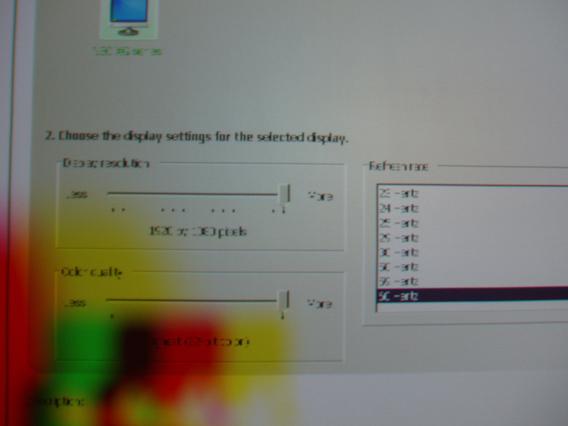
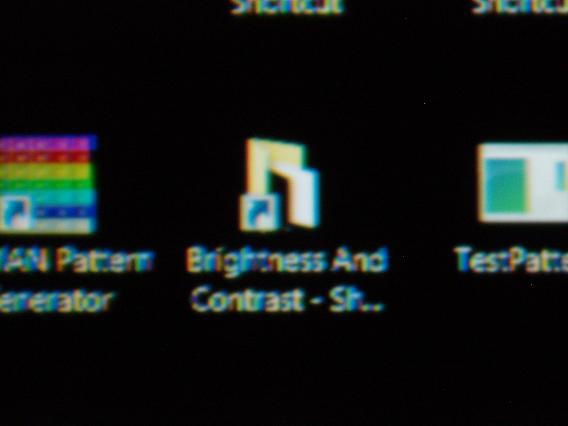
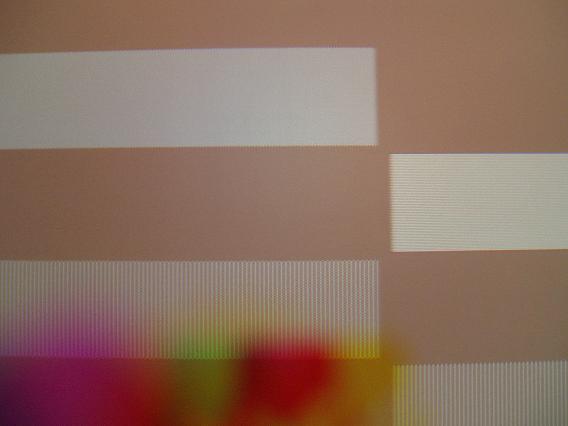
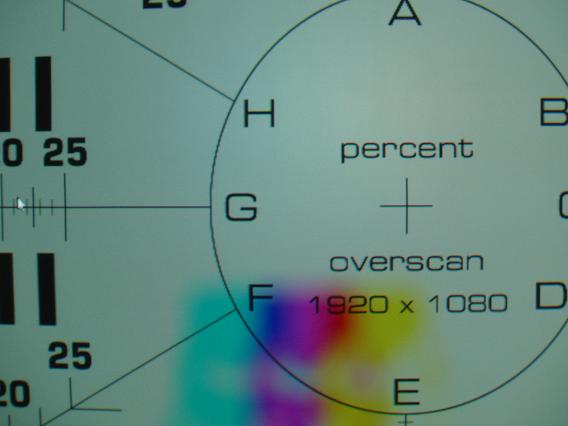
Made some screen shots of 1080p where you can see the perfect test pattern and the worthless icon/text/menu ....must be vista64/driver
| Description: |
|
| Filesize: |
21.83 KB |
| Viewed: |
9800 Time(s) |
|
| Description: |
|
| Filesize: |
23.05 KB |
| Viewed: |
9802 Time(s) |
|
| Description: |
|
| Filesize: |
21.85 KB |
| Viewed: |
9802 Time(s) |
|
| Description: |
|
| Filesize: |
26.43 KB |
| Viewed: |
9802 Time(s) |
|
_________________
"Obviously you're not a golfer"
|
|
| Back to top |
|
|
Angus_rg
Joined: 16 Dec 2007
Posts: 339
Location: A planet far, far away..... Baltimore, MD
|
| Posted: Wed Aug 13, 2008 2:17 am Post subject: |
|
|
| Mark_A_W wrote: | VGA out from a 2600XT. It just works.
|
I've even used component out on mine. If video cards give the option to the software to know the type of connection, software writers don't use it.
_________________
It's good to be the king.
|
|
| Back to top |
|
|
David_Web
Joined: 02 May 2007
Posts: 418
Location: Sweden
|
| Posted: Wed Aug 13, 2008 11:41 am Post subject: |
|
|
Could it be clear type (or what ever they call it) that is meant for TFT screens for "smoother" text.
It uses the RGB "pixels" to get higher horizontal resolution for text as a TFT monitor has each RGB element arranged side by side.
What is your DPI setting? it might be that messing things up.
_________________
SNR of people are ridiculously low.
|
|
| Back to top |
|
|
Arno P
Joined: 01 Jan 2007
Posts: 282
Location: The Netherlands
|
| Posted: Sun Aug 17, 2008 11:14 am Post subject: |
|
|
Changed to a HD3870 and everything is fine now...even HDCP
_________________
"Obviously you're not a golfer"
|
|
| Back to top |
|
|
|
|




