| Author |
Message |
fischgericht
Joined: 23 May 2008
Posts: 3
|
| Posted: Fri May 23, 2008 8:38 pm Post subject: Sony 1270 Question on AKB and Cathode wear |
|
|
Hi
Recently I bought a Sony 1270QM.
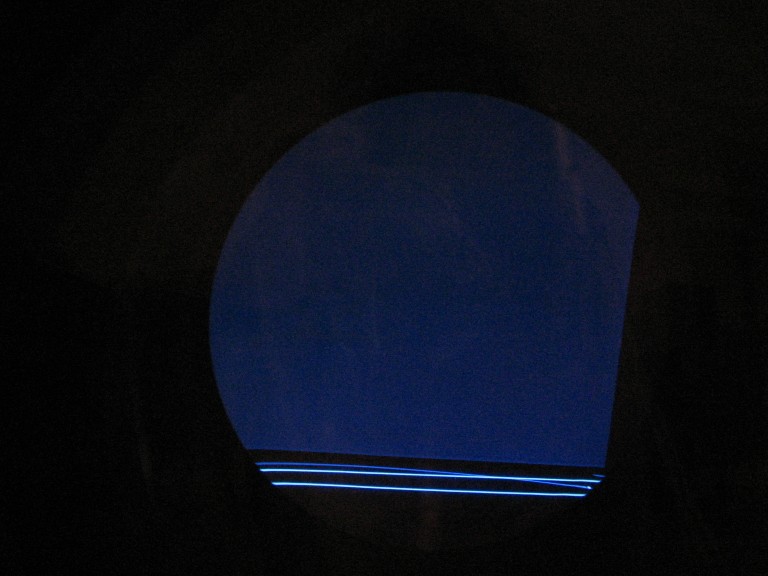
Before adjusting any G2 knobs and with AKB on, I could see these lines as in the attached picture only on the blue tube.
Is this the AKB line?
Why was it only visible on the blue tube? The other did show just a dot in the corner.
Now I adjusted G2 as described in the manual (visually with the pluge test picture, T=6500K, CONT=80 BRT=50, BIAS=128/128/128, GAIN=192/197/208)
I had to turn clockwise all 3 knobs by more than 30 degrees. Now If I remove the AKB jumber on CF2 the picture does not really stay black anymore. On all 3 tubes the raster is clearly visible (as in the picture).
I guess this is due to worn cathodes? Should I use the projector with AKB disabled?
If AKB is disabled these lines are still very different on the three tubes. They are strongest on the blue tube and almost invisible on the green one.
Is it possible to tell something about the cathode wear from that information?
| Description: |
|
| Filesize: |
69.39 KB |
| Viewed: |
2992 Time(s) |
|
|
|
| Back to top |
|
 |
tony359

Joined: 04 Aug 2006
Posts: 378
|
| Posted: Fri May 23, 2008 10:20 pm Post subject: |
|
|
Put the BIAS settings to 128. Adjust at 4V (not visually).
Then never touch G2 controls, and adjust the black and color balance of gray by BIAS controls.
Ciao
A
|
|
| Back to top |
|
|
fischgericht
Joined: 23 May 2008
Posts: 3
|
| Posted: Sat May 24, 2008 5:00 am Post subject: |
|
|
|
There are no test points on a 1270 to measure those 4V. So I guess, I have to do it visually.
|
|
| Back to top |
|
|
tony359
Joined: 04 Aug 2006
Posts: 378
|
| Posted: Sat May 24, 2008 9:35 am Post subject: |
|
|
Ops, sorry! I didn't read 1270.
Really, no testpoints? In this case the visual way is the only way 
No, I do not suggest you to use AKB disabled. I used my CRT with it disabled for a long time and the only difference I saw is that for 15 minutes the brightness was too low, very low.
Ciao
A
|
|
| Back to top |
|
|
|
|




