| Author |
Message |
Sonynut

Joined: 08 Aug 2006
Posts: 367
Location: Bradford,PA
|
| Posted: Thu Dec 20, 2007 4:55 am Post subject: |
|
|
Glad to see you are happy with it... Congratulations on getting it going nicely!
Ditto on the 12xx suggestion. They will blow away the video only sets and are a HELL of a bang for the buck. plus 1080i HD to boot  .. Trust me after 5 yrs and 11 of them .. Trust me after 5 yrs and 11 of them 
BTW.. I think I have just about worn out my Macgyver season 1 DVD set LOL 
_________________
1272 Stack coming soon:)
|
|
| Back to top |
|
 |
Fujifrontier

Joined: 20 Oct 2007
Posts: 354
Location: San Antonio, Texas
|
| Posted: Fri Dec 21, 2007 2:44 am Post subject: |
|
|
Haha. I think my favourites from that episode are the pilot, and then the one with the stolen nuclear reactor fuel. I wish I could find 3-piece suits like Pete's! Plus, the music is really cool.
But back on topic - The first 2-3 lines of resolution jitter around, kind of like bad tracking on a VCR; the top and bottom lines aren't perfectly square but look a bit bowed. What would correct this? You think I might be pushing it too hard?
| Description: |
| it's not THIS bad but it's noticeable |
|
| Filesize: |
5.7 KB |
| Viewed: |
6689 Time(s) |

|
|
|
| Back to top |
|
|
AnalogRocks
Forum Moderator

Joined: 08 Mar 2006
Posts: 26706
Location: Toronto, Ontario, Canada
TV/Projector: Sony 1252Q, AMPRO 4000G
|
| Posted: Fri Dec 21, 2007 4:48 am Post subject: |
|
|
Must be the lump on his head making things look funny
_________________
Tech support for nothing
CRT.
HD done right!
|
|
| Back to top |
|
|
Fujifrontier
Joined: 20 Oct 2007
Posts: 354
Location: San Antonio, Texas
|
| Posted: Sat Dec 22, 2007 2:17 am Post subject: |
|
|
 I'll take a pic of it soon enough I'll take a pic of it soon enough
|
|
| Back to top |
|
|
Sonynut
Joined: 08 Aug 2006
Posts: 367
Location: Bradford,PA
|
| Posted: Sat Dec 22, 2007 4:50 am Post subject: |
|
|
On my friend's VPH-722, shifting the raster cured this problem.. not sure if it will in your case or not..
_________________
1272 Stack coming soon:)
|
|
| Back to top |
|
|
d50q

Joined: 22 Nov 2007
Posts: 118
Location: ma usa
|
| Posted: Sat Dec 22, 2007 9:16 am Post subject: interesting projector |
|
|
this thread was interesting
did i see some insignia speakers hanging off the cieling
how do you like them?
|
|
| Back to top |
|
|
Fujifrontier
Joined: 20 Oct 2007
Posts: 354
Location: San Antonio, Texas
|
| Posted: Sat Dec 22, 2007 3:05 pm Post subject: |
|
|
Yeah, those are my BB insignias 
They're actually pretty damned good for the price. The only thing is they're way too bright out of the box. You have to beat the crap out of these things for a couple of months to tone them down. Bass is nice for what (and where) they are. They're not shielded, which is why they're hanging from the ceiling.
|
|
| Back to top |
|
|
Fujifrontier
Joined: 20 Oct 2007
Posts: 354
Location: San Antonio, Texas
|
| Posted: Thu Dec 27, 2007 1:39 am Post subject: |
|
|
should I be concerned at all about it wearing in the widescreen wear pattern?
i watch widescreen on it quite a few hours a week and i don't want to mark the tubes...
|
|
| Back to top |
|
|
pfloydphanatic

Joined: 26 Jan 2007
Posts: 240
|
| Posted: Sat Dec 29, 2007 1:05 am Post subject: |
|
|
|
man that reminds me of the sony 2030q1 i had last year... it was able to line double, got a nice picture out of it. works best in 16:9 ratio. scanning lines dissappear mostly. some video board must have died though. it was degrading on one side of the screen.... so i sold the lenses and its sitting in the back room now, kind of dismantled, its a shame. i'm not even sure i'd be able to put all the wires back in the right places. i moved onto a ECP 4100 now. digital convergence is nice eventhough the blue does have some burn...
|
|
| Back to top |
|
|
Fujifrontier
Joined: 20 Oct 2007
Posts: 354
Location: San Antonio, Texas
|
| Posted: Mon Jan 07, 2008 3:03 am Post subject: |
|
|
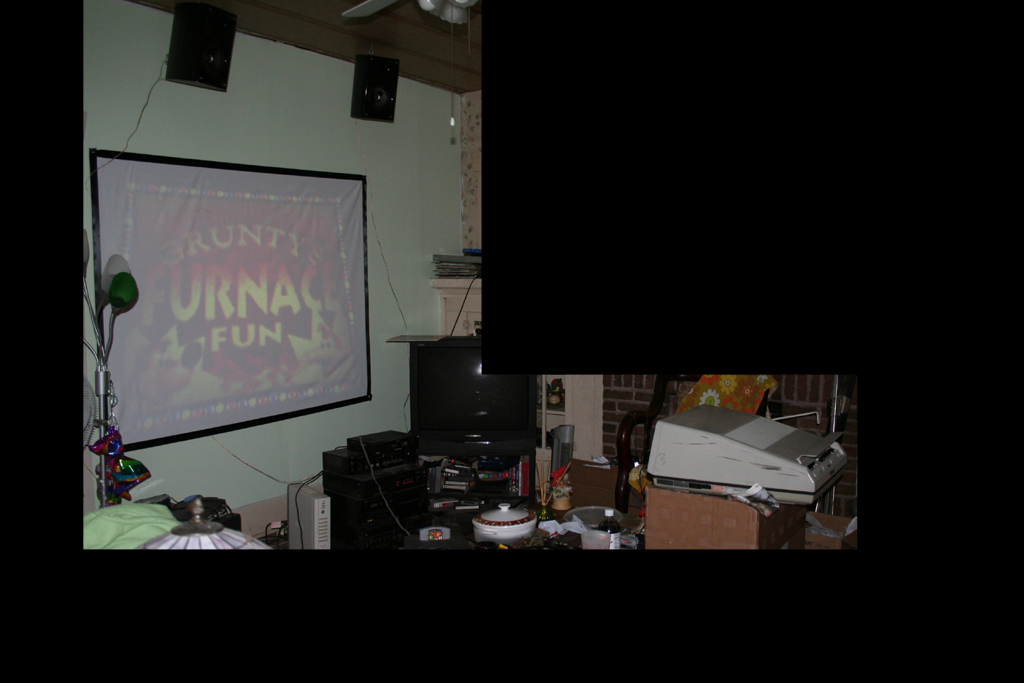
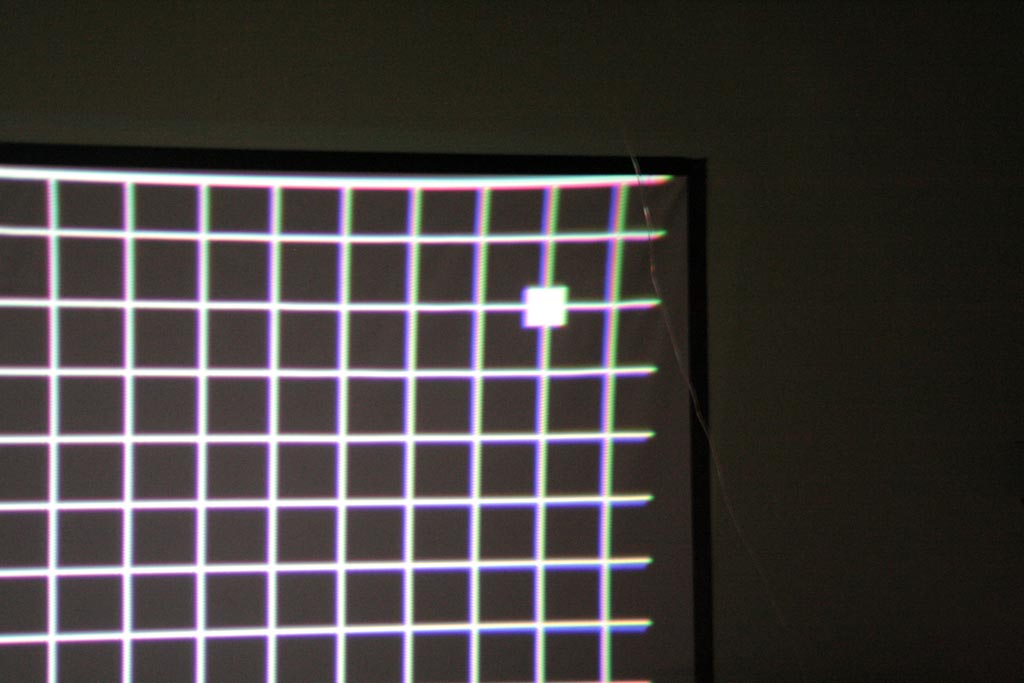
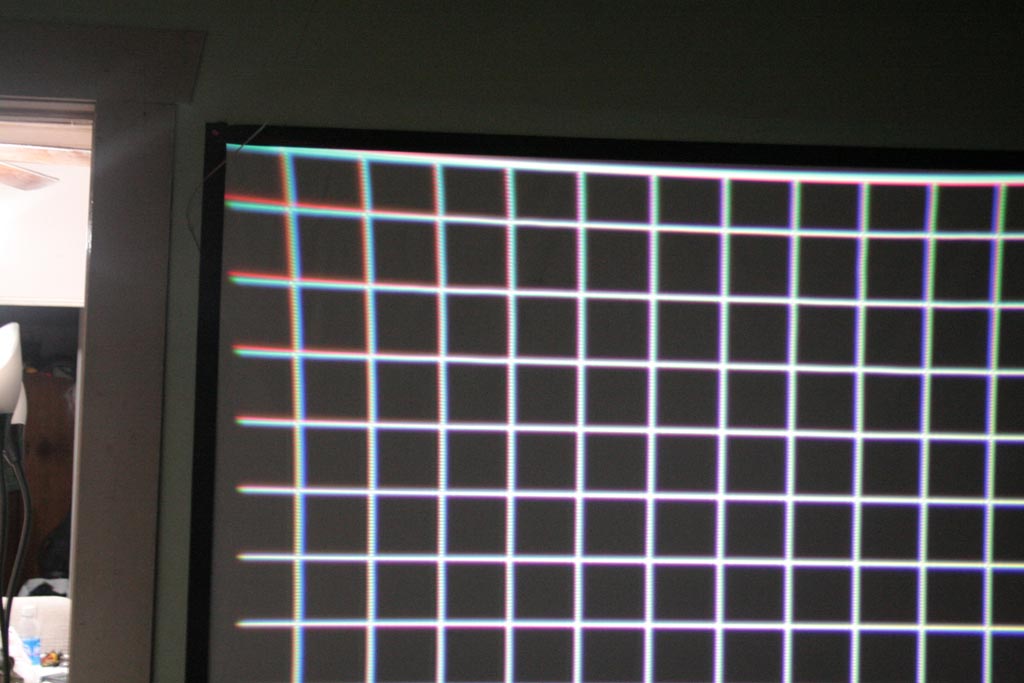
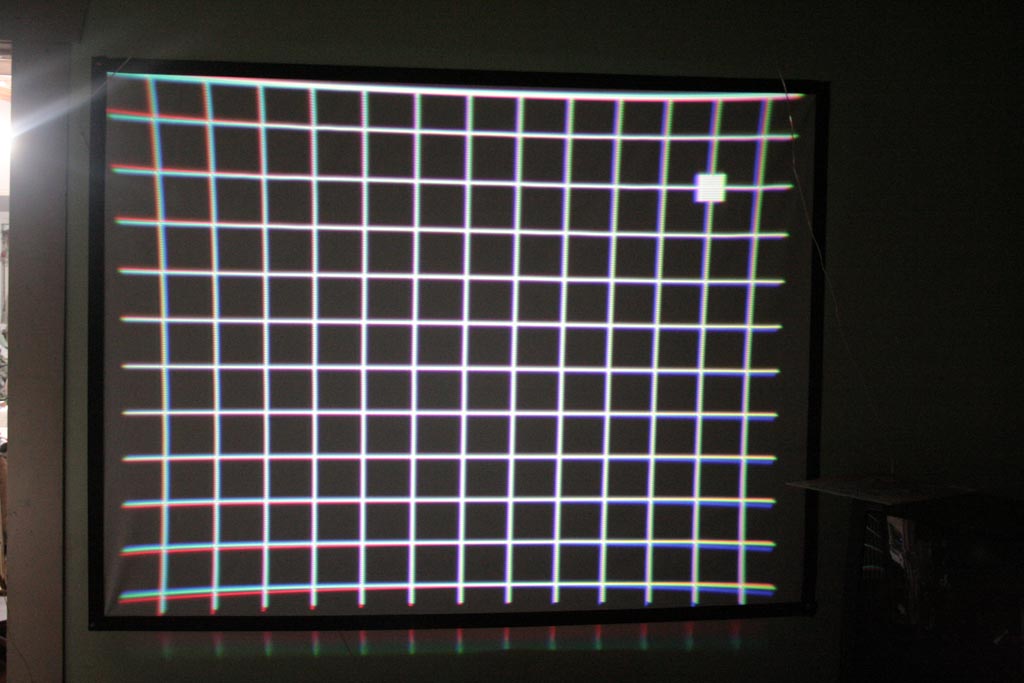
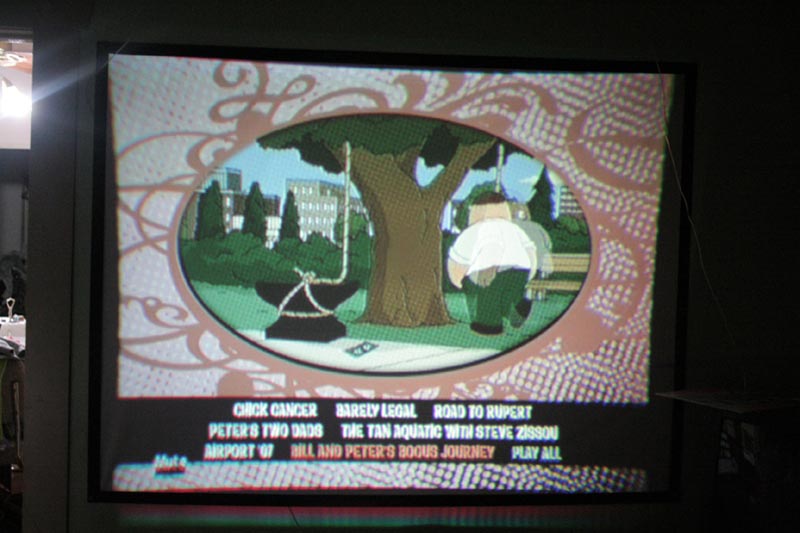
The projector is planted on a cardboard box about 28in off the floor, and a hair over 8ft from the screen.
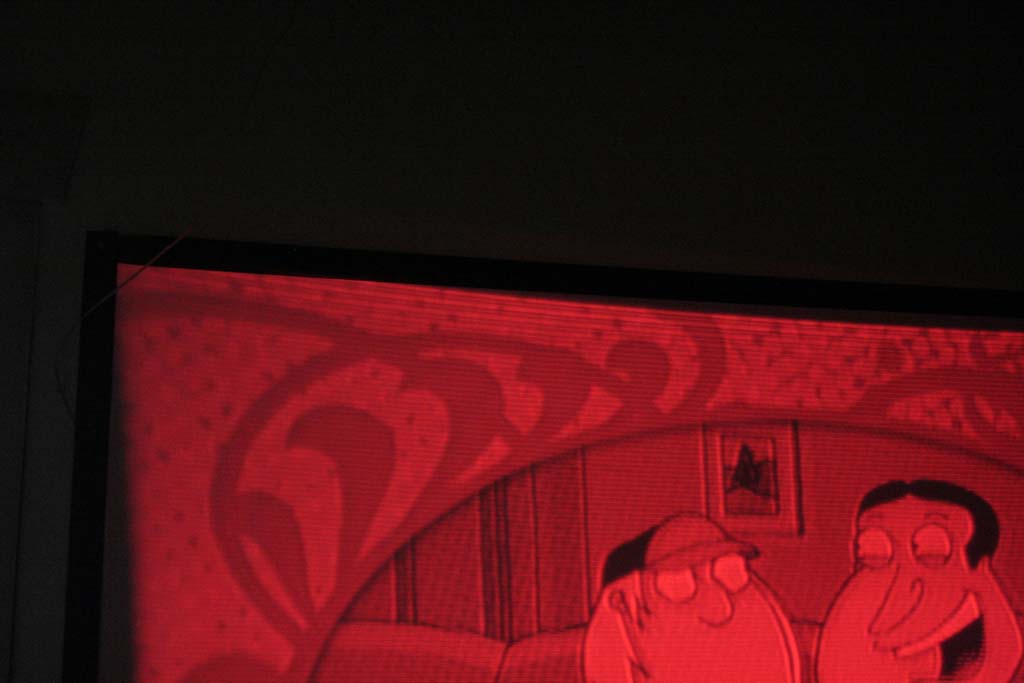
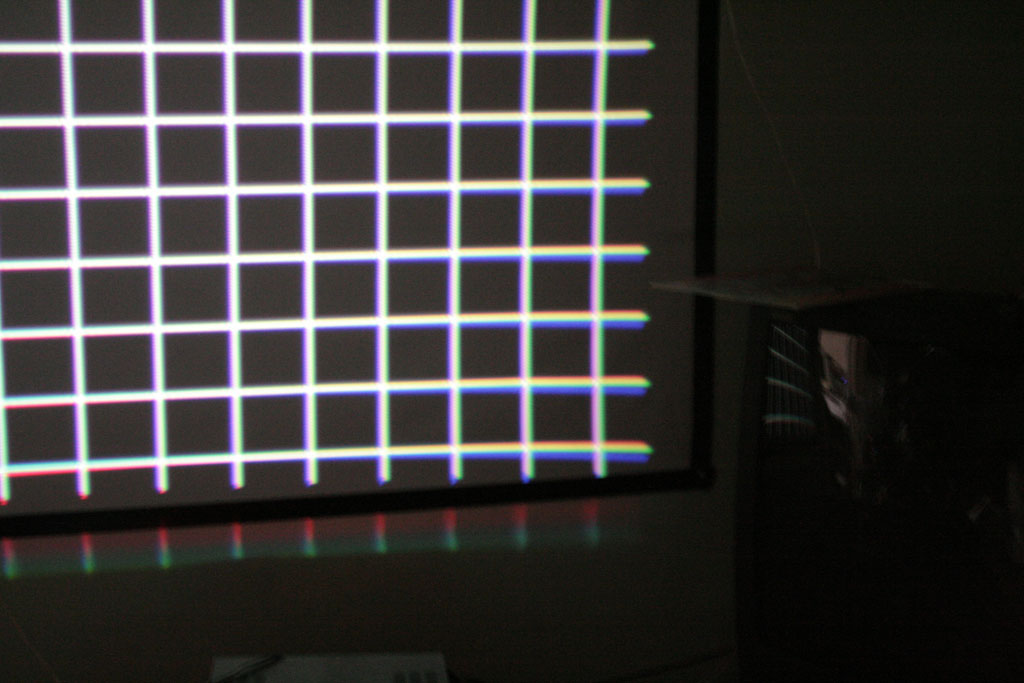
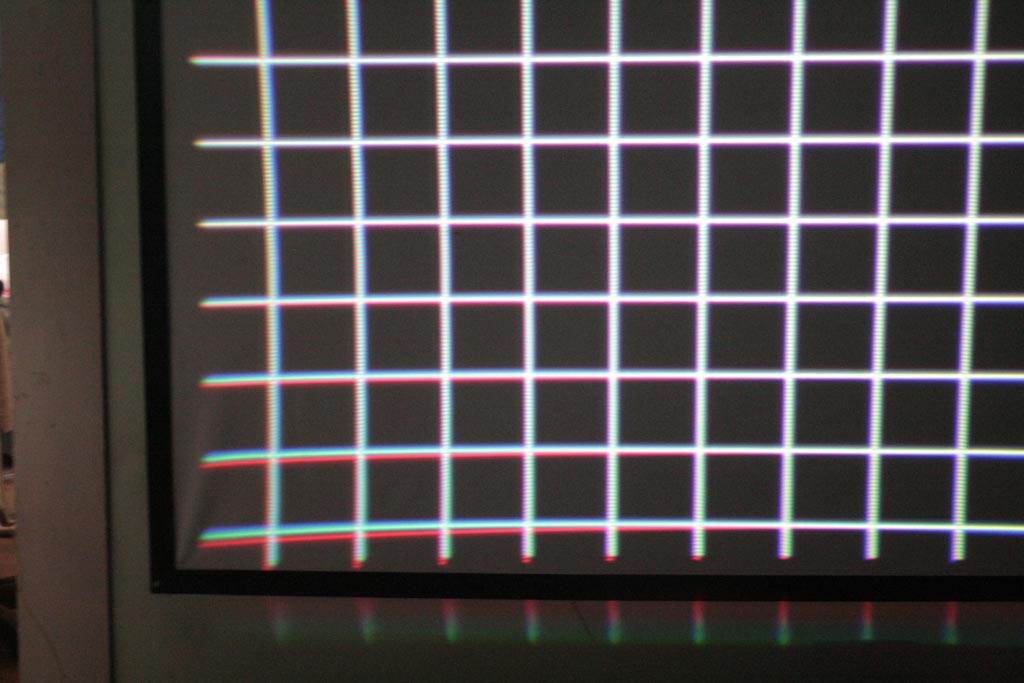
Main and corner focus was adjusted. I neutralised all pots again and realigne it for the fun of it. It's got some edge issues as seen in the corners. There are two DIP-looking switches, one with "KEYS SELECT" and "INVERT" on it, if you flip "KEYS SELECT" to the other position, the red and blue become more distorted but the V/Hkeys controls work; but are still uncorrectable.
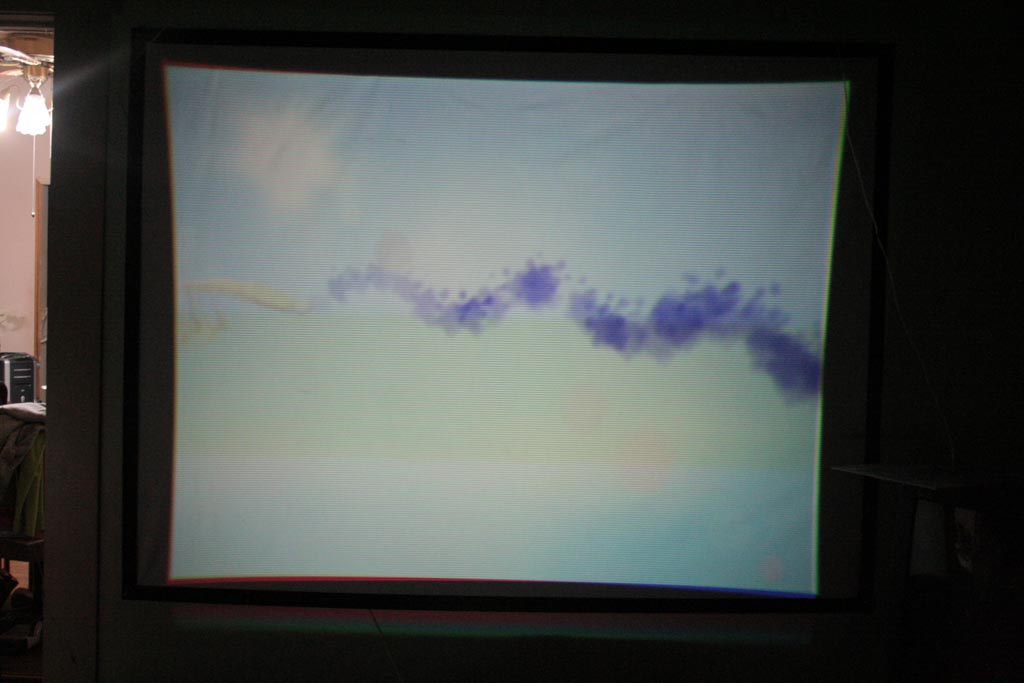
The picture looks like it wants to fall in on itself; my question is why the sucking-in looks more severe with the N64 and not the DVD.
One thing i also noticed is that the first few lines of red in the upper LH corner are fat and distended; they look almost like retrace lines with a normal picture. What might cause that?
I tried looking for a pincushion control to adjust it... and nothing really helped.
| Description: |
|
| Filesize: |
269.65 KB |
| Viewed: |
6486 Time(s) |
|
| Description: |
|
| Filesize: |
51.03 KB |
| Viewed: |
6486 Time(s) |
|
| Description: |
|
| Filesize: |
116.91 KB |
| Viewed: |
6486 Time(s) |
|
| Description: |
|
| Filesize: |
96.36 KB |
| Viewed: |
6486 Time(s) |
|
| Description: |
|
| Filesize: |
85.64 KB |
| Viewed: |
6486 Time(s) |
|
| Description: |
|
| Filesize: |
98.34 KB |
| Viewed: |
6486 Time(s) |
|
| Description: |
|
| Filesize: |
102.84 KB |
| Viewed: |
6486 Time(s) |
|
| Description: |
|
| Filesize: |
73.82 KB |
| Viewed: |
6486 Time(s) |
|
| Description: |
|
| Filesize: |
79.63 KB |
| Viewed: |
6486 Time(s) |
|
|
|
| Back to top |
|
|
Fujifrontier
Joined: 20 Oct 2007
Posts: 354
Location: San Antonio, Texas
|
| Posted: Mon Jan 07, 2008 3:06 am Post subject: |
|
|
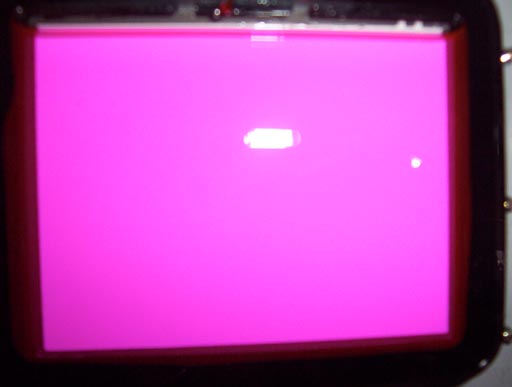
One thing i should also mention is that the raster is smaller with the N64 than TV/DVD source. That yellow bar isn't a burn. Something in the video.
Like my screen? 
It cost me all of $19.
|
|
| Back to top |
|
|
Fujifrontier
Joined: 20 Oct 2007
Posts: 354
Location: San Antonio, Texas
|
| Posted: Tue Jan 08, 2008 2:43 am Post subject: |
|
|
anyone??
bueller?
|
|
| Back to top |
|
|
ronholm

Joined: 26 Jan 2007
Posts: 12111
|
| Posted: Tue Jan 08, 2008 3:10 am Post subject: |
|
|
Shoot when I set up my sony 1000 about this time last year I didn't even bother with a screen..
I was so impressed with the picture on a tan wall I was hooked instantly. Oh lots of fun and cricks in my neck from tweaking and tweaking on the ole 1000..
I was going to set my 1000 in my workshop but I just drug home an old RPTV that might have to live out there.
The Barco 800 I have now is ar this very moment shooting HD onto a piece of blackout cloth stretched over a 2x4 frame and trimmed in velvet, and even though I scored a DVP S7700 at the pawn shop the other day I think I am going to have to spring for a HD A2. This chit is addicting.
I don't know if I missed it or not but did you ever figure out the lens "toe in" situation?
_________________
Play stupid games, win stupid prizes
Last edited by ronholm on Tue Jan 08, 2008 3:26 am; edited 1 time in total
|
|
| Back to top |
|
|
ronholm
Joined: 26 Jan 2007
Posts: 12111
|
| Posted: Tue Jan 08, 2008 3:24 am Post subject: |
|
|
| Fujifrontier wrote: | One thing i should also mention is that the raster is smaller with the N64 than TV/DVD source. That yellow bar isn't a burn. Something in the video.
. |
The raster shouldn't be changing (if I understand this correctly) it is just the area displayed inside the raster.
I have noticed the Wii does this also. I think is done because many tv sets trim off the edge of video (Overscan) to make sure that the picture looks clean. (Not to be confused with pixel cropping) So Nintendo just wants to make sure you get to see your whole game.
_________________
Play stupid games, win stupid prizes
|
|
| Back to top |
|
|
Fujifrontier
Joined: 20 Oct 2007
Posts: 354
Location: San Antonio, Texas
|
| Posted: Tue Jan 08, 2008 4:07 am Post subject: |
|
|
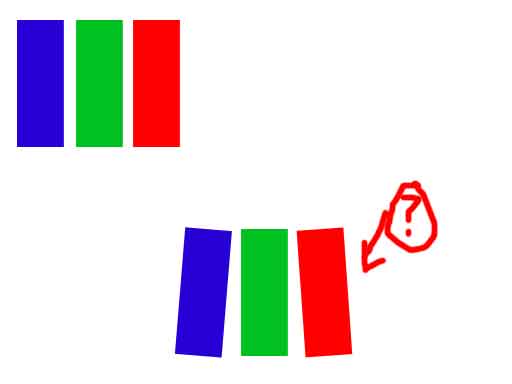
Okay. That explains the changing raster. What adjustment would fix the picture being sideways concave?
And I know in curt's setup guide he talks about physically moving the lenses side to side, as illustrated... is that "toe in?"
How would I do that on a 1020? I couldn't figure out how to flip up the main board (there are hinges).
| Description: |
|
| Filesize: |
5.75 KB |
| Viewed: |
6439 Time(s) |
|
|
|
| Back to top |
|
|
ronholm
Joined: 26 Jan 2007
Posts: 12111
|
| Posted: Tue Jan 08, 2008 4:40 pm Post subject: |
|
|
| Fujifrontier wrote: | Okay. That explains the changing raster. What adjustment would fix the picture being sideways concave?
And I know in curt's setup guide he talks about physically moving the lenses side to side, as illustrated... is that "toe in?"
How would I do that on a 1020? I couldn't figure out how to flip up the main board (there are hinges). |
There are some rings behind the lens. You can spin them to adjust the the lens direction.
The is also a procedure for moving around a couple connectors to flip the image for Ceiling mount.
If I remember correctly there is a couple switches that change the raster for the distance from the screen
There should be a trimpot to make a keystone correction also.
look here
http://www.curtpalme.com/docs/Sony1000_Service_Full.pdf
http://www.curtpalme.com/docs/Sony722_1020_Service.pdf
http://www.curtpalme.com/Sony10xx_Downloads.shtm
_________________
Play stupid games, win stupid prizes
|
|
| Back to top |
|
|
Fujifrontier
Joined: 20 Oct 2007
Posts: 354
Location: San Antonio, Texas
|
| Posted: Tue Jan 08, 2008 10:53 pm Post subject: |
|
|
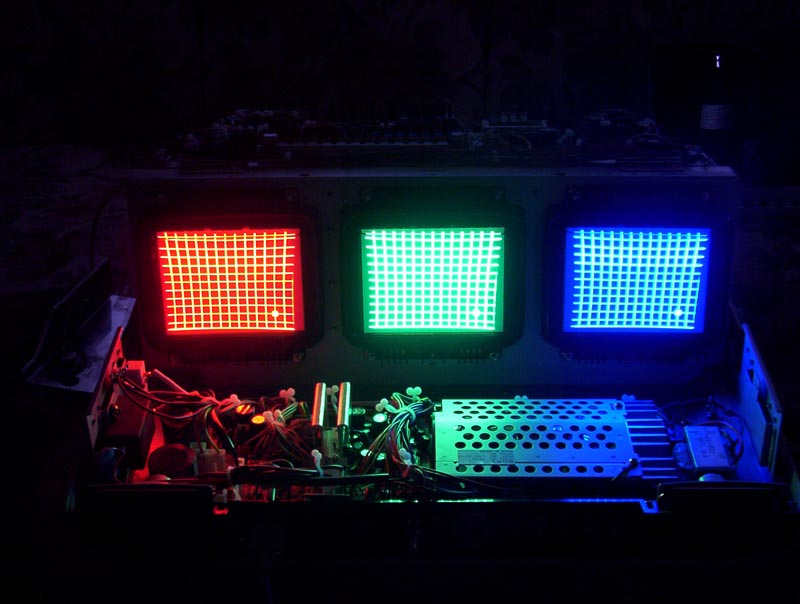
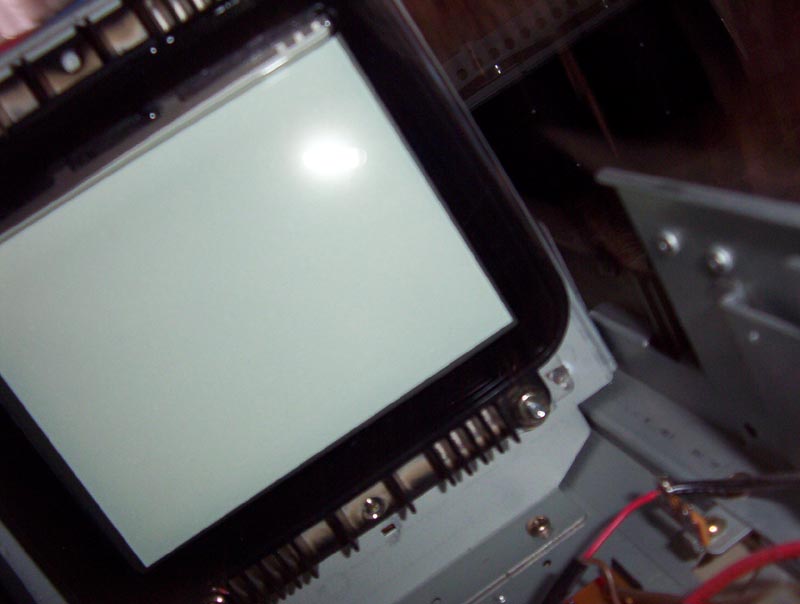
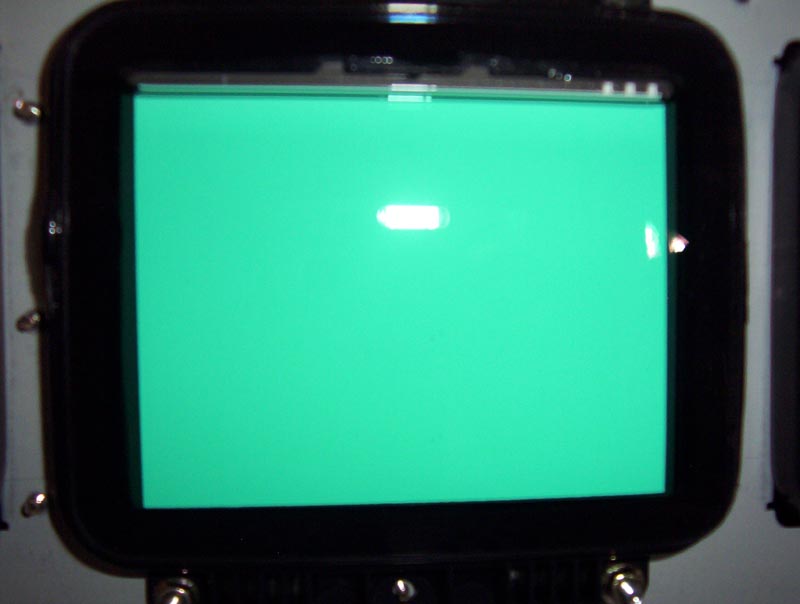
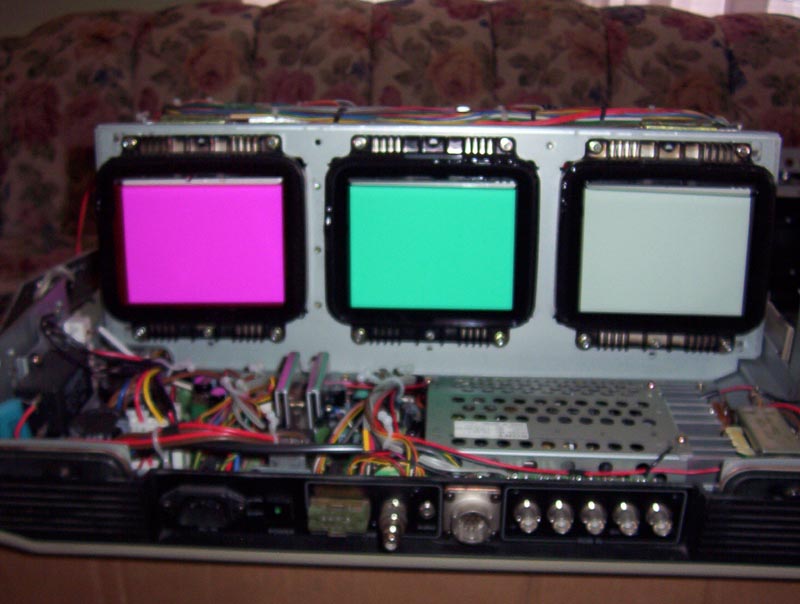
I figured out how to get the lenses out, they're all attached to one tray that lifts out.
I electrically centred the rasters on the phosphot face, and then put the lenses back on. I delibrately left the red lens loose and moved it to try and roughly make them align on the screen for the red and green, and then put spacers. Now it's a bit difficult to get the corner focus, and the green and red lens rings are nearly touching each other (can't get the faceplate back on).
I must say that not as many pots are maxed out, and it's much easier to get the corners of red and green aligned with the Keys pots.
Blue, on the other hand, is being a total bitch. All of a sudden I can't make the vertical lines that sit on the horizontal hair match up (on the crosshair). It'll be roughly accurate in the centre, but the raster is too small and I can't make it the size of green and red.
Tubes are in absolutely snow white condition, no burns or marks whatsoever. Glycol is crystal clear with no particluate, but would you say it looks a bit low?
I'm going to take more screws off and see if I can't get the pot board lifted up, and see if there are any adjustments underneath the board. This sucking-in of picture is getting annoying already.
| Description: |
|
| Filesize: |
78.18 KB |
| Viewed: |
6412 Time(s) |
|
| Description: |
|
| Filesize: |
27.82 KB |
| Viewed: |
6412 Time(s) |
|
| Description: |
|
| Filesize: |
55.97 KB |
| Viewed: |
6412 Time(s) |
|
| Description: |
|
| Filesize: |
45.73 KB |
| Viewed: |
6412 Time(s) |
|
| Description: |
|
| Filesize: |
81.06 KB |
| Viewed: |
6412 Time(s) |
|
|
|
| Back to top |
|
|
Electrogal

Joined: 20 Mar 2006
Posts: 31
|
| Posted: Wed Jan 09, 2008 8:49 am Post subject: |
|
|
| draganm wrote: | so you spent $114. with shipping on a 1021Q?  they should make this thread a sticky and call it "ask questions here before buying on e-bay" they should make this thread a sticky and call it "ask questions here before buying on e-bay" |
I think thats a great idea. A section on the basics buying projo's off ebay would also be benificial. And don't forget tips on shipping these beasts here in North America and over seas 
|
|
| Back to top |
|
|
Fujifrontier
Joined: 20 Oct 2007
Posts: 354
Location: San Antonio, Texas
|
| Posted: Wed Jan 09, 2008 2:40 pm Post subject: |
|
|
WTF?
I didn't pay $117 total. Excuse ME I'm not able to spend $500 on a "decent" projector.
Fine, you want me to stop asking questions, I will. End of thread. I'll figure it out myself.
|
|
| Back to top |
|
|
ronholm
Joined: 26 Jan 2007
Posts: 12111
|
| Posted: Wed Jan 09, 2008 2:48 pm Post subject: |
|
|
| Fujifrontier wrote: | WTF?
I didn't pay $117 total. Excuse ME I'm not able to spend $500 on a "decent" projector.
Fine, you want me to stop asking questions, I will. End of thread. I'll figure it out myself. |
Don't mind them.
_________________
Play stupid games, win stupid prizes
|
|
| Back to top |
|
|
|
|




