| Author |
Message |
AnalogRocks
Forum Moderator

Joined: 08 Mar 2006
Posts: 26706
Location: Toronto, Ontario, Canada
TV/Projector: Sony 1252Q, AMPRO 4000G
|
| Posted: Tue Dec 18, 2007 5:48 am Post subject: |
|
|
Naw just eye ball it. Then you can sit there and tweak it everytime you change a move.
Congradulations on getting it setup. Did you finaly have the "Ah ha!" experiance?
_________________
Tech support for nothing
CRT.
HD done right!
|
|
| Back to top |
|
 |
Fujifrontier

Joined: 20 Oct 2007
Posts: 354
Location: San Antonio, Texas
|
| Posted: Tue Dec 18, 2007 2:12 pm Post subject: |
|
|
Yeah I actually did, after setting all pots to midrange and then turning it on, the crosshairs were aligned much better than they were before (they weren't usably aligned but they were MUCH closer). Then I followed the instructions on the top of the projector and messed around with adjustments until I got 80% of the cross hatch grid looking "ok." The only thing that concerns me is the colour balance. It's a bit purply. How do I properly adjust G2? I kinda don't wanna be lifting the hood all the time just so it looks "OK." My blacks are a bit crushed. One other thing I noticed is that the green tube seems bloomed a bit (The crosshatch has little dots which are visible horizontially on all 3 colours but the green recently became "frosted" and adjusting focus (electrical and mechanical) didn't help).
Scan lines are plainly visible; would feeding it RGB maybe make it a bit better? I don't want to give it an excessive resolution and let the magic smoke out. 
|
|
| Back to top |
|
|
loribates

Joined: 02 Dec 2007
Posts: 185
Location: KS
|
| Posted: Wed Dec 19, 2007 12:18 am Post subject: |
|
|
Hey, congrats! On feeding it RGB...... I am not sure, but would imagine that same as the 1031q, it's going to require a special rgb cable. They are easy enough to build and the pin-out is easy enough to find. It only took me about 30 min to solder mine up and was up and running. Just be danged sure you do not send it too high of a scan rate. Do the specs say it will line double?
_________________
Lori Bates
|
|
| Back to top |
|
|
Brooklyn

Joined: 17 Sep 2007
Posts: 494
Location: Morgan Hill, CA
|
| Posted: Wed Dec 19, 2007 12:56 am Post subject: |
|
|
|
On your 1020q, 480i scanlines are going to be just as visible with RGB, and anything higher than 480i would likely be a bad idea. That RGB input is meant for the old PC CGA and EGA resolutions. I think with the 1020 youve got the 5 BNC's, so you wouldn't need an adapter. You can try de-focusing each color to that may help with scan lines.
|
|
| Back to top |
|
|
Fujifrontier
Joined: 20 Oct 2007
Posts: 354
Location: San Antonio, Texas
|
| Posted: Wed Dec 19, 2007 1:45 am Post subject: |
|
|
some new pictures from today. 
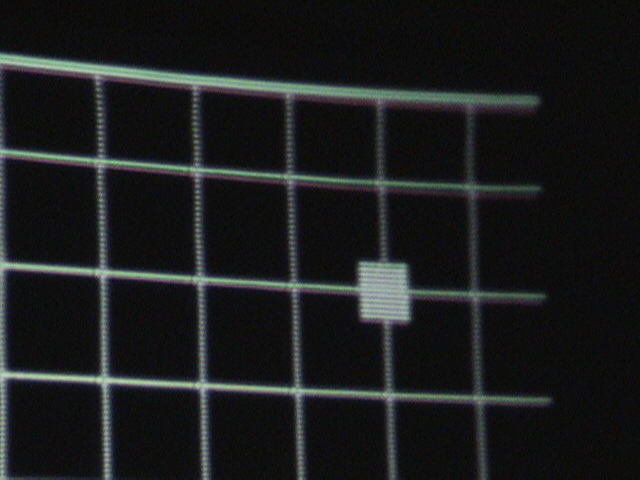
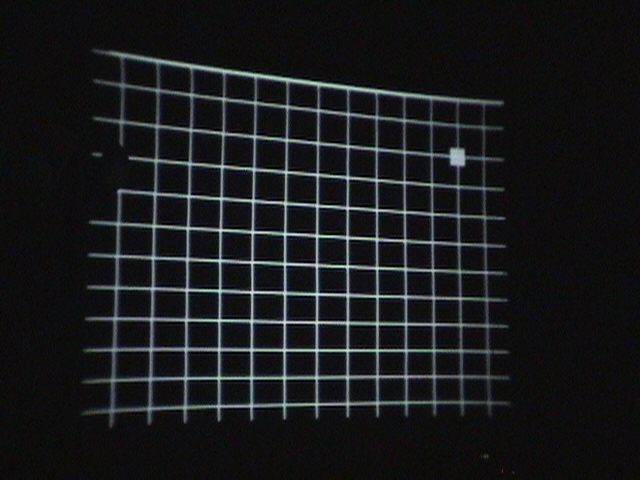
You know, using the cross hair instead of the hatches is MUCH easier than with the hatches up. The hatch makes you freak out that the corners, etc aren't aligned, but as long as you have the horizontal and vertical lines slam dunked on top of each other, everything else sorts itself out.
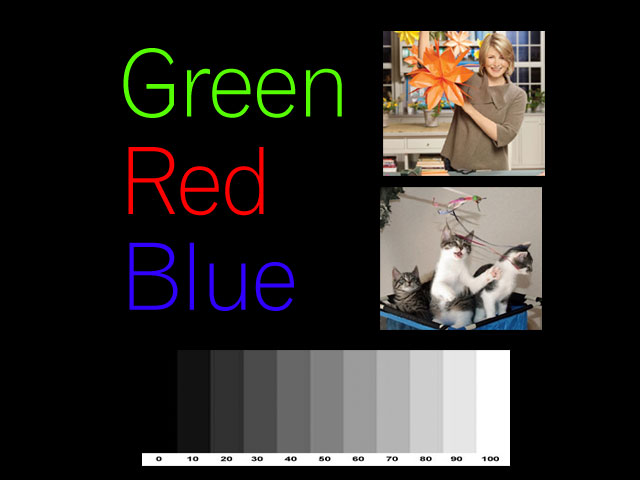
Yes, it still has tiny imperfections but I think I did a good job. Now, the only thing left is G2/colour balance. Whites are a bit yellow. I was doing it wrong before... so what I did was turn the brightness control all the way up, and then each drive up until I got a milky white background. Then turned it back down to centre, and it looks "okay."
I used a spool of satin ribbon from Mal-Wart to make my ghetto border, but as you can see it wasn't enough 
| Description: |
| haha. my test graphic for colour. |
|
| Filesize: |
42.06 KB |
| Viewed: |
5378 Time(s) |
|
| Description: |
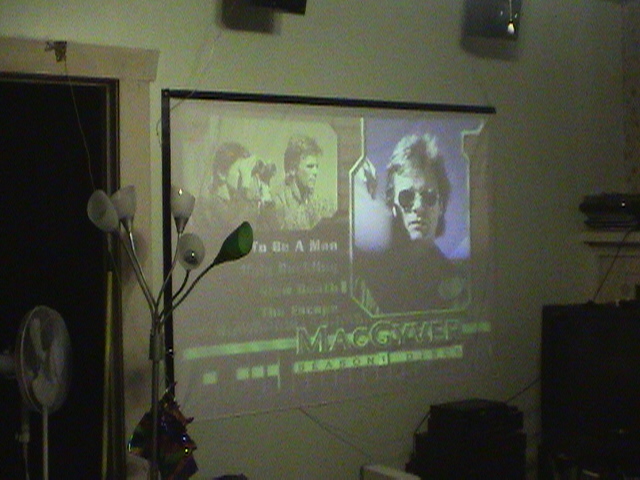
| lol, funny which 1 got selected |
|
| Filesize: |
147.13 KB |
| Viewed: |
5378 Time(s) |
|
| Description: |
| just slightly off on the edge |
|
| Filesize: |
120.23 KB |
| Viewed: |
5378 Time(s) |
|
| Description: |
|
| Filesize: |
132.77 KB |
| Viewed: |
5378 Time(s) |
|
|
|
| Back to top |
|
|
loribates
Joined: 02 Dec 2007
Posts: 185
Location: KS
|
| Posted: Wed Dec 19, 2007 3:29 am Post subject: |
|
|
Hee Hee...... I give it two weeks before you're looking for one that will do HD..... Here's a little tease.... some of these puppys have remote controls for convergence (*gasp*) God I love being able to stand there with a remote in my hand and be right at the screen to converge, not standing back at the pj turning pots and squinting at the screen. Are ya having fun yet?
_________________
Lori Bates
|
|
| Back to top |
|
|
Fujifrontier
Joined: 20 Oct 2007
Posts: 354
Location: San Antonio, Texas
|
| Posted: Wed Dec 19, 2007 3:36 am Post subject: |
|
|
Bah haha. Lots of fun. Only thing is, i do the adjustments when it's been on for about half an hour; and after 3-4 hours of being on after being adjusted, the adjustments have "drifted" again. I saw what you meant with the magnetised screwdriver. I would put the tip near the pJ and make the adjustment, pull it away and it was "off" again. So I improvised with a plastic shank i made from a pen I am having fun with my analog beastie, and I know about the remote convergence on newer models... but I'd feel bad because I wouldn't have a place for the poor little Sony. Now that I've done the "work" of getting a watchable pitcher, I'd feel somewhat cheated by only having to set 3 crosses on top of each other and have an aligned image, if that makes any sense. Also, i'd be much more afraid of "messing it up" and have that sense of "omg it's not maximized to the last billionth of an inch of raster" worry, you know?
I'll be honest I would like something a little brighter, but I'm not looking for HD. We're not getting a box and I'm not spending the money on blu-ray or HD DVD. I only -rent- DVDs as it is. I would be happy with a projector capable of displaying computer graphics.
|
|
| Back to top |
|
|
AnalogRocks
Forum Moderator
Joined: 08 Mar 2006
Posts: 26706
Location: Toronto, Ontario, Canada
TV/Projector: Sony 1252Q, AMPRO 4000G
|
| Posted: Wed Dec 19, 2007 4:28 am Post subject: |
|
|
Step up a model series to the 12xx, super easy to set up ( much like your analog set there ) and lots of them around. Reliable too.
_________________
Tech support for nothing
CRT.
HD done right!
|
|
| Back to top |
|
|
jkruger

Joined: 24 Oct 2007
Posts: 2435
Location: Carlsbad, CA
|
| Posted: Wed Dec 19, 2007 4:42 am Post subject: |
|
|
|
Ditto what Analog said. Step up now before you put any more into the 10xx series PJ. I have two of them just sitting here taking up space and they will probably be giveaways next week. Find a decent 12xx series... you will be miles ahead in no time at all.
|
|
| Back to top |
|
|
Brooklyn
Joined: 17 Sep 2007
Posts: 494
Location: Morgan Hill, CA
|
| Posted: Wed Dec 19, 2007 3:15 pm Post subject: |
|
|
I also recommend a 12xx. You will be impressed at the ease of convergence(relative) and higher quality image(1080i vs. 480i). Also, it looks like your vertical linearity is off a bit. Notice how the boxes at the top are taller than the boxes at the bottom.
The standard way to adjust G2 is to feed the projector a completely black image (0) and then turn the G2 pots until the rasters on each CRT just go invisible.
|
|
| Back to top |
|
|
Joust
Joined: 05 May 2006
Posts: 2429
Location: Almonte, Ontario, Canada
TV/Projector: Marquee 8501LC
|
| Posted: Wed Dec 19, 2007 4:10 pm Post subject: |
|
|
can someone suggest an appropriate Subject line for this thread?
hmm....
is NOT helpful.
|
|
| Back to top |
|
|
papalek

Joined: 08 Mar 2006
Posts: 1536
Location: Longs SC
|
| Posted: Wed Dec 19, 2007 5:36 pm Post subject: |
|
|
| Joust wrote: | can someone suggest an appropriate Subject line for this thread?
hmm....
is NOT helpful. |
I can,
Noob with old tubes!! 
_________________
My current list of PJ's AmPro 1 1/2-4600,4200, 1/2-3600,2600.
I do love my AmPro's
|
|
| Back to top |
|
|
Joust
Joined: 05 May 2006
Posts: 2429
Location: Almonte, Ontario, Canada
TV/Projector: Marquee 8501LC
|
| Posted: Wed Dec 19, 2007 5:53 pm Post subject: |
|
|
|
We have a winner.
|
|
| Back to top |
|
|
macgyver655
Joined: 22 Aug 2007
Posts: 8508
|
| Posted: Wed Dec 19, 2007 6:41 pm Post subject: |
|
|
I remember there was a certain way the 1020 likes to have the G2 adjusted, so I drug my old 1020 out of the closet. (yes I still have one and oddly enough this was my first projector and had many years of enjoyment from it. But that was also many,many moons ago,LOL. I seem to be able to buy them (CRT"'S) but just can't part with them.)
Anyways, to adjust the G2, set the machine to display a cross hair. Briteness and contrast at full. Locate screen controls. Pick a color, and while looking in the lens, turn up the screen control until you see a square raster around the cross hair. Then just back it off until that raster disappears. You can also touch up the electronic focus while your doing this by adjusting the focus control just below the screen control while looking in the lens also. I have found this procedure to give a good white balance on old low output tubes.
If you want to try to prevent the convergence drift, Get a good electronic contact spray cleaner, and with the projector of and unplugged, spray the pots and turn them back and forth repeatedly and spray a little more to clean them. You will have to reconverge after this but it should help with the drift. Good Luck!
|
|
| Back to top |
|
|
Fujifrontier
Joined: 20 Oct 2007
Posts: 354
Location: San Antonio, Texas
|
| Posted: Wed Dec 19, 2007 8:14 pm Post subject: |
|
|
You all have been very helpful.
The linearity problem. What would fix this? I knew it was a bit off, and that the goal of linearity was to get each box looking the same, but I couldn't quite make them match up even after resizing. I'll redo the alignment again tonight and see if I can get it corrected again.
While doing the G2, do I have to turn each tube off (CUT switches) and do the adjustment, or do I leave them on? I noticed this while watching Pirates yesterday, it acts as if it's being fed Craprovision (picture will get brighter, then settle down.......... then get a bit brighter then settle down), almost like it's got some sort of voltage ramping or something. Doesn't smell or anything, but runs a bit warm.
Macgyver, does/has your 1020 display "perfect" or near perfect white? Mine is either purply or warm eggshell. I'll fiddle with g2/lin later when it gets dark. Too much light right now.
|
|
| Back to top |
|
|
macgyver655
Joined: 22 Aug 2007
Posts: 8508
|
| Posted: Wed Dec 19, 2007 8:37 pm Post subject: |
|
|
|
You do the G2 adj with the tubes on. You would loose your crosshair if the tubes were off. If the tubes were strong, you would normally set G2 with the tubes off, but I have found on these older sets with weak tubes, that you cant get a raster with the G2 turned on fully or maybe only on the strongest tube left. You would then only be able to properly set one tube but would have no idea how the other 2 would react to produce white.The method I described will compensate for this issue, to equalize for different tube weakness and hopefully give you a good white balance.
|
|
| Back to top |
|
|
Fujifrontier
Joined: 20 Oct 2007
Posts: 354
Location: San Antonio, Texas
|
| Posted: Wed Dec 19, 2007 8:39 pm Post subject: |
|
|
Alright, great
One question before I report my fiddling results later..
Should I feel bad about pushing this thing really hard (e.g full contrast?)
|
|
| Back to top |
|
|
macgyver655
Joined: 22 Aug 2007
Posts: 8508
|
| Posted: Wed Dec 19, 2007 8:41 pm Post subject: |
|
|
|
OH, and your briteness fluctuation could also be caused by poor contact in your contrast and briteness controls being dirty. Another reason to clean all pots with contact cleaner. Just make sure you use a cleaner that evaporates quickly.
|
|
| Back to top |
|
|
macgyver655
Joined: 22 Aug 2007
Posts: 8508
|
| Posted: Wed Dec 19, 2007 8:43 pm Post subject: |
|
|
| Fujifrontier wrote: | Alright, great
One question before I report my fiddling results later..
Should I feel bad about pushing this thing really hard (e.g full contrast?) |
It probably only has enough juice left to run at full contrast and briteness. It surely wont hurt anything. Wasn't able to burn tubes even when new.
|
|
| Back to top |
|
|
Fujifrontier
Joined: 20 Oct 2007
Posts: 354
Location: San Antonio, Texas
|
| Posted: Thu Dec 20, 2007 2:44 am Post subject: |
|
|
HAHAHAHAHA!!
That makes me feel so bad, like it's some old person about to die, on its last legs, awww......
Well, I let it cook for about an hour and a half running video and then I maximised the green tube size so that it filled the screen up to the very tippity top of the border. I then looked down the green tube and saw that the raster was all shifted over to the side, so i nailed it dead centre electrically, and then aligne the projector physically. It turns out the green linearity was the one that was off; I adjusted that so the top and bottom squares are roughly the same size, and then aligned red to green using the cross hair. Then I did blue to red, and then did a focus readjustment.
It's not razorsharp but each time I tinker with the beastie the results get better and better. I did the G2 suggestion you made earlier, using the crosshair and getting a bright raster shadow, then bring it down. It doesn't come down smoothly, it comes down in "jumps." might be due to dirty focus pack pots, but no worries. It's a hair yellow; but makes for a nice warm picture. Nothing to worry about.
I think the spectacular result compared to my initial mess I have at this point has caused me to have a soft spot for these old sonys... they try their hardest and don't complain.
One thing that I do find odd is that....
You know the sound of the yoke wires expanding and contracting, like, let's say you turn a TV off while it's got a white screen? That "ticky" kinda noise? The PJ makes random "ticks." Can't tell from which yoke. No smell, no nothin... just makes "ticks" every now and then.
PS - this thing doesn't have weak tubes
|
|
| Back to top |
|
|
|
|




