|
As this forum is rarely used anymore, we've locked it. Feel free to browse and read. Questions? Please reach out to us directly. Cheers! |
|
|
 |
|
|
| Author |
Message |
loribates

Joined: 02 Dec 2007
Posts: 185
Location: KS
|
| Posted: Fri Dec 14, 2007 2:50 am Post subject: |
|
|
HEE HEE. A little frustrated, are we? Have you seen the 1031 setup guide on the eboyz site? I know you've got a different model there, but most of the controls are going to be similar. IF IT WERE ME, and it's not, but I'd level out all the convergence controls and start with a clean slate. Do your mechanical squaring up of the pj, leveling, shimming, etc. Display a grid or crosshatch and unless a yoke is really off kilter, you should be able to center the crosshatch on the tube face, then get them roughly sized the same size, then do your best to mechanically align the pj for the best alignment on screen before you start using the convergence pots to adjust things.
A lgood leveling and squaring the pj itself can correct a whole lot and take a lot of load off convergence controls.
_________________
Lori Bates
|
|
| Back to top |
|
 |
Fujifrontier

Joined: 20 Oct 2007
Posts: 354
Location: San Antonio, Texas
|
| Posted: Fri Dec 14, 2007 3:01 am Post subject: |
|
|
|
And by "leveling" you mean, after it's on the ceiling, get a level and make sure the bubbles are centred?
|
|
| Back to top |
|
|
Fujifrontier
Joined: 20 Oct 2007
Posts: 354
Location: San Antonio, Texas
|
| Posted: Fri Dec 14, 2007 3:10 am Post subject: |
|
|
|
oh christ... i'm going to have a stroke.... this is a whole shitload of stuff to do
|
|
| Back to top |
|
|
AnalogRocks
Forum Moderator

Joined: 08 Mar 2006
Posts: 26706
Location: Toronto, Ontario, Canada
TV/Projector: Sony 1252Q, AMPRO 4000G
|
| Posted: Fri Dec 14, 2007 3:13 am Post subject: |
|
|
| Fujifrontier wrote: | | oh christ... i'm going to have a stroke.... this is a whole shitload of stuff to do |
Calm down, patients Daniel son. Wax on wax off. Find your Zen centre. Do a little yoga, then have 2 stiff drinks and centre all the controls and start all over again.
_________________
Tech support for nothing
CRT.
HD done right!
|
|
| Back to top |
|
|
Fujifrontier
Joined: 20 Oct 2007
Posts: 354
Location: San Antonio, Texas
|
| Posted: Fri Dec 14, 2007 3:27 am Post subject: |
|
|
Reading the boyztoyz (the title makes me grin evilly  ), is it all right at this point to feel like I should box the thing up and send it back from whence it came? Ha. I feel a bit of that right now. I'm a bit overwhelmed with trying to find an appropriately sized screen, ya' know, with the right gain, flatness... and then the dratted ceiling mount. Then ther'es the matter of cables. Does this 1020 accept those "shims" or spacers? How would I determine which ones to get for about an 80" wide screen? :unsure: Do I really need them? ), is it all right at this point to feel like I should box the thing up and send it back from whence it came? Ha. I feel a bit of that right now. I'm a bit overwhelmed with trying to find an appropriately sized screen, ya' know, with the right gain, flatness... and then the dratted ceiling mount. Then ther'es the matter of cables. Does this 1020 accept those "shims" or spacers? How would I determine which ones to get for about an 80" wide screen? :unsure: Do I really need them?
Someone hold my hand. Haha.
|
|
| Back to top |
|
|
loribates
Joined: 02 Dec 2007
Posts: 185
Location: KS
|
| Posted: Fri Dec 14, 2007 3:45 am Post subject: |
|
|
It's really, really not as bad as it sounds. C'mon, if a girl can do it........ Baby steps.
_________________
Lori Bates
|
|
| Back to top |
|
|
Fujifrontier
Joined: 20 Oct 2007
Posts: 354
Location: San Antonio, Texas
|
| Posted: Fri Dec 14, 2007 3:52 am Post subject: |
|
|
*takes small blue pill*
I agree.
I'm one of those hyperdriven virgo types that likes to do everything perfectly, rather quickly.
I'll reset all the pots to centre. Then I'll set the projector on a cart and point it towards the wall I intend to use.
I'll mount the screen according to the projector, not the other way round. Might be a bit easier on my nerves. Though, this projector'll require a free evening.... perhaps this weekend.
|
|
| Back to top |
|
|
loribates
Joined: 02 Dec 2007
Posts: 185
Location: KS
|
| Posted: Fri Dec 14, 2007 4:02 am Post subject: |
|
|
What I meant by level is that if the picture you posted a bit ago was a fair representation of what you are seeing on the screen, first off, it's not level. Turn off the red and the blue, center the green cross hatch on the tube face, if it appears that it's square on the tube face (if it's not square on the tube face, proceed directly to jail, do not pass go.....this is gonna require more work, otherwise.......)then look at the screen, if the green cross-hair is not level as seen on the screen, then shim the projector itself (it may have adjustable feet..... I think my 1031q did, but it's been hanging upside down for so long, I can't remember, but my Marquee doesn't. I've had to use shims under it to get it level) adjust the feet or shim it until the horizontal cross hair is level. I know it may sound trivial but I think most everyone will agree that you'll have a much easier time with convergence and geometry later if you take the time to get the mechanical setup right in the first place, which means making sure things are level and square to the screen.
The two nuts on the lenses are center focus (the nut at the back) and edge focus (the front nut)
_________________
Lori Bates
Last edited by loribates on Fri Dec 14, 2007 4:23 am; edited 1 time in total
|
|
| Back to top |
|
|
loribates
Joined: 02 Dec 2007
Posts: 185
Location: KS
|
| Posted: Fri Dec 14, 2007 4:11 am Post subject: |
|
|
And remember...... this is FUN!
Oh, something came to mind.... you said a few posts back "it's drifty"..... What are you using to turn the pots? Get a plastic screwdriver. Don't use a metal or magnetic one.... took me two days after I first got my Sony to read about and learn that lesson..... I thought my eyes were going buggy on me because I was darned sure I had the pot set and as soon as I'd take away the screwdriver, things would move....... finally realized it was the metal screwdriver....
_________________
Lori Bates
|
|
| Back to top |
|
|
Fujifrontier
Joined: 20 Oct 2007
Posts: 354
Location: San Antonio, Texas
|
| Posted: Sat Dec 15, 2007 3:05 am Post subject: |
|
|
You know, you just might be onto something with the driftiness, and how did you mount yours to the ceiling? To add to the fun, how do you know it's level, when it's ceiling mounted?
What is that little switch on its belly, positioned near the celing mount? Is it a polarity switch?
It has cross hair and cross hatch. I like the cross hatch so I can see if what I'm doing is helping. Which should I use for alignment?
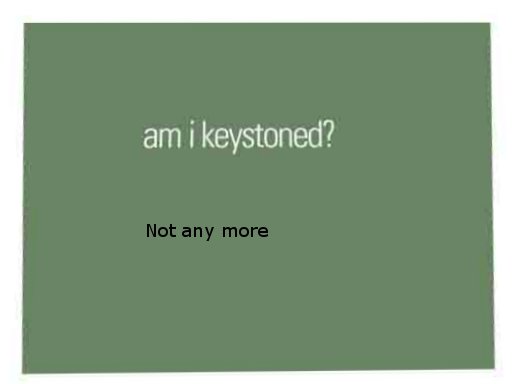
On the tube face, the images look very slightly keystoned (on 'screen' they look perfect). Is that normal or should they be perfect squares?
| Description: |
|
| Filesize: |
14.85 KB |
| Viewed: |
8001 Time(s) |

|
|
|
| Back to top |
|
|
AnalogRocks
Forum Moderator
Joined: 08 Mar 2006
Posts: 26706
Location: Toronto, Ontario, Canada
TV/Projector: Sony 1252Q, AMPRO 4000G
|
| Posted: Sat Dec 15, 2007 3:20 am Post subject: |
|
|
Nope 
| Description: |
|
| Filesize: |
8.97 KB |
| Viewed: |
7995 Time(s) |
|
_________________
Tech support for nothing
CRT.
HD done right!
|
|
| Back to top |
|
|
wallace123456

Joined: 14 Aug 2006
Posts: 2236
Location: Northwest VA area
|
| Posted: Sat Dec 15, 2007 3:27 am Post subject: |
|
|
Keystoned? Naw, just stoned. And might I add, "cormfortably numb".
I keep hearing someone say, "Is there anybody in there"? 
wallace
_________________
Life Is Good, But BBQ Is Better! BBQ Competition Team
|
|
| Back to top |
|
|
loribates
Joined: 02 Dec 2007
Posts: 185
Location: KS
|
| Posted: Sat Dec 15, 2007 5:15 am Post subject: |
|
|
Guys, help him out here.....
If the image is square on the tube face, it's probably going to be keystoned on the screen because of the upward angle it's projecting. Yes, the image on the tube face is going to look keystoned in order to have the projected image square on the screen. Best to get the right calcs for positioning the height of the pj to minimize this. If the projector sits too low compared to the bottom of the screen, you're going to have to do more keystone correction. (More keystone on the face of the tube to offset the keystoning on screen.....)
I don't recall a switch on the belly of the pj, but like I said, it's been three years since I've seen the underside of my sony...
Use the cross hairs to get your rough mechanical alignment, use the grid for convergence. I always converged my Sony with a grid off a DVD rather than with the internal pattern.
My ceiling mount is: Three 4 x 4's cut to fit as cross pieces in the joist bay. I lagged those in from the tails ends through the joists. I then put a lag with an eyelet into each 4 x 4, ran conduit through the eyelets, stuck a piece of rebar into the conduit and hung the pj from it. It's sort of a modified version of this: http://www.eboyztoyz.net/article.php?ncat=00131
I used shims on the back end until I had the angle right. Leveling to the screen was tricky, but I had a couple of guys holding up the pj while I slipped the conduit out of the outermost lag and tightened it a turn at a time until I got level with the screen.
How do you know it's level when it's on the ceiling.... like I said before.... if the cross hair looks level on the tube face, then project the cross hair onto he screen, adjust the pj (physically) until the projected line is level.
_________________
Lori Bates
|
|
| Back to top |
|
|
AnalogRocks
Forum Moderator
Joined: 08 Mar 2006
Posts: 26706
Location: Toronto, Ontario, Canada
TV/Projector: Sony 1252Q, AMPRO 4000G
|
| Posted: Sat Dec 15, 2007 5:55 am Post subject: |
|
|
| Fujifrontier wrote: | ahm, ah... *ahem*... um, ahh...
*cringes*
What's that? I focussed the lenses using the nut that's closet to me. What's the second one, farther up for? Is that what you're talking about? I thought it was a secondary focus and adjusted it so the little dots were visible on the horizontal bars. |
Actually in your case ( forgot how Sony does it DUH ) you have lens spacers I belive. Do you know how they are set?
http://www.curtpalme.com/docs/Sony1031_Install.pdf see page 17 for an explenation
_________________
Tech support for nothing
CRT.
HD done right!
|
|
| Back to top |
|
|
loribates
Joined: 02 Dec 2007
Posts: 185
Location: KS
|
| Posted: Sat Dec 15, 2007 6:05 am Post subject: |
|
|
LMAO...... Uhm...... methinks you're gonna need a bigger screen.....
_________________
Lori Bates
|
|
| Back to top |
|
|
AnalogRocks
Forum Moderator
Joined: 08 Mar 2006
Posts: 26706
Location: Toronto, Ontario, Canada
TV/Projector: Sony 1252Q, AMPRO 4000G
|
| Posted: Sat Dec 15, 2007 6:26 am Post subject: |
|
|
uhhhh you aren't trying to get your corners dialed in are you with them projecting off the screen?
_________________
Tech support for nothing
CRT.
HD done right!
|
|
| Back to top |
|
|
Fujifrontier
Joined: 20 Oct 2007
Posts: 354
Location: San Antonio, Texas
|
| Posted: Sun Dec 16, 2007 2:22 am Post subject: |
|
|
Oh no, not at all. I was doing it projected at a flat wall. I'm just waiting to get a screen now, and then I'll tack it to the wall where the speakers are hanging.
I just want to give a quick word of thanks to those of you who are guiding me through this period. First time I've tried something like this and I really appreciate all the input.
|
|
| Back to top |
|
|
Curt Palme
CRT Tech
Joined: 08 Mar 2006
Posts: 24396
Location: Langley, BC
TV/Projector: All of them!
|
| Posted: Sun Dec 16, 2007 3:44 pm Post subject: |
|
|
Just FYI as well: THe 1020 is 20+ years old. It's a super unit to practice on as you can see, your tubes seem to be fine, but it is completely possible that you have some components that are _slightly_ off, causing the convergence controls to not quite work the way they are supposed to.
I just wanted to throw that in there, not to piss you off, but to acknowledge that it is possible that you won't get this set perfect.
Back when I was first using these sets, they were an easy setup, but I have had a few through here in the last 5 years that were off enough to need component work. I'd gladly donate whatever parts I have left for the cost of shipping, but I know that both of the convergence boards I have here for the 1020 have serious issues.
Keep plugging at it though, chances are the set is fine, and you'll get a decent image.
|
|
| Back to top |
|
|
Fujifrontier
Joined: 20 Oct 2007
Posts: 354
Location: San Antonio, Texas
|
| Posted: Sun Dec 16, 2007 4:56 pm Post subject: |
|
|
Mmhmm  January of 1986. I think that's what makes it all the more fun, that I can get a better picture out of a projector that's only 1 year younger than I am than a projector I could out of one off the shelf at Crap Buy. January of 1986. I think that's what makes it all the more fun, that I can get a better picture out of a projector that's only 1 year younger than I am than a projector I could out of one off the shelf at Crap Buy.
Curt, do you know the reversing procedure for hte 1020? Do you know where to get, or have a spare CCQ cable to connect the projector to the VPR-722?
http://cgi.ebay.com/ws/eBayISAPI.dll?ViewItem&rd=1&item=200173655975&ssPageName=STRK:MEWN:IT&ih=010
Snagged that, but I need a cable.

|
|
| Back to top |
|
|
Fujifrontier
Joined: 20 Oct 2007
Posts: 354
Location: San Antonio, Texas
|
| Posted: Tue Dec 18, 2007 4:12 am Post subject: |
|
|
BAH HAHAHA.
i have conquored the great and mighty 1020.
Well sorta.
You guys were right, setting all pots to centre helped alignment a lot. I still have a bit of work to do but after about an hour and half of playing with placement and slowly adjusting stuff, I got an acceptable pitcher. As CUrt said, some of the adjustments are a teeny bit off, but it's negligble. I bought some blackout curtain material at joann fabrics, cost me about $15 or so. I tacked it to the wall in 4 places and will tack it more, to get the material absolutely, perfectly flat.
I'm pretty satisfied with myself right about now. I'll go through the whole thing again tomorrow night and see if I can make it better.
One thing that WILL require correction is the G2/colour balance. Lemme guess.. I hafta get a setup DVD for that?
|
|
| Back to top |
|
|
|
|
|
|
|
You cannot post new topics in this forum
You cannot reply to topics in this forum
You cannot edit your posts in this forum
You cannot delete your posts in this forum
You cannot vote in polls in this forum
You cannot attach files in this forum
You can download files in this forum
|
Forum powered by phpBB © phpBB Group
|
|




