|
As this forum is rarely used anymore, we've locked it. Feel free to browse and read. Questions? Please reach out to us directly. Cheers! |

|
 |
|
|
| Author |
Message |
MikeEby

Joined: 24 Jun 2007
Posts: 5237
Location: Osceola, Indiana
|
| Posted: Thu May 29, 2008 4:16 am Post subject: |
|
|
| JuzWerkz wrote: | | MikeEby wrote: |
All I want to see is a 1080p@72 Hz 1 on 1 off pattern screen shot, that's all I care about. Green only please! 
|
Okay Mike, I'll bite. Being somewhat of a newbie, it's not overly obvious to me what exactly the green only screenshot will tell you. Also, I guess depending on the shutter speed, I'm not sure what differences a single photograph will show you regarding a 72Hz refresh rate, except that the card will do it.... If you can explain these choices to me, I'm sure I would learn a few new things about this, and hopefully a few others will benefit as well...
thanks,
cj |
cj,
Good to see someone with an XG within an hours or so drive  , I'm just across the Indiana/Michigan border. , I'm just across the Indiana/Michigan border.
After thinking about it, to be honest it is probably a lot to ask of someone to produce such a screen shot, but I will try to answer your question, if I’m wrong someone please feel free to chime in.
I currently have my HTPC connected via RGBHV (Analog) & I am able to run 1920X1080p@72Hz and it produces a 1:1 test pattern with some line structure visible in both vertical and horizontal direction. (See screen shot below) Ideally the lines should be close to equal brightness vertical and horizontal. The reason is because for a CRT to be able to display 1080p without a great deal of softness you should see at least see some line structure in a 1:1 pattern especially on the green and red tubes. In most cases for proper grey scale tracking the blue must be defocused however the softness will not be as noticeable in the image even with the blue defocused. In my opinion the green is the most important because it is being driven the hardest and the red to a lesser degree yet still important. If you do not see lines in the green and red chances are the image will very soft because the lines are overlaping. The reference to 72Hz refresh in my post is simply because the bandwidth requirement are more demanding on the video chain with a higher refresh rate and will effect the pattern. If I run this same pattern @48 Hz the spaces between the lines are more apparent because of lower bandwidth requirements, but the flicker with such a slow refresh rate gives me a headache. The reason for using 72Hz (71.928) refresh is to reduce 60Hz 2:3 pulldown motion judder.
Note: These are NOT scan lines there should actually be more space between the lines because it is a 1 on 1 off pattern
but for an 8" projector @1080p this is about the best I can do. The second row is 2 on 2 off pattern.

I would really like to run digital signal all the way to the projector and would even consider replacing my HTPC with a PS3 and scalar if such a pattern is possible, I am not asking for a better pattern, just not worse .
It’s unfortunate but it appears a scalar will be necessary to run an XG @1080p because of the sync timings out of PS3 are not a rate the XG likes, 1080i should be no problem and for most people will look great, I am just very sensitive to seeing the interlaced field and a progressive resolution is a must. For a little more information see thread below:
https://www.curtpalme.com/forum_archived/viewtopic.php@t=10767.html
Hopefully Jerry or Kenny will comment on these issues.
Mike
_________________
Doing HD since the last century!
|
|
| Back to top |
|
 |
jarseneau

Joined: 06 Nov 2007
Posts: 323
Location: WI
|
| Posted: Thu May 29, 2008 2:48 pm Post subject: |
|
|
Mike, I did some testing with your testpattern last night but didn't have the time to reduce the picture for posting. It took a while to get the nVidia 8600 GT card settings at 1080p/72 to get rid of foldover. As you said, the foldover is an NEC thing and happens with VGA the same as via DVI. I'd be curious what settings you use.
Using your testpattern program the results were close to what you are showing with 2 exceptions; (a) my pattern is reversed, and (b) I didn't see lines in the finest vertical pattern (your upper left corner). I am definitely not optimized for 1080p and I have an 8800 card in another PC that I will try in the HTPC soon. Are you using a 16x9 setup and how large is the image for your test?
Edit. To be a bit more accurate, I remember not seeing the 1:1 vertical lines in the photo. It may have been on the screen itself. I used a 6 megapixel Canon digital camera. What did you use for the screenshot?
_________________
Jerry
|
|
| Back to top |
|
|
MikeEby
Joined: 24 Jun 2007
Posts: 5237
Location: Osceola, Indiana
|
| Posted: Thu May 29, 2008 4:25 pm Post subject: |
|
|
| jarseneau wrote: | Mike, I did some testing with your testpattern last night but didn't have the time to reduce the picture for posting. It took a while to get the nVidia 8600 GT card settings at 1080p/72 to get rid of foldover. As you said, the foldover is an NEC thing and happens with VGA the same as via DVI. I'd be curious what settings you use.
Using your testpattern program the results were close to what you are showing with 2 exceptions; (a) my pattern is reversed, and (b) I didn't see lines in the finest vertical pattern (your upper left corner). I am definitely not optimized for 1080p and I have an 8800 card in another PC that I will try in the HTPC soon. Are you using a 16x9 setup and how large is the image for your test?
Edit. To be a bit more accurate, I remember not seeing the 1:1 vertical lines in the photo. It may have been on the screen itself. I used a 6 megapixel Canon digital camera. What did you use for the screenshot? |
Jerry,
That was the center pattern. The left and right side are not that good out to the edges. 
It took quite a bit of fiddling with the magnetic focus to get that good, and I do call it fiddling because I really don't get how they work exactly.
I am at work right now I will post my timings when I get home.
Ahh in regards to the camera I used a fairly high end 21MP Canon DSLR, that belongs to my brother. I zoomed to fill most of the frame with only the center pattern.
Mike
_________________
Doing HD since the last century!
|
|
| Back to top |
|
|
JuzWerkz
Joined: 14 Dec 2007
Posts: 35
Location: Battle Creek, MI USA
|
| Posted: Thu May 29, 2008 4:43 pm Post subject: |
|
|
| MikeEby wrote: |
The reference to 72Hz refresh in my post is simply because the bandwidth requirement are more demanding on the video chain with a higher refresh rate and will effect the pattern. If I run this same pattern @48 Hz the spaces between the lines are more apparent because of lower bandwidth requirements, but the flicker with such a slow refresh rate gives me a headache. The reason for using 72Hz (71.928) refresh is to reduce 60Hz 2:3 pulldown motion judder.
Mike |
Thanks for your explanation Mike. I understand why you want to run at 72Hz. What I don't understand is how a single photograph will help you make any decisions regarding the refresh rate. If the shutter speed is faster than 0.014 seconds (1/72th of a second), then you will have a photograph of exactly one scan trace. If it's slower, then you may be exposing two or more traces at the same time. If it is so much effort to drive the projector and the video chain at that speed, will the scan lines be less bright, less straight, or what?
thanks,
cj
|
|
| Back to top |
|
|
MikeEby
Joined: 24 Jun 2007
Posts: 5237
Location: Osceola, Indiana
|
| Posted: Thu May 29, 2008 4:58 pm Post subject: |
|
|
cj,
As the refresh rate goes up so does the bandwidth requirement and image softness increases. This softness will be reflected in a static test pattern and the lines will be less defined.
Mike
_________________
Doing HD since the last century!
|
|
| Back to top |
|
|
KennyG
Joined: 10 Feb 2007
Posts: 254
|
| Posted: Thu May 29, 2008 7:33 pm Post subject: |
|
|
I'm not going to say to much at this time, as I watch certain movies, and check some test patterns, I do notice slightly more detail. Video sharpness seems the same as Moome's previous DVI card, which is to say very good. I did recalibrate grayscale, but the differences were minor.
I can't talk much about shadow detail, because as these cards were sent to us, they were not designed for the XG. It's black level and gamma were for the Sonys. (Moome's words)
My card's 0-15 IRE is not correct, as everything below that range does not differentiate...test patterns show a solid black block from 0 thru 15 IRE...This could be a sign of the same colorspace problem the DVI card had. Add to that, gamma adjust doesn't have enough range. It is somewhat better than the DVI card, there is more shadow detail, but not deep enough into the darker IRE's, and not enough amplitude on gamma adjust. Right now I just can't pull the lower part of the gamma curve up where it should be.
Jerry has made some changes, and feels the card is now ready to go...and based on my correspondence, I have no doubt he's got it nailed down.
On Monday, my card will be sent off to him for these mod's...I will post more after that
|
|
| Back to top |
|
|
dbaisey
Joined: 09 Mar 2006
Posts: 821
Location: Southern Cal LA / Seattle WA
|
| Posted: Thu May 29, 2008 7:53 pm Post subject: |
|
|
Kenny,
Were you able to check the players HDMI settings to see what level its putting out? Doug
|
|
| Back to top |
|
|
Gary M.
Guest
|
| Posted: Fri May 30, 2008 3:25 am Post subject: |
|
|
looks good guys, hopefully I can get one of these ordered soon
boy am I glad I didn't get a HDFury, if it clips whites that bad then that sucks ass  or is that a DVI to HDMI issue ? or is that a DVI to HDMI issue ?
Mike my 1352LC is showing almost exactly what yours is on those 1:1 patterns, can't get any better 
I would love to hear more comparing to Moome's DVI card for the XG, I currently use it and I am very happy with everything, it clips whites a bit at the top end 95IRE and up, black/gamma performance is good with VP50pro scaler which handles the HDMI to DVI work perfectly as well, it is very sharp with no ringing, so I hope to gain mostly 10-bit 4:2:2 performance from the new HDMI card and thats about it
-Gary Murrell
|
|
| Back to top |
|
|
MikeEby
Joined: 24 Jun 2007
Posts: 5237
Location: Osceola, Indiana
|
| Posted: Fri May 30, 2008 12:27 pm Post subject: |
|
|
| Gary M. wrote: |
Mike my 1352LC is showing almost exactly what yours is on those 1:1 patterns, can't get any better
-Gary Murrell |
That's good to know Gary, I consider your 1352 the reference XG. Are you still using the 134's?
Jerry, I forgot to grab a screen capture of my timings last night. I get them over the weekend.
Mike
_________________
Doing HD since the last century!
|
|
| Back to top |
|
|
jarseneau
Joined: 06 Nov 2007
Posts: 323
Location: WI
|
| Posted: Fri May 30, 2008 3:28 pm Post subject: |
|
|
| Gary M. wrote: | looks good guys, hopefully I can get one of these ordered soon
boy am I glad I didn't get a HDFury, if it clips whites that bad then that sucks ass or is that a DVI to HDMI issue ?
Mike my 1352LC is showing almost exactly what yours is on those 1:1 patterns, can't get any better
I would love to hear more comparing to Moome's DVI card for the XG, I currently use it and I am very happy with everything, it clips whites a bit at the top end 95IRE and up, black/gamma performance is good with VP50pro scaler which handles the HDMI to DVI work perfectly as well, it is very sharp with no ringing, so I hope to gain mostly 10-bit 4:2:2 performance from the new HDMI card and thats about it
-Gary Murrell |
Yeah, my 1352 is close to Mike's, too. Even Morgan Fairchild comments on it when she stops by. Yeah, that's it . Ok, kidding but I'd love to gain some advice on how you got there Mike. I do see the 1:1 lines at 1080i but at 1080p I get a fuzziness that looks like flare.
Comments concerning DVI vs XGFHD:
What's better
-I did a 'test' where I went back to exclusively using the DVI card as if I gave back the XGFHD. The first thing that hit me was the difference in color 'resolution' (being better on the XGFHD). A little hard to describe but an example would be if you looked at the actors face with the XGFHD, you will see all the variations in the natural tone differences between cheekbones and forehead and you would see that variation on pixel by pixel basis. You could say the color depth was better. On the old DVI card, the same face would be more like a single color with variations only in light to dark and looking more 'flat'. Overall, the color looked more vibrant with the XGFHD. Not brighter or falsely overdriven, but highlights that didn't show up before could now be seen.
-HDMI handshaking never missed a beat. I could switch inputs, power down the projector or the source, and never come back to a screen full of snow (a sign that the HDMI was locked out) like I had with the right circumstances with the DVI card.
-Slot behavior was much improved with the XGFHD. By that I mean with the old DVI card I could often have the NEC unable to select card Slot C or Slot B and present the message 'SLOT x is unavailable' when trying to change inputs. I don't know how common this was with the DVI card so YMMV. The DVI card would lock itself out (in slot c) if I powered down the projector with an active signal going into the DVI input. There were other combinations that would lock out slot B as well (with a RGBHV card in B). With the XGFHD, I found maybe 2 combination of events that would lock out slot B if the XGFHD was in slot C and moome said he would fix this. I found no way to lock anything out if the XGFHD was in slot B.
-Sync lock with the XG was as fast as the RGBHV cards and never failed with my HDMI sources. (PS3, DirecTV HD box, Tosh HD-XA2 HD-DVD player). Also no problems when a device changed output modes such as when a Blu-Ray player goes from 1080i for the main feature and then to 480p for supplemental material. PS3 in gaming video mode was no problem either. You will likely need to setup new NEC SIGNAL ENTRY's for the different modes unless you had them setup for the previous card in the same slot.
Edit: I forgot to mention the differences for YCrCb. This determines the color space used, and for HDMI sources you should have your source device set to YCrCb and not RGB. ( see this link ) Thanks Doug! With the old DVI card I could only use the RGB setting. Trying YCrCb resulted in a strange purple tinted image with the DVI card. Running either card in RGB mode would crush the near white end, looking like the HdFury picture above for near whites.
What needs improvement
-The XGFHD card ran darker vs the DVI card to the point where I had to adjust NEC brightness to 80-90 rather than 60 for the DVI card. With the resistor changes (which will be in the final production version of the card) I got closer to running back at 65.
-Gamma adjust via the remote was way too slow. At first I didn't think it was working but after KennyG found that he saw change after dozens of presses, I tried that and got the remote gamma set to max so that I could see a change when turning the pot. My card didn't have a remote indicator LED making things worse. We are told this will be fixed.
-The remote input selection would be falsely triggered by some of the NEC remote buttons and other remotes. Mainly I could get the HDMI card to switch between input a and b by pressing the CRT G cutoff for one and CRT B cutoff for the other. Kind of a feature but an annoying one. Moome knows about this as well.
_________________
Jerry
Last edited by jarseneau on Fri May 30, 2008 5:15 pm; edited 1 time in total
|
|
| Back to top |
|
|
dbaisey
Joined: 09 Mar 2006
Posts: 821
Location: Southern Cal LA / Seattle WA
|
| Posted: Fri May 30, 2008 5:15 pm Post subject: |
|
|
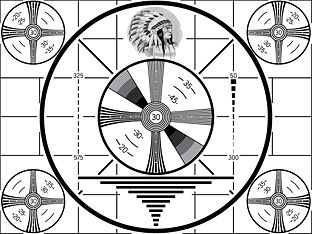
I like this test pattern. Now using a PC I would guess its mastered in PC level
| Description: |
|
| Filesize: |
25.38 KB |
| Viewed: |
19739 Time(s) |
|
|
|
| Back to top |
|
|
Gary M.
Guest
|
| Posted: Fri May 30, 2008 5:47 pm Post subject: |
|
|
Mike, yes 134's all the way, they are amazing lenses
thanks for the info Jerry, appreciate it
-Gary
|
|
| Back to top |
|
|
KennyG
Joined: 10 Feb 2007
Posts: 254
|
| Posted: Sat May 31, 2008 5:28 am Post subject: |
|
|
| jarseneau wrote: |
-I did a 'test' where I went back to exclusively using the DVI card as if I gave back the XGFHD. |
This is a great idea, I'm not going to run my HDMI to DVI cable back into my conduit, but while the card is on it's way to you and back, I will hang the old cable from the ceiling and take a look.
It sounds allot like audio. Many things you don't realize are gone until you try to go back...then you realize what the lastest upgrade actually did for your sound. (in this case video)
|
|
| Back to top |
|
|
KennyG
Joined: 10 Feb 2007
Posts: 254
|
| Posted: Sun Jun 01, 2008 6:36 am Post subject: |
|
|
Took a look at the DVI card tonight.
There is no doubt that the gradiant of color change is much smaller, so shading changes are much better with the HDMI card. My DVI card had so many other problems I never really noticed the slightly unnatural look of the DVI card!
One problem I've had since installing the DVI card was a "halo" effect when Brightness was set high enough to have decent (but still to low) shadow detail.
With the HDMI card I get better shadow detail with a black that's true enough so that at FTB I can wave my hand in front of my face, and not see my hand.
Brightness had to be turned down 9 clicks to get the DVI card at true black with FTB, at that point shadow detail is practically non-existent. At least with the HDMI in it's current state, there was a small amount of shadow detail from about 12 IRE up.
For my setup, the HDMI card is worth 3/4 of it's cost in just what it can do right now...when the gamma curve is corrected for the XG, it'll be well worth it's cost.
On strictly a personal note, I wish this card was simply a single input, manual adjust design. Once the gamma is set, there should be no real reason to change it. In place of the remote and dual inputs, it would have been nice to have a pot that could adjust the position of the gamma adjustment along the curve...but I suppose if that's set correctly from the beginning, even that's not needed.
YEAH, this input card is well on it's way to being a winner!
|
|
| Back to top |
|
|
KennyG
Joined: 10 Feb 2007
Posts: 254
|
| Posted: Sun Jun 01, 2008 3:36 pm Post subject: |
|
|
| dbaisey wrote: | Kenny,
Were you able to check the players HDMI settings to see what level its putting out? Doug |
By the way, I did check this a few days ago.
My Samsung 1200 has two color space settings..."TV" which I'm pretty sure is YCbCr...and "Monitor" which would be RGB. However when using the HDMI output, the "monitor" option cannot be selected.
|
|
| Back to top |
|
|
dropzone7

Joined: 12 Jun 2007
Posts: 1069
Location: Charlotte, NC
|
| Posted: Sun Jun 01, 2008 7:15 pm Post subject: |
|
|
| KennyG wrote: | | dbaisey wrote: | Kenny,
Were you able to check the players HDMI settings to see what level its putting out? Doug |
By the way, I did check this a few days ago.
My Samsung 1200 has two color space settings..."TV" which I'm pretty sure is YCbCr...and "Monitor" which would be RGB. However when using the HDMI output, the "monitor" option cannot be selected. |
I have the new Samsung 1500 player and it also has these settings. I noticed the opposite however as I get a picture when selecting "monitor" but not when selecting "TV". I did not know it had anything to do with color space but assumed that "TV" was for an actual TV set, plasma, LCD while "monitor" was for a projector.
_________________
"Coffee is for Closers."
|
|
| Back to top |
|
|
KennyG
Joined: 10 Feb 2007
Posts: 254
|
| Posted: Mon Jun 02, 2008 1:31 am Post subject: |
|
|
| dropzone7 wrote: | | KennyG wrote: | | dbaisey wrote: | Kenny,
Were you able to check the players HDMI settings to see what level its putting out? Doug |
By the way, I did check this a few days ago.
My Samsung 1200 has two color space settings..."TV" which I'm pretty sure is YCbCr...and "Monitor" which would be RGB. However when using the HDMI output, the "monitor" option cannot be selected. |
I have the new Samsung 1500 player and it also has these settings. I noticed the opposite however as I get a picture when selecting "monitor" but not when selecting "TV". I did not know it had anything to do with color space but assumed that "TV" was for an actual TV set, plasma, LCD while "monitor" was for a projector. |
I'm not sure, but I think monitor is for computer...everything else should be setup for HDMI, which would include a TV, these should all use the YCbCr colorspace.
|
|
| Back to top |
|
|
dstasiuk
Joined: 04 Jun 2008
Posts: 8
Location: Kamloops, B.C.
|
| Posted: Wed Jun 04, 2008 4:42 am Post subject: |
|
|
|
Any idea when these are going to be ready to ship?
|
|
| Back to top |
|
|
kal
Forum Administrator

Joined: 06 Mar 2006
Posts: 18114
Location: Ottawa, Canada
TV/Projector: JVC DLA-NZ7
|
|
| Back to top |
|
|
JuzWerkz
Joined: 14 Dec 2007
Posts: 35
Location: Battle Creek, MI USA
|
| Posted: Wed Jun 04, 2008 8:27 pm Post subject: |
|
|
| kal wrote: |
Back on May 28th I mentioned that Moome had said that they should start shipping in 1-2 weeks.
Kal |
Well on the very optimistic side, that means they'd start shipping today. Kal, are they "supposed to" ship in the order in which they were purchased? I suspect that a good batch of them will all go out at once. I just checked my records for the DVI card I bought from Moome. I ordered it on the 5th of January and received it on the 30th, so even if they are ready to ship in the next week, it will likely be July before we have them in our hands...
cj
|
|
| Back to top |
|
|
|
|
|
|
|
You cannot post new topics in this forum
You cannot reply to topics in this forum
You cannot edit your posts in this forum
You cannot delete your posts in this forum
You cannot vote in polls in this forum
You cannot attach files in this forum
You can download files in this forum
|
Forum powered by phpBB © phpBB Group
|
|




