| Author |
Message |
winduptoy
Joined: 25 Nov 2006
Posts: 187
Location: Lunenburg, Nova Scotia
|
| Posted: Wed May 13, 2009 7:45 am Post subject: |
|
|
Just watched Cars again. I forgot how much I enjoyed that. Can't wait to see Monsters Inc on BD!


|
|
| Back to top |
|
 |
akajester

Joined: 09 Jul 2008
Posts: 934
Location: Wisconsin
|
| Posted: Wed May 13, 2009 12:05 pm Post subject: |
|
|
|
Nice pics windup! Can you do me a favor? I posted some pics on the previous page. I'm comparing our cars pics and I notice mine is much darker and perhaps i'm losing a little low-end detail because of it. any suggestions? I've gone through the grayscale calibrate so I know the colors are pretty well on. Any suggestions would be great. Thanks!
|
|
| Back to top |
|
|
winduptoy
Joined: 25 Nov 2006
Posts: 187
Location: Lunenburg, Nova Scotia
|
| Posted: Wed May 13, 2009 8:29 pm Post subject: |
|
|
Thanks for the comments. Your shots looked very good to me; your convergence and geometry look spot on. That Barco is sharp! The only difference might be how we're feeding the beasts. My video chain looks like this:
Panasonic BD-30 - HDMI - Yamaha RXV-1800 - HDMI - G70 (Moome HDMI card with gamma boost)
The BD-30 has adjustable gamma settings (I use '3'), which allows for fine tuning the picture to show near blacks without sacrificing true black. Sharpness on both the player and the projector is set at minimum.
|
|
| Back to top |
|
|
akajester
Joined: 09 Jul 2008
Posts: 934
Location: Wisconsin
|
| Posted: Thu May 14, 2009 4:41 pm Post subject: |
|
|
| winduptoy wrote: | Thanks for the comments. Your shots looked very good to me; your convergence and geometry look spot on. That Barco is sharp! The only difference might be how we're feeding the beasts. My video chain looks like this:
Panasonic BD-30 - HDMI - Yamaha RXV-1800 - HDMI - G70 (Moome HDMI card with gamma boost)
The BD-30 has adjustable gamma settings (I use '3'), which allows for fine tuning the picture to show near blacks without sacrificing true black. Sharpness on both the player and the projector is set at minimum. |
I'm running HTPC (VGA) -> Extron splitter -> Projector (Port 3, 9 pin cable). I hand made the end of the cable to match the barco pinout and wonder if a better quality cable might help. It just seems like I'm losing on the low end, although grayscale calibration checks out really well.
I got the bg808 to 1080i and it looks sharper, although I'm having some convergence issues on the left edge with the blue and it seems to magnify the issue, so I'm back at 720p for now. Thanks!
|
|
| Back to top |
|
|
winduptoy
Joined: 25 Nov 2006
Posts: 187
Location: Lunenburg, Nova Scotia
|
| Posted: Sat May 16, 2009 10:00 pm Post subject: |
|
|
| dropzone7 wrote: | I have to agree with Kal that the camera can do some tricky things to what we are actually seeing on screen. I was home yesterday bored with nothing better to do so I took a few screenshots. My camera always creates this splotchy grain type effect for some reason. The image I'm seeing on screen is much better but aspects of these pictures are close to the actual image.


 |
Is this the thread you were referring to on the other site? My apologies for not commenting here earlier. Your shots are very good. No visible edge enhancement on TFE; Fine details are resolved very well; Geometry is for all intent and purposes, perfect. Lack of noise shows you are using a low ISO. Can I ask a few questions?
- What are you using for a white balance?
- Are you using manual or automatic exposure?
- How big is your screen? (shadow & highlight detail seem to indicate 90" or less)
- Once you have the shots on your computer, do you check the histogram for exp. fine tuning?
- What lenses are you using on the PJ? (they look really sharp)
I suspect your image on the screen looks awesome, and a little fine tuning with the camera settings will make you satisfied.
I'm really sorry I didn't comment earlier.
- Toy
|
|
| Back to top |
|
|
WanMan

Joined: 19 Mar 2006
Posts: 10270
|
| Posted: Sun May 17, 2009 11:30 am Post subject: |
|
|
The screen shots look great on my CRT MONITOR, but like crap when viewed on anything else in my home. 
_________________
Trust no one. Absolutely no one. Advice of the board.
|
|
| Back to top |
|
|
winduptoy
Joined: 25 Nov 2006
Posts: 187
Location: Lunenburg, Nova Scotia
|
| Posted: Sun May 17, 2009 11:45 am Post subject: |
|
|
|
s long as you have a graphics card, you can go into the advanced setup menu and alter the R,G & B gamma curves on as many points as you like. I put my analyzer sensor over the gray windows for Display Mate and calibrated my laptop.
|
|
| Back to top |
|
|
winduptoy
Joined: 25 Nov 2006
Posts: 187
Location: Lunenburg, Nova Scotia
|
| Posted: Sun May 17, 2009 11:15 pm Post subject: |
|
|
As you can tell, I don't have a dedicated HT room. I do, however, have a very understanding spouse. We get a lot of enjoyment and social time out of this and although the walls and ceiling should be darker, they are far enough from the PJ & screen that they don't have a huge effect on CR (and I still have a wife). Here's some photos and a geometry aid ($12 for materials)
The DVE Pattern

The geometry screen

How she hangs...

How she hangs part 2; The PJ

Hot air exhaust (When the cavity is finished and the hushbox is up)

|
|
| Back to top |
|
|
huggy
Joined: 02 Aug 2008
Posts: 927
Location: Melbourne,Australia
|
| Posted: Mon May 18, 2009 1:52 am Post subject: |
|
|
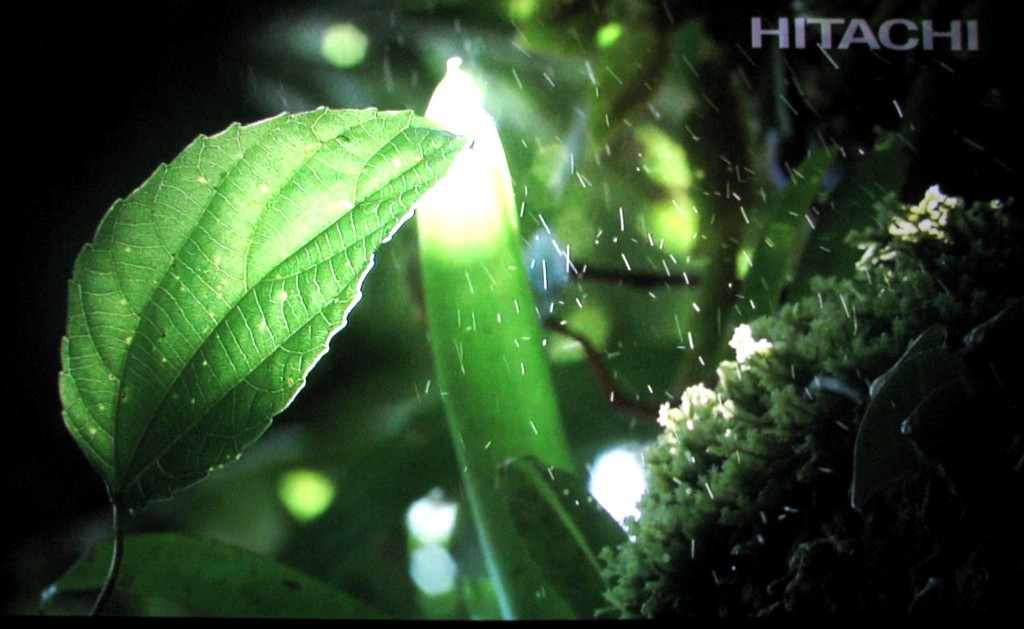
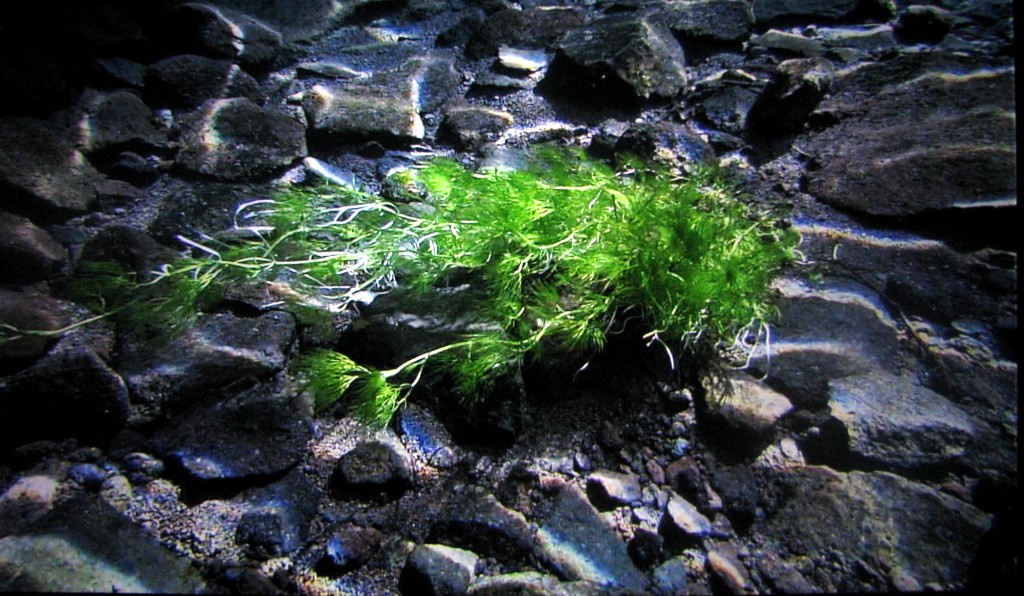
Cant get the exposure right but will keep trying,in the mean time here's a couple from a 1080 clip.
[/img]
| Description: |
|
| Filesize: |
137.08 KB |
| Viewed: |
9728 Time(s) |
|
| Description: |
|
| Filesize: |
213.23 KB |
| Viewed: |
9728 Time(s) |
|
|
|
| Back to top |
|
|
winduptoy
Joined: 25 Nov 2006
Posts: 187
Location: Lunenburg, Nova Scotia
|
| Posted: Mon May 18, 2009 1:57 am Post subject: |
|
|
|
Jeez, those look pretty good to me...esp. the 2nd one!
|
|
| Back to top |
|
|
akajester
Joined: 09 Jul 2008
Posts: 934
Location: Wisconsin
|
| Posted: Wed May 20, 2009 4:59 pm Post subject: round two |
|
|
here's another round of screenshots, these I took last week. This was before I made my scheimpflug and convergence adjustments. I was playing with the camera and had it set to 2mp instead of 10mp, then realized that it appears the pictures have the same dimensions, but are just lesser quality.  I also took them in 16x9 mode and used the night landscape setting on the kodak z1012 IS. Also notice that they look bulged in the middle. I used no focusing, just placed the camera so it would fix the width as close as possible, without cutting off the screen. I also took them in 16x9 mode and used the night landscape setting on the kodak z1012 IS. Also notice that they look bulged in the middle. I used no focusing, just placed the camera so it would fix the width as close as possible, without cutting off the screen.
The only processing I did was to resize them to fit the forum a little better. My camera has no RAW mode so I'm guessing the camera and the resizing f'd them up, but oh well, you get the idea. Thanks.


The corner focus issues are very evident on this shot;


The convergence issues on the left side are very evident on this shot;

All in all, not bad for a little BG808.
|
|
| Back to top |
|
|
AnalogRocks
Forum Moderator

Joined: 08 Mar 2006
Posts: 26706
Location: Toronto, Ontario, Canada
TV/Projector: Sony 1252Q, AMPRO 4000G
|
| Posted: Wed May 20, 2009 5:08 pm Post subject: |
|
|
They look buldged in the middle because of the relationship of the camera lens to your screen. Move the camera back and zoom in to frame your screen. This will lessen or eliminate the barrel distortion you are seeing.
Nice shot's none the less.
_________________
Tech support for nothing
CRT.
HD done right!
|
|
| Back to top |
|
|
akajester
Joined: 09 Jul 2008
Posts: 934
Location: Wisconsin
|
| Posted: Wed May 20, 2009 6:03 pm Post subject: |
|
|
| AnalogRocks wrote: | They look buldged in the middle because of the relationship of the camera lens to your screen. Move the camera back and zoom in to frame your screen. This will lessen or eliminate the barrel distortion you are seeing.
Nice shot's none the less. |
I figured that any type of zooming would manipulate the image quality. So, as long as it's optical zooming it's ok right?
|
|
| Back to top |
|
|
winduptoy
Joined: 25 Nov 2006
Posts: 187
Location: Lunenburg, Nova Scotia
|
| Posted: Wed May 20, 2009 8:31 pm Post subject: |
|
|
|
The wide end of these zooms suffer from considerable barrel distortion. The lens will be sharpest and have the least vignetting or falloff when the lens is zoomed in a bit (slightly telephoto). Shoot at the camera's highest resolution, finest detail and lowest ISO. I resize my photos to 1000 x 750 (1000 x 562 for 16:9) when I prepare them to import into photobucket. Photobucket will them import them without altering them any further.
|
|
| Back to top |
|
|
aleksbmw
Joined: 04 Apr 2009
Posts: 5
|
| Posted: Wed May 20, 2009 9:21 pm Post subject: |
|
|
Maybe someone want a challenge, show a picture of my own made SW 4 poster while able to read the bottom text.
Just 2700x4172 pixels. Would help greatly to rotate it 90 degrees to use more raster area.
I spent a long time on it but thats another story.
http://home.broadpark.no/~alejoha/poster.rar
|
|
| Back to top |
|
|
AnalogRocks
Forum Moderator
Joined: 08 Mar 2006
Posts: 26706
Location: Toronto, Ontario, Canada
TV/Projector: Sony 1252Q, AMPRO 4000G
|
| Posted: Thu May 21, 2009 12:43 am Post subject: |
|
|
| akajester wrote: | | AnalogRocks wrote: | They look buldged in the middle because of the relationship of the camera lens to your screen. Move the camera back and zoom in to frame your screen. This will lessen or eliminate the barrel distortion you are seeing.
Nice shot's none the less. |
I figured that any type of zooming would manipulate the image quality. So, as long as it's optical zooming it's ok right? |
Yes stay away from the digital zoom. Optical is fine.
_________________
Tech support for nothing
CRT.
HD done right!
|
|
| Back to top |
|
|
akajester
Joined: 09 Jul 2008
Posts: 934
Location: Wisconsin
|
| Posted: Thu May 21, 2009 2:23 pm Post subject: third attempt |
|
|
Ok, here's another attempt. I'm experimenting with the camera more and getting closer. I can tell some of the range is gone, especially on the lower end and the exposure was off. Let me know what you think!


I'm proud to be a crt addict!
|
|
| Back to top |
|
|
AnalogRocks
Forum Moderator
Joined: 08 Mar 2006
Posts: 26706
Location: Toronto, Ontario, Canada
TV/Projector: Sony 1252Q, AMPRO 4000G
|
| Posted: Thu May 21, 2009 4:11 pm Post subject: |
|
|
How do the screen shot's look as compared to what YOU see on screen? Are they close? Darker? Lighter? etc....
Keep at the camera 'till you find a setting that get's you somewhat clode to what you see. You may even have to over expose things a bit.
_________________
Tech support for nothing
CRT.
HD done right!
|
|
| Back to top |
|
|
akajester
Joined: 09 Jul 2008
Posts: 934
Location: Wisconsin
|
| Posted: Thu May 21, 2009 7:19 pm Post subject: |
|
|
| AnalogRocks wrote: | How do the screen shot's look as compared to what YOU see on screen? Are they close? Darker? Lighter? etc....
Keep at the camera 'till you find a setting that get's you somewhat clode to what you see. You may even have to over expose things a bit. |
The pictures were WAY darker than the screen. So, I upp'ed the exposure of the shots in photoshop to match, but I think they actually lost detail in the process. The default night portrait mode worked much better. I'll try it again soon.
|
|
| Back to top |
|
|
winduptoy
Joined: 25 Nov 2006
Posts: 187
Location: Lunenburg, Nova Scotia
|
| Posted: Wed Jun 03, 2009 3:18 am Post subject: |
|
|
QOS


|
|
| Back to top |
|
|
|
|





