|
As this forum is rarely used anymore, we've locked it. Feel free to browse and read. Questions? Please reach out to us directly. Cheers! |

|
 |
|
|
| Author |
Message |
Hypno89
Joined: 06 Aug 2020
Posts: 13
Location: Czech Republic, Prague
|
| Posted: Sat Nov 11, 2023 1:34 pm Post subject: Barco 909 not giving picture |
|
|
Hello guys 
I am happy new owner of Barco 909. I bought it as a faulty unit with close to new tubes. Barco powers up, there is green indicator, fans are running. But there is no picture.
Do you have ideas, what could be the issue?
Thank you
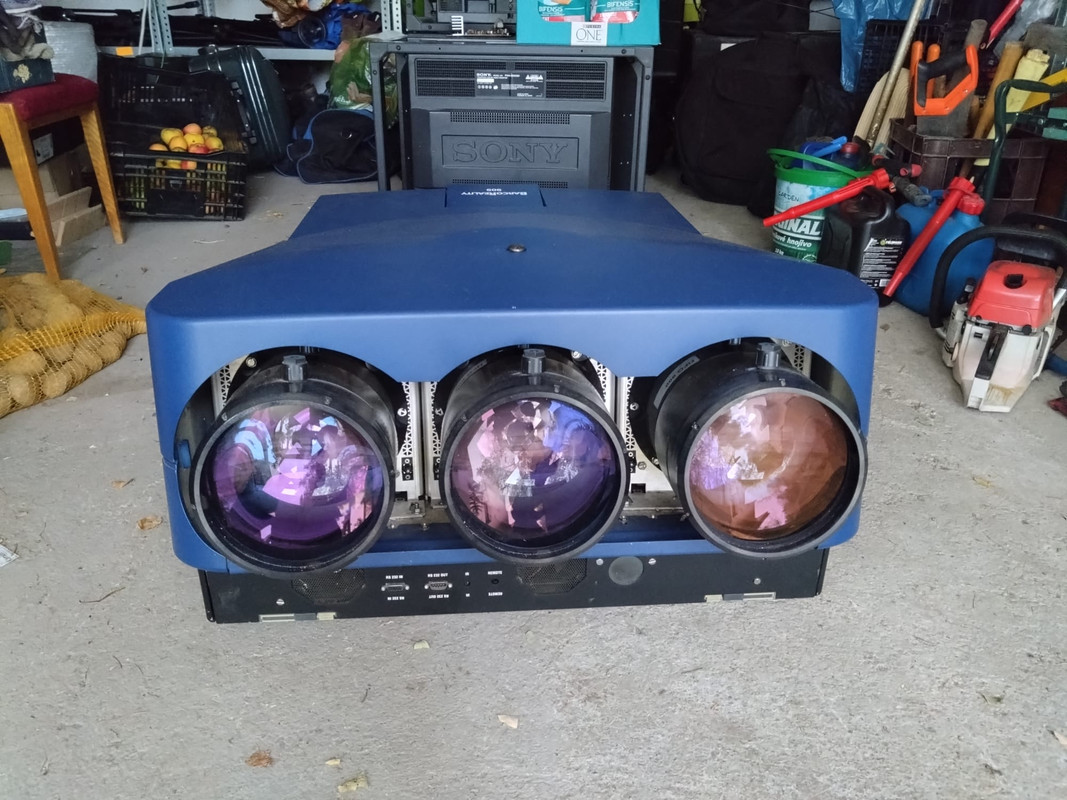
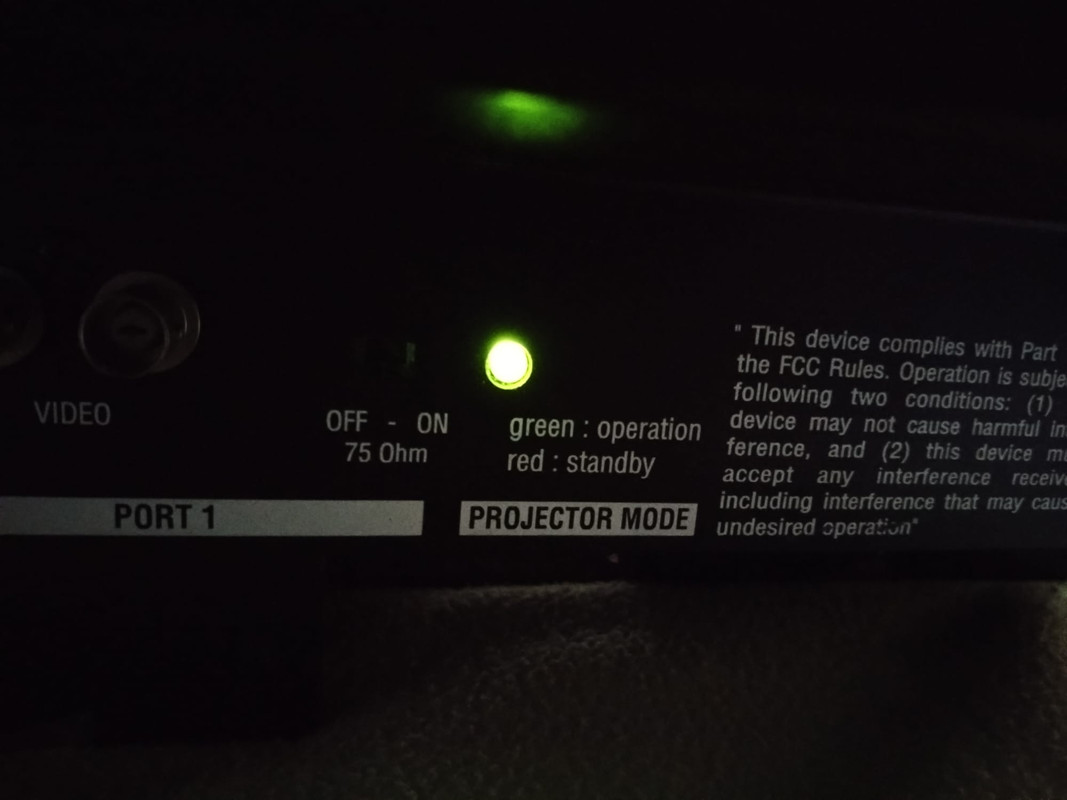
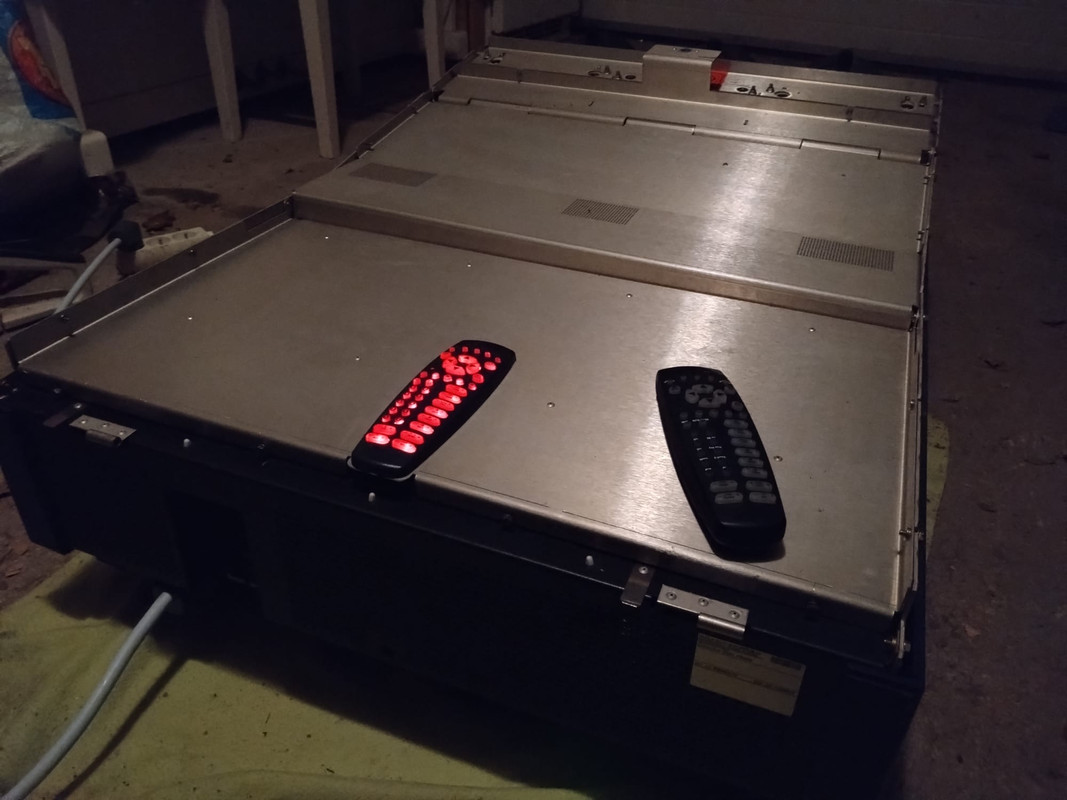 [/img] [/img]
Last edited by Hypno89 on Mon Nov 13, 2023 6:24 pm; edited 5 times in total
|
|
| Back to top |
|
 |
kal
Forum Administrator

Joined: 06 Mar 2006
Posts: 18114
Location: Ottawa, Canada
TV/Projector: JVC DLA-NZ7
|
|
| Back to top |
|
|
Hulio
Joined: 15 Apr 2006
Posts: 494
Location: Belgium
|
| Posted: Mon Nov 13, 2023 7:49 am Post subject: |
|
|
It is not that simple to point out why your 909 does not display a picture, without more background information. By the way, your picture-links doesn't work.
If you bought it as faulty, the previous owner should have told you what and under which circumstances the projector stopped working.
So we need more information in order to be able to help you.
Does the built-in wired remote is lit when you start the machine ? If not, this can indicate a standby 9V voltage drop (SMPS problem)
Without any video input connected, does the Barco ID screen comes on when you hit the ADJ button on the remote ? This could indicate an address loss. Take a pencil and push the recessed button on the IR remote. Whithin 5 seconds, push 000 on remote. This will reset the common address.
To be sure is not a HV issue, look if the red led on the EHT board is lit. If yes, you have a bad quadrupler, splitter, EHT board or a shorted tube.
If SEMU card is installed, this should be disconnected and some jumpers must be installed on the RGB input & switcher board.
Could be a lot of other problems, like a faulty board, a loss connection etc. Mosly, the easiest way is to swap boards (if you have them) and than concentrate on board level repair.
Take a look at the G2 board (the one next to the power supply). There you find some diagnostic leds, telling us which voltage is off. Take a picture of that.
|
|
| Back to top |
|
|
kal
Forum Administrator
Joined: 06 Mar 2006
Posts: 18114
Location: Ottawa, Canada
TV/Projector: JVC DLA-NZ7
|
| Posted: Mon Nov 13, 2023 2:15 pm Post subject: |
|
|
Indeed. That's why I posted the 2 links previously. Lots of that information is covered in the hints and tips sections of the main website. Some digging is required, but Hypno89 knows that as they purchased a known defective unit.
Hopefully previous owners haven't tried to fix things. Often the hardest thing to troubleshoot is a unit that someone else has been in trying to fix. The other thing is that if the fix was really simple, then the previous owner(s) would have probably done whatever was required to fix it as they'd be able to sell it for a lot more.
Kal
_________________

Support our site by using our affiliate links. We thank you!
My basement/HT/bar/brewery build 2.0
|
|
| Back to top |
|
|
Hypno89
Joined: 06 Aug 2020
Posts: 13
Location: Czech Republic, Prague
|
| Posted: Mon Nov 13, 2023 6:48 pm Post subject: |
|
|
Thanks Kal, I will go through that. I have already read some small bits of that in past, when I brought Barco 1209s (since then it is in storage). Today I received from previous owner some spare parts and the official manual to 909, so that awaits me too 
| Hulio wrote: | It is not that simple to point out why your 909 does not display a picture, without more background information. By the way, your picture-links doesn't work.
If you bought it as faulty, the previous owner should have told you what and under which circumstances the projector stopped working.
So we need more information in order to be able to help you.
Does the built-in wired remote is lit when you start the machine ? If not, this can indicate a standby 9V voltage drop (SMPS problem)
Without any video input connected, does the Barco ID screen comes on when you hit the ADJ button on the remote ? This could indicate an address loss. Take a pencil and push the recessed button on the IR remote. Whithin 5 seconds, push 000 on remote. This will reset the common address.
To be sure is not a HV issue, look if the red led on the EHT board is lit. If yes, you have a bad quadrupler, splitter, EHT board or a shorted tube.
If SEMU card is installed, this should be disconnected and some jumpers must be installed on the RGB input & switcher board.
Could be a lot of other problems, like a faulty board, a loss connection etc. Mosly, the easiest way is to swap boards (if you have them) and than concentrate on board level repair.
Take a look at the G2 board (the one next to the power supply). There you find some diagnostic leds, telling us which voltage is off. Take a picture of that. |
Thank you Hulio. Before I had chance to try your detailed diagnosis, there was some sudden development. I was trying with Barco for second time on my own. I don't know, what I did, but suddenly Barco started giving some picture. If I look inside the lenses, there is clear image in all three tubes (although geometry especially of red tube is all over the place). The projected image on the gate of garage is very blurred, but I suggest the reason is very short distance (cca 1,5 m) - I will try with larger distance. So maybe there won't be any fault (hopefully). Anyway I will try the diagnosis to check, if all is really allright.
Here are some images (I already found out how to upload them):
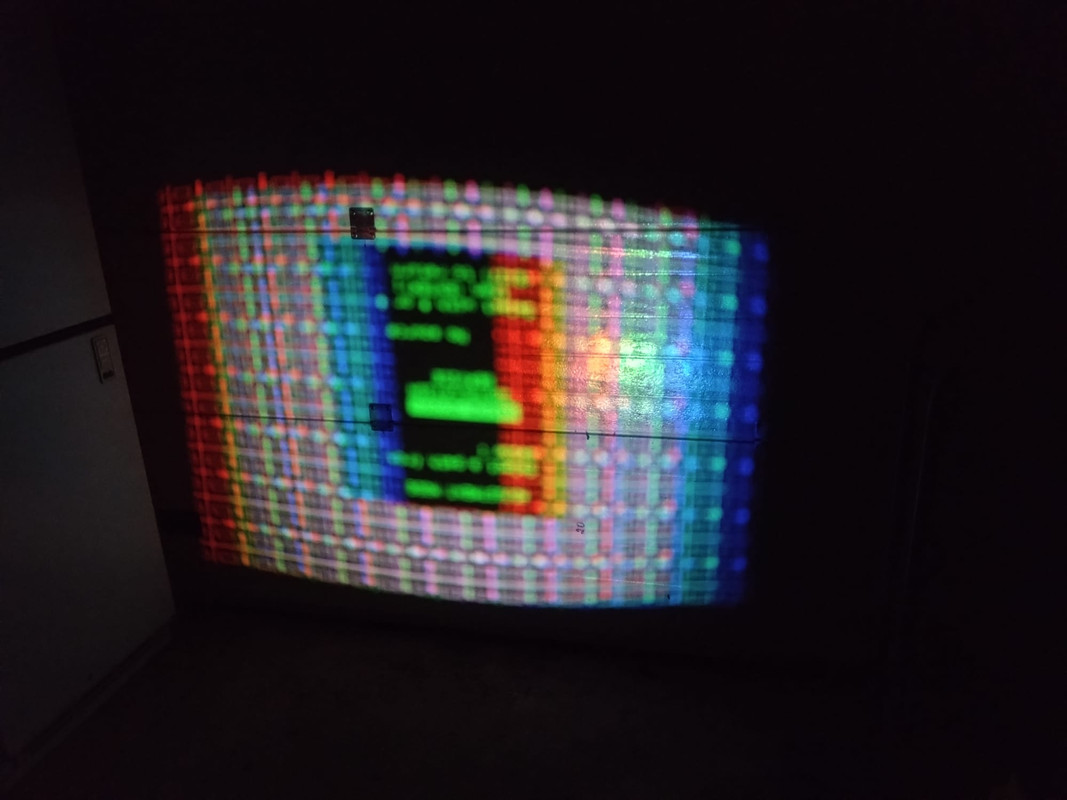
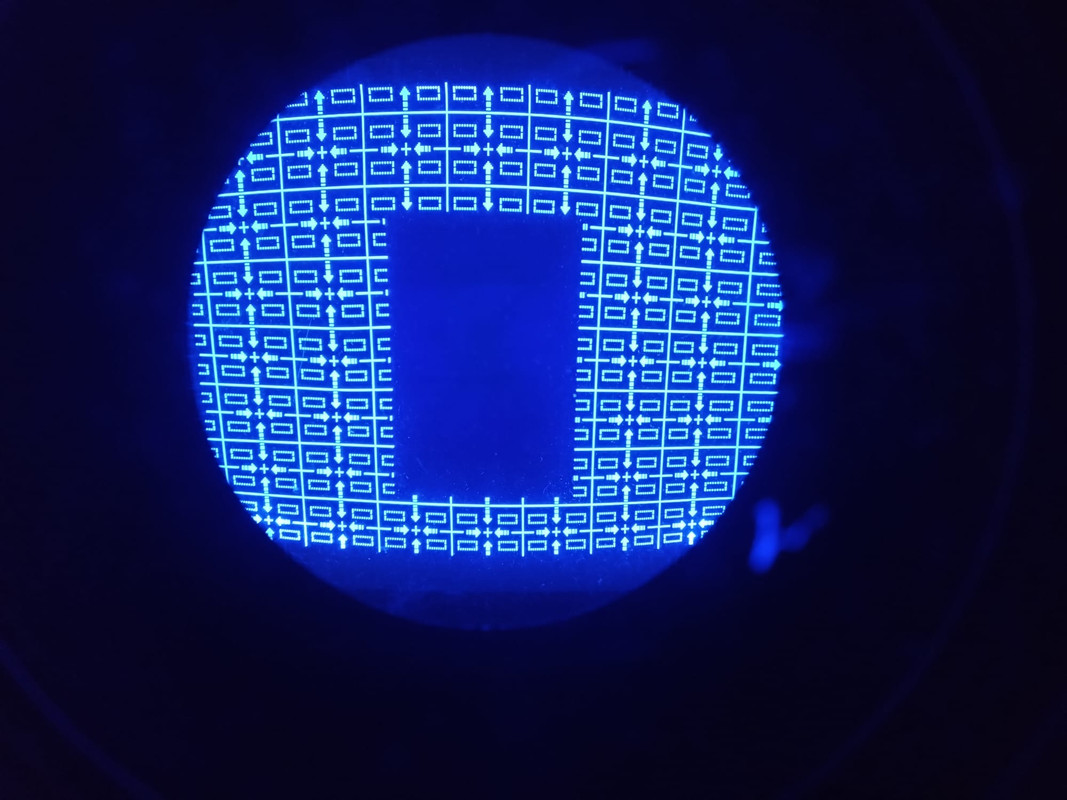
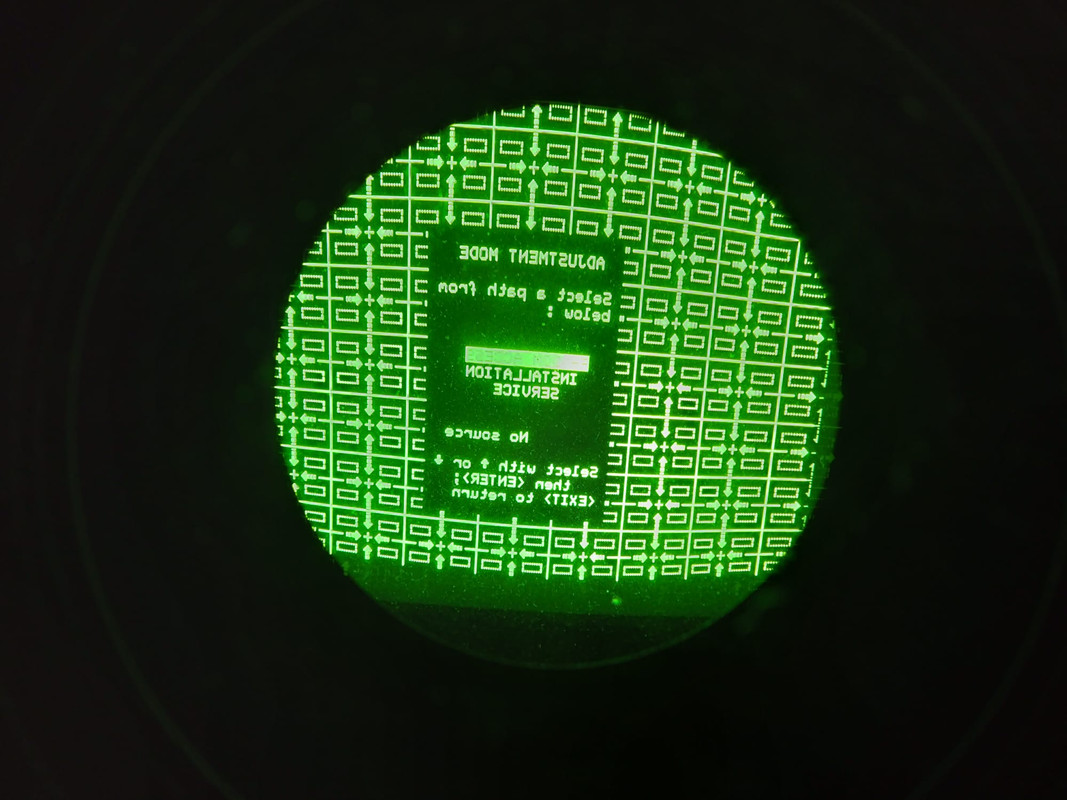
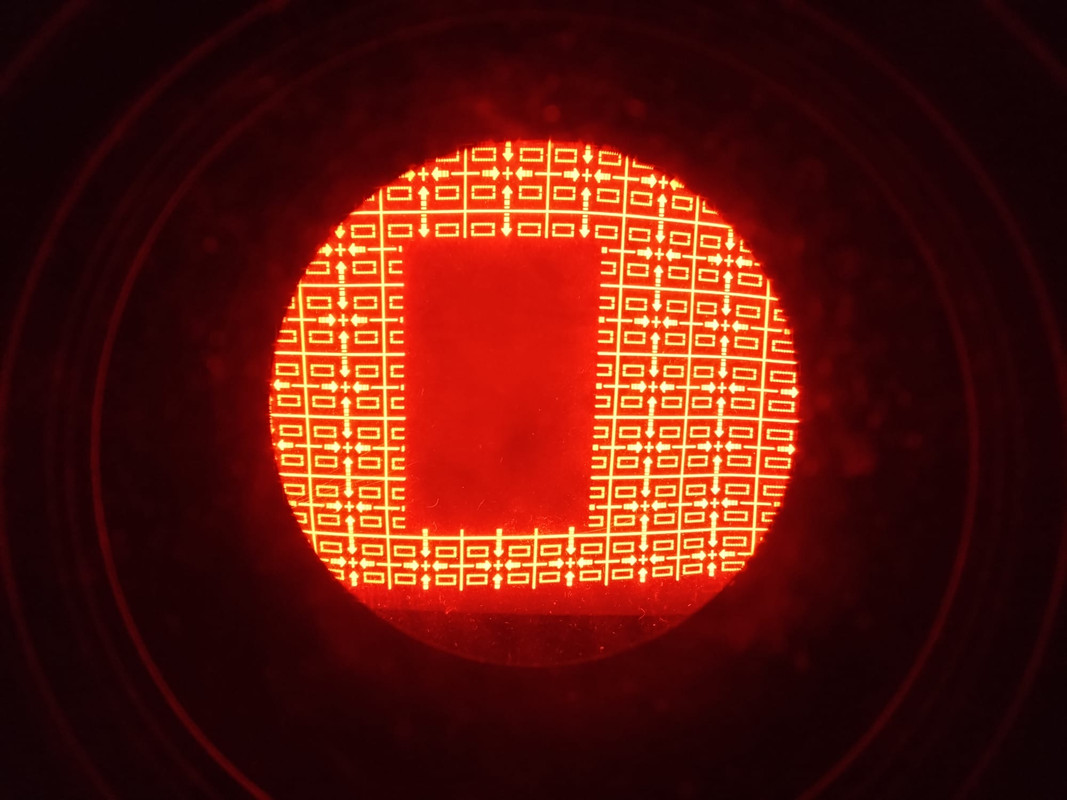
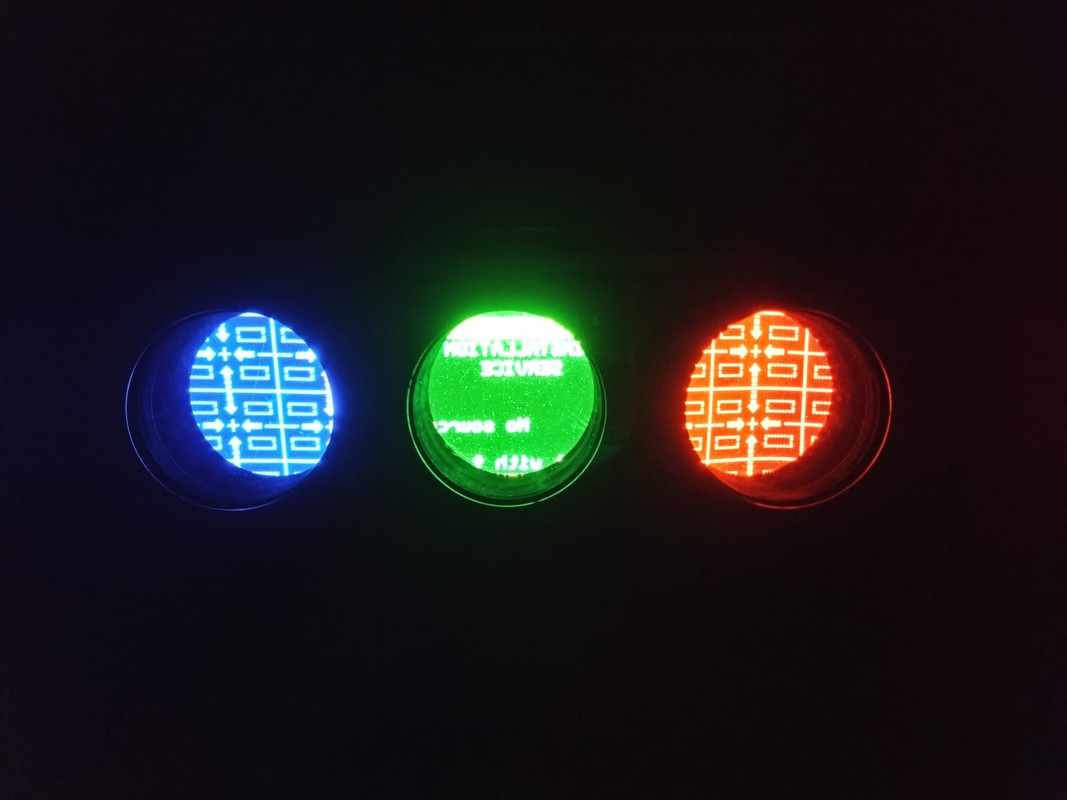
|
|
| Back to top |
|
|
Hulio
Joined: 15 Apr 2006
Posts: 494
Location: Belgium
|
| Posted: Mon Nov 13, 2023 10:18 pm Post subject: |
|
|
Looking good. Try to adjust the center focus knob on the lenses (the one closest to the tubes). If you are out of adjustment and the text is still not in focus, the projector is indeed to close.
Anyway, first thing you should do before installation, is to go in the service menu, delete all previous memory blocks and then put all setting in midposition.
|
|
| Back to top |
|
|
kal
Forum Administrator
Joined: 06 Mar 2006
Posts: 18114
Location: Ottawa, Canada
TV/Projector: JVC DLA-NZ7
|
|
| Back to top |
|
|
|
|
|
|
|
You cannot post new topics in this forum
You cannot reply to topics in this forum
You cannot edit your posts in this forum
You cannot delete your posts in this forum
You cannot vote in polls in this forum
You cannot attach files in this forum
You can download files in this forum
|
Forum powered by phpBB © phpBB Group
|
|




