| Author |
Message |
kal
Forum Administrator

Joined: 06 Mar 2006
Posts: 18114
Location: Ottawa, Canada
TV/Projector: JVC DLA-NZ7
|
|
| Back to top |
|
 |
Hulio
Joined: 15 Apr 2006
Posts: 494
Location: Belgium
|
| Posted: Sat May 28, 2022 6:02 pm Post subject: |
|
|
Hu, let's try to reanimate the C7 (it is a bit better then a Vision 708).
Firstly, what makes you think his deflection board was broken ? Does the projector came without deflection board, the previous owner told you so, or you suspect that ?
|
|
| Back to top |
|
|
bluemoonhu
Joined: 16 Feb 2021
Posts: 259
|
| Posted: Sun May 29, 2022 12:18 am Post subject: |
|
|
| Hulio wrote: | Hu, let's try to reanimate the C7 (it is a bit better then a Vision 708).
Firstly, what makes you think his deflection board was broken ? Does the projector came without deflection board, the previous owner told you so, or you suspect that ? |
Last week, I bought the C7, which is a faulty machine,I hope I can repair it。
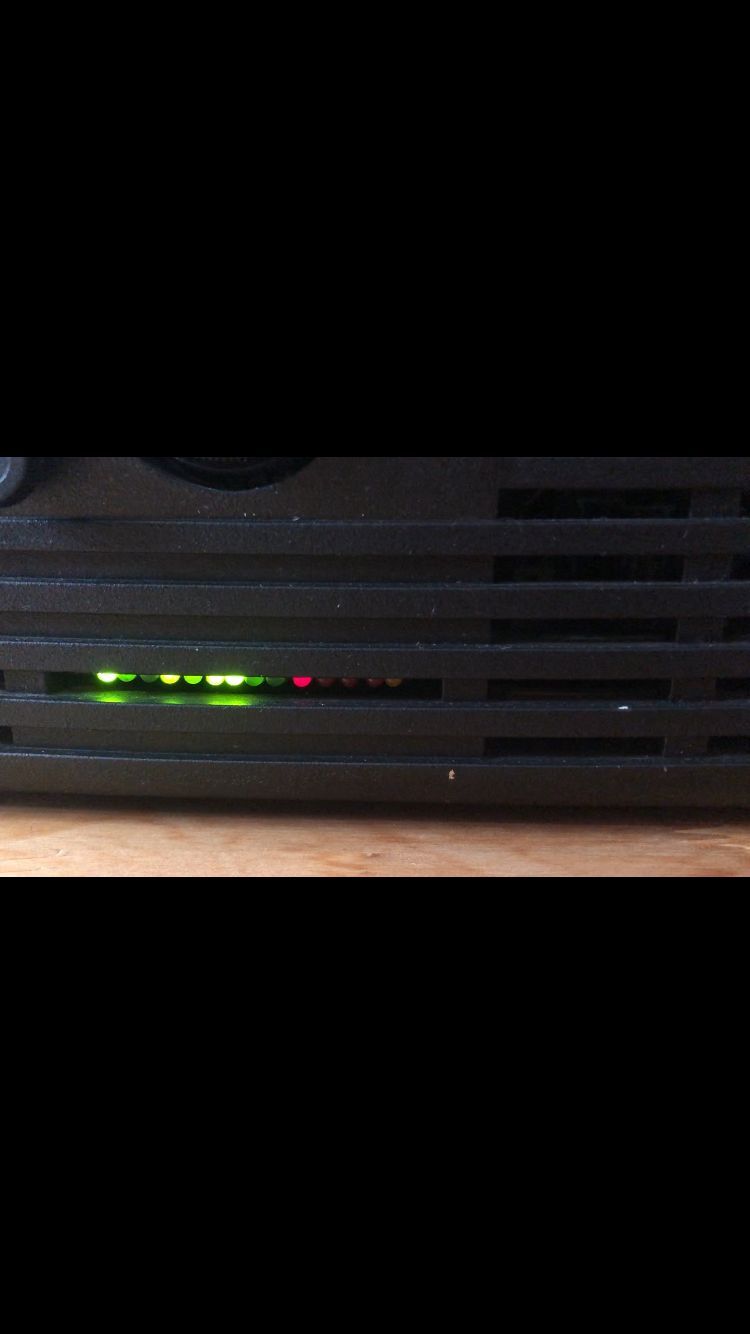
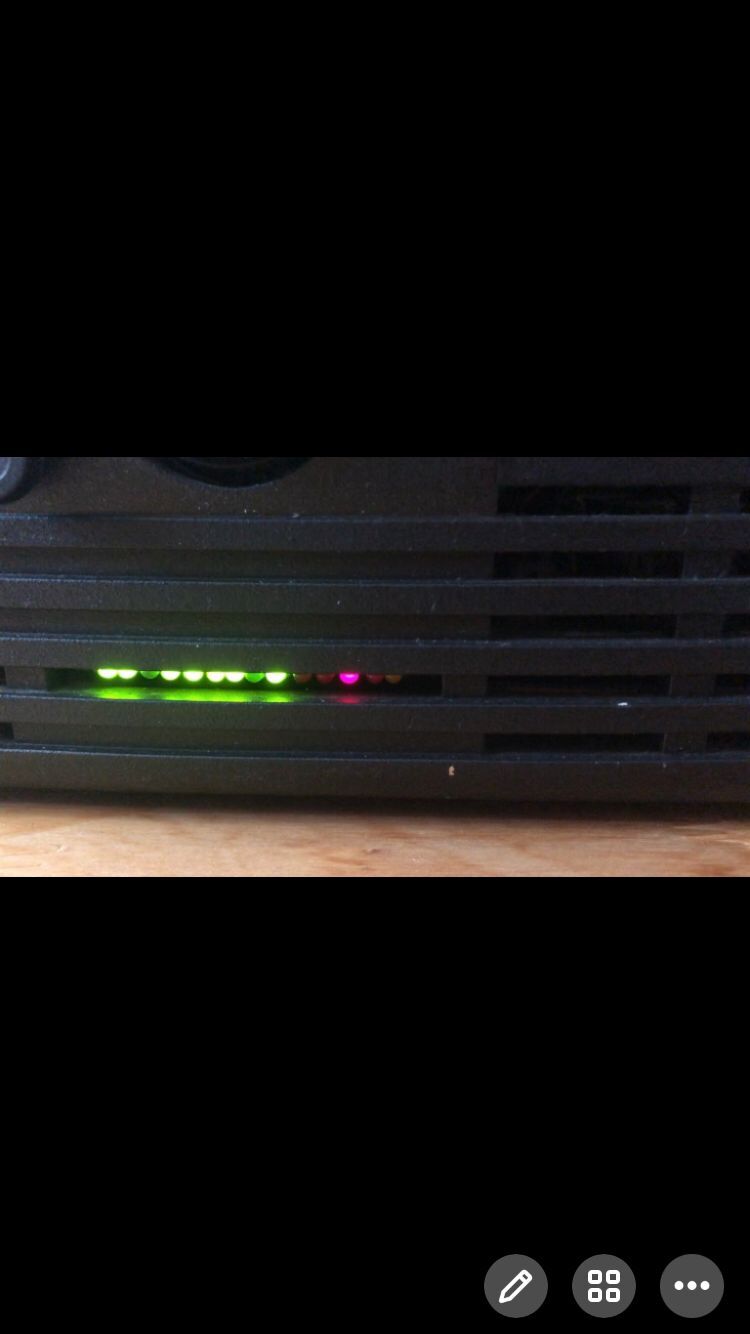
Next, I started C7. as a result, three tubes could not be light up ,and the LED fault light in front of the machine flashed repeatedly,after a few seconds, the machine automatically stopped.
The red fault LED points to SF, which means that the deflection board is faulty. in order to reanimate the C7,
I removed the deflection board from my 708 and installed it in the C7,previously, the 708 could run normally.。。。 Unfortunately, the fault remains the same。
When I removed the deflection board from the C7 and reinstalled it in the 708, the red fault LED points to SF too, so, I think the deflection board in 708 was broken .
Thanks!
|
|
| Back to top |
|
|
bluemoonhu
Joined: 16 Feb 2021
Posts: 259
|
| Posted: Sun May 29, 2022 12:24 am Post subject: Barco 708MM “HOLD DOWN EHT” fault |
|
|
after starting up C7,the red LED fault light flashes repeatedly
| Description: |
|
| Filesize: |
46.82 KB |
| Viewed: |
2712 Time(s) |
|
|
|
| Back to top |
|
|
bluemoonhu
Joined: 16 Feb 2021
Posts: 259
|
| Posted: Sun May 29, 2022 12:36 am Post subject: Barco 708MM “HOLD DOWN EHT” fault |
|
|
after starting up C7,the red LED fault light flashes repeatedly
| Description: |
|
| Filesize: |
46.16 KB |
| Viewed: |
2710 Time(s) |
|
|
|
| Back to top |
|
|
Hulio
Joined: 15 Apr 2006
Posts: 494
Location: Belgium
|
| Posted: Sun May 29, 2022 3:06 pm Post subject: |
|
|
Alright, it doesn't necessarily means that the deflection board is broken, I rather blame the power supply.
If we look at the diagnostics leds, they tell us that the 17V rail is too low (green led nr. 3). Because of that, to protect the tubes, the safety circuit is triggered. High tension hold down is activated (green led nr. 8) and projector goes in scan-fail modus (red led nr. 12).
So firstly, you have to check few things on the power supply (the tray that slides out right under the lenses). Shut the projector off and pull the power cord out of the mains.
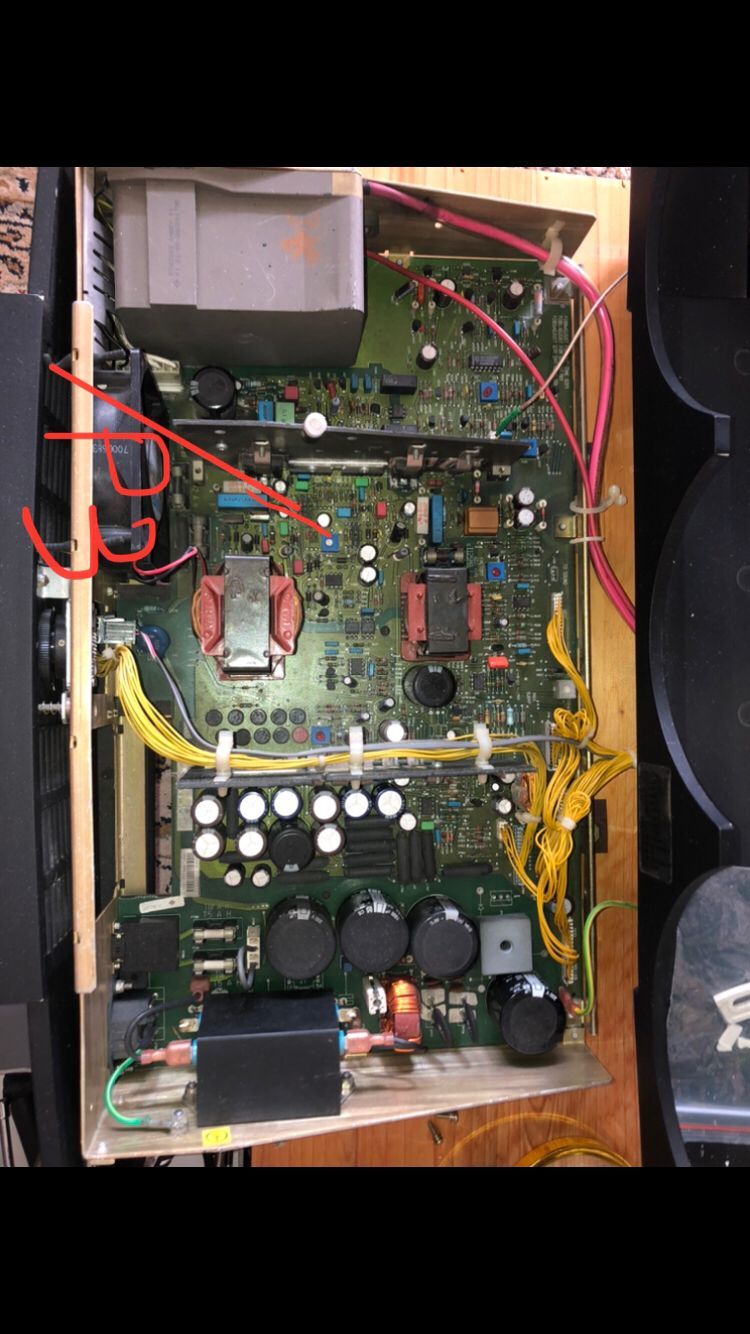
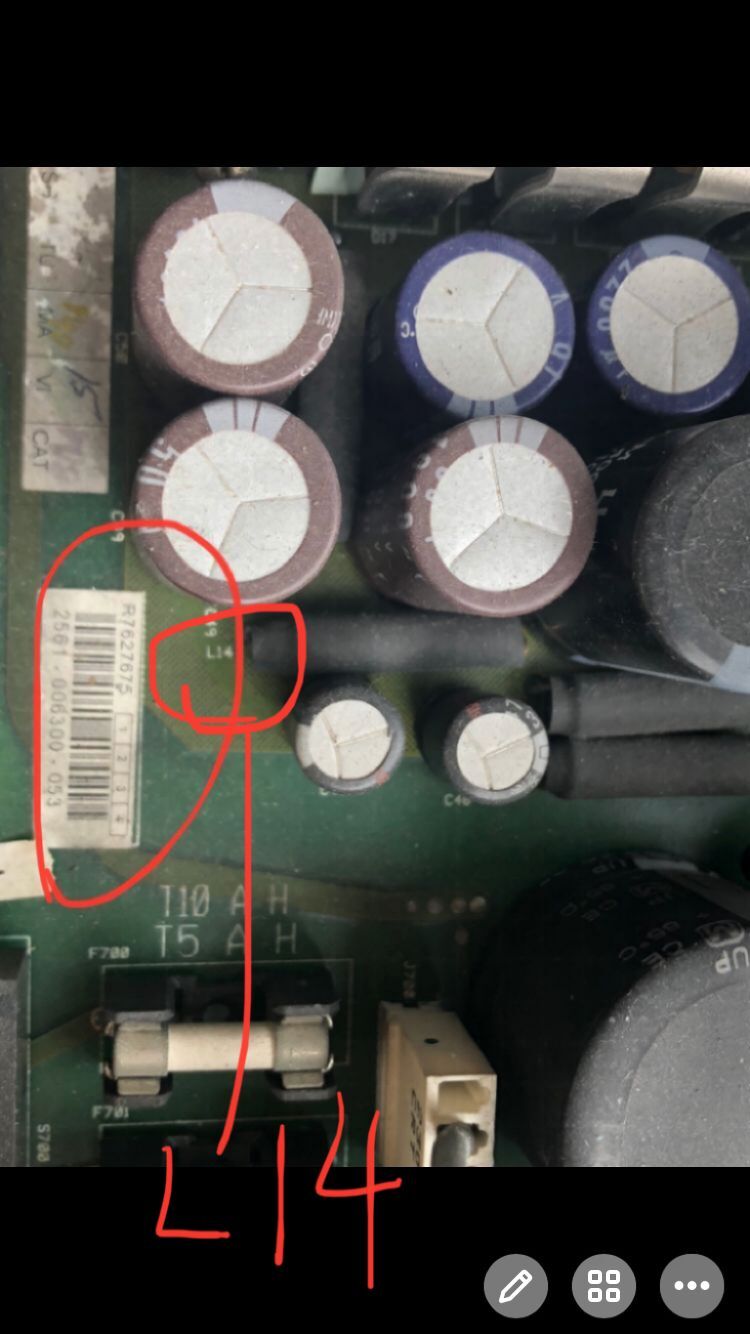
You won't be able to take it completely out, the cables connections don't allows that, but slide the tray towards you as much as possible. Take out the plastic cover so the components on the PCB are visible. Now solder a long wire to the top of the coil L14.
Take your digital multimeter, turn the dial to VDC, connect the positive probe (red) to that wire from coil L14 and the negative probe (black) to the metal chassis of the projector. Locate potentiometer P3 (blue square with white adjustable pot in the middle) and start the projector. Watch the reading on the multimeter and adjust P3 if needed for a reading of 17VDC.
If no improvement, you'll have to check some fuses and safety resistors on the same power supply. But first, make sure the 17V rail is ok. Than we look further.
|
|
| Back to top |
|
|
bluemoonhu
Joined: 16 Feb 2021
Posts: 259
|
| Posted: Mon May 30, 2022 2:40 am Post subject: Barco 708MM “HOLD DOWN EHT” fault |
|
|
Find P3. Where is L14?
| Description: |
|
| Filesize: |
141.84 KB |
| Viewed: |
2677 Time(s) |
|
|
|
| Back to top |
|
|
bluemoonhu
Joined: 16 Feb 2021
Posts: 259
|
| Posted: Mon May 30, 2022 4:20 am Post subject: |
|
|
| Hulio wrote: | Alright, it doesn't necessarily means that the deflection board is broken, I rather blame the power supply.
If we look at the diagnostics leds, they tell us that the 17V rail is too low (green led nr. 3). Because of that, to protect the tubes, the safety circuit is triggered. High tension hold down is activated (green led nr. 8) and projector goes in scan-fail modus (red led nr. 12).
So firstly, you have to check few things on the power supply (the tray that slides out right under the lenses). Shut the projector off and pull the power cord out of the mains.
You won't be able to take it completely out, the cables connections don't allows that, but slide the tray towards you as much as possible. Take out the plastic cover so the components on the PCB are visible. Now solder a long wire to the top of the coil L14.
Take your digital multimeter, turn the dial to VDC, connect the positive probe (red) to that wire from coil L14 and the negative probe (black) to the metal chassis of the projector. Locate potentiometer P3 (blue square with white adjustable pot in the middle) and start the projector. Watch the reading on the multimeter and adjust P3 if needed for a reading of 17VDC.
If no improvement, you'll have to check some fuses and safety resistors on the same power supply. But first, make sure the 17V rail is ok. Than we look further. |
I only found P3 but not L14. Where is L14?
Thanks!
|
|
| Back to top |
|
|
Hulio
Joined: 15 Apr 2006
Posts: 494
Location: Belgium
|
| Posted: Mon May 30, 2022 4:50 am Post subject: |
|
|
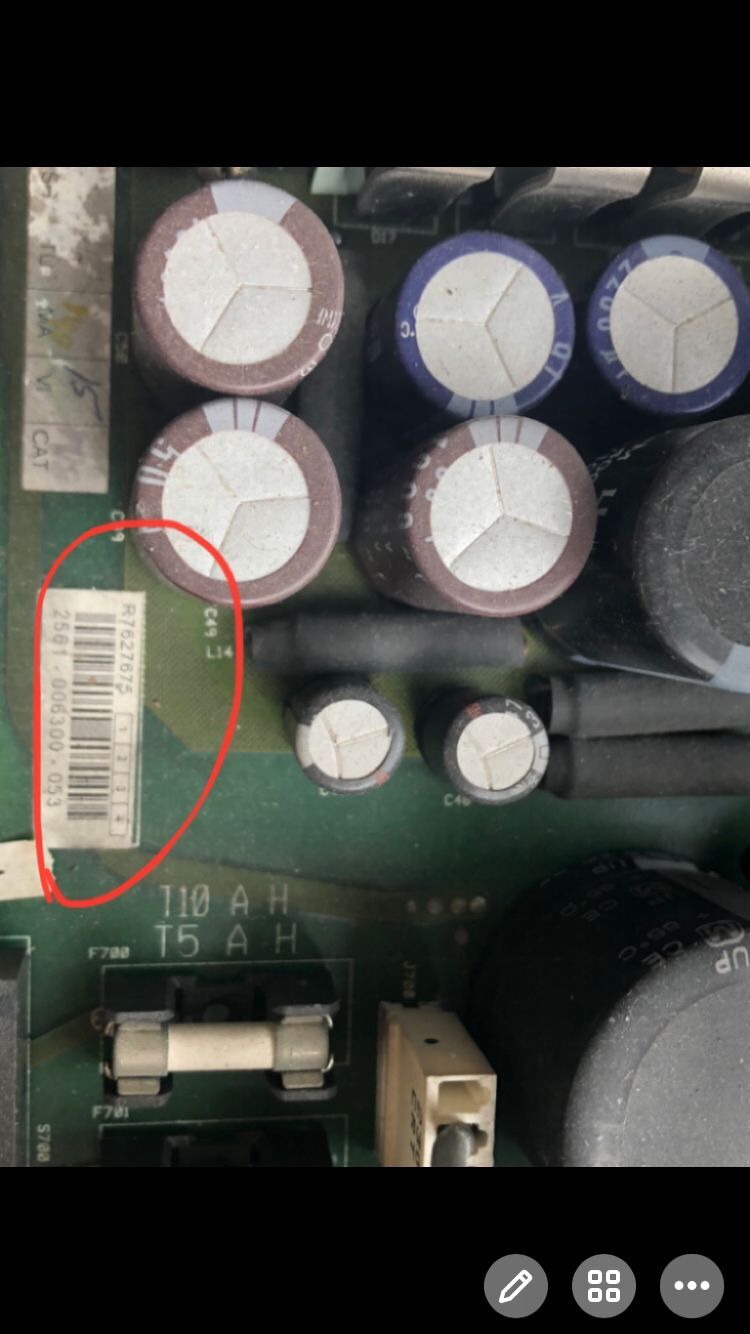
Tell me first which power supply you have.
R7627675, R7627676 or 764202
|
|
| Back to top |
|
|
bluemoonhu
Joined: 16 Feb 2021
Posts: 259
|
| Posted: Mon May 30, 2022 5:30 am Post subject: Barco 708MM “HOLD DOWN EHT” fault |
|
|
| Hulio wrote: | Tell me first which power supply you have.
R7627675, R7627676 or 764202 |
R7627675
|
|
| Back to top |
|
|
bluemoonhu
Joined: 16 Feb 2021
Posts: 259
|
| Posted: Mon May 30, 2022 5:34 am Post subject: Barco 708MM “HOLD DOWN EHT” fault |
|
|
R7627675
| Description: |
|
| Filesize: |
87.88 KB |
| Viewed: |
2659 Time(s) |
|
|
|
| Back to top |
|
|
bluemoonhu
Joined: 16 Feb 2021
Posts: 259
|
| Posted: Mon May 30, 2022 5:38 am Post subject: |
|
|
|
I seem to have found L14。sorry!
|
|
| Back to top |
|
|
bluemoonhu
Joined: 16 Feb 2021
Posts: 259
|
| Posted: Mon May 30, 2022 5:42 am Post subject: Barco 708MM “HOLD DOWN EHT” fault |
|
|
L14?
| Description: |
|
| Filesize: |
91.71 KB |
| Viewed: |
2655 Time(s) |
|
|
|
| Back to top |
|
|
Hulio
Joined: 15 Apr 2006
Posts: 494
Location: Belgium
|
| Posted: Mon May 30, 2022 5:44 am Post subject: |
|
|
|
Alright, you have it. If you have a steady hand, you don't have to solder a wire. Just don't touch something else.
|
|
| Back to top |
|
|
Hulio
Joined: 15 Apr 2006
Posts: 494
Location: Belgium
|
| Posted: Mon May 30, 2022 5:45 am Post subject: |
|
|
|
Keep in mind that the test poin is on the upper side of L14, not the one in your marking.
|
|
| Back to top |
|
|
bluemoonhu
Joined: 16 Feb 2021
Posts: 259
|
| Posted: Mon May 30, 2022 5:51 am Post subject: Barco 708MM “HOLD DOWN EHT” fault |
|
|
| Hulio wrote: | | Keep in mind that the test poin is on the upper side of L14, not the one in your marking. |
OK!
|
|
| Back to top |
|
|
bluemoonhu
Joined: 16 Feb 2021
Posts: 259
|
| Posted: Mon May 30, 2022 7:42 am Post subject: Barco 708MM “HOLD DOWN EHT” fault |
|
|
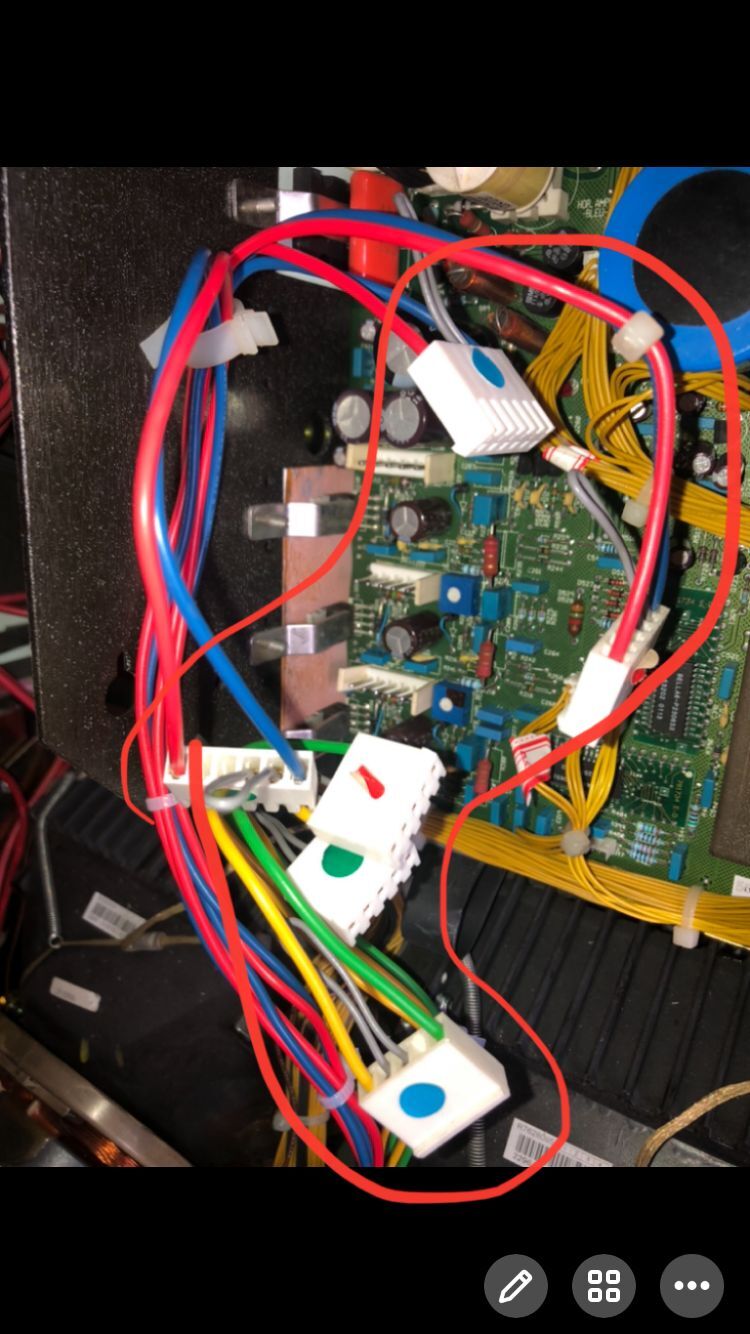
I forgot the connection of these six lines. Are the colored circles on the white square of these lines facing up or down?
| Description: |
|
| Filesize: |
141.19 KB |
| Viewed: |
2636 Time(s) |
|
|
|
| Back to top |
|
|
bluemoonhu
Joined: 16 Feb 2021
Posts: 259
|
| Posted: Mon May 30, 2022 7:47 am Post subject: |
|
|
|
I forgot the connection of these six lines. Are the colored circles on the white square of these lines facing up or down?
|
|
| Back to top |
|
|
bluemoonhu
Joined: 16 Feb 2021
Posts: 259
|
| Posted: Mon May 30, 2022 8:09 am Post subject: Barco 708MM “HOLD DOWN EHT” fault |
|
|
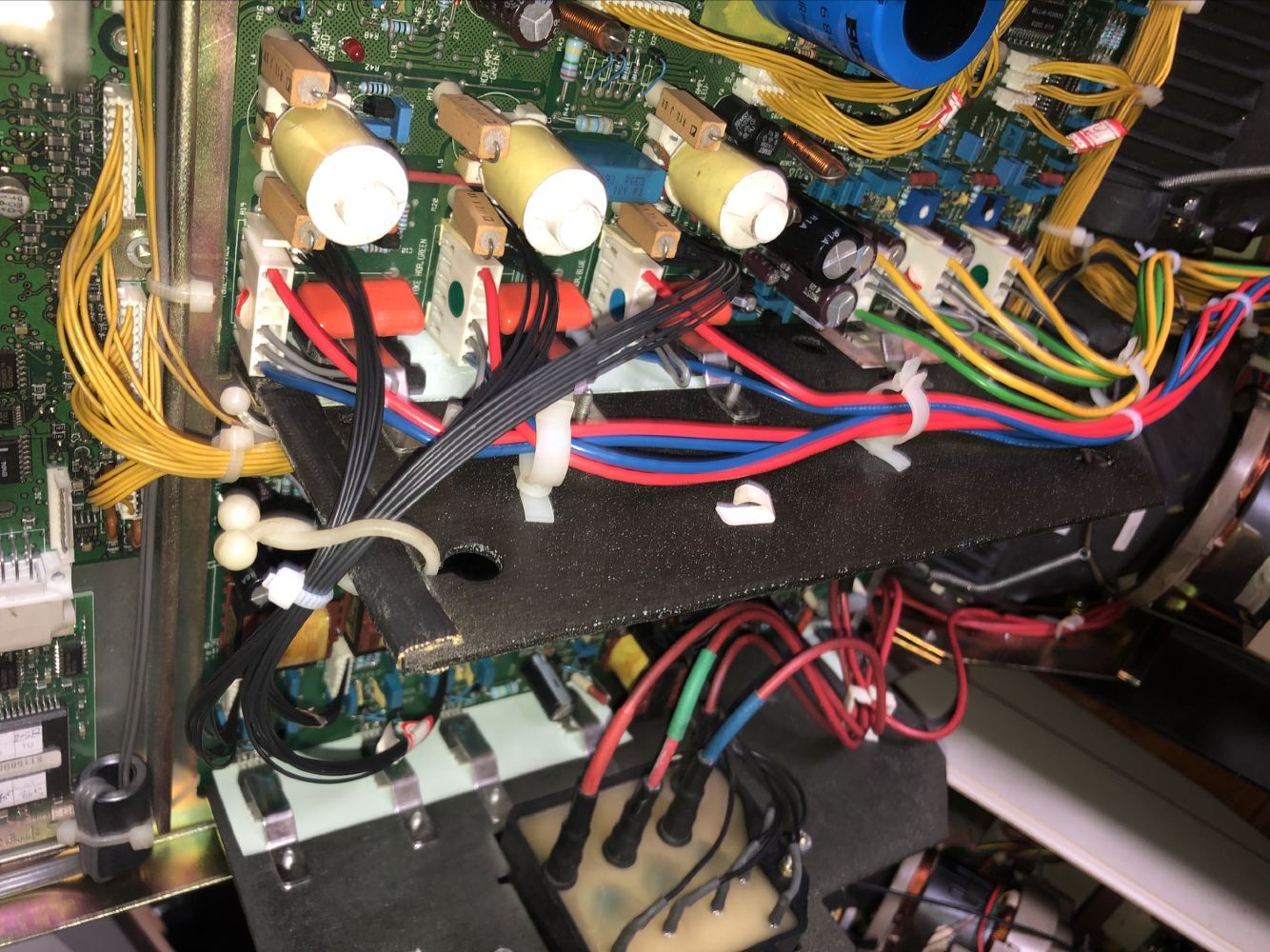
Is this connection correct?
| Description: |
|
| Filesize: |
256.52 KB |
| Viewed: |
2628 Time(s) |
|
|
|
| Back to top |
|
|
Hulio
Joined: 15 Apr 2006
Posts: 494
Location: Belgium
|
| Posted: Mon May 30, 2022 8:12 am Post subject: |
|
|
Look at the jumpers of those connectors (grey small wire). For front-table configuration:
-Horizontal scan (upper 3 connectors) = jumper on the right side
-Vertical scan (lower 3 connectors) = jumper on the left side
Don't do that while projector is on !
|
|
| Back to top |
|
|
|
|




