| Author |
Message |
SPL800
Joined: 10 Nov 2009
Posts: 164
Location: Israel
|
| Posted: Thu Jul 21, 2016 5:43 am Post subject: problem solved - many thanks to curt and KM987654 |
|
|
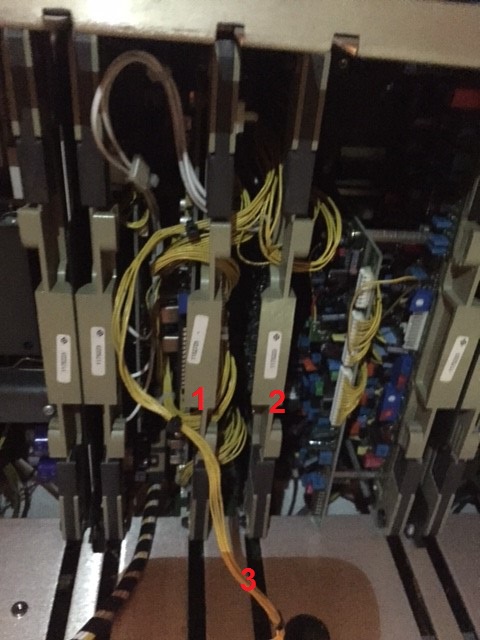
I need to replace the RGB switcher + quad decoder.
I have attached below a picture.
my question are 1 and 2 in the picture are the RGB switcher + quad decoder if not which of them are?
marked as 3 in the picture is a yellow cable that goes to the RGB switcher or quad decoder so before taking them out do i need how do i disconnect the yellow cable?
before pulling them out do i need to disconnect other things that run to this board?
Thanks
shay
| Description: |
|
| Filesize: |
90.98 KB |
| Viewed: |
6646 Time(s) |
|
Last edited by SPL800 on Wed Jul 27, 2016 6:24 am; edited 1 time in total
|
|
| Back to top |
|
 |
Curt Palme
CRT Tech
Joined: 08 Mar 2006
Posts: 24396
Location: Langley, BC
TV/Projector: All of them!
|
| Posted: Thu Jul 21, 2016 1:26 pm Post subject: |
|
|
|
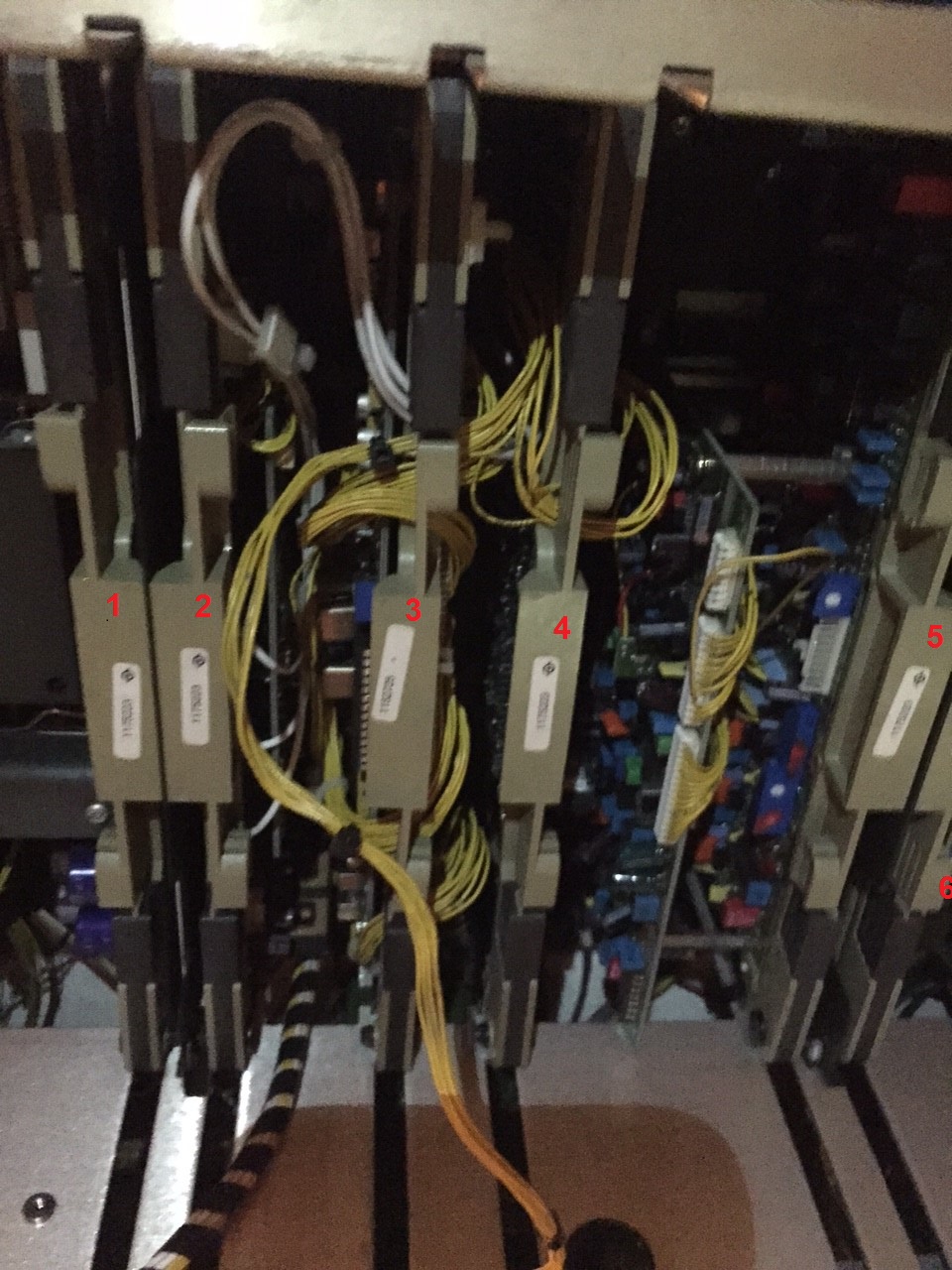
No, you need to replace the two boards tied together with the 3 white wires. Board 2 is the Port 3 board which you can remove, as you don't use it, unless you're running into the 9 pin connector on the back.
|
|
| Back to top |
|
|
SPL800
Joined: 10 Nov 2009
Posts: 164
Location: Israel
|
| Posted: Thu Jul 21, 2016 2:33 pm Post subject: . |
|
|
Curt Thanks
so i don't make mistake i have put numbers on the boards
can you please tell me which one should i pull out?
Thanks
shay
| Description: |
|
| Filesize: |
352.18 KB |
| Viewed: |
6605 Time(s) |
|
|
|
| Back to top |
|
|
Curt Palme
CRT Tech
Joined: 08 Mar 2006
Posts: 24396
Location: Langley, BC
TV/Projector: All of them!
|
| Posted: Thu Jul 21, 2016 3:04 pm Post subject: |
|
|
|
2, 3 and 4. You can disconnect and leave 4 out completely. 2 and 3 are connected together, I'd change them as a pair.
|
|
| Back to top |
|
|
SPL800
Joined: 10 Nov 2009
Posts: 164
Location: Israel
|
| Posted: Thu Jul 21, 2016 6:12 pm Post subject: |
|
|
curt
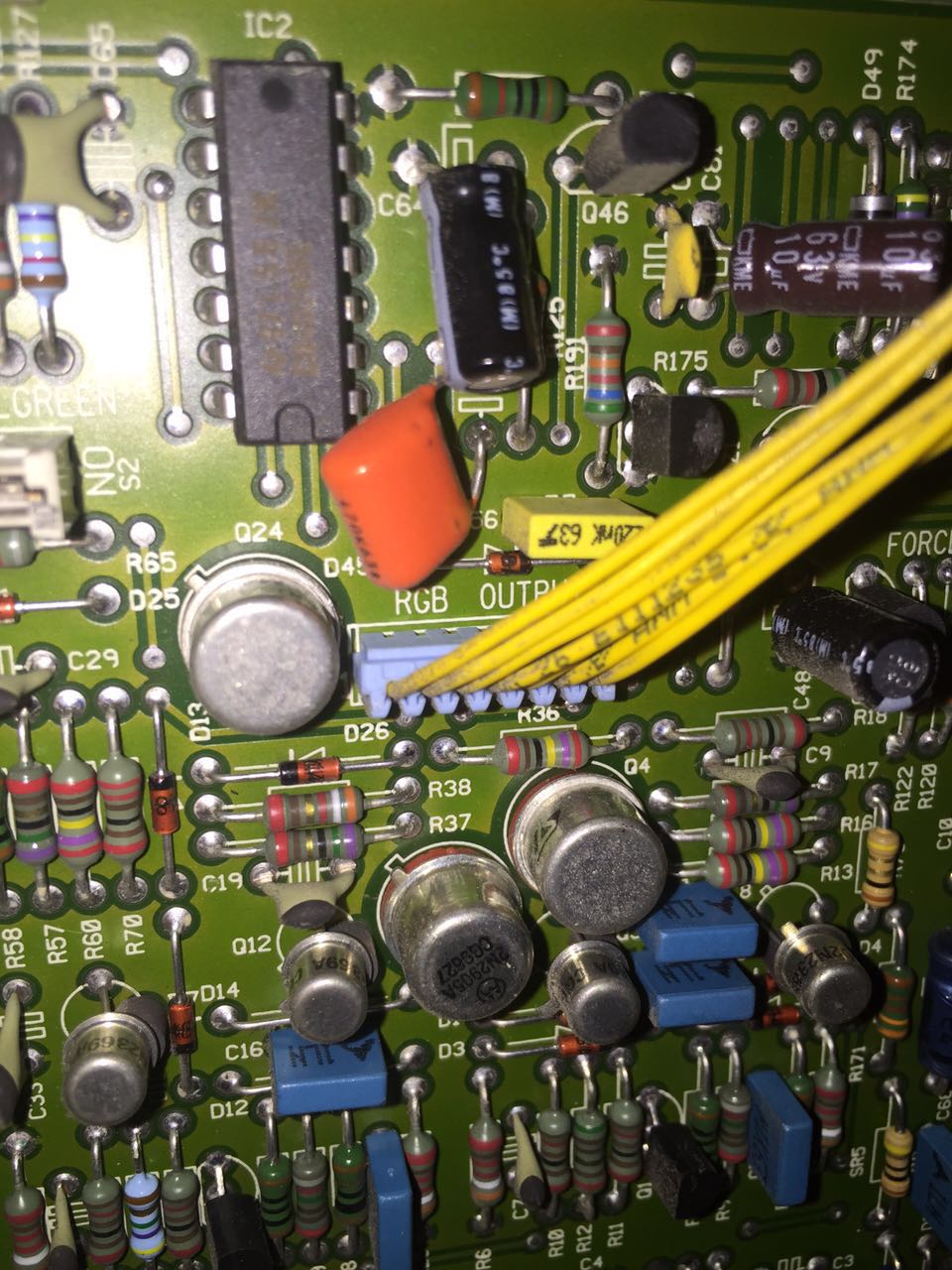
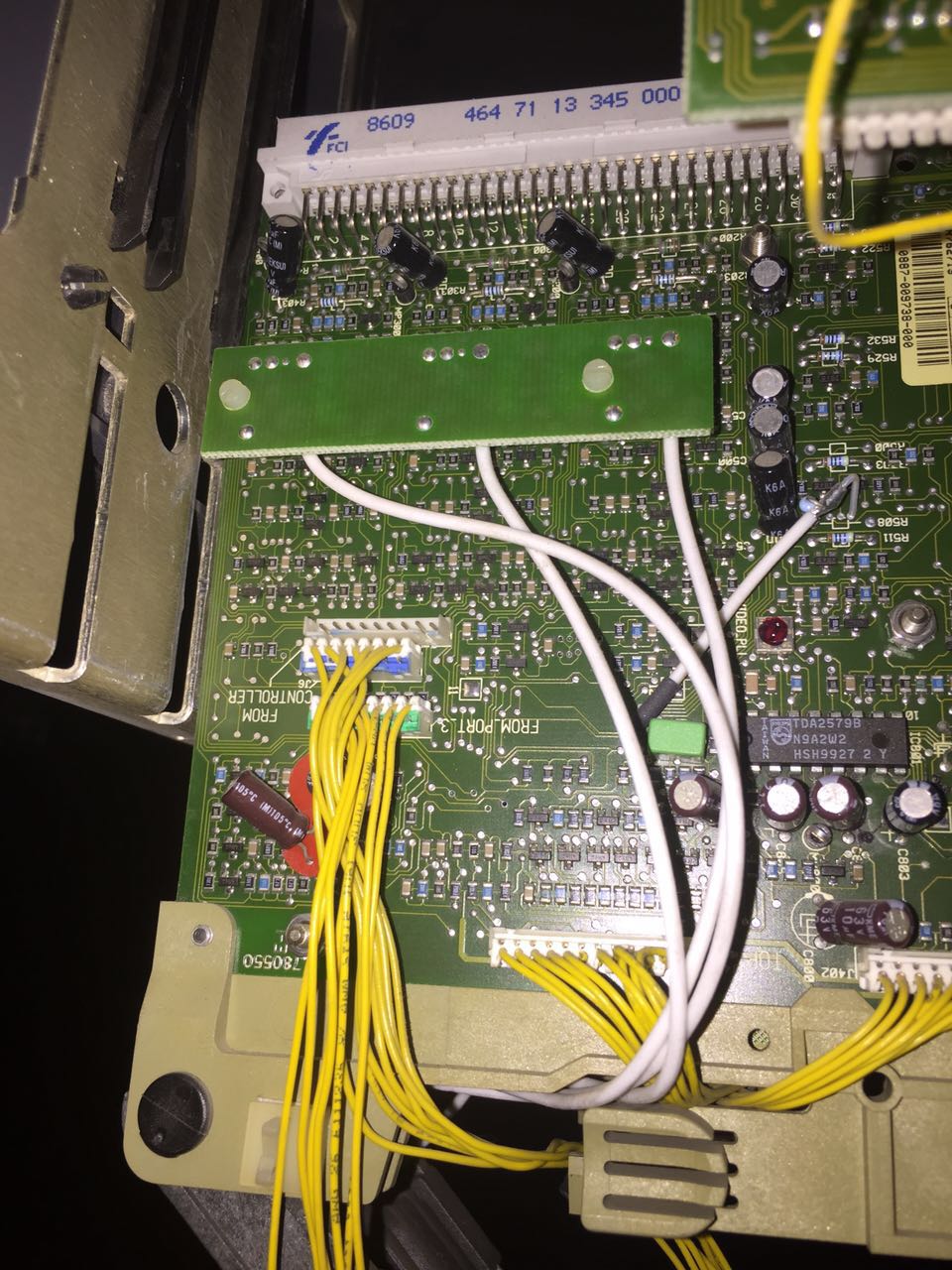
i have attached a 2 pictures
1. rgb switcher
2. com 3 port
i need to disconnect from the rgb switcher 2 connections
1.from port3
2.from controller
how do i pull them out?
Thanks
Shay
| Description: |
|
| Filesize: |
212.33 KB |
| Viewed: |
6577 Time(s) |
|
| Description: |
|
| Filesize: |
236.83 KB |
| Viewed: |
6577 Time(s) |
|
|
|
| Back to top |
|
|
SPL800
Joined: 10 Nov 2009
Posts: 164
Location: Israel
|
| Posted: Sat Jul 23, 2016 9:34 am Post subject: . |
|
|
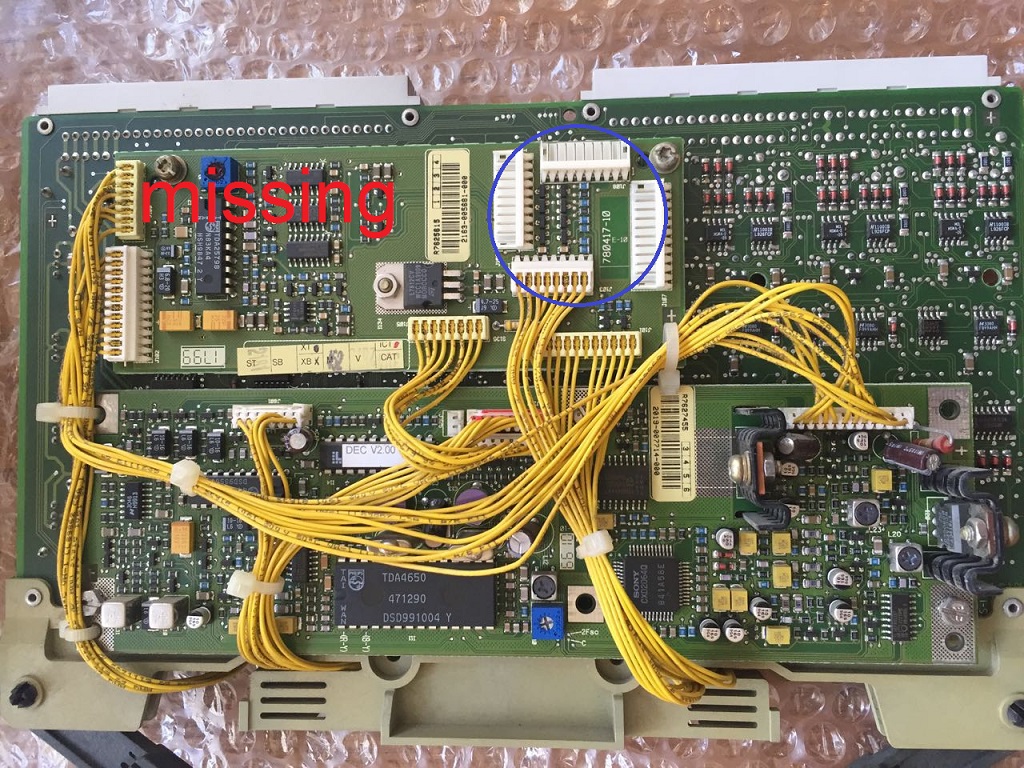
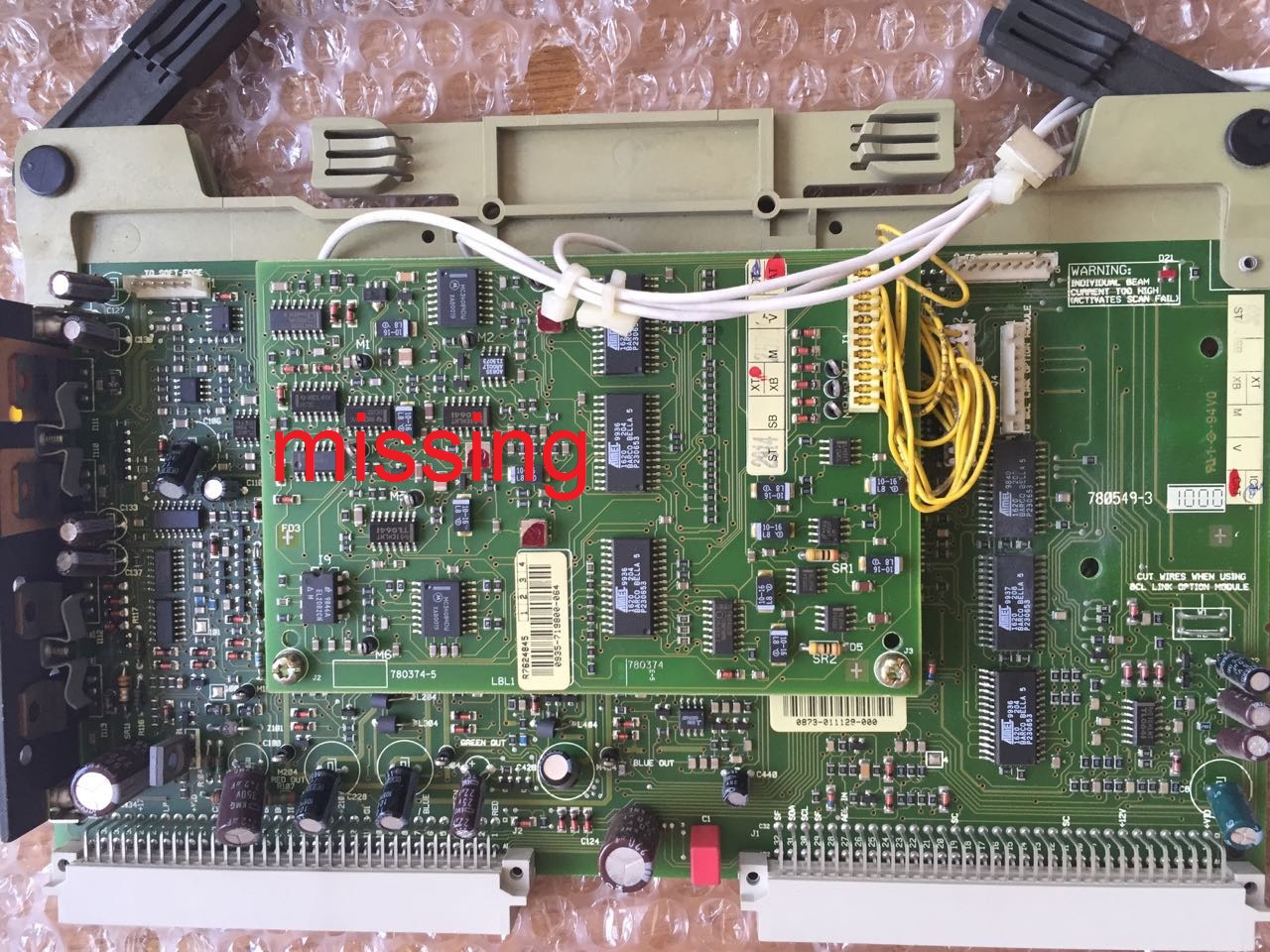
i found from friend of main the 2 cards RGB switcher+quad decoder
they are not exactly the same
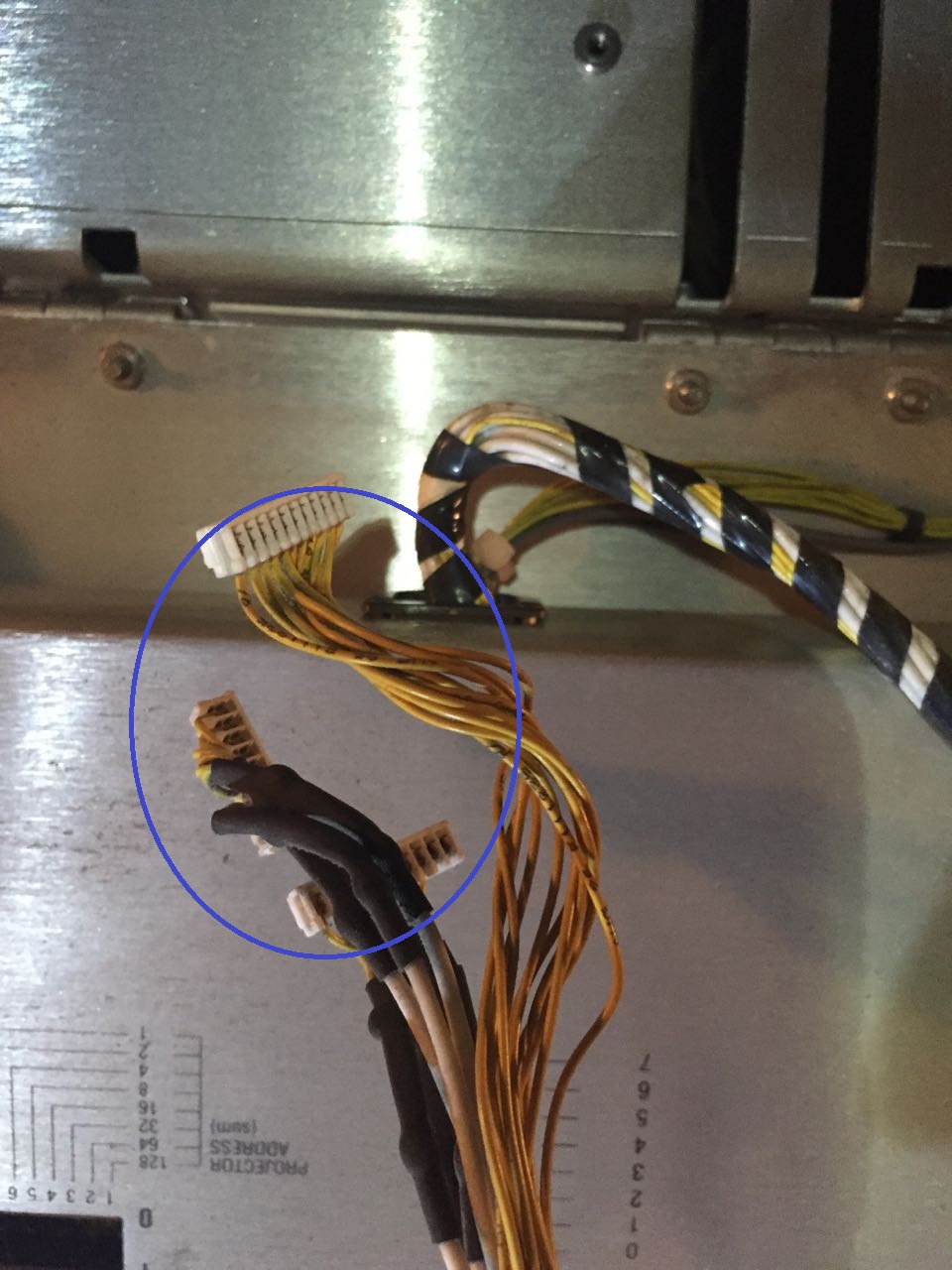
i have attached the old cards with the missing parts
new cards ar in place but as can see in the second picture i have no place to connect this wires
is it ok?
| Description: |
|
| Filesize: |
416.18 KB |
| Viewed: |
6529 Time(s) |
|
| Description: |
|
| Filesize: |
212.55 KB |
| Viewed: |
6529 Time(s) |
|
| Description: |
|
| Filesize: |
461.83 KB |
| Viewed: |
6529 Time(s) |
|
|
|
| Back to top |
|
|
km987654

Joined: 25 Jul 2007
Posts: 2874
Location: Australia
TV/Projector: Barco BG809s
|
| Posted: Tue Jul 26, 2016 2:27 am Post subject: |
|
|
You don't need either of those boards for the projector to operate.
In your first image you have empty connections and they are for internal scaler either a LIMO or LIMO PRO. The cables in your second image are for the same device.
The lower image is a Contrast Modulation Board.
As mentioned you don't need either board for the projector to operate and you can remove those boards if you wish. If you do remove the LIMO interface from the back of the switcher you will need to reconnect some of the cables on the switcher board so just get a switcher that doesn't have the LIMO interface and connect the cables accordingly. 
|
|
| Back to top |
|
|
SPL800
Joined: 10 Nov 2009
Posts: 164
Location: Israel
|
| Posted: Tue Jul 26, 2016 9:05 am Post subject: |
|
|
So if I understand right. The 2 replaced cards came without the limo card and the image contrast modulation.
And now I have the cable (on picture 2) with the three connection.
Where is it going to? I have no place for them on the new cards.
Thanks
|
|
| Back to top |
|
|
km987654
Joined: 25 Jul 2007
Posts: 2874
Location: Australia
TV/Projector: Barco BG809s
|
| Posted: Tue Jul 26, 2016 12:47 pm Post subject: |
|
|
| SPL800 wrote: | So if I understand right. The 2 replaced cards came without the limo card and the image contrast modulation.
And now I have the cable (on picture 2) with the three connection.
Where is it going to? I have no place for them on the new cards.
Thanks |
Those cables go to the LIMO. You don't need LIMO for the projector to work. You can remove the LIMO its under the top cover.
|
|
| Back to top |
|
|
SPL800
Joined: 10 Nov 2009
Posts: 164
Location: Israel
|
| Posted: Wed Jul 27, 2016 6:27 am Post subject: . |
|
|
Well how good it is to fix a problem on our beast!
thanks for the help from curt and KM987654.
i'm happy and kicking again.
long live CRT!
|
|
| Back to top |
|
|
|
|




