| Author |
Message |
Luuk neele
Joined: 04 Mar 2015
Posts: 186
Location: Wijk bij duurstede, the Netherlands.
|
| Posted: Tue Mar 24, 2015 10:42 pm Post subject: |
|
|
|
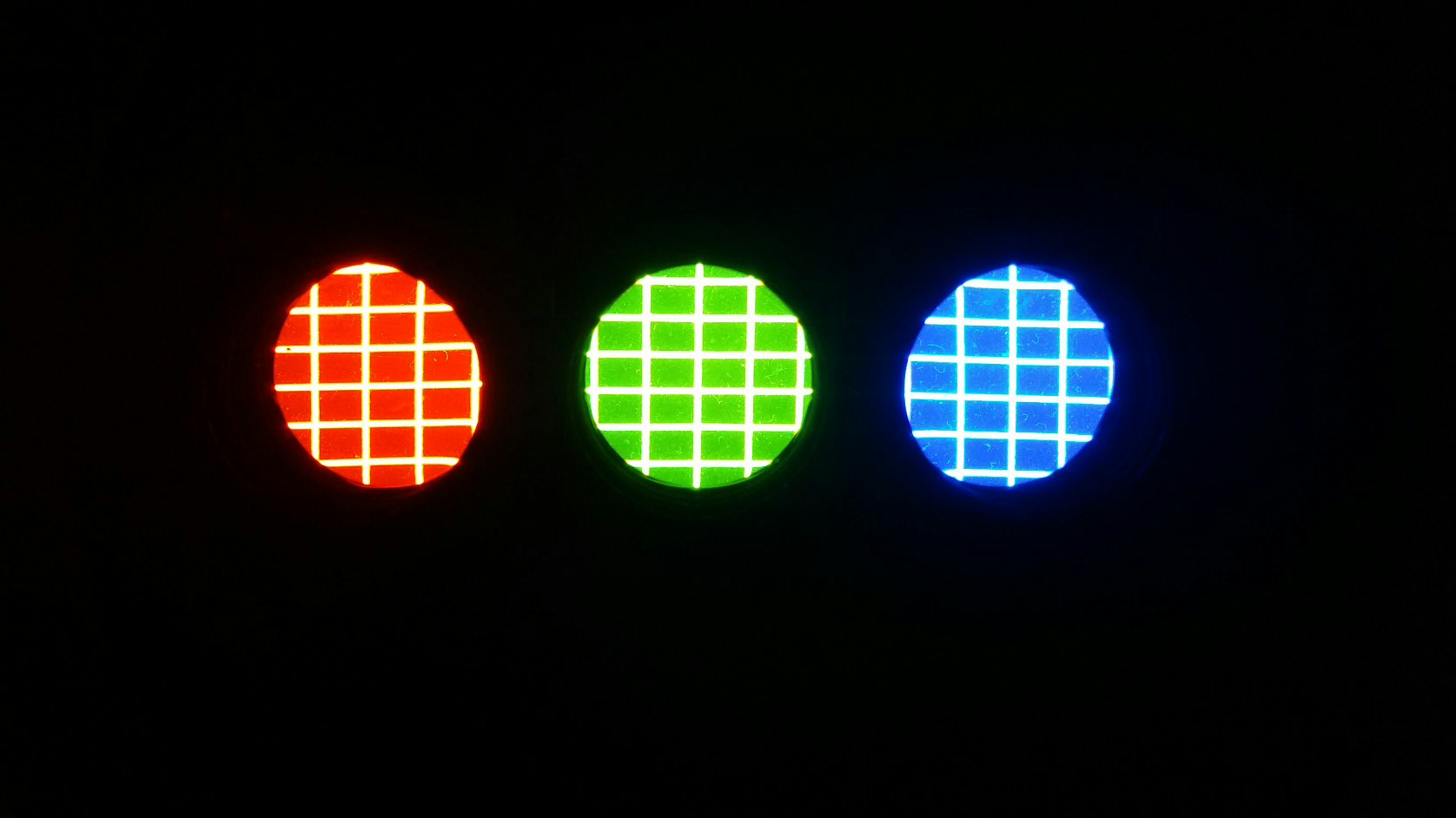
got it, i adjusted the g2s, if i look into the tubes, the blue tube seems out of focus. regardless how much i turn the lens.
|
|
| Back to top |
|
 |
Nashou66

Joined: 12 Jan 2007
Posts: 16171
Location: West Seneca NY
|
| Posted: Tue Mar 24, 2015 11:09 pm Post subject: |
|
|
| Luuk neele wrote: | | got it, i adjusted the g2s, if i look into the tubes, the blue tube seems out of focus. regardless how much i turn the lens. |
One of the things with CRT is many purposefully defocus blue to get a better white balance and greyscale.
It might be like that from the previous setup.
Not sure if the ampro has a de focus blue switch like some other PJ's do.
nashou
_________________
Don't blame your underwear for your crooked ass~ unknown Greek philosopher
"Republicans believe every day is the Fourth of July, but the Democrats believe every day is April 15." --- President Reagan
One Smart Dog!!!
Marquee High Performance Bellows now shipping!!
Marquee Modifications and Performance Enhancement
Marquee C-element and Bellow removal
|
|
| Back to top |
|
|
Luuk neele
Joined: 04 Mar 2015
Posts: 186
Location: Wijk bij duurstede, the Netherlands.
|
| Posted: Tue Mar 24, 2015 11:16 pm Post subject: |
|
|
That could be it.
So far it's good.
| Description: |
|
| Filesize: |
99.63 KB |
| Viewed: |
4891 Time(s) |
|
| Description: |
|

Download |
| Filename: |
2015-03-25 00.15.15.png |
| Filesize: |
186.18 KB |
| Downloaded: |
337 Time(s) |
|
|
| Back to top |
|
|
mac
Joined: 07 Nov 2012
Posts: 143
|
| Posted: Wed Mar 25, 2015 1:02 am Post subject: |
|
|
Don't worry about the blue focus. That is electronic focus.
So you did the G2's with the tubes turned off, right? Then you turned them back on and this is where you are now, right?
|
|
| Back to top |
|
|
Luuk neele
Joined: 04 Mar 2015
Posts: 186
Location: Wijk bij duurstede, the Netherlands.
|
| Posted: Wed Mar 25, 2015 1:05 am Post subject: |
|
|
|
sh*t, tubes needed to be off? I tried that and turned the knob and not much happened. Did I do something wrong? I can try again tomorrow?
|
|
| Back to top |
|
|
mac
Joined: 07 Nov 2012
Posts: 143
|
| Posted: Wed Mar 25, 2015 1:11 am Post subject: |
|
|
|
Yes, the first try is with the tubes turned off. Now this also depends on how good emission the tubes are. Turn the G2 up until you see the raster. If you turn up the G2 and you do not get a raster then leave it up full for now but let me know.
|
|
| Back to top |
|
|
Luuk neele
Joined: 04 Mar 2015
Posts: 186
Location: Wijk bij duurstede, the Netherlands.
|
| Posted: Wed Mar 25, 2015 1:26 am Post subject: |
|
|
Must be my scaredy cat behavior, because I tried it now and it worked. G2 values are set. I had to turn the knob only a little to show a raster. Actually it shows a scanline raster.
I backed it down to where it's barely visible.
|
|
| Back to top |
|
|
mac
Joined: 07 Nov 2012
Posts: 143
|
| Posted: Wed Mar 25, 2015 1:48 am Post subject: |
|
|
Ok, now turn all tubes back on, no input and no test grid, just blank. Master brightness still at 50.
Press "95" "code" and remote should read sub bright.
Press "RED" button for red tube adjustment.
Look into red lens and with the up and down arrows, adjust up until you see raster then down until it just disappears.
Then press "GREEN" button and look into tube and adjust green raster.
The blue to set blue raster.
When done select master brightness on remote and when you use the up or down arrow you should see all 3 tubes come on and go off at the same time when looking into the lenses from a slight distance so you can see in all 3 at the same time.
See how this goes.
|
|
| Back to top |
|
|
Luuk neele
Joined: 04 Mar 2015
Posts: 186
Location: Wijk bij duurstede, the Netherlands.
|
| Posted: Wed Mar 25, 2015 2:10 am Post subject: |
|
|
Sub brightness does not do what you suggest. In fact it doesn't do anything.
Picture out of tube looks good though
|
|
| Back to top |
|
|
mac
Joined: 07 Nov 2012
Posts: 143
|
| Posted: Wed Mar 25, 2015 2:23 am Post subject: |
|
|
|
Turn master brightness up to 70 and then try sub brightness again.
|
|
| Back to top |
|
|
Luuk neele
Joined: 04 Mar 2015
Posts: 186
Location: Wijk bij duurstede, the Netherlands.
|
| Posted: Wed Mar 25, 2015 11:08 am Post subject: |
|
|
|
i'll try that, also he grid is not "stable" along the vertical lines it's shaky, what could be that?
|
|
| Back to top |
|
|
mac
Joined: 07 Nov 2012
Posts: 143
|
| Posted: Wed Mar 25, 2015 2:35 pm Post subject: |
|
|
|
You can try "2" "test" and see if that grid is more stable.
|
|
| Back to top |
|
|
Luuk neele
Joined: 04 Mar 2015
Posts: 186
Location: Wijk bij duurstede, the Netherlands.
|
| Posted: Wed Mar 25, 2015 2:36 pm Post subject: |
|
|
|
is it because of the low khz that test 1 uses? (15k)
|
|
| Back to top |
|
|
Luuk neele
Joined: 04 Mar 2015
Posts: 186
Location: Wijk bij duurstede, the Netherlands.
|
| Posted: Thu Mar 26, 2015 1:22 am Post subject: |
|
|
Heya guys, I moved the pj downstairs for tryout and calibration.
I quick-converged it and ran thru the help setup.
System seems to be working fine.
I had to get the hang of it so it took me three hours for a preliminary setup.
Things would have been much easier if I had that tool that should come with it!
The scheimpflug is a pita to do now.
Do any of you guys have such a tool for sale or something? As regular Allen drivers are too short.
I'll hook it up to a source tomorrow and try it out.
Mac, so many thanks for getting me this far! You're the best!
|
|
| Back to top |
|
|
Nashou66
Joined: 12 Jan 2007
Posts: 16171
Location: West Seneca NY
|
|
| Back to top |
|
|
Luuk neele
Joined: 04 Mar 2015
Posts: 186
Location: Wijk bij duurstede, the Netherlands.
|
| Posted: Thu Mar 26, 2015 1:51 am Post subject: |
|
|
|
Too expensive right now, first try a htpc via vga to rgbhv
|
|
| Back to top |
|
|
mac
Joined: 07 Nov 2012
Posts: 143
|
| Posted: Thu Mar 26, 2015 2:26 am Post subject: |
|
|
|
I have allen size in 3/8 drive with extension and ratchet that I use.
|
|
| Back to top |
|
|
Luuk neele
Joined: 04 Mar 2015
Posts: 186
Location: Wijk bij duurstede, the Netherlands.
|
| Posted: Thu Mar 26, 2015 10:28 am Post subject: |
|
|
gonna try a ratchet to fine tune it, i already got it quite sharp, i thought it would look bad until i came to the electronic focus part of the setup. it quickly became almost razor sharp.
its just all in the focus now, the rest seems fine, i'll take off the lenses probably this weekend to check for air bubble in glycol.
|
|
| Back to top |
|
|
Luuk neele
Joined: 04 Mar 2015
Posts: 186
Location: Wijk bij duurstede, the Netherlands.
|
| Posted: Fri Mar 27, 2015 1:58 am Post subject: |
|
|
It's in focus when I do setup.
As I finish and switch back to rgbhv input, the image is crap.
Blurry, low res. No matter how high I set the resolution on my pc.
Also the top is crooked, as is the top left, and the left side of the screen has double lines on the tube at 60khz or more.
When I look into the lense I see jittery lines on the raster,
What's up with that? I set everything back to default and I'm gonna try again
|
|
| Back to top |
|
|
mac
Joined: 07 Nov 2012
Posts: 143
|
| Posted: Fri Mar 27, 2015 2:01 am Post subject: |
|
|
|
Make sure you have the source at the resolution you will use and then use "4" "test" for the pattern to adjust. Also have the 55 code set properly when adjusting. I dont remember off the top of my head, just that it can be an issue. If you still have problems I will look at the manual and assist.
|
|
| Back to top |
|
|
|
|




