| Author |
Message |
dokworm
Joined: 26 Oct 2010
Posts: 31
|
| Posted: Sat Apr 19, 2014 1:17 pm Post subject: |
|
|
| CasetheCorvetteman wrote: | PAL 15.7kHz broadcast resolution is 768x576, its listed in the specs section of a Panasonic CRT i have here, amongst other places, including the nVIDIA control panel on my computer stating it as that for the TV output.
I struggle to see why DVD as a standard would be less, but there are indeed some DVDs that are not the full 768 width and those have small boarders both sides of the screen. I have never bothered to check it thoroughly enough to see why they had boarders. Some DO fill the width of my screen without amplitude adjustment, and to do that they MUST be 768 width, as it was set using a 4:3 768x576 test pattern.
(768/4)x3=576
(576/3)x4=768
(720/5)x4=576... |
PAL DVDs are 720 x 576, not 768.
|
|
| Back to top |
|
 |
CasetheCorvetteman

Joined: 09 Nov 2008
Posts: 6326
Location: Australia
|
| Posted: Sun Apr 20, 2014 1:27 am Post subject: |
|
|
We've been through it allready, youre about a fortnight late.
If you read the whole thread before you post youll know what has allready been discussed.
_________________
Barco Cine 9, ,Sony VPL570ES 4K SXRD, 135" OZ Theatre Majestic 16:9 screen, Denon X6700in preamp mode, 2x 7ch Tonewinner amps, 2x Tonewinner 15" subs, 2x 10" subs, 7.2.6...
RUNCO DTV991 LC ( NEC XG 852 LC ) 100" 4:3 screen, H/K AVR 7.1...
|
|
| Back to top |
|
|
gregstv
Joined: 27 Aug 2007
Posts: 628
Location: Australia
|
| Posted: Tue May 06, 2014 9:02 am Post subject: XG75 |
|
|
Hi Guys,
Does anyone know where I can pick up a AVIA pattern disc in Australia?
I need to follow NEC XG G2 Calibration.
Thanks,
Greg
|
|
| Back to top |
|
|
CasetheCorvetteman
Joined: 09 Nov 2008
Posts: 6326
Location: Australia
|
| Posted: Tue May 06, 2014 10:27 am Post subject: |
|
|
No, just order one from overseas.
_________________
Barco Cine 9, ,Sony VPL570ES 4K SXRD, 135" OZ Theatre Majestic 16:9 screen, Denon X6700in preamp mode, 2x 7ch Tonewinner amps, 2x Tonewinner 15" subs, 2x 10" subs, 7.2.6...
RUNCO DTV991 LC ( NEC XG 852 LC ) 100" 4:3 screen, H/K AVR 7.1...
|
|
| Back to top |
|
|
gregstv
Joined: 27 Aug 2007
Posts: 628
Location: Australia
|
| Posted: Tue May 06, 2014 11:17 am Post subject: XG75 |
|
|
|
Ordered from Amazon.
|
|
| Back to top |
|
|
gregstv
Joined: 27 Aug 2007
Posts: 628
Location: Australia
|
| Posted: Thu May 15, 2014 11:39 am Post subject: |
|
|
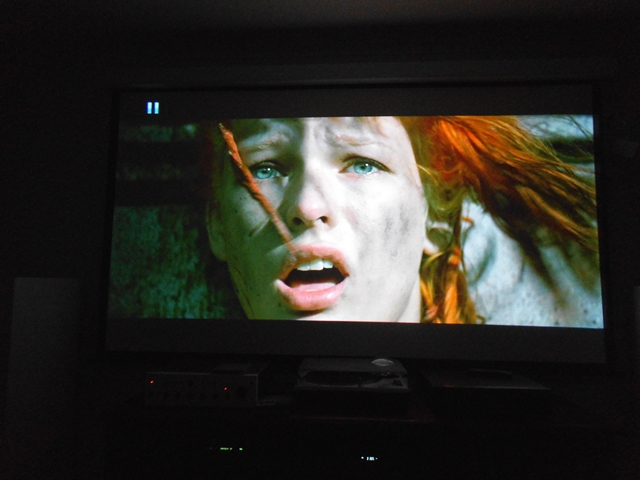
Got the XG up and running. Still need to do a full G2 setup. Looking good so far.
| Description: |
|
| Filesize: |
179.12 KB |
| Viewed: |
5684 Time(s) |
|
|
|
| Back to top |
|
|
Jeremy112

Joined: 28 Sep 2006
Posts: 2649
Location: Fond du Lac, WI
|
| Posted: Thu May 15, 2014 12:32 pm Post subject: |
|
|
Excellent work 
It looks like youve got the convergence pretty damn good. The XG PJ series has some of the nicest coloring I've seen from any CRT machine that I've come across. It's also considered by many to be one of the best, if not the best for 8" CRT projection.
Enjoy the XG! They are fantastic projectors, and I love the way NEC designed the casing for it. Enjoy!! 
_________________
When I'm asking for a Model number, that doesn't mean I'm asking for a nude photo with your number on it 
|
|
| Back to top |
|
|
CasetheCorvetteman
Joined: 09 Nov 2008
Posts: 6326
Location: Australia
|
| Posted: Thu May 15, 2014 8:43 pm Post subject: |
|
|
Why do you need to f*** with the G2? Did you replace the HV board? You should be able to make enough adjustments in the menus.
_________________
Barco Cine 9, ,Sony VPL570ES 4K SXRD, 135" OZ Theatre Majestic 16:9 screen, Denon X6700in preamp mode, 2x 7ch Tonewinner amps, 2x Tonewinner 15" subs, 2x 10" subs, 7.2.6...
RUNCO DTV991 LC ( NEC XG 852 LC ) 100" 4:3 screen, H/K AVR 7.1...
|
|
| Back to top |
|
|
Jeremy112
Joined: 28 Sep 2006
Posts: 2649
Location: Fond du Lac, WI
|
| Posted: Thu May 15, 2014 11:46 pm Post subject: |
|
|
| CasetheCorvetteman wrote: | | Why do you need to f*** with the G2? Did you replace the HV board? You should be able to make enough adjustments in the menus. |
Case is right, you SHOULD NOT need to adjust G2 settings at ALL on this projector. In fact - all the little white (possibly black) potentiometers in the rear of the unit DO NOT TOUCH. They are factory calibrated specifically for your set, if you mess them up, good luck getting it back to where it should be.
Better SAFE than sorry. Besides, it already looks very impressive, why risk it?
_________________
When I'm asking for a Model number, that doesn't mean I'm asking for a nude photo with your number on it
|
|
| Back to top |
|
|
CasetheCorvetteman
Joined: 09 Nov 2008
Posts: 6326
Location: Australia
|
| Posted: Fri May 16, 2014 3:32 am Post subject: |
|
|
The G2 pots are not on the boards at the back, theyre on the board situated top left when viewed from the rear and on the floor.
_________________
Barco Cine 9, ,Sony VPL570ES 4K SXRD, 135" OZ Theatre Majestic 16:9 screen, Denon X6700in preamp mode, 2x 7ch Tonewinner amps, 2x Tonewinner 15" subs, 2x 10" subs, 7.2.6...
RUNCO DTV991 LC ( NEC XG 852 LC ) 100" 4:3 screen, H/K AVR 7.1...
|
|
| Back to top |
|
|
gregstv
Joined: 27 Aug 2007
Posts: 628
Location: Australia
|
| Posted: Fri May 16, 2014 6:30 am Post subject: XG75 |
|
|
I looked into the G2 settings of the Green tube problem of the spinning circle in the centre of the green tube on switch.
I have a new green coming from Curt so I will wait and see how that goes.
| Description: |
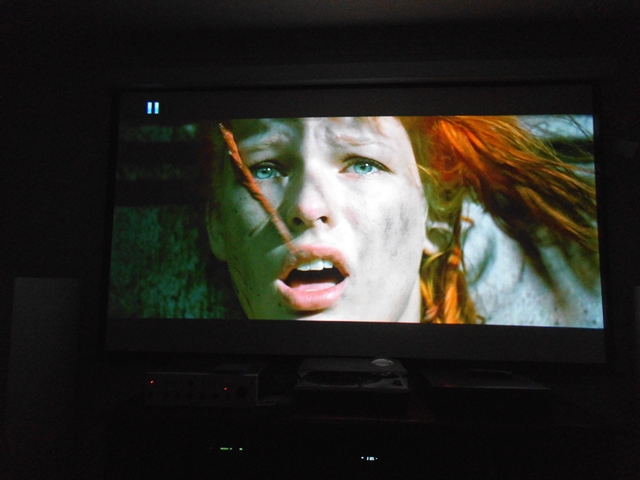
| First pictures after setup |
|
| Filesize: |
179.12 KB |
| Viewed: |
5625 Time(s) |
|
|
|
| Back to top |
|
|
gregstv
Joined: 27 Aug 2007
Posts: 628
Location: Australia
|
| Posted: Fri May 16, 2014 6:50 am Post subject: XG75 |
|
|
Stuffed up the post. To many interruptions.
I looked at the G2 settings due to the spinning dot in the centre of the green tube during switch off. It also wont go black when the picture mute is activated. I had a separate post for this problem.
Greg
|
|
| Back to top |
|
|
gjaky

Joined: 05 Jun 2010
Posts: 2802
Location: Budapest, Hungary
|
| Posted: Fri May 16, 2014 7:15 am Post subject: Re: XG75 |
|
|
| gregstv wrote: | Stuffed up the post. To many interruptions.
I looked at the G2 settings due to the spinning dot in the centre of the green tube during switch off. It also wont go black when the picture mute is activated. I had a separate post for this problem.
Greg |
Pic mute does not cut off G2 level only mutes the active picture. Does your BLK settings for the green under the Kelvin set to the lowest?
_________________
projectors in the past : NEC 6-9PG xtra, Electrohome Marquee 6-7500, NEC XG 1351 LC ( with super modified Electrohome VNB neckboard !!!)
current: VDC Marquee 9500LC
The MOD: VNB-DB, VIM-DB
|
|
| Back to top |
|
|
gregstv
Joined: 27 Aug 2007
Posts: 628
Location: Australia
|
| Posted: Fri May 16, 2014 7:47 am Post subject: XG75 |
|
|
Hi,
It doesn't change no matter what I adjust in the menu. I have tried kelvin and lowered the settings in the Reference adjust.
The green goes to black when a picture is displayed so its not to much of a problem. If I look into the lens you can see the raster is lit and there is faint retrace lines. Curt and CasetheCorvetteman both agree its a tube issue. When the new tube from Curt arrives I will take some measurements on the bad tube and I suspect that the heater will be leaky to one of the grids. This was a problem on some NEC TV's in the 90's. I used to isolate the heaters by putting a couple of windings around the core of the line transformer to drive the heater on the tube.
I also have the original green tube with discoloured face and it doesn't have the problem,
|
|
| Back to top |
|
|
CasetheCorvetteman
Joined: 09 Nov 2008
Posts: 6326
Location: Australia
|
| Posted: Fri May 16, 2014 12:05 pm Post subject: |
|
|
Forget about picture mute, you dont watch the set that way. It really isnt important and you shouldnt be concerned with it.
The issue is almost certainly contamination of sorts inside the tube, and if the image can still be reasonably well calibrated with the brightness, contrast, and KELVIN adjustments, you dont need to do anything else.
Post up a screen shot of the internal grey bars pattern, its really easy to adjust the set using that internal pattern so all the bars are grey with no tints of green red or blue. If youre getting uneven colour saturation and uneven brightness when you display the all white pattern with only one colour turned on, you have an electronic focus issue. This will be especially noticable on blue. The focus should be as even as possible and razor sharp across the entire screen on all three colours, then turn on blue tracking in the menu. This means perfect mechanical astig, then the best electronic astig you can get on the sides and corners, all electronic focus set to mid points and center focus at minus 10 at this time, then adjust center focus to perfect using pots, followed by electronic focus for the zones as required. I use the NEC readability patterns to set perfect focus, and have found it to work well.
When this is all correct, displaying a full field of one colour should be a uniform brightness all over the whole screen. Dont adjust any blue focus settings while blue tracking is set to on. When you have everything correct, switch on blue tracking, and using the KELVIN menu and grey bars pattern to set grey scale. It should be pretty easy.
I dont know why exactly youre concerned with the picture mute not going totally dark, the amount of wear a lightly lit raster will put on the tube over time is basically nothing.
_________________
Barco Cine 9, ,Sony VPL570ES 4K SXRD, 135" OZ Theatre Majestic 16:9 screen, Denon X6700in preamp mode, 2x 7ch Tonewinner amps, 2x Tonewinner 15" subs, 2x 10" subs, 7.2.6...
RUNCO DTV991 LC ( NEC XG 852 LC ) 100" 4:3 screen, H/K AVR 7.1...
|
|
| Back to top |
|
|
gregstv
Joined: 27 Aug 2007
Posts: 628
Location: Australia
|
| Posted: Sun May 18, 2014 11:40 am Post subject: XG75 |
|
|
Having trouble getting uniform white. Its good in the centre but has patches of yellow on the sides. I can make it better by changing the edge focus on the blue. You can notice it on the menus as well. Is this a focus problem? 1080i is worse than 720p.
Thanks,
Greg
|
|
| Back to top |
|
|
gjaky
Joined: 05 Jun 2010
Posts: 2802
Location: Budapest, Hungary
|
| Posted: Sun May 18, 2014 1:01 pm Post subject: |
|
|
If the tubes the same as posted in the first post, then I'm not surprised, it's easy to see there is some uneven wear on the green, that should be pretty obvious on the screen too.
_________________
projectors in the past : NEC 6-9PG xtra, Electrohome Marquee 6-7500, NEC XG 1351 LC ( with super modified Electrohome VNB neckboard !!!)
current: VDC Marquee 9500LC
The MOD: VNB-DB, VIM-DB
|
|
| Back to top |
|
|
gregstv
Joined: 27 Aug 2007
Posts: 628
Location: Australia
|
| Posted: Sun May 18, 2014 8:53 pm Post subject: XG75 |
|
|
Thanks,
I changed the Green tube for that reason. The new tube has a problem but the face is 8-9 out of ten.
Greg
|
|
| Back to top |
|
|
macgyver655
Joined: 22 Aug 2007
Posts: 8508
|
| Posted: Sun May 18, 2014 9:20 pm Post subject: Re: XG75 |
|
|
| gregstv wrote: | Having trouble getting uniform white. Its good in the centre but has patches of yellow on the sides. I can make it better by changing the edge focus on the blue. You can notice it on the menus as well. Is this a focus problem? 1080i is worse than 720p.
Thanks,
Greg |
What does your full screen grid look like. This sounds like it may be out of convergence on the sides. Also, do not defocus blue while doing convergence.
|
|
| Back to top |
|
|
CasetheCorvetteman
Joined: 09 Nov 2008
Posts: 6326
Location: Australia
|
| Posted: Mon May 19, 2014 1:41 am Post subject: |
|
|
Show up a full screen blue and check for uneven wear, if youre getting yellow instead of white its the blue that is missing.
_________________
Barco Cine 9, ,Sony VPL570ES 4K SXRD, 135" OZ Theatre Majestic 16:9 screen, Denon X6700in preamp mode, 2x 7ch Tonewinner amps, 2x Tonewinner 15" subs, 2x 10" subs, 7.2.6...
RUNCO DTV991 LC ( NEC XG 852 LC ) 100" 4:3 screen, H/K AVR 7.1...
|
|
| Back to top |
|
|
|
|




