|
As this forum is rarely used anymore, we've locked it. Feel free to browse and read. Questions? Please reach out to us directly. Cheers! |
|
|
 |
|
|
| Author |
Message |
MyCrtFellOnMe
Joined: 04 Jan 2014
Posts: 19
|
| Posted: Sat Jan 04, 2014 3:55 am Post subject: Just won an auction for a Sony G70! |
|
|
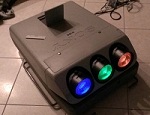
This is my first post on these forums, but I've been reading around here quite a bit the last month or so including all of the crt primer and thread on color and gama calibrations. Honestly I learned the most I ever have about how a display should look from this site, this place is a gold mine of resources and experience! I've got a little sony crt collection going already with my two FW900s and my PVM-2030, So I'm pretty excited to go pick up this projector and see how it compares! 
$123, What a deal, right?
http://tinyurl.com/k2dmsal << link to ebay listing (Ended)
From the reading I've done on this site so far, I understand that the G70 is basically a tier under the G90 projector with a set of 8 inch LC tubes as opposed to 9 inch ones on the G90. Coming from a person who watches a lot of blurays on a 20inch 480i crt through s-video ( pvm-2030), which I'm fairly happy with, I'm mainly concerned with the quality of the projector in terms of its ability to be properly calibrated. If anybody could share some g70 wisdom with me, I'd really appreciate it!
Also I'll be running vga -> RGBHV from my computer for movies and games, anybody know an ideal resolution to work with that could be put into the Nvidia control panel?
MyCrtFellOnMe,
Nice to meet all you fellow crt nuts! 
|
|
| Back to top |
|
 |
jeffslife

Joined: 17 Apr 2010
Posts: 4190
Location: ohio usa
|
| Posted: Sat Jan 04, 2014 5:30 am Post subject: |
|
|
You are lucky and in for a treat but I swear its an addiction. ECRABB is the resident g70 expert and is very helpful. Also a nice guy. You are in the right place. One word of advice. RUN !
_________________
We are ALL job creators !
|
|
| Back to top |
|
|
MyCrtFellOnMe
Joined: 04 Jan 2014
Posts: 19
|
| Posted: Sat Jan 04, 2014 5:38 am Post subject: |
|
|
|
I agree, once I saw what a FW900 looked like, the curiosity of what a crt projector could look like took off... and here I am, haha! There really wasn't much of a description of the item on the ebay listing so I'm wondering if there isn't some 16:9 wear or high hours on the tubes. I should be picking it up next week if things go smoothly with the seller, I'll try to post some initial pictures and update!
|
|
| Back to top |
|
|
AnalogRocks
Forum Moderator

Joined: 08 Mar 2006
Posts: 26706
Location: Toronto, Ontario, Canada
TV/Projector: Sony 1252Q, AMPRO 4000G
|
| Posted: Sat Jan 04, 2014 6:55 am Post subject: |
|
|
Welcome to the Dark Side
_________________
Tech support for nothing
CRT.
HD done right!
|
|
| Back to top |
|
|
digitalayon
Joined: 02 Mar 2009
Posts: 921
|
| Posted: Sat Jan 04, 2014 7:06 am Post subject: |
|
|
| jeffslife wrote: | | You are lucky and in for a treat but I swear its an addiction. ECRABB is the resident g70 expert and is very helpful. Also a nice guy. You are in the right place. One word of advice. RUN ! |
Nah!....he forgot it all since he went digital!
|
|
| Back to top |
|
|
CasetheCorvetteman

Joined: 09 Nov 2008
Posts: 6326
Location: Australia
|
| Posted: Sat Jan 04, 2014 7:55 am Post subject: |
|
|
1920x1080i at 72Hz will do for that machine to start with.
Why arent you using the RGB input on the PVM?
_________________
Barco Cine 9, ,Sony VPL570ES 4K SXRD, 135" OZ Theatre Majestic 16:9 screen, Denon X6700in preamp mode, 2x 7ch Tonewinner amps, 2x Tonewinner 15" subs, 2x 10" subs, 7.2.6...
RUNCO DTV991 LC ( NEC XG 852 LC ) 100" 4:3 screen, H/K AVR 7.1...
|
|
| Back to top |
|
|
Nashou66

Joined: 12 Jan 2007
Posts: 16171
Location: West Seneca NY
|
|
| Back to top |
|
|
kal
Forum Administrator

Joined: 06 Mar 2006
Posts: 18114
Location: Ottawa, Canada
TV/Projector: JVC DLA-NZ7
|
|
| Back to top |
|
|
MyCrtFellOnMe
Joined: 04 Jan 2014
Posts: 19
|
| Posted: Sat Jan 04, 2014 5:02 pm Post subject: |
|
|
Duly noted Kal, this was and still is my concern, however I decided to make the gamble and go for it. Just got word back from the owner this morning and it seems it was the previous house owners who just couldn't encumber the load at his new place. Word is that it's in perfect condition, but coming from a guy who only inherited it... it's still not worth a lot without images of the tubes themselves.
Hopefully all will work out ok, I've got my fingers crossed for low hour tubes!
|
|
| Back to top |
|
|
Curt Palme
CRT Tech
Joined: 08 Mar 2006
Posts: 24396
Location: Langley, BC
TV/Projector: All of them!
|
| Posted: Sat Jan 04, 2014 5:15 pm Post subject: |
|
|
| MyCrtFellOnMe wrote: | | . Word is that it's in perfect condition, |
Hey CRT, welcome!  Yes, it's addictive! Yes, it's addictive!
If I had 50 cents for each time I read or heard those words from someone that wanted to sell me a 'perfect' CRT, my house would be paid off and I'd be on a sunny beach somewhere. 
you should assume some tube wear. That will happen in as soon as 1000 hours on Sony sets (albeit SLIGHT wear), as the Sony tubes are really sharp, and hit the phosphor hard. My guess is that to some degree, the set will be completely useable, as long as you set the new image up within the wear area of the tube(s). The green tube always wears first.
When you get the set, pull the three lenses off and post a pix. DO NOT take off anything more from the tube face other than the 4 screws that hold the lenses on. If you take off the metal ring that holds the plastic C elements onto the tube, you'll dump a pint of cooling fluid, and you'll nuke the set. Taking the lenses off is completely safe, and you won't get zapped in doing so.
Now, I am getting in a new old stock set of G70 tubes the next time I do a road trip, either in Feb or March. These tubes are now discontinued, so finding a mint used or new tube (or set) is near impossible at this point. I say, for what you paid for it, use it as is, learn the heck out of the set, and either you'll be looking for better tubes (if they are worn), or eventually you'll be into a 9" set.
Congrats!
|
|
| Back to top |
|
|
ecrabb
Forum Moderator

Joined: 13 Mar 2006
Posts: 15909
Location: Utah
TV/Projector: JVC RS40, Epson 5010
|
| Posted: Sat Jan 04, 2014 5:20 pm Post subject: |
|
|
| digitalayon wrote: | | jeffslife wrote: | | You are lucky and in for a treat but I swear its an addiction. ECRABB is the resident g70 expert and is very helpful. Also a nice guy. You are in the right place. One word of advice. RUN ! |
Nah!....he forgot it all since he went digital! |
Hey, I'm not that old, and it hasn't been that long since I switched! 
Congrats to the OP. If the tubes are in good shape, $123 is a score for a G70. If not, like Kal said, you can probably part the machine out and get your money back and then some.
The G70 is a really great projector. There are only a handful of better CRT projectors, and they are all bigger, heavier, and typically much more costly.
Just so you know, picture-quality-wise, the G70 is much more like the FW900 than it is like the PVM-2030. While the PVM-2030 was good for its day, and a damn good 480i display, it's (obviously) extremely resolution-limited compared to HD. With widescreen, you're seeing around 1/9 (yes, that's 10%) of the Blu-ray's resolution.
The G70 otoh, with a careful setup, should be resolving a little better than 720p, but not quite 1080p, so between a quarter and half of the 1080p signal.
The G70 is a great Blu-ray machine. I ran mine for several years at 1080p/60 and was very happy with the picture quality.
Welcome to the forum!
Cheers,
SC
|
|
| Back to top |
|
|
draganm

Joined: 08 Mar 2006
Posts: 8990
Location: Colorado
|
| Posted: Sat Jan 04, 2014 7:36 pm Post subject: |
|
|
well judging from the e-bay pics the tubes are at least ok, if not really good. You would se the browning of the blue at least if they were burnt.
what hell is it hooked up to though? Is that the switcher card with the big fat blue cable or a remote card? And what is that little box on the side?
First thing I would do is add a Moome internal card
http://www.curtpalme.com/IFB-FULLHD.shtm
|
|
| Back to top |
|
|
Spanky Ham

Joined: 22 Mar 2006
Posts: 5643
Location: Comedy Central
|
| Posted: Sun Jan 05, 2014 5:19 am Post subject: |
|
|
| Curt Palme wrote: | | MyCrtFellOnMe wrote: | | . Word is that it's in perfect condition, |
Hey CRT, welcome! Yes, it's addictive!
If I had 50 cents for each time I read or heard those words from someone that wanted to sell me a 'perfect' CRT, my house would be paid off and I'd be on a sunny beach somewhere.
Congrats! |
And do what? Be Jay's assistant? 
Good luck with the new pj. I hope the tubes are clean. I actually have two G70s (along with two G90s) sitting in storage down here in SoFl. Maybe one of these days I will use them. 
|
|
| Back to top |
|
|
noos@xp37+
Joined: 17 Jun 2008
Posts: 464
Location: Berlin/Munich
|
| Posted: Mon Jan 06, 2014 8:49 am Post subject: |
|
|
| draganm wrote: | well judging from the e-bay pics the tubes are at least ok, if not really good. You would se the browning of the blue at least if they were burnt.
what hell is it hooked up to though? Is that the switcher card with the big fat blue cable or a remote card? And what is that little box on the side?
First thing I would do is add a Moome internal card
http://www.curtpalme.com/IFB-FULLHD.shtm |
Yes, must be a Sony 1270 or 1271m switcher with the ccqbrs cable. All Sony 12xx users, HDIH users - every machine that has the round blue cable ifb-40 connector/card - throw it out and put an ifb-11 or ifb-12 or moome card in:
http://www.avsforum.com/t/476442/sony-g70-a-b-video-inputs-bandwidth-response-tests-surprize
|
|
| Back to top |
|
|
draganm
Joined: 08 Mar 2006
Posts: 8990
Location: Colorado
|
| Posted: Mon Jan 06, 2014 5:30 pm Post subject: |
|
|
| noos@xp37+ wrote: | | Yes, must be a Sony 1270 or 1271m switcher with the ccqbrs cable. All Sony 12xx users, HDIH users - every machine that has the round blue cable ifb-40 connector/card - throw it out and put an ifb-11 or ifb-12 or moome card in: |
well that explains why the currrent owner got rid of it, projected image must have looked like the cats ass.
It's a shame when people rush out and buy something without really looking at what they have. Good for the OP though

|
|
| Back to top |
|
|
ecrabb
Forum Moderator
Joined: 13 Mar 2006
Posts: 15909
Location: Utah
TV/Projector: JVC RS40, Epson 5010
|
| Posted: Mon Jan 06, 2014 6:05 pm Post subject: |
|
|
| draganm wrote: | | what hell is it hooked up to though? Is that the switcher card with the big fat blue cable or a remote card? And what is that little box on the side? |
Yes, that's a blue CCQ cable. He can throw it away (along with whatever is at the other end), since it was fine for NTSC or VGA signals, but will mangle anything higher-bandwidth like HD. I have a couple of Sony switchers along with a CCQ cable, and I'm going to take them to be recycled because they aren't worth the price to ship.
The little box is a Philips Pronto RF Extender. It converted the RF signal from the remote back to IR at the projector.
The OP said he was going to use RGBHV from his computer for movies and games, so a Moome card is expensive and unnecessary at this point.
I hate to keep whoring myself, but I have a very nice RGBHV snake, and Extron Crosspoint, and an Extron 109 that would be very slick to get the RGBHV up to the projector from an HTPC. I have to find good homes for these things before everybody goes digital. I kid... 
SC
|
|
| Back to top |
|
|
draganm
Joined: 08 Mar 2006
Posts: 8990
Location: Colorado
|
| Posted: Mon Jan 06, 2014 6:36 pm Post subject: |
|
|
| ecrabb wrote: | I hate to keep whoring myself, but I have a very nice that would be very slick to get the RGBHV up to the projector from an HTPC. I have to find good homes for these things before everybody goes digital. I kid...
SC |
hey no need to chuck good cabling.
| MyCrtFellOnMe wrote: | Also I'll be running vga -> RGBHV from my computer for movies and games, anybody know an ideal resolution to work with that could be put into the Nvidia control panel?
MyCrtFellOnMe,
Nice to meet all you fellow crt nuts! |
oh, since we're discussing rez, I think 1080i is way too low for the G70, you'll have flashing zebra stripes across the screen, and like steve said 1080p is a little too high.
I would set the video card to 1440 x 810 (exactly 75% of 1080P) and if you can choose 72Hz refesh rate that would be ideal.
|
|
| Back to top |
|
|
ecrabb
Forum Moderator
Joined: 13 Mar 2006
Posts: 15909
Location: Utah
TV/Projector: JVC RS40, Epson 5010
|
| Posted: Mon Jan 06, 2014 6:45 pm Post subject: |
|
|
| draganm wrote: | oh, since we're discussing rez, I think 1080i is way too low for the G70, you'll have flashing zebra stripes across the screen, and like steve said 1080p is a little too high.
I would set the video card to 1440 x 810 (exactly 75% of 1080P) and if you can choose 72Hz refesh rate that would be ideal. |
Ditto. I found 720p way too low of a spatial resolution, and 1080i definitely shows noticeable scan lines if electronic and mechanical focus are good. 1080p is great for movies, but for desktop and maximum resolution, I'd shoot for 1440x810 or even 1600x900. Both should look very good if the machine is set up well.
Be very careful about image burn if you're going to spend a lot of time gaming. Make sure PIC ORBIT is turned on in the menus, and don't run with too large of a screen and/or contrast too high. Search "g70 battlefield burn" on my username if you want a first-hand account of how to burn a status display into the corner of your tube.
SC
|
|
| Back to top |
|
|
MyCrtFellOnMe
Joined: 04 Jan 2014
Posts: 19
|
| Posted: Mon Jan 06, 2014 7:28 pm Post subject: |
|
|
looks like a hopeful pickup date of Thursday
| Quote: | | I have a very nice RGBHV snake |
Looks like a nice cable, especially since I wouldn't want to run vga that far! for my fw900s I already have some vga-rgbhv cables, but only about 5ft each. Maybe if I could couple my initial wire from my pc with this one I could get it to the other site of the room with a nice signal still
(kind of spending all of my money at the moment from my part time job on my HT setup [colorimeter, 2.2 stereo, screen], so maybe when I get those things out of the way! until then the computer is much lighter than the projector and will be moved, haha!)
@ draganm
1440x810 seems reasonably high, I'll give that a try later this week. I was hoping in the back of my mind to be able to do something like 1920x817@someting about 60hz for 2.35:1 content, but I'll just have to wait and see.
| Quote: | | Make sure PIC ORBIT is turned on in the menus |
Yeah, I read about that in the g70 manual, wasn't sure if that was something that would alleviate the issues of a HUD. Ideally I'm going to try to make the projector only as bright as I have to. I'd like to get some vibrant, and dark, images. As for games, I'll probably keep my fps games on the fw900 because of refresh rate and resolution, and play any rpgs like Oblivion on the projector.
I was also planning on playing some PS3 on the projector, seems like the G70 manual says you can input component with sync on green (if I get composite->BNC adapters I'm guessing). Any idea if this is the case?
Lastly, looking at buying this colorimeter on Amazon:
http://www.amazon.com/dp/B0055MBQOW/
I know I'll be able to put it to some use with my fw900s, but will I have all the same settings such as RGB gain and offset with the projector? Just not sure how limited, if at all, the menus are for the projector.
Even more, I hope it's not a situation when calibrating that I have to turn off the menu for each measurement!
|
|
| Back to top |
|
|
gjaky

Joined: 05 Jun 2010
Posts: 2802
Location: Budapest, Hungary
|
| Posted: Mon Jan 06, 2014 7:53 pm Post subject: |
|
|
| ecrabb wrote: | | draganm wrote: | oh, since we're discussing rez, I think 1080i is way too low for the G70, you'll have flashing zebra stripes across the screen, and like steve said 1080p is a little too high.
I would set the video card to 1440 x 810 (exactly 75% of 1080P) and if you can choose 72Hz refesh rate that would be ideal. |
Ditto. I found 720p way too low of a spatial resolution, and 1080i definitely shows noticeable scan lines if electronic and mechanical focus are good. 1080p is great for movies, but for desktop and maximum resolution, I'd shoot for 1440x810 or even 1600x900. Both should look very good if the machine is set up well.
Be very careful about image burn if you're going to spend a lot of time gaming. Make sure PIC ORBIT is turned on in the menus, and don't run with too large of a screen and/or contrast too high. Search "g70 battlefield burn" on my username if you want a first-hand account of how to burn a status display into the corner of your tube.
SC |
I have first hand information on my PG xtra with 1600x900-72Hz, it looks good as a desktop resolution, but it needs quite high bandwidth (for what it is). At one time I found it really nice, but then ended up with 1080i-96Hz, it would require some tweaking with the VGA driver but once it's done you get:
-zero flickering (vs. anything @60-72Hz)
-perfect motion (vs. 1080p 60Hz)
-almost invisible scanlines
-needs low bandwidth (=1080p 48Hz's bw)
-3D capable resolution
_________________
projectors in the past : NEC 6-9PG xtra, Electrohome Marquee 6-7500, NEC XG 1351 LC ( with super modified Electrohome VNB neckboard !!!)
current: VDC Marquee 9500LC
The MOD: VNB-DB, VIM-DB
|
|
| Back to top |
|
|
|
|
|
|
|
You cannot post new topics in this forum
You cannot reply to topics in this forum
You cannot edit your posts in this forum
You cannot delete your posts in this forum
You cannot vote in polls in this forum
You cannot attach files in this forum
You can download files in this forum
|
Forum powered by phpBB © phpBB Group
|
|




