| Author |
Message |
Machi
Joined: 18 Aug 2013
Posts: 17
Location: Buenos Aires, Argentina
|
| Posted: Sun Aug 18, 2013 9:23 pm Post subject: Help to rotate image Vidikron Vision One |
|
|
Hello everyone! I was able to buy a projector "Vidikron Vision One". But I failed to rotate the image 180 degrees. Was installed on a roof. Now I want to install it on a table. Anyone know how I can do? I'm pretty sure it can not be done from the setup menu. I think it should be done from inside the projector, with the hardware.
I searched the manual all over the net, but I have not found. Someone has it? I would be very grateful if someone helps me.
Sorry for my horrible English 
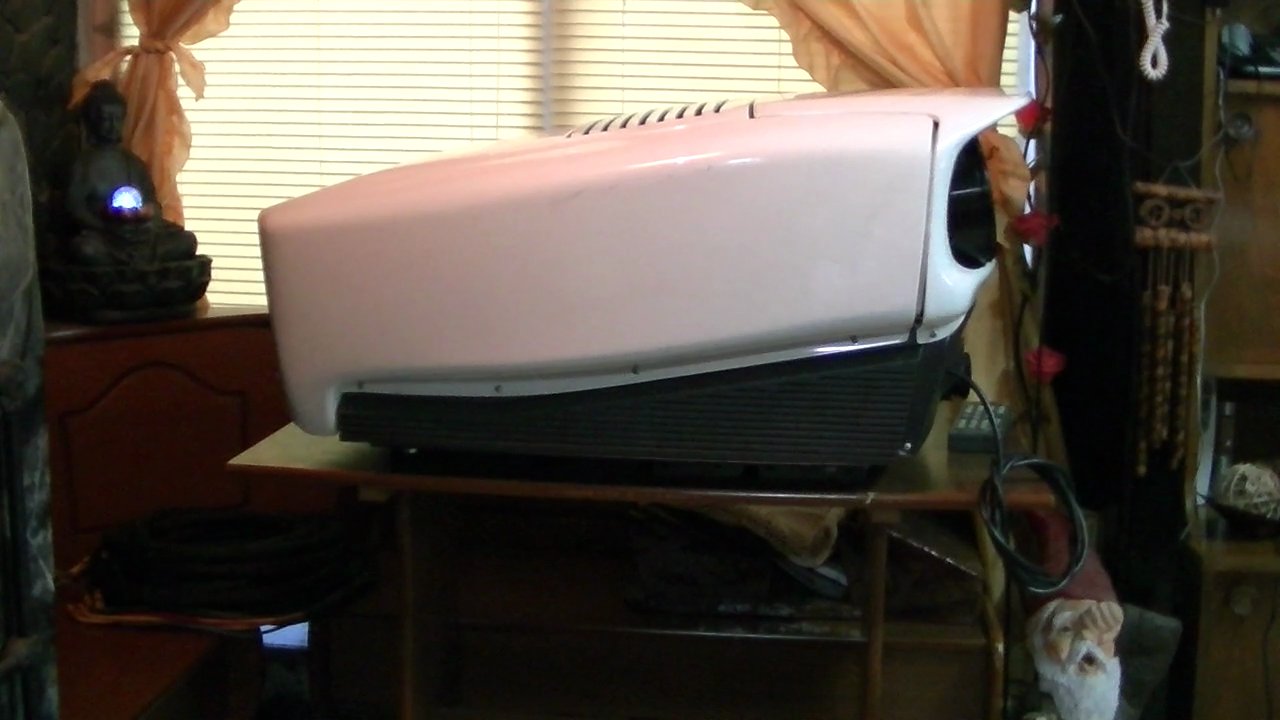
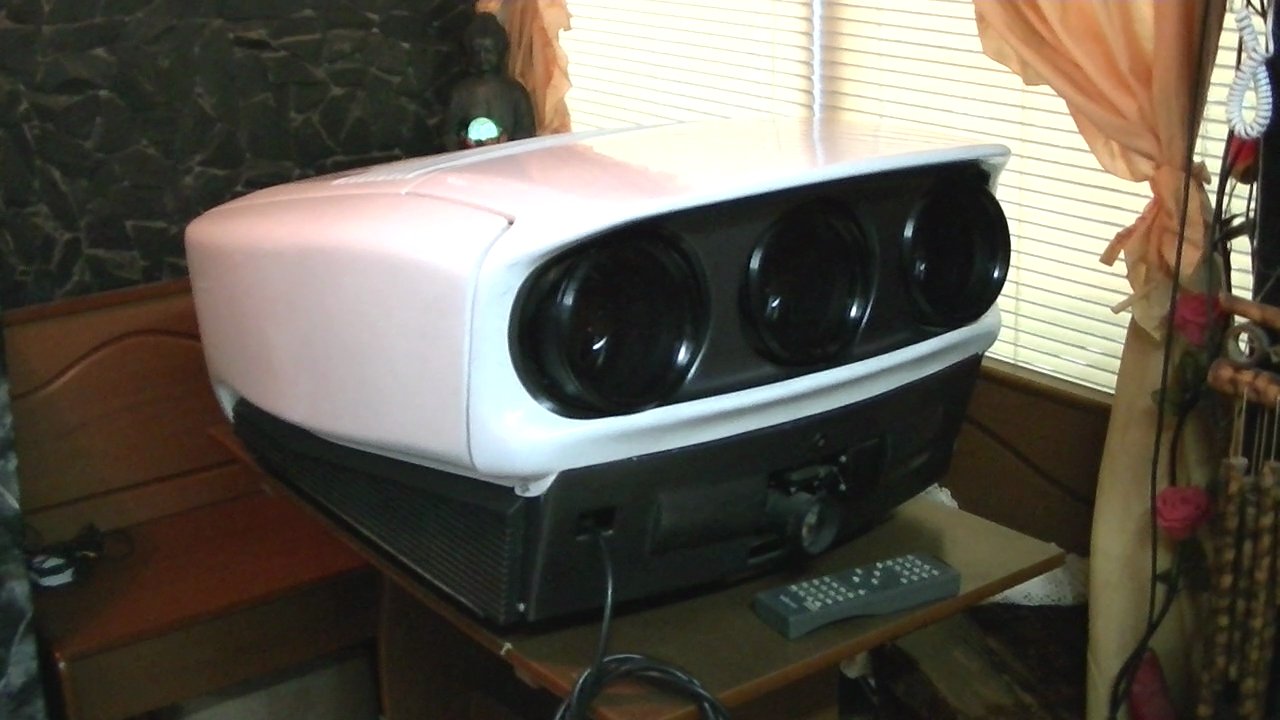
Here some pics:
| Description: |
|
| Filesize: |
92.47 KB |
| Viewed: |
11594 Time(s) |
|
| Description: |
|
| Filesize: |
109 KB |
| Viewed: |
11594 Time(s) |
|
|
|
| Back to top |
|
 |
Tim in Phoenix

Joined: 21 Oct 2006
Posts: 4409
Location: Phoenix
|
| Posted: Sun Aug 18, 2013 9:43 pm Post subject: |
|
|
Hello
Unplug power, then take the top cover off. Locate three red/white/blue wire bundles on top of the tubes, these are the horizontal yoke harnesses. There is a coupler in each harness; unplug at the couplers one at a time and flip the plugs over so red faces red and blue faces blue, and reconnect.

On the rear heat sink locate three yellow/green harnesses for the vertical yokes (no coupler). Unplug these from the vertical board one at a time and flip them over, and reconnect carefully so they are square on the pins, not shifted sideways.
Power up and check your picture before putting the cover back on.
|
|
| Back to top |
|
|
Machi
Joined: 18 Aug 2013
Posts: 17
Location: Buenos Aires, Argentina
|
| Posted: Mon Aug 19, 2013 12:12 am Post subject: |
|
|
|
Thanks Tim in Phoenix! Solved!
|
|
| Back to top |
|
|
Nashou66

Joined: 12 Jan 2007
Posts: 16171
Location: West Seneca NY
|
| Posted: Mon Aug 19, 2013 1:42 am Post subject: Re: Help to rotate image Vidikron Vision One |
|
|
| Machi wrote: | Hello everyone! I was able to buy a projector "Vidikron Vision One". But I failed to rotate the image 180 degrees. Was installed on a roof. Now I want to install it on a table. Anyone know how I can do? I'm pretty sure it can not be done from the setup menu. I think it should be done from inside the projector, with the hardware.
I searched the manual all over the net, but I have not found. Someone has it? I would be very grateful if someone helps me.
Sorry for my horrible English
Here some pics: |
Welcome to the forum and congrats on your new 9 Inch Marquee/Vision One!!
You deserve a YOU SUCK !!! 
(We say you suck when someone gets a 9 inch CRT projector)
Athanasios
_________________
Don't blame your underwear for your crooked ass~ unknown Greek philosopher
"Republicans believe every day is the Fourth of July, but the Democrats believe every day is April 15." --- President Reagan
One Smart Dog!!!
Marquee High Performance Bellows now shipping!!
Marquee Modifications and Performance Enhancement
Marquee C-element and Bellow removal
|
|
| Back to top |
|
|
Machi
Joined: 18 Aug 2013
Posts: 17
Location: Buenos Aires, Argentina
|
| Posted: Mon Aug 19, 2013 3:03 am Post subject: Re: Help to rotate image Vidikron Vision One |
|
|
| Nashou66 wrote: | | Machi wrote: | Hello everyone! I was able to buy a projector "Vidikron Vision One". But I failed to rotate the image 180 degrees. Was installed on a roof. Now I want to install it on a table. Anyone know how I can do? I'm pretty sure it can not be done from the setup menu. I think it should be done from inside the projector, with the hardware.
I searched the manual all over the net, but I have not found. Someone has it? I would be very grateful if someone helps me.
Sorry for my horrible English
Here some pics: |
Welcome to the forum and congrats on your new 9 Inch Marquee/Vision One!!
You deserve a YOU SUCK !!!
(We say you suck when someone gets a 9 inch CRT projector)
Athanasios |
LOL 
Thanks! 
I bought it by accident. Appeared the opportunity and was very cheap. Over a year ago buy a RCF, but with many years. But still works. When I saw it projected, I went crazy. And when I found the Vision One so cheap I bought it immediately.
Sorry again for my english. Google translate helps me
|
|
| Back to top |
|
|
the big E
Joined: 20 Apr 2013
Posts: 1928
Location: speedwell Tn.
|
| Posted: Mon Aug 19, 2013 7:38 pm Post subject: Re: Help to rotate image Vidikron Vision One |
|
|
| Machi wrote: | | Nashou66 wrote: | | Machi wrote: | Hello everyone! I was able to buy a projector "Vidikron Vision One". But I failed to rotate the image 180 degrees. Was installed on a roof. Now I want to install it on a table. Anyone know how I can do? I'm pretty sure it can not be done from the setup menu. I think it should be done from inside the projector, with the hardware.
I searched the manual all over the net, but I have not found. Someone has it? I would be very grateful if someone helps me.
Sorry for my horrible English
Here some pics: |
Welcome to the forum and congrats on your new 9 Inch Marquee/Vision One!!
You deserve a YOU SUCK !!!
(We say you suck when someone gets a 9 inch CRT projector)
Athanasios |
LOL
Thanks!
I bought it by accident. Appeared the opportunity and was very cheap. Over a year ago buy a RCF, but with many years. But still works. When I saw it projected, I went crazy. And when I found the Vision One so cheap I bought it immediately.
Sorry again for my english. Google translate helps me |
I have a vison 3 and plan on converting it to a vision 1
Love that case and I wish I had one just to drop the inside of my vision 3 in
It is a electrohome marquee 9500LC in a sweet case so you can contact curt on here if you have issues
Welcome to the forum
Ps YOU SUCK
_________________
crt king of black
|
|
| Back to top |
|
|
Machi
Joined: 18 Aug 2013
Posts: 17
Location: Buenos Aires, Argentina
|
| Posted: Tue Aug 20, 2013 12:41 am Post subject: |
|
|
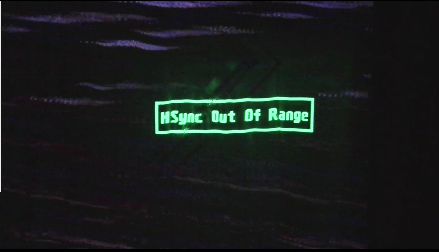
Now I have another problem that worries me more than the subject of this post.
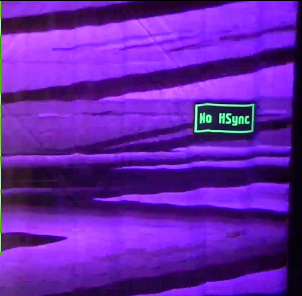
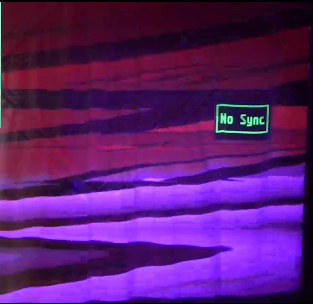
When I turn on the projector displays the message: [No VSync]
I connected all the wires in the right place and you still receive this message: [VSync Out Of Range] or [HSync Out Of Range]
I tried connecting the composite sync and the same message appears.
I think maybe I should do another post.
| Description: |
|
| Filesize: |
155.99 KB |
| Viewed: |
11482 Time(s) |

|
| Description: |
|
| Filesize: |
105.27 KB |
| Viewed: |
11482 Time(s) |
|
|
|
| Back to top |
|
|
Machi
Joined: 18 Aug 2013
Posts: 17
Location: Buenos Aires, Argentina
|
| Posted: Tue Aug 20, 2013 12:51 am Post subject: Re: Help to rotate image Vidikron Vision One |
|
|
| the big E wrote: | | Machi wrote: | | Nashou66 wrote: | | Machi wrote: | Hello everyone! I was able to buy a projector "Vidikron Vision One". But I failed to rotate the image 180 degrees. Was installed on a roof. Now I want to install it on a table. Anyone know how I can do? I'm pretty sure it can not be done from the setup menu. I think it should be done from inside the projector, with the hardware.
I searched the manual all over the net, but I have not found. Someone has it? I would be very grateful if someone helps me.
Sorry for my horrible English
Here some pics: |
Welcome to the forum and congrats on your new 9 Inch Marquee/Vision One!!
You deserve a YOU SUCK !!!
(We say you suck when someone gets a 9 inch CRT projector)
Athanasios |
LOL
Thanks!
I bought it by accident. Appeared the opportunity and was very cheap. Over a year ago buy a RCF, but with many years. But still works. When I saw it projected, I went crazy. And when I found the Vision One so cheap I bought it immediately.
Sorry again for my english. Google translate helps me |
I have a vison 3 and plan on converting it to a vision 1
Love that case and I wish I had one just to drop the inside of my vision 3 in
It is a electrohome marquee 9500LC in a sweet case so you can contact curt on here if you have issues
Welcome to the forum
Ps YOU SUCK |
Thanks for the welcome. Good luck with your project!
|
|
| Back to top |
|
|
the big E
Joined: 20 Apr 2013
Posts: 1928
Location: speedwell Tn.
|
| Posted: Tue Aug 20, 2013 12:51 am Post subject: |
|
|
| Machi wrote: | Now I have another problem that worries me more than the subject of this post.
When I turn on the projector displays the message: [No VSync]
I connected all the wires in the right place and you still receive this message: [VSync Out Of Range] or [HSync Out Of Range]
I tried connecting the composite sync and the same message appears.
I think maybe I should do another post. |
The composite sync is done on the h sync which is the one closest to the blue plug
Now if swapping around the connectors and if you have a computer try it if that don't work then the vim(video Input module) is bad
_________________
crt king of black
|
|
| Back to top |
|
|
the big E
Joined: 20 Apr 2013
Posts: 1928
Location: speedwell Tn.
|
| Posted: Tue Aug 20, 2013 12:53 am Post subject: Re: Help to rotate image Vidikron Vision One |
|
|
| Machi wrote: | | the big E wrote: | | Machi wrote: | | Nashou66 wrote: | | Machi wrote: | Hello everyone! I was able to buy a projector "Vidikron Vision One". But I failed to rotate the image 180 degrees. Was installed on a roof. Now I want to install it on a table. Anyone know how I can do? I'm pretty sure it can not be done from the setup menu. I think it should be done from inside the projector, with the hardware.
I searched the manual all over the net, but I have not found. Someone has it? I would be very grateful if someone helps me.
Sorry for my horrible English
Here some pics: |
Welcome to the forum and congrats on your new 9 Inch Marquee/Vision One!!
You deserve a YOU SUCK !!!
(We say you suck when someone gets a 9 inch CRT projector)
Athanasios |
LOL
Thanks!
I bought it by accident. Appeared the opportunity and was very cheap. Over a year ago buy a RCF, but with many years. But still works. When I saw it projected, I went crazy. And when I found the Vision One so cheap I bought it immediately.
Sorry again for my english. Google translate helps me |
I have a vison 3 and plan on converting it to a vision 1
Love that case and I wish I had one just to drop the inside of my vision 3 in
It is a electrohome marquee 9500LC in a sweet case so you can contact curt on here if you have issues
Welcome to the forum
Ps YOU SUCK |
Thanks for the welcome. Good luck with your project! |
Thanks
_________________
crt king of black
|
|
| Back to top |
|
|
Tim in Phoenix
Joined: 21 Oct 2006
Posts: 4409
Location: Phoenix
|
| Posted: Tue Aug 20, 2013 1:09 am Post subject: |
|
|
Hello
For the sync problem we need to know what source device are you connecting
|
|
| Back to top |
|
|
Machi
Joined: 18 Aug 2013
Posts: 17
Location: Buenos Aires, Argentina
|
| Posted: Tue Aug 20, 2013 1:41 am Post subject: |
|
|
|
I'm connecting the projector to the Faroudja VP 410 video processor, and in this, a DVD player.
|
|
| Back to top |
|
|
the big E
Joined: 20 Apr 2013
Posts: 1928
Location: speedwell Tn.
|
| Posted: Tue Aug 20, 2013 1:44 am Post subject: |
|
|
| Machi wrote: | | I'm connecting the projector to the Faroudja VP 410 video processor, and in this, a DVD player. |
Is the processor on and working?
_________________
crt king of black
|
|
| Back to top |
|
|
Machi
Joined: 18 Aug 2013
Posts: 17
Location: Buenos Aires, Argentina
|
| Posted: Tue Aug 20, 2013 2:07 am Post subject: |
|
|
| the big E wrote: | | Machi wrote: | | I'm connecting the projector to the Faroudja VP 410 video processor, and in this, a DVD player. |
Is the processor on and working? |
Yes. In the function "Video". With the DVD player connected to the video input.
Also I connected the the composite sync, in the h sync, but it is the same.
| Description: |
|
| Filesize: |
106.27 KB |
| Viewed: |
11452 Time(s) |
|
| Description: |
|
| Filesize: |
103 KB |
| Viewed: |
11453 Time(s) |
|
|
|
| Back to top |
|
|
Nashou66
Joined: 12 Jan 2007
Posts: 16171
Location: West Seneca NY
|
|
| Back to top |
|
|
the big E
Joined: 20 Apr 2013
Posts: 1928
Location: speedwell Tn.
|
| Posted: Tue Aug 20, 2013 2:36 am Post subject: |
|
|
Try using a VGA to bnc cable and connect a pc to the set and see if it locks onto a signal if not then the vim(video input module) is bad
_________________
crt king of black
|
|
| Back to top |
|
|
Machi
Joined: 18 Aug 2013
Posts: 17
Location: Buenos Aires, Argentina
|
| Posted: Tue Aug 20, 2013 2:47 am Post subject: |
|
|
I have reviewed each cable to its rightful place.
I tried with both cables Hsync and Vsync. and also with the compound attached to Hsync. And the result is almost the same.
|
|
| Back to top |
|
|
Nashou66
Joined: 12 Jan 2007
Posts: 16171
Location: West Seneca NY
|
|
| Back to top |
|
|
Machi
Joined: 18 Aug 2013
Posts: 17
Location: Buenos Aires, Argentina
|
| Posted: Tue Aug 20, 2013 3:10 am Post subject: |
|
|
| Nashou66 wrote: | What is the frame rate for the DVD players output? Is it higher than 24hz? Also how are you connecting the DVD player to the VP? Composite? Component?
Athanasios |
I tried to connect the computer through an adapter, VGA to RCA AV, S-Video. (http://www.ebay.com/itm/PC-Laptop-VGA-To-RCA-AV-Video-Composite-S-video-Converter-Adapter-/190888006697?pt=AU_Television_Accessories&hash=item2c71cfd429 ) And the result is the same.
[No VSync] o [No HSync] cuando conecto los cables de sincronización vertical y horizontal.
Tambien [Sync Out Of Range] cuando conecto el cable de sincronización compuesto.
In all cases, the picture looks bad.
It's like the projector does not detect sync cables. 
|
|
| Back to top |
|
|
the big E
Joined: 20 Apr 2013
Posts: 1928
Location: speedwell Tn.
|
| Posted: Tue Aug 20, 2013 3:13 am Post subject: |
|
|
| Machi wrote: | | Nashou66 wrote: | What is the frame rate for the DVD players output? Is it higher than 24hz? Also how are you connecting the DVD player to the VP? Composite? Component?
Athanasios |
I tried to connect the computer through an adapter, VGA to RCA AV, S-Video. (http://www.ebay.com/itm/PC-Laptop-VGA-To-RCA-AV-Video-Composite-S-video-Converter-Adapter-/190888006697?pt=AU_Television_Accessories&hash=item2c71cfd429 ) And the result is the same.
[No VSync] o [No HSync] cuando conecto los cables de sincronización vertical y horizontal.
Tambien [Sync Out Of Range] cuando conecto el cable de sincronización compuesto.
In all cases, the picture looks bad.
It's like the projector does not detect sync cables. |
Most likely the vim(video input module) with the rgb plugs is bad and needs replaced contact curt for a replacement as he has a lot of marquee parts and they will work with your set since it is a marquee in disquse
_________________
crt king of black
|
|
| Back to top |
|
|
|
|




