| Author |
Message |
Digivid72
Joined: 22 Jan 2013
Posts: 12
Location: The Netherlands
|
| Posted: Sat May 11, 2013 11:57 pm Post subject: 16:9 questions 1031QM |
|
|
Hi CRT lovers,
Hope you can answer some of my issues I'm trying to figure out.
I've got a 1031QM and finally starting setting up the unit after a tube swap.
This thing can now light up my room and the rest of the street for sure 
My questions are:
On what size should I set my dvd player in the setup menu ? 4:3 Pan & Scan, 16:9 or 4:3 interlaced?
Are there things I need to adjust in the projector after this setting or just leave it like this?
I looked at the guide at Ezboyztoys (yes the site is gone but luckely the waybackmachine isn't  ) but it doesn't say nothing about the dvd player settings. And all is not very clear to me because pictures aren't shown anymore ) but it doesn't say nothing about the dvd player settings. And all is not very clear to me because pictures aren't shown anymore
Hope for some answers, don't feel like doing another tube swap with all the good weather coming up 
Cheers
|
|
| Back to top |
|
 |
CasetheCorvetteman

Joined: 09 Nov 2008
Posts: 6326
Location: Australia
|
| Posted: Sun May 12, 2013 12:11 am Post subject: |
|
|
Set it to 16:9, then it should fill the screen, wind the width pots til youre almost filling the width of the tube faces, then use the convergence pots to do the rest, get the image centered on the tube face, then themachine in the right spot, then fill screen height with amplitude pot in the convergence area.
Should be able to do progressive scan at 576p 50Hz with that projector.
|
|
| Back to top |
|
|
Digivid72
Joined: 22 Jan 2013
Posts: 12
Location: The Netherlands
|
| Posted: Mon May 13, 2013 1:27 pm Post subject: |
|
|
Thanks Corvetteman,
Tried your methoded. But stopped for a moment turning the pots.
My image inside the lenses now looks similair like to the one that Curt put online when I use a test pattern from a test dvd when the dvd player is in 16:9 mode. when the player is in 4:3 it fills the complete tube.
DVD player is a Sony by the way.

Do I still have to change the pots mentioned?
Is it possible that the dvd player makes the switch for me?
Does anyone has some clear step by step images of this procedure and the location of the mentioned controls?
Cheers,
|
|
| Back to top |
|
|
CasetheCorvetteman
Joined: 09 Nov 2008
Posts: 6326
Location: Australia
|
| Posted: Tue May 14, 2013 1:02 pm Post subject: |
|
|
|
Does the player have the ability to display 16:9 in full 480p resolution or is it cutting the top and bottom?
|
|
| Back to top |
|
|
Digivid72
Joined: 22 Jan 2013
Posts: 12
Location: The Netherlands
|
| Posted: Sun May 19, 2013 8:59 pm Post subject: |
|
|
Hi,
No it is not cutting of the top and bottom.
I have a Sony DVP-NS400 player.
So if I understand right I first adjust the green tube and raster the tube with brightness only.
Then the Red and Blue like normal setup?
|
|
| Back to top |
|
|
CasetheCorvetteman
Joined: 09 Nov 2008
Posts: 6326
Location: Australia
|
| Posted: Sun May 19, 2013 9:54 pm Post subject: |
|
|
|
Yep, get the green set then set red and blue on your screen to suit. Make sure they are as centered on the tubes as possible.
|
|
| Back to top |
|
|
Digivid72
Joined: 22 Jan 2013
Posts: 12
Location: The Netherlands
|
| Posted: Sun May 19, 2013 10:54 pm Post subject: |
|
|
Hi Case,
Ok I gave it a go. machine hood is off.
Man that's a bright (green) light coming out off there
This is where I am at now:
Turned the green knobs according to the guide.
The bright square is not filling the tube completely. Even when I turned the knobs all to the right. I know that I should keep about 2mm on the sides and top and bottom thats ok right?
Now according to instructions a should do something under the DB converge board.
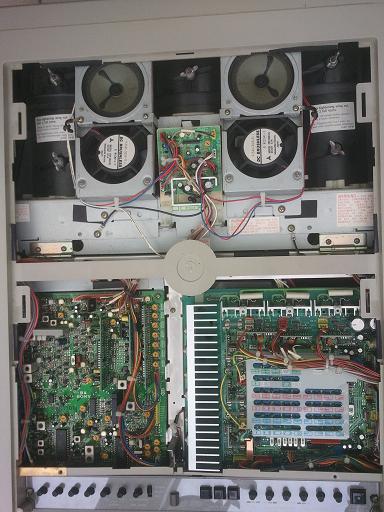
If your screen ratio is 16:9 you will probably also have to adjust the "V.Size" Master Height pot in order to squeeze the image down to its proper size. The "V.Size" pot is located on the DA circuit board beneath the DB Circuit board.
Am I on the right track here?
And what about the AKB switch?
Some say on others say off?
Thanks !
|
|
| Back to top |
|
|
CasetheCorvetteman
Joined: 09 Nov 2008
Posts: 6326
Location: Australia
|
| Posted: Mon May 20, 2013 1:31 am Post subject: |
|
|
1031 wont have an AKB switch as far as i know.
Take a photo of this machine and post it here for us to see.
Id go about 5mm of unused phoshor on a 1001-QM so id go about the same on a 1031 if the convergence system will give you the range of adjustment. 1031 is all analog and may not have the range of the 1001 and the 1044 which have both analog and digital convergence.
Dont go over the edges of the phosphor surface.
|
|
| Back to top |
|
|
Digivid72
Joined: 22 Jan 2013
Posts: 12
Location: The Netherlands
|
| Posted: Mon May 20, 2013 6:20 pm Post subject: |
|
|
Hi,
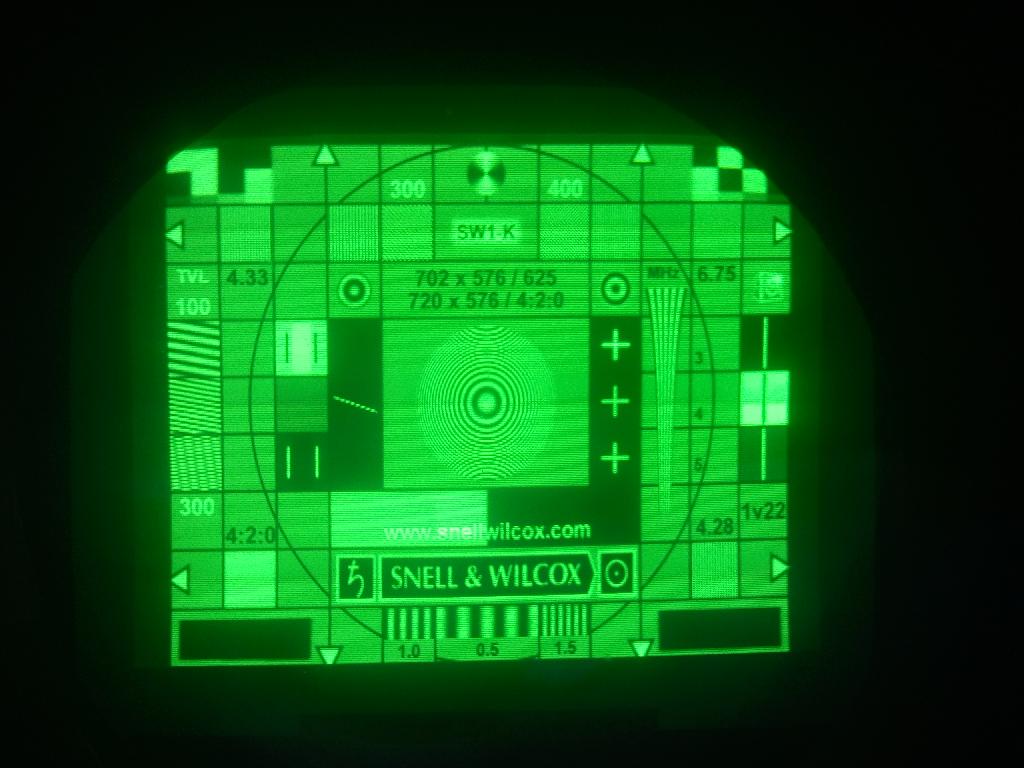
Here a picture. Sorry for the quality.
As you can see there is alot of unused fosfor left.
I can fill the tube from top to bottom with the green knops nearly by the edge, but not from left to right. This knob is already completely turned to the right. Would it be better to use the internal test patterns?
.
| Description: |
|
| Filesize: |
87.51 KB |
| Viewed: |
6110 Time(s) |
|
|
|
| Back to top |
|
|
CasetheCorvetteman
Joined: 09 Nov 2008
Posts: 6326
Location: Australia
|
| Posted: Tue May 21, 2013 12:20 am Post subject: |
|
|
Im interested to see the whole projector for a couple view in the light, cause it doesnt look like a 1031 in that image unless youve left the lens frame on the chassis. The fact you say youre adjusting pots means it probably is, but i want to be sure what you have is what youre being advised on.
Too big there, you should make it abit smaller. You will need to reduce vertical size to make the image 16:9.
Whatever machine it is, the scanlines are pretty tidy at 576p!!
|
|
| Back to top |
|
|
Digivid72
Joined: 22 Jan 2013
Posts: 12
Location: The Netherlands
|
| Posted: Tue May 21, 2013 9:02 am Post subject: |
|
|
Hi Case
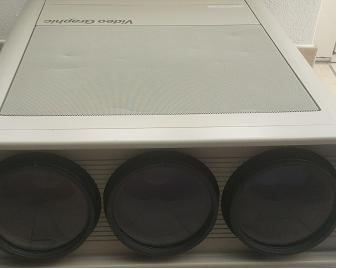
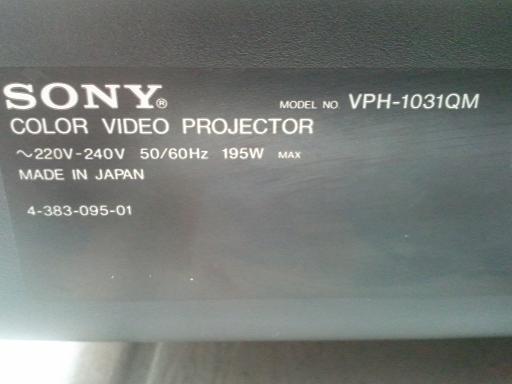
Here the pics from this heavy dude
Lenses are SD187 types.
| Description: |
|
| Filesize: |
8.95 KB |
| Viewed: |
6088 Time(s) |
|
| Description: |
|
| Filesize: |
29.82 KB |
| Viewed: |
6088 Time(s) |
|
| Description: |
|
| Filesize: |
57.35 KB |
| Viewed: |
6088 Time(s) |
|
|
|
| Back to top |
|
|
CasetheCorvetteman
Joined: 09 Nov 2008
Posts: 6326
Location: Australia
|
| Posted: Tue May 21, 2013 11:38 am Post subject: |
|
|
Cheers mate i had to be sure!!
Tubes are SD187, lenses i cant see what they are, will be Delta of sorts, i wouldnt think they will be TAC-4 but could be...
|
|
| Back to top |
|
|
Digivid72
Joined: 22 Jan 2013
Posts: 12
Location: The Netherlands
|
| Posted: Tue May 21, 2013 1:30 pm Post subject: |
|
|
Hi Case,
It's a 1031 allright also found the AGC switch
Now I need a plan from start to finish so I can make this beast work like it should.
I would like to start from scratch.
Is it possible to create a sort of step by step guide for 16:9 projection?
Ezboyztoyz does, but without the proper images I wouldn't even know how to central all control knobs starting from zero. And the final settings for the screen.
Cheers,
|
|
| Back to top |
|
|
CasetheCorvetteman
Joined: 09 Nov 2008
Posts: 6326
Location: Australia
|
| Posted: Tue May 21, 2013 6:59 pm Post subject: |
|
|
|
Move them all to their central points use the width coils to widen the image, use an insulated allen key.
|
|
| Back to top |
|
|
|
|




