| Author |
Message |
Wolfman
Joined: 27 Apr 2008
Posts: 27
|
| Posted: Mon Feb 20, 2012 2:12 am Post subject: Need Barco 808 RS 232 command list for use with iTach |
|
|
I am finally throwing out my old Logitech remotes and am in the process of setting a new iPad remote with Roomie Remote and a couple of iTach IP to Serial and IP to IR adapters.
I was initially hoping the the iTach IR adapter could handle Barco's old PPL IR encoding (versus the newer RC5 stuff), but no luck.
Back in the old days, I used a a Barco switcher which handled that part nicely.
So I figure to use the RS232 port on the Barco and use a iTach Serial adapter instead to send a Serial command to the projector. I already use one for the Russound Multi-Room AV and they work quite nicely.
Since Roomie doesn't have Barco or Runco CRT's in their command library, I was planning to add that via an XML file.
Their format seems quite simple, but I simply don't know the formatting of the serial commands.
Here is a sample file for the iTach:
<?xml version="1.0" encoding="UTF-8"?>
<!DOCTYPE plist PUBLIC "-//Apple//DTD PLIST 1.0//EN" "http://www.apple.com/DTDs/PropertyList-1.0.dtd">
<plist version="1.0">
<array>
<dict>
<key>codes</key>
<dict>
<key>.VOLUME SET</key>
<string>ISCP\x00\x00\x00\x10\x00\x00\x00\x09\x01\x00\x00\x00!1MVL##\x0d\x0a</string>
<key>.INPUT STATUS</key>
<data>SVNDUAAAABAAAAALAQAAACExU0xJUVNUTg0K</data>
<key>.MUTE STATUS</key>
<data>SVNDUAAAABAAAAALAQAAACExQU1UUVNUTg0K</data>
<key>.VOLUME FORMAT</key>
<string>200</string>
<key>.VOLUME STATUS</key>
<data>SVNDUAAAABAAAAALAQAAACExTVZMUVNUTg0K</data>
<key>.POWER STATUS</key>
<data>SVNDUAAAABAAAAALAQAAACExUFdSUVNUTg0K</data>
<key>.MODE STATUS</key>
<data>SVNDUAAAABAAAAALAQAAACExTE1EUVNUTg0K</data>
</dict>
<key>method</key>
<string>binary</string>
<key>brand</key>
<string>Onkyo</string>
<key>cat</key>
<string>Sample Receiver Commands</string>
<key>type</key>
<integer>16</integer>
</dict>
</array>
</plist>
Can anyone help?
Thanks!
Wolfman
|
|
| Back to top |
|
 |
ecrabb
Forum Moderator

Joined: 13 Mar 2006
Posts: 15909
Location: Utah
TV/Projector: JVC RS40, Epson 5010
|
| Posted: Mon Feb 20, 2012 4:28 am Post subject: |
|
|
I can't help you with Roomie because I'm an iRule user (I like the "open" nature of iRule), but in the device file above (an Onkyo RS-232 AVR), this is the command string:
ISCP\x00\x00\x00\x10\x00\x00\x00\x09\x01\x00\x00\x00!1MVL##\x0d\x0a
The \x denotes a hexadecimal byte.
The Barco commands are probably much simpler.
SC
|
|
| Back to top |
|
|
Tom.W

Joined: 09 Mar 2006
Posts: 6635
|
|
| Back to top |
|
|
Wolfman
Joined: 27 Apr 2008
Posts: 27
|
| Posted: Sun Apr 01, 2012 8:21 pm Post subject: |
|
|
Thanks!
I finally found some time to sit down and and get the setup done.
Turns out that the best info for the RS232 commands was in the Runco 992 Ultra manual, which is more or less the same as my Barco 808s.
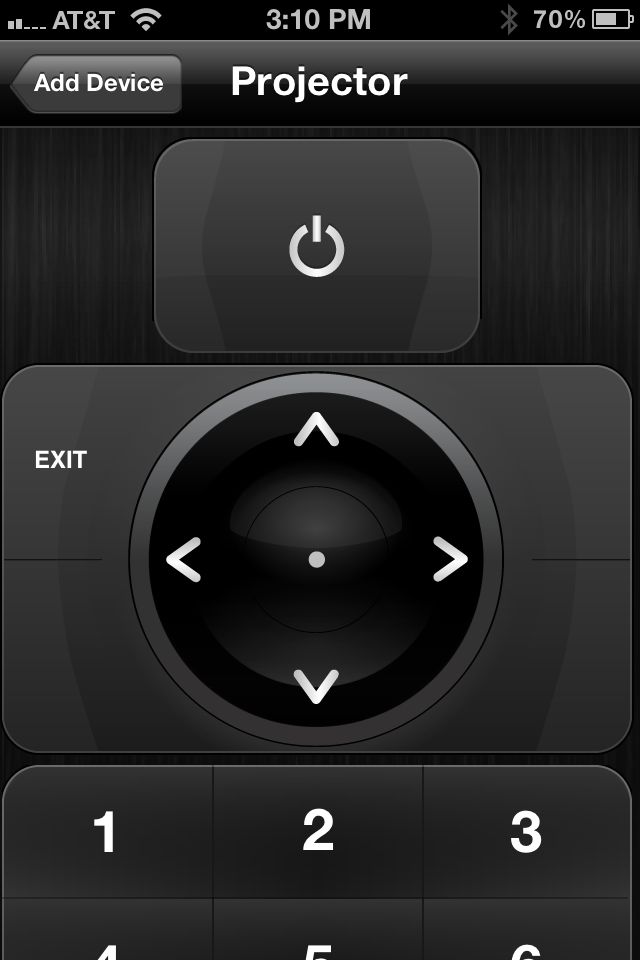
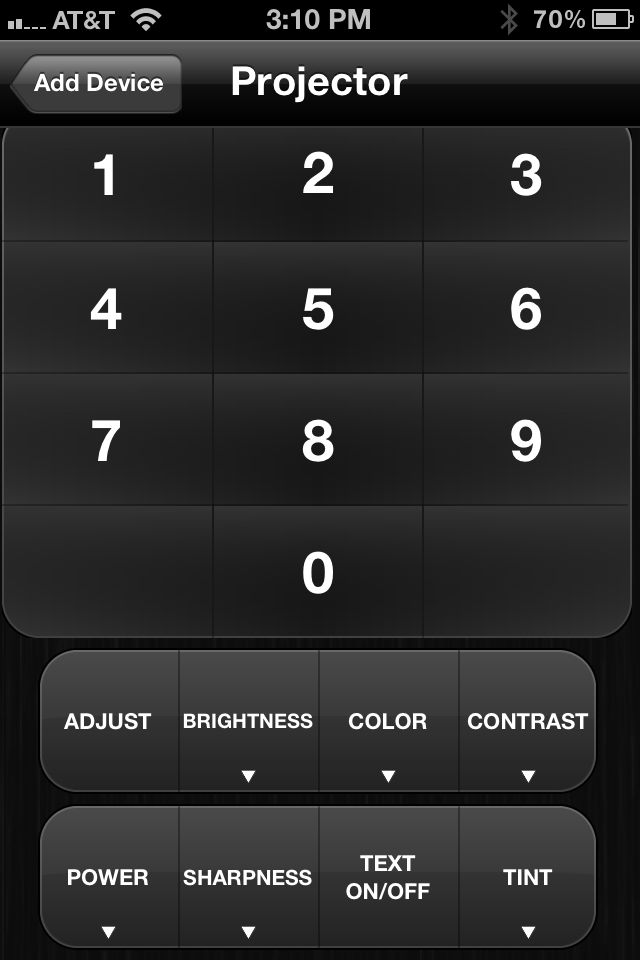
Using the Global Cache iTach TCP/IP to Serial (RS232), which is just a sweet product, I can now fully control the Barco via my iPad/iPhone. I have created every Remote Control command so that I have the full Barco remote (only using address 0 for simplicity, that is).
Am finally able to pull the remaining IR sensors out of my setup as everything is IP/Serial controlled using discrete commands 
The iPhone makes a perfect remote for adjusting convergence, etc. as the serial commands work much better than using an IR remote.
If there is anyone else planning to use a RoomieRemote, I'll be more than happy to upload the file.
I have included a couple screenshots of the device remote.
Thanks again to point me in the right direction...
Wolfman
| Description: |
|
| Filesize: |
48.86 KB |
| Viewed: |
3350 Time(s) |
|
| Description: |
|
| Filesize: |
51.75 KB |
| Viewed: |
3350 Time(s) |
|
|
|
| Back to top |
|
|
|
|




