| Author |
Message |
gjaky

Joined: 05 Jun 2010
Posts: 2802
Location: Budapest, Hungary
|
| Posted: Thu Dec 22, 2011 9:04 am Post subject: |
|
|
The problem is that the PG6100 syncs to only 65kHz and a standard 1080p@60Hz signal is about 67kHz, so this is sucks, but read my post above, that will make you happy 
_________________
projectors in the past : NEC 6-9PG xtra, Electrohome Marquee 6-7500, NEC XG 1351 LC ( with super modified Electrohome VNB neckboard !!!)
current: VDC Marquee 9500LC
The MOD: VNB-DB, VIM-DB
|
|
| Back to top |
|
 |
CasetheCorvetteman

Joined: 09 Nov 2008
Posts: 6326
Location: Australia
|
| Posted: Thu Dec 22, 2011 12:40 pm Post subject: |
|
|
|
Your 6 PG XTRA wouldnt resolve 1080p, youre confused with terms here. Big difference between resolving and syncing to....
|
|
| Back to top |
|
|
hansilili

Joined: 09 Mar 2007
Posts: 302
Location: Köln, Germany
|
| Posted: Fri Dec 23, 2011 9:01 pm Post subject: |
|
|
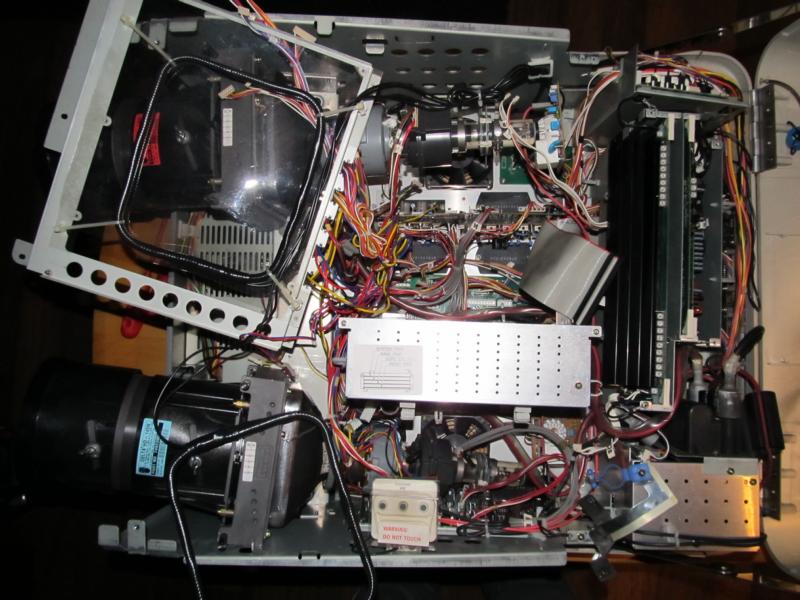
The slaughter has begun.
AARRGGghh, what a mess
| Description: |
|
| Filesize: |
96.32 KB |
| Viewed: |
9085 Time(s) |
|
_________________
HansA, alles andere ist euer Bier!
|
|
| Back to top |
|
|
hansilili
Joined: 09 Mar 2007
Posts: 302
Location: Köln, Germany
|
| Posted: Thu Dec 29, 2011 4:21 pm Post subject: |
|
|
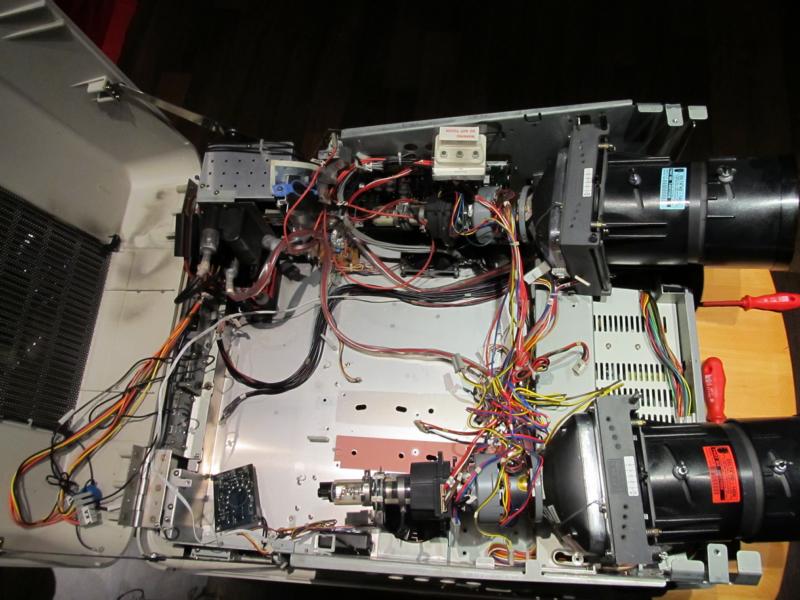
Okay, did it and didn't kill it.
Changed deflection, focus, convergence HV boards and cages for video and system boards, added the PGplus degauss board and shielding coils to the 10PG, the 10PG point convergence board went into the PGplus system cage. Some of the 6PG wires were too short for the bigger chassis, eg two cable from video to blue CRT neckboard and system - focus board connection.
As the tubes were all out I also replaced the original fans for quiter ones.
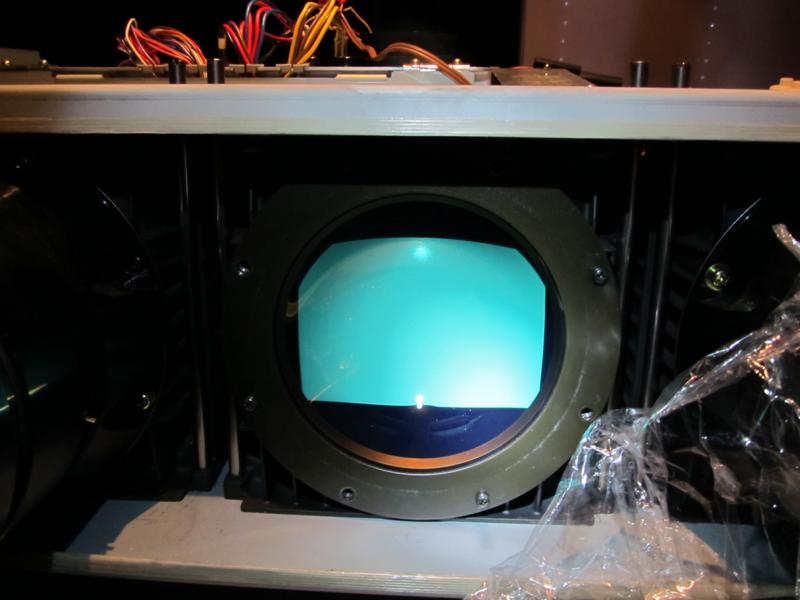
After first light up the picture was really big. Will have to reduce Amplitude with the v height pot. All menues look to be working correctly - what a relief.
Some questions though.
How to increase brightness othe than with picture funtion and the Kelvin settings? On all three CRTs I cant make the raster visible and the correct brightness level adjustment will lead to a value of 70 - 90. Somethings wrong here I guess. The manual says somthing of RGB Gain when operated with a switcher but I don't have any.
How to activate/enable the Passcode? The menu states "disable", can't change that.
Stunning, how virgin white the tubes look.
| Description: |
|
| Filesize: |
90.1 KB |
| Viewed: |
9048 Time(s) |
|
| Description: |
|
| Filesize: |
57.54 KB |
| Viewed: |
9048 Time(s) |
|
_________________
HansA, alles andere ist euer Bier!
|
|
| Back to top |
|
|
gjaky
Joined: 05 Jun 2010
Posts: 2802
Location: Budapest, Hungary
|
| Posted: Thu Dec 29, 2011 4:58 pm Post subject: |
|
|
Probably you would need to readjust the G2 settings, which is can be done on the white thing over the blue tube with the "do not touch" sticker. But don't ask me how... As I've heard macgyver655 has a procedure how to readjust G2s well on NECs
_________________
projectors in the past : NEC 6-9PG xtra, Electrohome Marquee 6-7500, NEC XG 1351 LC ( with super modified Electrohome VNB neckboard !!!)
current: VDC Marquee 9500LC
The MOD: VNB-DB, VIM-DB
|
|
| Back to top |
|
|
hansilili
Joined: 09 Mar 2007
Posts: 302
Location: Köln, Germany
|
| Posted: Fri Dec 30, 2011 9:54 am Post subject: |
|
|
As all settings in the donating and receiving machine look very well done I don not want to prematurely mess with the knobs that you are normally not supposed to touch. Okay, this probably accounts for all HV equipment in service.
So this needs some more consideration.
Also, how to turn of the AKB lines. Normally those should only light when Pic Func or color temperature are adjusted, right? Would this have something to do with me not being able to activate the user mode?
_________________
HansA, alles andere ist euer Bier!
|
|
| Back to top |
|
|
gjaky
Joined: 05 Jun 2010
Posts: 2802
Location: Budapest, Hungary
|
| Posted: Fri Dec 30, 2011 10:01 am Post subject: |
|
|
To turn off AKB hit 'INFO' then turn simply off the AKB by selecting it.
What is the problem with the user mode?
_________________
projectors in the past : NEC 6-9PG xtra, Electrohome Marquee 6-7500, NEC XG 1351 LC ( with super modified Electrohome VNB neckboard !!!)
current: VDC Marquee 9500LC
The MOD: VNB-DB, VIM-DB
|
|
| Back to top |
|
|
CasetheCorvetteman
Joined: 09 Nov 2008
Posts: 6326
Location: Australia
|
| Posted: Fri Dec 30, 2011 12:20 pm Post subject: |
|
|
the passcode is 2580...
The AKB lines will only come up when you press KELVIN, not any of the other stuff. They are there all the time if you turn on AKB...
|
|
| Back to top |
|
|
hansilili
Joined: 09 Mar 2007
Posts: 302
Location: Köln, Germany
|
| Posted: Fri Dec 30, 2011 1:37 pm Post subject: |
|
|
Thanks guys, this was all known to me but double checking can't be wrong
The Projector is ALLWAYS in Adjust mode with Passcode disabled. The question is, how to terminate the Adjust mode and activate User mode and have the machine to start up in usermode. This was already present in the donating 6PGplus.
Just did a provisional set up and rechecked the color controls. Brightness is much too low even with the setting on 100. In the color temperature adjustment "Kelvin" neither of the Black level controls is effective, the white level controls do work though. Too bad I didn't check this on the 6PGplus before disassemble.
Did I forget a cable or is there a loose connection? Any Idea which plug on which board to check?
_________________
HansA, alles andere ist euer Bier!
|
|
| Back to top |
|
|
CasetheCorvetteman
Joined: 09 Nov 2008
Posts: 6326
Location: Australia
|
| Posted: Fri Dec 30, 2011 2:04 pm Post subject: |
|
|
What do you mean in adjust mode?? Ive got a 9PG, so im not quite sure what you mean here...
Do you mean you wish to lock it so it cant be adjusted??
|
|
| Back to top |
|
|
gjaky
Joined: 05 Jun 2010
Posts: 2802
Location: Budapest, Hungary
|
| Posted: Fri Dec 30, 2011 2:08 pm Post subject: |
|
|
The difference between adjustment mode and user mode is the depth of the menu. If you access the pj via the user remote or via the back panel you can only access to user mode menus,with setup remote you will be in adjustment mode, the passcode protects the adjustment mode if it isn't disabled.
Are the neck boards exactly the same? Otherwise the video out board controlls the both white and black kelvin adjustments, you can try to put the original 10PG video out board in the pg plus, it should work somehow.
_________________
projectors in the past : NEC 6-9PG xtra, Electrohome Marquee 6-7500, NEC XG 1351 LC ( with super modified Electrohome VNB neckboard !!!)
current: VDC Marquee 9500LC
The MOD: VNB-DB, VIM-DB
|
|
| Back to top |
|
|
hansilili
Joined: 09 Mar 2007
Posts: 302
Location: Köln, Germany
|
| Posted: Fri Dec 30, 2011 2:31 pm Post subject: |
|
|
| gjaky wrote: | | the passcode protects the adjustment mode if it isn't disabled. |
Exactly! But how should I enable the Pascode protection?
_________________
HansA, alles andere ist euer Bier!
|
|
| Back to top |
|
|
hansilili
Joined: 09 Mar 2007
Posts: 302
Location: Köln, Germany
|
| Posted: Fri Dec 30, 2011 2:33 pm Post subject: |
|
|
| CasetheCorvetteman wrote: | | Do you mean you wish to lock it so it cant be adjusted?? |
Yes, at least I would like to be able to do that because otherwise I suspect something is wrong.
_________________
HansA, alles andere ist euer Bier!
|
|
| Back to top |
|
|
hansilili
Joined: 09 Mar 2007
Posts: 302
Location: Köln, Germany
|
| Posted: Fri Dec 30, 2011 4:52 pm Post subject: |
|
|
I solved the issue of low brightness and AKB lines allways on by setting switch S3601 on Video out PWB from Test to Norm position.
_________________
HansA, alles andere ist euer Bier!
|
|
| Back to top |
|
|
CasetheCorvetteman
Joined: 09 Nov 2008
Posts: 6326
Location: Australia
|
| Posted: Sat Dec 31, 2011 7:46 am Post subject: |
|
|
|
You can press CTRL + DISPLAY on the remote to lock out a heap of buttons on the set up remote i think.. I cant remember....
|
|
| Back to top |
|
|
gjaky
Joined: 05 Jun 2010
Posts: 2802
Location: Budapest, Hungary
|
|
| Back to top |
|
|
CasetheCorvetteman
Joined: 09 Nov 2008
Posts: 6326
Location: Australia
|
| Posted: Sat Dec 31, 2011 5:36 pm Post subject: |
|
|
|
Oh is that what is does...
|
|
| Back to top |
|
|
kschmit2
Joined: 09 Mar 2006
Posts: 1141
Location: Heidelberg, Germany
|
| Posted: Sun Jan 01, 2012 10:39 am Post subject: |
|
|
|
You may have to create a user password first, to be able to switch to user mode.
|
|
| Back to top |
|
|
CasetheCorvetteman
Joined: 09 Nov 2008
Posts: 6326
Location: Australia
|
| Posted: Sun Jan 01, 2012 12:27 pm Post subject: |
|
|
|
Yep, ya do
|
|
| Back to top |
|
|
hansilili
Joined: 09 Mar 2007
Posts: 302
Location: Köln, Germany
|
| Posted: Mon Jan 02, 2012 5:08 pm Post subject: |
|
|
Tried that of course. Go to "NEW PASSWORD", enter 2580 and get an "error" message"warning, new password!!".
Currently no testing possible because we are skiing in Switzerland and my wife would not allow me to pack the projector 
Great snow though and free wifi in the swimming pool 
_________________
HansA, alles andere ist euer Bier!
|
|
| Back to top |
|
|
|
|




