| Author |
Message |
skippyar
Joined: 22 May 2009
Posts: 108
Location: Bristol, UK
|
| Posted: Tue Feb 08, 2011 1:07 am Post subject: Barco HTHD and Scan Fail LED. |
|
|
Hello all,
Got the dreaded combo as the topic states.. Cleaned up all modules, fixed dry-joints on some modules, tested *all* resistors, transistors, chips, diodes, (not caps) to no avail.
Removing both Vertical and Horizontal boards clears SF but still fast blinking HTHD, but having either/both boards then SF and HTHD, could I assume both boards are knackered?
When this fault happened in the past before it became permanent I simply powered off the projector waited 20minutes, tried again and it would be fine for another 2-3 hours. So I figured perhaps is was the dry-joints warming/expanding and causing a short - but obviously not.
* Tested safety resistors (convergence board) - ok.
It's had a rough life of previous owners, I've tried my best to refurb/maintain, but these types of issues test the limit of my proficiency - any thoughts would be appreciated.
I'll probably end up sending all the modules to Mr Palme for testing.
Paul. 
_________________
Barco 500 Data Owner.
|
|
| Back to top |
|
 |
Curt Palme
CRT Tech
Joined: 08 Mar 2006
Posts: 24396
Location: Langley, BC
TV/Projector: All of them!
|
| Posted: Tue Feb 08, 2011 1:59 am Post subject: |
|
|
What model?
The HTHD light is for the voltage that drives the H output board. If there's a scan fail issue, the HTHD voltage will be shut down to prevent spot burn on the tubes. (The HV also gets shut down by the scan fail).
So, a scan fail will always trigger the HTHD shutdown. Ditto for the reverse, if the power supply is bad and outputs no HTHD, there's no H deflection, and the SF will turn on.
If it's intermittent, check the master width trimpot on the SMPS (power supply). Too low or too high a setting, and the SF will also be triggered. Again, to prevent tube phosphor line or spot marks.
Without getting into the SF circuits, you can't tell whether it's the SMPS, H or V boards that are causing the error. I had one BArco long ago that I spent hours on trying to find the SF cause. Turns out the SF line runs through the video boards, and a bad one caused the SF as well. That was one set though in the 100s of Barcos I've worked on.
|
|
| Back to top |
|
|
skippyar
Joined: 22 May 2009
Posts: 108
Location: Bristol, UK
|
| Posted: Tue Feb 08, 2011 10:55 am Post subject: |
|
|
Thanks for the reply. Mine's a 500 Data, forgot to mention I'd checked every fuse too..
I kinda get the feeling I've got a very obsure fault with mine at the moment. All the obvious testings (short of getting the out) are just turning up nothing.
I haven't got the schematics for the 500 Data so I wouldn't know exactly which trim pot is the Master width. All pots are still sealed. (I did notice that a previous owner had messed with the V-HOLD-L and V-HOLD-H on the vertical module.)
I'll have another go at testing it this evening, I just hope I don't have to stack it next to the Seleco SVP-350 in my "to fix" corner. 
Cheers,
Paul.
_________________
Barco 500 Data Owner.
|
|
| Back to top |
|
|
Curt Palme
CRT Tech
Joined: 08 Mar 2006
Posts: 24396
Location: Langley, BC
TV/Projector: All of them!
|
| Posted: Tue Feb 08, 2011 1:45 pm Post subject: |
|
|
Well, I'm selling working and tested H and V boards for $10 each plus about $55-60 shipping, so that would be one way to solve it.  THe V hold pots tweaking won't put you into scan fail mode. THe V hold pots tweaking won't put you into scan fail mode.
|
|
| Back to top |
|
|
skippyar
Joined: 22 May 2009
Posts: 108
Location: Bristol, UK
|
| Posted: Tue Feb 08, 2011 2:32 pm Post subject: |
|
|
They are very good prices Curt. I think I'll more than likely arrange to have the modules shipped to yourself. I know from experience with my Seleco SVP 350 faulty SMPS the cost/hassle of replacing just components doesn't warrant it and makes more sense to just swap out with a complete module.
I best get saving.
Thanks again for the support and feedback.
Paul.
_________________
Barco 500 Data Owner.
|
|
| Back to top |
|
|
draganm

Joined: 08 Mar 2006
Posts: 8990
Location: Colorado
|
| Posted: Tue Feb 08, 2011 3:40 pm Post subject: |
|
|
| skippyar wrote: | | They are very good prices Curt. I think I'll more than likely arrange to have the modules shipped to yourself. |
Paul consider that the cost of shipping is 5 to 6 times the cost of any single part, best just to purchase any and all suspect modules and have them shipped once to you in a single batch.
|
|
| Back to top |
|
|
skippyar
Joined: 22 May 2009
Posts: 108
Location: Bristol, UK
|
| Posted: Tue Feb 08, 2011 4:33 pm Post subject: |
|
|
Yes! Absolutely.
Thanks for the response draganm.
Paul.
He's down and disassembled at the moment. Some hardware pron for those interested: https://picasaweb.google.com/skippyar/BarcoCRT#
_________________
Barco 500 Data Owner.
|
|
| Back to top |
|
|
skippyar
Joined: 22 May 2009
Posts: 108
Location: Bristol, UK
|
| Posted: Tue May 03, 2011 11:46 pm Post subject: |
|
|
Still persisting with this, though inevitably I'll purchase replace modules. In the meantime it's still educational.
(Keeping in mind I still have my existing SF fault).
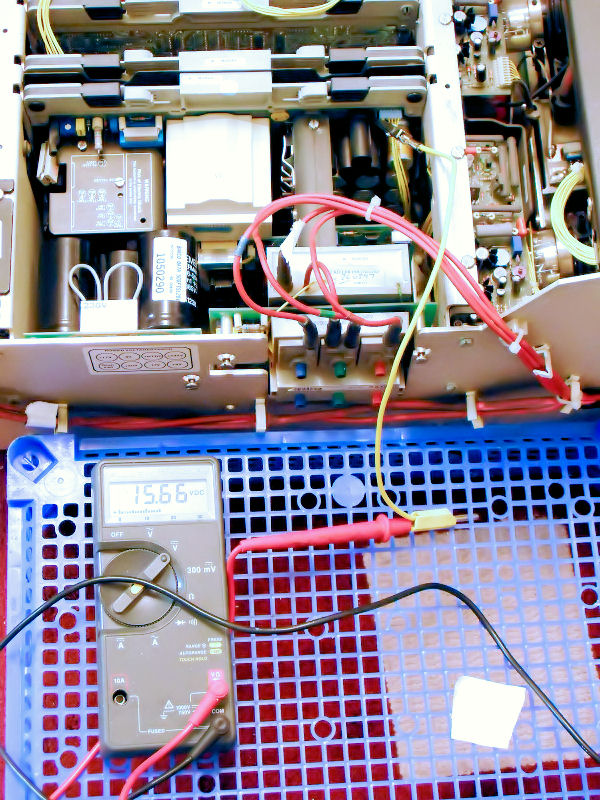
Referencing my 17+ test point I noticed the 17+ trimpot when turned up full can only achieve 15.66v. I've metered various components that pertain to the trimpot and all seems ok - so where should I be looking for current loss?
Thanks for any input.
Paul.
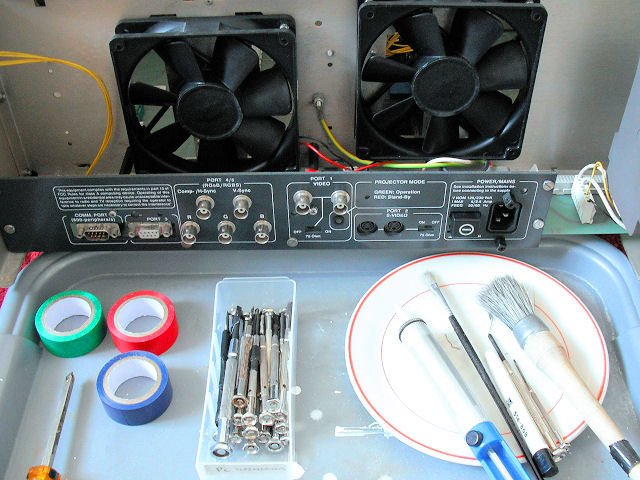
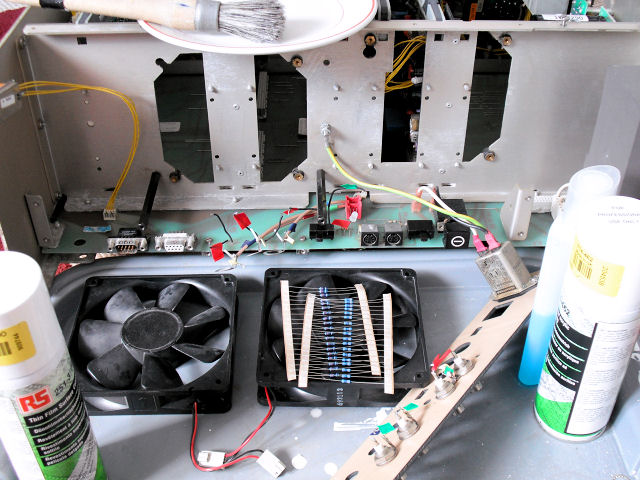
Disassembled and refurbished the back today. Also using Curt's tips section I was able to address and verify what I'd done against the outlined fault pointers guide. 
| Description: |
| Cleaned and re-soldered wires, metered resistors.. |
|
| Filesize: |
92.6 KB |
| Viewed: |
7658 Time(s) |
|
| Description: |
| Disassembled, cleaned and treated the pcb. Removed dust from fans, even rust on the metals (previous bad owners)! |
|
| Filesize: |
88.53 KB |
| Viewed: |
7658 Time(s) |
|
| Description: |
|
| Filesize: |
198.85 KB |
| Viewed: |
7658 Time(s) |
|
_________________
Barco 500 Data Owner.
|
|
| Back to top |
|
|
Curt Palme
CRT Tech
Joined: 08 Mar 2006
Posts: 24396
Location: Langley, BC
TV/Projector: All of them!
|
| Posted: Wed May 04, 2011 12:01 am Post subject: |
|
|
|
That could well be the issue. That point needs to be at 17 volts, under 16 and even without the SF, the pix will blank out. Something is wrong with the SMPS I'd think. CHeck the other outputs to see if they are equally low..
|
|
| Back to top |
|
|
skippyar
Joined: 22 May 2009
Posts: 108
Location: Bristol, UK
|
| Posted: Wed May 04, 2011 9:23 am Post subject: |
|
|
| Curt Palme wrote: | | the pix will blank out. |
Yes! It actually used to periodically do EXACTLY that and the 17+ LED would come on in some cases.
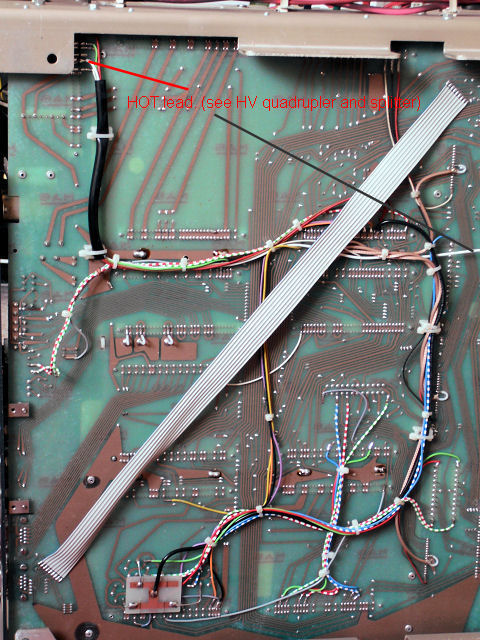
When testing the SMPS and taking it out/reinserting some occasions the CRT NEVER powered up. No standby LED (SMPS), no CPU controller activity, real intermittent issue - I wondered if there was perhaps issues with the motherboard, AC power - but these both look good as I went over-over them last night metering.
I haven't got a cap-analyzer so I'm a bit limited in my testing.
This board (SMPS) and the EHT are mind-boggling, they're so complex and precise in operation, looking up the roles of the chips - IE: one chip task http://en.wikipedia.org/wiki/Schmitt_trigger.
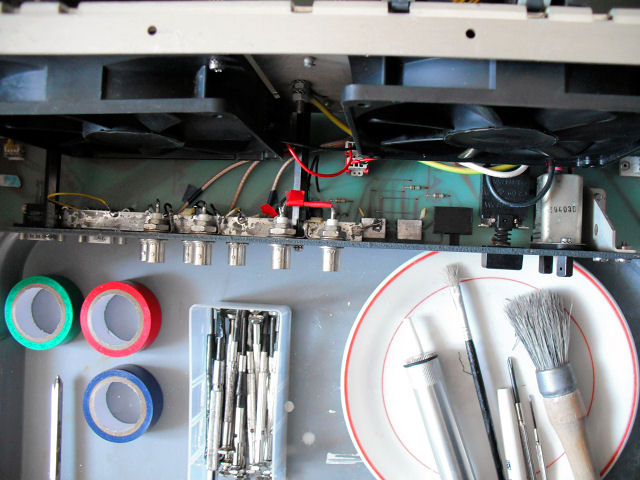
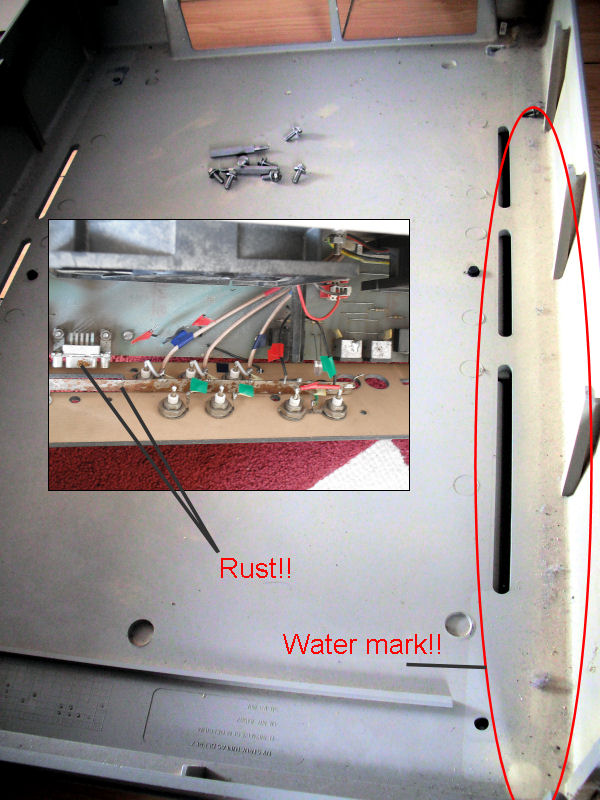
Given the extent of overall damage it's no wonder this CRT ever worked. I reckoned it must have been badly stored in a warehouse etc judging by the damage.
Everything you mentioned in the tip tutorial section regarding dry joint it had all of them AND more; since repaired.
Thanks for sharing all the advice appreciated, very helpful.
Paul.
| Description: |
| Removed all the rust and corrosive damage, treated the PCB, etc |
|
| Filesize: |
79.2 KB |
| Viewed: |
7636 Time(s) |
|
| Description: |
| Evidence of water, rust, green corrosive damage on metals/components - all cleaned. |
|
| Filesize: |
114.19 KB |
| Viewed: |
7636 Time(s) |
|
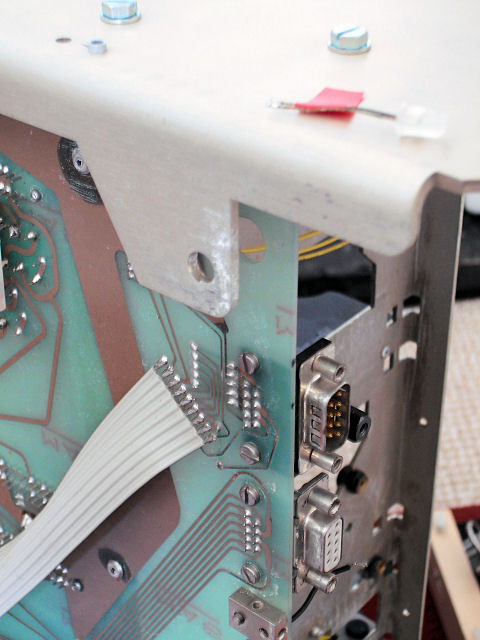
| Description: |
| Some damaged (corrosive has been addressed). I've noticed in the bottom half of the casing there is a water stain!! |
|
| Filesize: |
64.91 KB |
| Viewed: |
7636 Time(s) |
|
| Description: |
| Checked the motherboard, traces etc, all seems good. |
|
| Filesize: |
120.6 KB |
| Viewed: |
7636 Time(s) |
|
_________________
Barco 500 Data Owner.
|
|
| Back to top |
|
|
skippyar
Joined: 22 May 2009
Posts: 108
Location: Bristol, UK
|
| Posted: Wed May 09, 2012 10:57 pm Post subject: |
|
|
| Curt Palme wrote: | | Well, I'm selling working and tested H and V boards for $10 each plus about $55-60 shipping, so that would be one way to solve it. THe V hold pots tweaking won't put you into scan fail mode. |
Hello Mr Palme, would you still happen to have stock of the SMPS, Vertical and Horizontal modules for the Barco 500 Data?
Would be grateful if you could give me a total price for all three and shipping (UK) if available.
Many thanks in advance.
Paul.
_________________
Barco 500 Data Owner.
|
|
| Back to top |
|
|
Curt Palme
CRT Tech
Joined: 08 Mar 2006
Posts: 24396
Location: Langley, BC
TV/Projector: All of them!
|
| Posted: Wed May 09, 2012 11:22 pm Post subject: |
|
|
Sure, email me at curtpalme at shaw.ca
Thanks!
|
|
| Back to top |
|
|
|
|





