|
As this forum is rarely used anymore, we've locked it. Feel free to browse and read. Questions? Please reach out to us directly. Cheers! |

|
 |
|
|
| Author |
Message |
AnalogRocks
Forum Moderator

Joined: 08 Mar 2006
Posts: 26706
Location: Toronto, Ontario, Canada
TV/Projector: Sony 1252Q, AMPRO 4000G
|
| Posted: Sat Jan 16, 2010 4:20 am Post subject: Good HDMI/DVI bandwidth calculator? |
|
|
Anybody know of a good bandwidth calculator to calculate the MHz?
Eg if we had 1024x768 @ 120 MHz how many MHz does that equal in terms of HDMI bandwidth?
How do you calculate this?
_________________
Tech support for nothing
CRT.
HD done right!
|
|
| Back to top |
|
 |
Nashou66

Joined: 12 Jan 2007
Posts: 16171
Location: West Seneca NY
|
| Posted: Sat Jan 16, 2010 5:27 am Post subject: |
|
|
Well this isn't a bandwidth calculator per se but with it you can add in all the data and it will tell you what the pixel clock is. its the resolution editor for the Tv-one scalers. its how you can add custom resolutions to your scaler.
Since just resolution isn't the only determining factor of bandwidth( timing numbers change the pixel clock as well) this is a good tool.
http://files.me.com/nashou.66/dv86rn
So according to your resolution its about 139 Mhz pixel clock using the above program. the pixel clock info is in the Advanced create & edit Resolution tab.
Athanasios
_________________
Don't blame your underwear for your crooked ass~ unknown Greek philosopher
"Republicans believe every day is the Fourth of July, but the Democrats believe every day is April 15." --- President Reagan
One Smart Dog!!!
Marquee High Performance Bellows now shipping!!
Marquee Modifications and Performance Enhancement
Marquee C-element and Bellow removal
|
|
| Back to top |
|
|
VideoGrabber
Joined: 09 Apr 2006
Posts: 933
Location: Michigan
|
| Posted: Sun Jan 17, 2010 4:01 am Post subject: |
|
|
AR inquired:
> Eg if we had 1024x768 @ 120 MHz how many... <
I think you meant 120 Hz there, not MHz.
> ...how many MHz does that equal in terms of HDMI bandwidth? How do you calculate this? <
What do you want this for? I.e., your question is a bit confusing, because HDMI is a digital signal (you know, bits), and thus is normally reported in aggregated GBit/sec terms (though that's called bandwidth as well, just not in MHz terms). It also breaks down into the full TDMS bandwidth (bitrate), and the video bitrate, and audio bitrate components. So I'm not sure which number(s) you're looking for.
[In case you're wondering, the audio component doesn't expand the bit counts because it's cleverly stashed in the blanking intervals in the video signal.]
You can relate the full TDMS bandwidth back to the analog bandwidth (pixel clock) necessary to carry the digital signal, if you like, which you can get roughly by dividing by 30. E.g., HDMI 1.2 maxes out at 4.95 GBit/sec == 165 MHz. Not coincidentally, each pixel has 3 channels of data, with 8 data bits + 2 overhead bits per pixel for the coding.
In general though, it's pretty simple:
....HDMI bitrate = (horzPixels + hBlanking) x (vertPixels + vBlanking) x bitsPerPixel x frameRate x 10/8 (for TDMS encoding).
The first 2 components combine into the frame size, the third adds depth, the fourth the temporal component, and the last the transmission mechanism overhead.
_________________
- Tim
|
|
| Back to top |
|
|
AnalogRocks
Forum Moderator
Joined: 08 Mar 2006
Posts: 26706
Location: Toronto, Ontario, Canada
TV/Projector: Sony 1252Q, AMPRO 4000G
|
| Posted: Sun Jan 17, 2010 4:05 am Post subject: |
|
|
| VideoGrabber wrote: | AR inquired:
> Eg if we had 1024x768 @ 120 MHz how many... <
I think you meant 120 Hz there, not MHz.
> ...how many MHz does that equal in terms of HDMI bandwidth? How do you calculate this? <
What do you want this for? I.e., your question is a bit confusing, because HDMI is a digital signal (you know, bits), and thus is normally reported in aggregated GBit/sec terms (though that's called bandwidth as well, just not in MHz terms). It also breaks down into the full TDMS bandwidth (bitrate), and the video bitrate, and audio bitrate components. So I'm not sure which number(s) you're looking for.
[In case you're wondering, the audio doesn't expand the bit counts because it's cleverly stashed in the blanking intervals in the video signal.]
You can relate the full TDMS bandwidth back to the analog bandwidth (pixel clock) necessary to carry the digital signal, if you like, which you can get roughly by dividing by 30. E.g., HDMI 1.2 maxes out at 4.95 GBit/sec, or 165 MHz. Not coincidentally, each pixel has 3 channels of data, with 8 data bits + 2 overhead bits per pixel for the coding.
In general though, it's pretty simple:
HDMI bitrate = (horzPixels + hBlanking) x (vertPixels + vBlanking) x bitsPerPixel x frameRate x 10/8 (for TDMS encoding).
The first 2 components combine into the frame size, the third adds depth, the fourth the temporal component, and the last the transmission mechanism overhead. |
Yes I did.
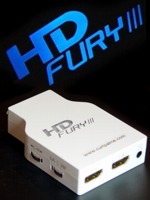
The reason I'm asking is because someone wanted to know if the HDFury2 will handle 1024x768 @ 120Hz. I need to know how to calculate the equivalent in MHz as it pertains to the HDMI signal.
_________________
Tech support for nothing
CRT.
HD done right!
|
|
| Back to top |
|
|
cinema mad
Joined: 25 Nov 2009
Posts: 219
|
| Posted: Sun Jan 17, 2010 5:33 am Post subject: |
|
|
That is an Excellent Resolution Calc Athan Thanks for sharing,
Cheers...
|
|
| Back to top |
|
|
VideoGrabber
Joined: 09 Apr 2006
Posts: 933
Location: Michigan
|
| Posted: Sun Jan 17, 2010 8:20 am Post subject: |
|
|
> The reason I'm asking is because someone wanted to know if the HDFury2 will handle 1024x768 @ 120Hz. <
Ah, OK. I have no idea how it will respond to that frame-rate, but I can say it will not be bandwidth (or bit-rate) limited with that signal. Your PJ may not be thrilled with a 100 kHz hScan rate though (that's close to the limit for many PJs, and in my limited experience, PJs frequently don't operate as well when pushed to their limits).
> I need to know how to calculate the equivalent in MHz as it pertains to the HDMI signal. <
To know precisely, you'd need the vBlanking and hBlanking specs for 1024x768, and I don't have the HDMI spec here. It's what dictates the timing for the various resolutions. But even if you used the 1920x1080 blanking intervals (too large), you'd still be under 130 MHz.
The rez calculator that Nash provided imposes larger, analog-style porches, which are wider than needed for digital signals, but may actually be more appropriate for a CRT. That utility reports almost 140 MHz.
Just doing a back-of-the napkin type calculation, you know that if it handles 1920x1080x60p (which it does), ignoring the blanking means that your suggested 1024x768x120 uses <80% of that capacity. So, anyway you slice it, it's less than the 165 MHz HDMI bandwidth on the HDFury2.
_________________
- Tim
|
|
| Back to top |
|
|
HKmod
Joined: 27 May 2007
Posts: 1600
Location: Taiwan / France
|
|
| Back to top |
|
|
|
|
|
|
|
You cannot post new topics in this forum
You cannot reply to topics in this forum
You cannot edit your posts in this forum
You cannot delete your posts in this forum
You cannot vote in polls in this forum
You cannot attach files in this forum
You can download files in this forum
|
Forum powered by phpBB © phpBB Group
|
|




