| Author |
Message |
AnalogRocks
Forum Moderator

Joined: 08 Mar 2006
Posts: 26706
Location: Toronto, Ontario, Canada
TV/Projector: Sony 1252Q, AMPRO 4000G
|
| Posted: Thu Jan 14, 2010 3:48 pm Post subject: |
|
|
Since it's not hooked up it makes me wonder if this was just a mock up?
_________________
Tech support for nothing
CRT.
HD done right!
|
|
| Back to top |
|
 |
TheVerge
Joined: 19 Jul 2009
Posts: 928
|
| Posted: Thu Jan 14, 2010 3:48 pm Post subject: |
|
|
| draganm wrote: | I have a customer in Bryn Mawr, a pro shop, who is good with CRT's if you need help.
Does anyone else here think the machine looks like it's way too far back from the screen? |
Maybe the camera makes it appear farther away? I don't have much experience, but my screen is a tad bit smaller and my projector appears to be about 1/2 that distance away.
|
|
| Back to top |
|
|
cmjohnson

Joined: 03 Apr 2006
Posts: 5180
Location: Buried under G90s
|
| Posted: Thu Jan 14, 2010 4:16 pm Post subject: |
|
|
If it's got good tubes and is in good shape, you'll have the potential to show an image that is superior to that of any digital projector you can buy. It will be worth it to check it out and learn how to use it. CRT PJs are not simple one button appliances, and require you to
invest a little time every now and then to make a few minor adjustments to keep the picture in prime condition. It's far from a major
commitment, but they do need a little investment in time to keep them at their best. It IS worth it.
CJ
|
|
| Back to top |
|
|
jkruger

Joined: 24 Oct 2007
Posts: 2435
Location: Carlsbad, CA
|
| Posted: Thu Jan 14, 2010 4:34 pm Post subject: |
|
|
|
It does look like it is too far from the screen. A quick look at the tubes will tell how it was set up. With no windows visible in the picture of the room they may have kept the brightness at a low setting.
|
|
| Back to top |
|
|
ecrabb
Forum Moderator

Joined: 13 Mar 2006
Posts: 15909
Location: Utah
TV/Projector: JVC RS40, Epson 5010
|
| Posted: Thu Jan 14, 2010 5:46 pm Post subject: |
|
|

I think it's the camera's wide-angle perspective (diminution) because the throw doesn't look too far away at all to me. If you look at the door to the right, you can see it's probably not quite an 8' ceiling, and you can also see it's only about a 9' throw to maybe a 7'-wide screen.
I guess we'll find out soon enough.
SC
|
|
| Back to top |
|
|
hyper
Joined: 19 Dec 2009
Posts: 22
|
| Posted: Thu Jan 14, 2010 6:55 pm Post subject: |
|
|
Thanks all - great community with tons of good info…looking forward to getting it up and running.
Couple answers/comments: It's real and has wires ran in the ceiling and around the baseboard. The wires come out about where the mirror is on the left of the image. The cable bundle has bnc type connectors (5 I believe). You can also kind of see the baseboard has a notch/channel for some other wires…looks like the screen has some sort of covering/roll that can be lowered (more to play with). It's a pretty small room, no windows near the area. I would guess it's ~10-12ft from the projector to the screen.
In a few more weeks we'll be in the house and I can start tinkering. Can I just get on a step stool and look through the lens to see if the tubes are in good condition (per the pics on tube condition)?
|
|
| Back to top |
|
|
secstate
Joined: 20 Mar 2006
Posts: 720
|
| Posted: Thu Jan 14, 2010 7:22 pm Post subject: |
|
|
| TheVerge wrote: | | draganm wrote: | I have a customer in Bryn Mawr, a pro shop, who is good with CRT's if you need help.
Does anyone else here think the machine looks like it's way too far back from the screen? |
Maybe the camera makes it appear farther away? I don't have much experience, but my screen is a tad bit smaller and my projector appears to be about 1/2 that distance away. |
Runco was famous for specificing installs that were further back at least from what I read. The two Runco 1100s I got were placed too far back. Sad too because the green wear wasn't all that bad but I could not mount my projector far enough back to stay in the wear area without cutting a hole in the wall. I'd guess that my projectors were about about 18" 24" inches further back than optimum.
At OP awesome score. If the tubes are good you will be really happy with the picture that that projector throws. As a bonus Barcos and their Runco clones are relatively easy to setup.
|
|
| Back to top |
|
|
ecrabb
Forum Moderator
Joined: 13 Mar 2006
Posts: 15909
Location: Utah
TV/Projector: JVC RS40, Epson 5010
|
| Posted: Thu Jan 14, 2010 7:32 pm Post subject: |
|
|
If it ends up that it really is too far back, and there's no wear, he doesn't have to move the projector - he can just install a bigger screen! 
SC
|
|
| Back to top |
|
|
draganm

Joined: 08 Mar 2006
Posts: 8990
Location: Colorado
|
| Posted: Thu Jan 14, 2010 7:38 pm Post subject: |
|
|
| hyper wrote: | | I would guess it's ~10-12ft from the projector to the screen.? |
yikes, 10 to 12 feet from a 7 foot screen! That had to have been a home-owner install. Lets hope the tubes don't look like this

|
|
| Back to top |
|
|
hyper
Joined: 19 Dec 2009
Posts: 22
|
| Posted: Thu Jan 14, 2010 8:46 pm Post subject: owner couldnt' have installed |
|
|
| draganm wrote: | | hyper wrote: | | I would guess it's ~10-12ft from the projector to the screen.? |
yikes, 10 to 12 feet from a 7 foot screen! That had to have been a home-owner install. Lets hope the tubes don't look like this |
There's no way the seller/owner installed it - he didn't do anything in the house himself - he said some high-end company from nj did the install. I could be wrong about the distance - we'll have to see. I know if it works i'm not going to be relocating that monster! 
Do I need to take the lens (correct term?) off to see the tubes like the pic?
|
|
| Back to top |
|
|
ecrabb
Forum Moderator
Joined: 13 Mar 2006
Posts: 15909
Location: Utah
TV/Projector: JVC RS40, Epson 5010
|
| Posted: Thu Jan 14, 2010 9:34 pm Post subject: |
|
|
Popping the lenses off is the best way to really see how the tubes look... But, with a flashlight and a chair, you'll be able to see in well enough to know if the tubes are in decent shape, or if they're toast (like the photo above).
SC
|
|
| Back to top |
|
|
hyper
Joined: 19 Dec 2009
Posts: 22
|
| Posted: Fri Feb 05, 2010 2:21 am Post subject: |
|
|
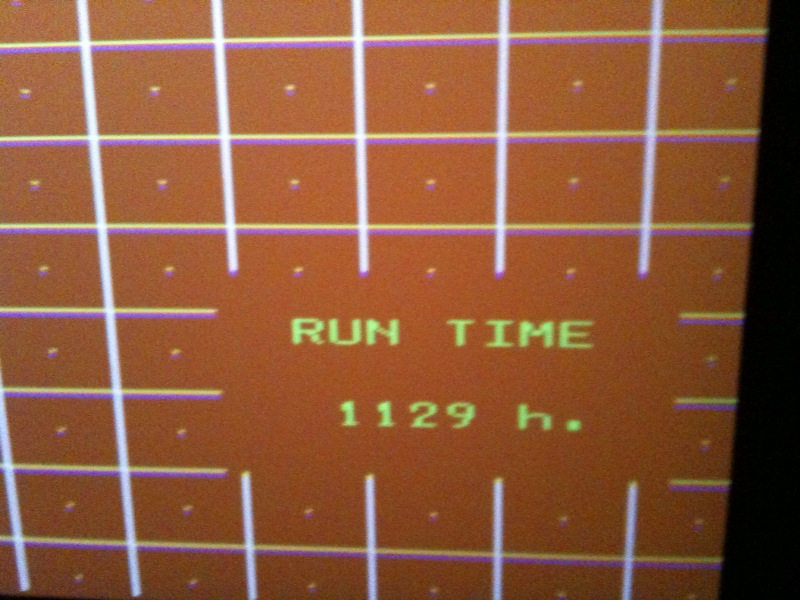
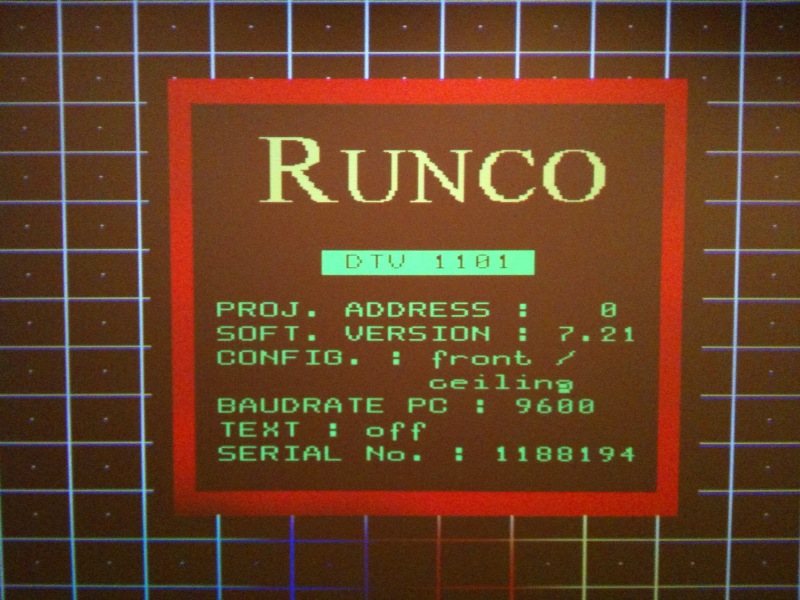
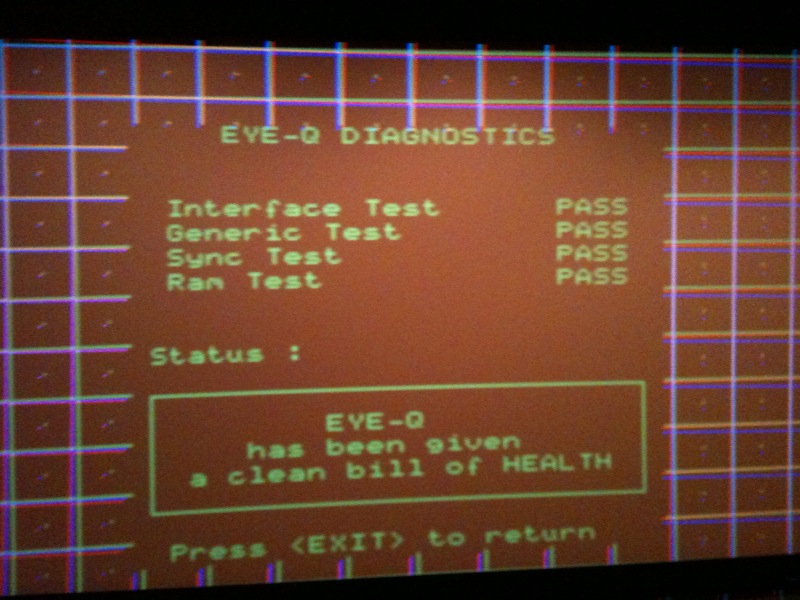
So, we're finally in the house! I haven't been able to pop off the lenses yet to take a look at the tubes but I did get it turned on. It will certainly needs some adjustments but thus far it appears to work. Here's a few pics. My problem now is I have nothing to connect up to it. I've ordered an HDfury3 with BNC connectors but who knowns when that will show up.... Any low cost solutions until the hdmi to bnc stuff shows up?
Also, to anwser a couple other questions. It's ~10ft from the front of the unit to the screen. The screen is ~7ft x 4ft.
| Description: |
|
| Filesize: |
134.64 KB |
| Viewed: |
4366 Time(s) |
|
| Description: |
|
| Filesize: |
145.56 KB |
| Viewed: |
4366 Time(s) |
|
| Description: |
|
| Filesize: |
133.2 KB |
| Viewed: |
4366 Time(s) |
|
|
|
| Back to top |
|
|
cmjohnson
Joined: 03 Apr 2006
Posts: 5180
Location: Buried under G90s
|
| Posted: Fri Feb 05, 2010 2:47 am Post subject: |
|
|
1129 hours....NICE....if that's correct for those tubes. It's unlikely that there's any visible wear on the tubes at that number of hours unless it's really been driven hard.
You're really going to enjoy the picture you will be able to get out of that, after setting it all up properly. It'll be very nice, I'm sure.
CJ
|
|
| Back to top |
|
|
ecrabb
Forum Moderator
Joined: 13 Mar 2006
Posts: 15909
Location: Utah
TV/Projector: JVC RS40, Epson 5010
|
| Posted: Fri Feb 05, 2010 5:15 am Post subject: |
|
|
Wow, 1129 hours! Super-cool! Dude, that's a NICE machine - especially just getting it w/the house. Very cool!
That machine should accept a component signal on port 4/5, so if you have a DVD or BD player with component outputs, you should be good to go. The only thing you'll need is 3 RCA-BNC adapters, which you can pick up from Radio Shack for $5-6 apiece.
Congrats!!!
SC
|
|
| Back to top |
|
|
the_maniac
Joined: 10 Jul 2009
Posts: 111
Location: Austria - Europe
|
| Posted: Fri Feb 05, 2010 11:05 am Post subject: |
|
|
wohooo nice projector, but screen is a bit small for such high end projector, i'd say you have to check that the picture is using the optimum of the tube face in size, otherwise you will loose brightness, sharpness and it's very bad for the tubes.
my question is, who spends this much on a projector and then installs such a screen  ? especially when there is enough room for larger screen ... i've got nearly 8.6 inch and i'd like to bigger if i could. ? especially when there is enough room for larger screen ... i've got nearly 8.6 inch and i'd like to bigger if i could.
_________________
www.diy-community.de
|
|
| Back to top |
|
|
Ben851
Joined: 13 Sep 2008
Posts: 221
Location: Ottawa, Ontario
|
| Posted: Fri Feb 05, 2010 12:01 pm Post subject: |
|
|
| the_maniac wrote: | | ... i've got nearly 8.6 inch and i'd like to bigger if i could. |
whoa there... that's a little too much information!
_________________
Thanks,
Ben
|
|
| Back to top |
|
|
Ile

Joined: 09 Mar 2006
Posts: 1491
Location: Jyväskylä, Finland
|
| Posted: Fri Feb 05, 2010 1:03 pm Post subject: |
|
|
| hyper wrote: | | Also, to anwser a couple other questions. It's ~10ft from the front of the unit to the screen. The screen is ~7ft x 4ft. |
Sounds about same what Barco lens program recommends for 84" wide 16:9 screen.
I'd probably installed it few inch closer to maximise picture size in tubes, but it's not worth to move it.
|
|
| Back to top |
|
|
hyper
Joined: 19 Dec 2009
Posts: 22
|
| Posted: Fri Feb 05, 2010 1:24 pm Post subject: RCA-BNC ? |
|
|
Thanks all. The previous owner spent a ton of $'s on toys for the house and I'm glad it's mine now.
| ecrabb wrote: | | That machine should accept a component signal on port 4/5, so if you have a DVD or BD player with component outputs, you should be good to go. The only thing you'll need is 3 RCA-BNC adapters, which you can pick up from Radio Shack for $5-6 apiece. SC |
Cool, I've got a dvd with component output. You're saying all I need is the RCA-BNC adapters? I don't need to worry about the other two connectors/cables (H/V sync I believe)? If so, I'll find a shack on my way home today.
|
|
| Back to top |
|
|
hyper
Joined: 19 Dec 2009
Posts: 22
|
| Posted: Fri Feb 05, 2010 1:36 pm Post subject: |
|
|
| Ile wrote: | | hyper wrote: | | Also, to anwser a couple other questions. It's ~10ft from the front of the unit to the screen. The screen is ~7ft x 4ft. |
Sounds about same what Barco lens program recommends for 84" wide 16:9 screen.
I'd probably installed it few inch closer to maximise picture size in tubes, but it's not worth to move it. |
Thanks - so it looks about right then... I'm certainly not moving this beast as it's got the cables ran in the ceiling/wall that wouldn't be worth moving unless I had to.
|
|
| Back to top |
|
|
secstate
Joined: 20 Mar 2006
Posts: 720
|
| Posted: Fri Feb 05, 2010 4:13 pm Post subject: |
|
|
|
Wow really nice. My Runco 1100 has 14000+ hours on it and still going strong. I'd guess you have perfect blue and red tubes with a possibly a hint of wear on green (you probably won't see it through the lens and green c-element). The picture should be stunning once you get it hooked up.
|
|
| Back to top |
|
|
|
|




