Return to the CurtPalme.com main site CurtPalme.com Home Theater Forum
A forum with a sense of fun and community for Home Theater enthusiasts!
Products for Sale ] [ FAQ: Hooking it all up ] [ CRT Primer/FAQ ] [ Best/Worst CRT Projectors List ] [ Setup Tips & Manuals ] [ Advanced Procedures ] [ Newsletter ]
 

Blu-ray disc release list and must-have titles. Buy the latest and best Blu-ray titles to show off in your home theater!

 As this forum is rarely used anymore, we've locked it. Feel free to browse and read. Questions? Please reach out to us directly. Cheers! 

Possible screen burn please help?

 
This forum is locked: you cannot post, reply to, or edit topics.   This topic is locked: you cannot edit posts or make replies.    CurtPalme.com Forum Index -> CRT Projectors
Author Message
Adz CRT Mania


Joined: 24 Mar 2009
Posts: 22
Location: United Kingdom

Posted: Tue Oct 20, 2009 9:52 pm    Post subject: Possible screen burn please help?

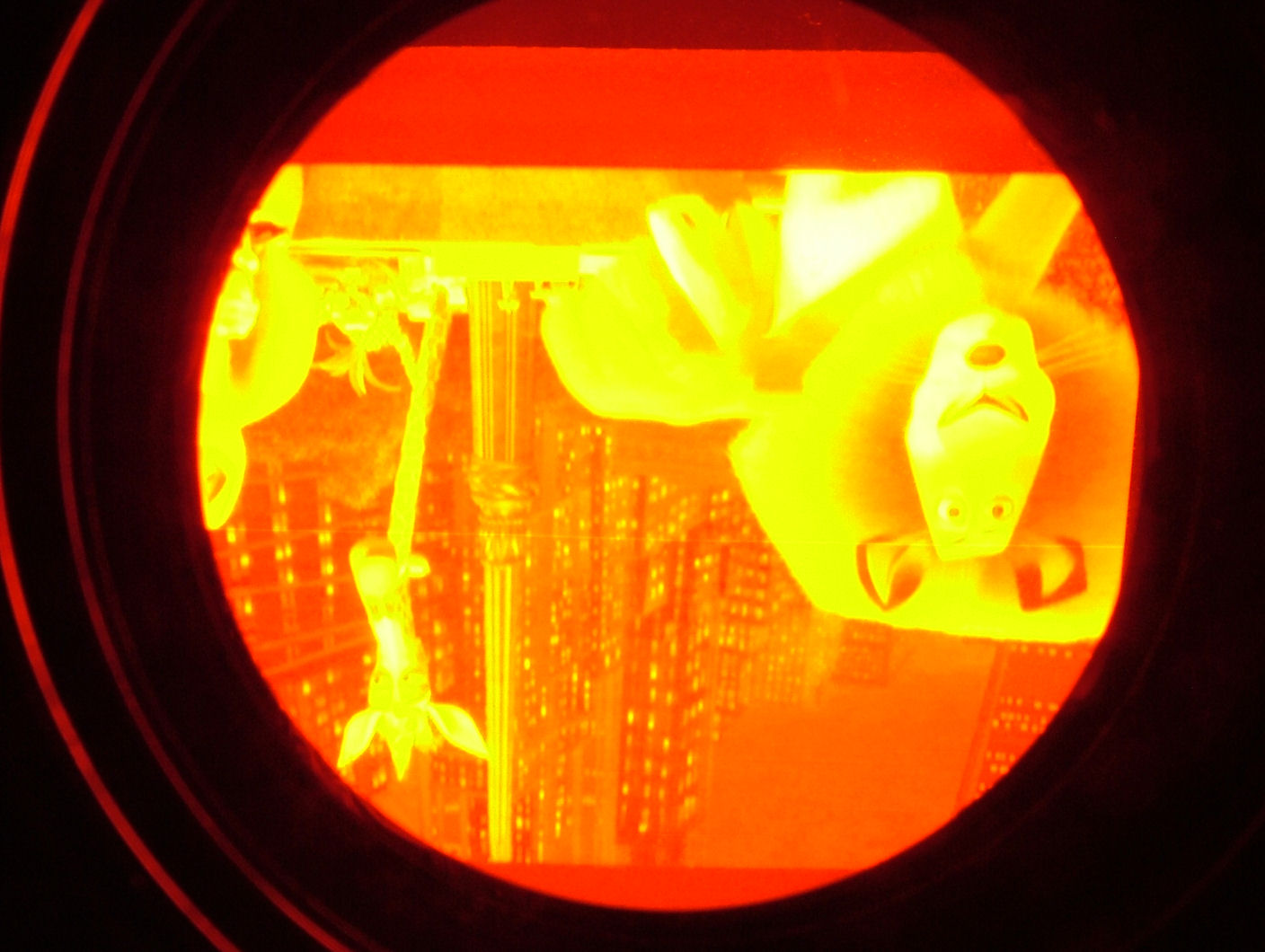
I've been setting up my nec pg 6 and after having the test pattern up i realized i had stupidly left the contrast on 70% and brightness on 50% and this has given me a line on my red tube. As i am relatively new to crt's is there any way it can be helped without replacing the tube.
cheers
here is a picture of the tube.


screen.jpg
 Description:
 Filesize:  195.14 KB
 Viewed:  1938 Time(s)

screen.jpg


Back to top
View user's photo album (1 photos)
Zebu Fellenz


Joined: 21 Dec 2006
Posts: 2567


Posted: Tue Oct 20, 2009 10:28 pm    Post subject:

I don't think that is a burn line. How does it look when the projector is off? If the line is still there, it's burn, if it goes away it's an electronics, or setup problem.
Back to top
View user's photo album (1 photos)
jarseneau


Joined: 06 Nov 2007
Posts: 323
Location: WI

Posted: Tue Oct 20, 2009 10:46 pm    Post subject:

If you're talking about the thin horizontal 'white' line going through the center, it is not burn in. Burn would make the image darker not lighter. To me it looks like a common problem where you get an overlapping scan line that is easily eliminated and cause by setting one of the convergence settings too high. Most of the time it is too much 'linearity balance' or point adjustment but there are a few other adjustments that create this. Don't panic, backing off the adjustment makes it go completely away.
_________________
Jerry
Back to top
View user's photo album (4 photos)
Adz CRT Mania


Joined: 24 Mar 2009
Posts: 22
Location: United Kingdom

Posted: Tue Oct 20, 2009 11:06 pm    Post subject:

Cheers guys after just looking at the tube face when it was off and seeing no line. I must have put the setting to high. THANKS for the help. I had a bit of a scare there but it's all good now.
Back to top
View user's photo album (1 photos)
This forum is locked: you cannot post, reply to, or edit topics.   This topic is locked: you cannot edit posts or make replies.    CurtPalme.com Forum Index -> CRT Projectors All times are GMT
Page 1 of 1
You cannot post new topics in this forum
You cannot reply to topics in this forum
You cannot edit your posts in this forum
You cannot delete your posts in this forum
You cannot vote in polls in this forum
You cannot attach files in this forum
You can download files in this forum