| Author |
Message |
hendra
Joined: 05 Jun 2009
Posts: 4
|
| Posted: Tue Jul 14, 2009 4:18 pm Post subject: Help for my VPH 1251QM |
|
|
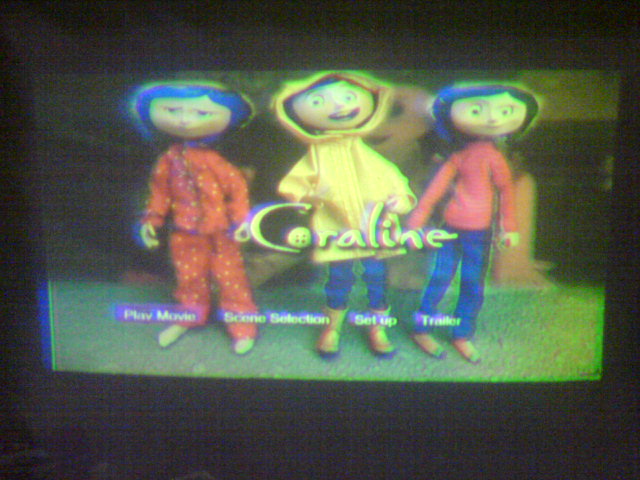
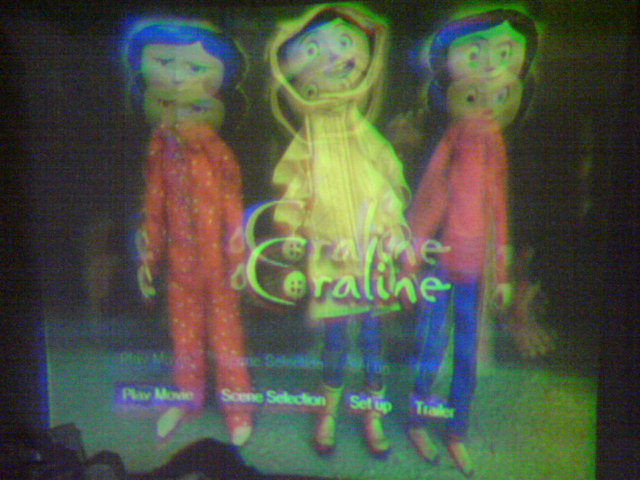
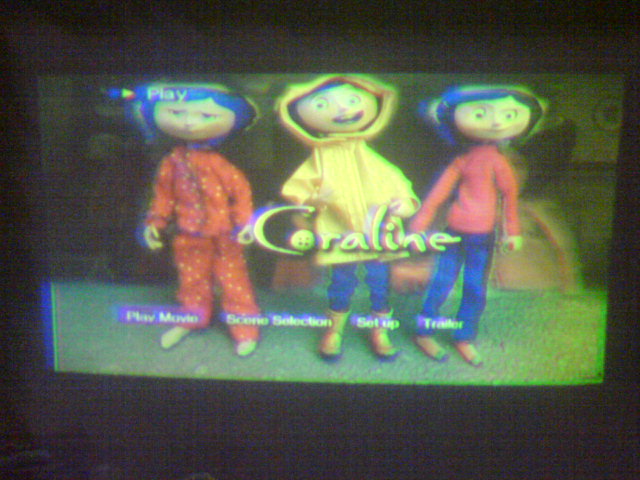
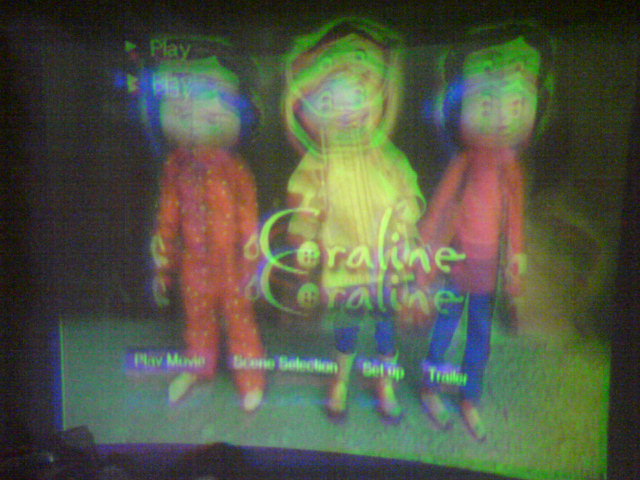
Hi..I need help for my sony vph 1251 qm, the picture became large, normal,then large again and normal again in vertical (I take a burst shoot)My friend said it's time to replace the cap ( in which board? ) but another (tech) said your tube must be retube.I'm not sure for this because the colour of pic was still good. Which one is true, or anyone had experience with same this symptom? Thanks alot for solution.....[img][/img][img][/img]
PS. Sorry for pic not focus yet..
| Description: |
| normal picture but not focus yet |
|
| Filesize: |
78.34 KB |
| Viewed: |
3449 Time(s) |
|
| Description: |
|
| Filesize: |
81.32 KB |
| Viewed: |
3449 Time(s) |
|
| Description: |
|
| Filesize: |
78.13 KB |
| Viewed: |
3449 Time(s) |
|
| Description: |
|
| Filesize: |
78.95 KB |
| Viewed: |
3449 Time(s) |
|
|
|
| Back to top |
|
 |
Curt Palme
CRT Tech
Joined: 08 Mar 2006
Posts: 24396
Location: Langley, BC
TV/Projector: All of them!
|
| Posted: Tue Jul 14, 2009 4:45 pm Post subject: |
|
|
Make sure you never take anything to that technician, he has no idea what he is talking about. Your friend is most likely incorrect as well. 
It looks like the width is not changing, right? It's only the height? If so, there's a problem on the V board somewhere (most likely) or hte CPU board. Start by pulling out hte CPU boards and reinserting them, do the same with all connectors on the boards right under the top cover.
|
|
| Back to top |
|
|
hendra
Joined: 05 Jun 2009
Posts: 4
|
| Posted: Tue Jul 14, 2009 5:00 pm Post subject: |
|
|
|
Yes, the width not changing, only height..V board ? the location is on top left hand? hte CPU board ? I'll try to open the cover and do inserting like you said first..thanks a lot..
|
|
| Back to top |
|
|
lexx21
Joined: 10 Oct 2008
Posts: 119
|
| Posted: Tue Jul 14, 2009 7:13 pm Post subject: |
|
|
|
Just remember to unplug it first.
|
|
| Back to top |
|
|
Curt Palme
CRT Tech
Joined: 08 Mar 2006
Posts: 24396
Location: Langley, BC
TV/Projector: All of them!
|
| Posted: Tue Jul 14, 2009 7:16 pm Post subject: |
|
|
|
THE set layout is here. The CPU boards are under the metal cover/card cage between the R and G tubes.
|
|
| Back to top |
|
|
hendra
Joined: 05 Jun 2009
Posts: 4
|
| Posted: Wed Jul 15, 2009 3:47 pm Post subject: |
|
|
I try to reinserting like you said but not work  maybe v board have trouble.. maybe v board have trouble..
|
|
| Back to top |
|
|
|
|




