| Author |
Message |
Adz CRT Mania

Joined: 24 Mar 2009
Posts: 22
Location: United Kingdom
|
| Posted: Thu Jun 11, 2009 5:43 pm Post subject: Sony D50 Connected to my HTPC only produces a Green Image |
|
|
Does any 1 know why, when i connect my htpc to my projector through a vga to 5 bnc cable i only get green displayed. Any suggestions would help.
I am new to this!
|
|
| Back to top |
|
 |
Kiev Savoie

Joined: 25 Oct 2007
Posts: 432
|
| Posted: Thu Jun 11, 2009 5:56 pm Post subject: |
|
|
|
the D50 uses those inputs for RGBHV or alternately as a component input. your unit is probably setup as component at the moment. surf your menu and you'll find the option to change it.
|
|
| Back to top |
|
|
Adz CRT Mania
Joined: 24 Mar 2009
Posts: 22
Location: United Kingdom
|
| Posted: Thu Jun 11, 2009 6:43 pm Post subject: |
|
|
|
My projector is set up on the rgb connection which gives me the green screen is there anything else that needs to be changed in the menu to get the connection to work properly
|
|
| Back to top |
|
|
jkruger

Joined: 24 Oct 2007
Posts: 2435
Location: Carlsbad, CA
|
| Posted: Thu Jun 11, 2009 6:49 pm Post subject: |
|
|
|
Try another cable.
|
|
| Back to top |
|
|
Adz CRT Mania
Joined: 24 Mar 2009
Posts: 22
Location: United Kingdom
|
| Posted: Fri Jun 26, 2009 8:13 pm Post subject: |
|
|
|
i bought a new high quality cable and i am still getting the green image can anyone suggest anything else i can do.
|
|
| Back to top |
|
|
stefuel

Joined: 07 Mar 2006
Posts: 3353
Location: Green Harbor MA USA
|
| Posted: Fri Jun 26, 2009 9:45 pm Post subject: |
|
|
Do internal test patterns show and all three tubes? Does connecting a PC monitor to the HTPC work OK?
_________________
Chip
A Barco is only a AmPro with training wheels
Card carrying member of the AVS chain gang.
|
|
| Back to top |
|
|
Loudmouse
Joined: 09 Jul 2008
Posts: 46
Location: Portland, Oregon
|
| Posted: Fri Jun 26, 2009 10:13 pm Post subject: |
|
|
Start with this. | stefuel wrote: | | Do internal test patterns show and all three tubes? Does connecting a PC monitor to the HTPC work OK? |
Then
Are you using input A or B?
When I used input B on mine through the IFB-12 card I had to set the little dip switches below the RGBHV input depending on the type of signal sent to it.
For RGB I used switch one on and all others off.
Then you should just have to select RGB for input A and/or B in the "set setting" menu.
If there are still problems let us know what computer video card you are using, maybe something to set there.
|
|
| Back to top |
|
|
AnalogRocks
Forum Moderator

Joined: 08 Mar 2006
Posts: 26706
Location: Toronto, Ontario, Canada
TV/Projector: Sony 1252Q, AMPRO 4000G
|
| Posted: Sat Jun 27, 2009 3:48 am Post subject: |
|
|
Do you get an image at all? Are all the tubes on?
Check your Sony's menu, make sure input A is set to RGBHV and not HDTV
_________________
Tech support for nothing
CRT.
HD done right!
|
|
| Back to top |
|
|
Adz CRT Mania
Joined: 24 Mar 2009
Posts: 22
Location: United Kingdom
|
| Posted: Fri Jul 03, 2009 11:37 pm Post subject: |
|
|
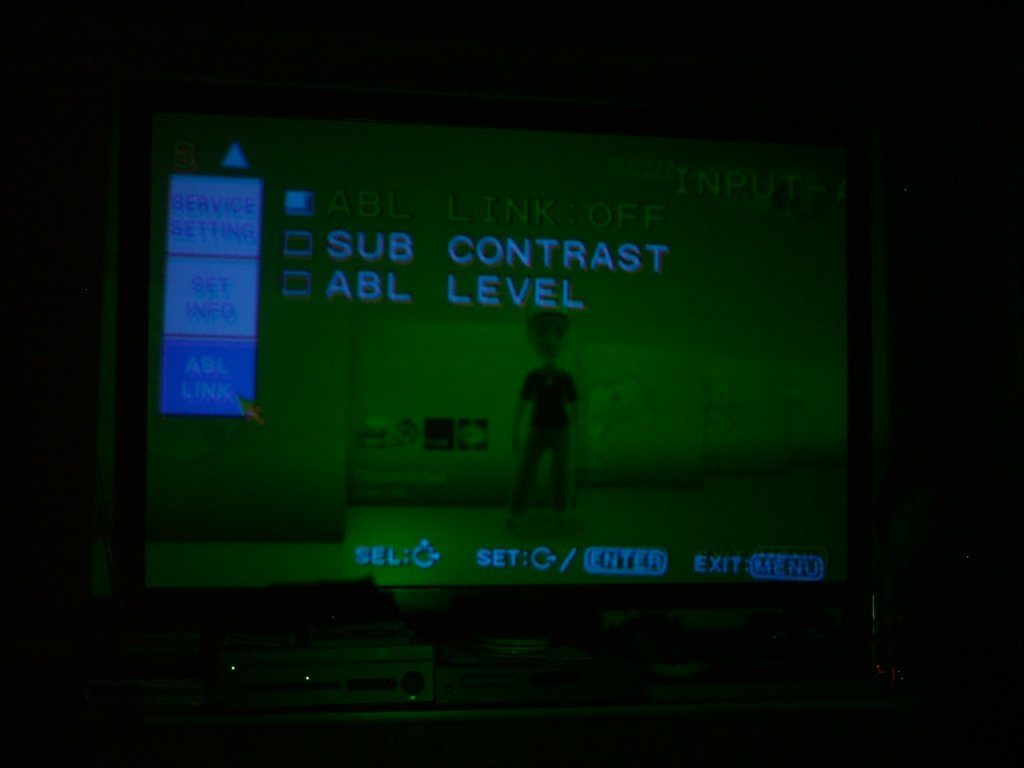
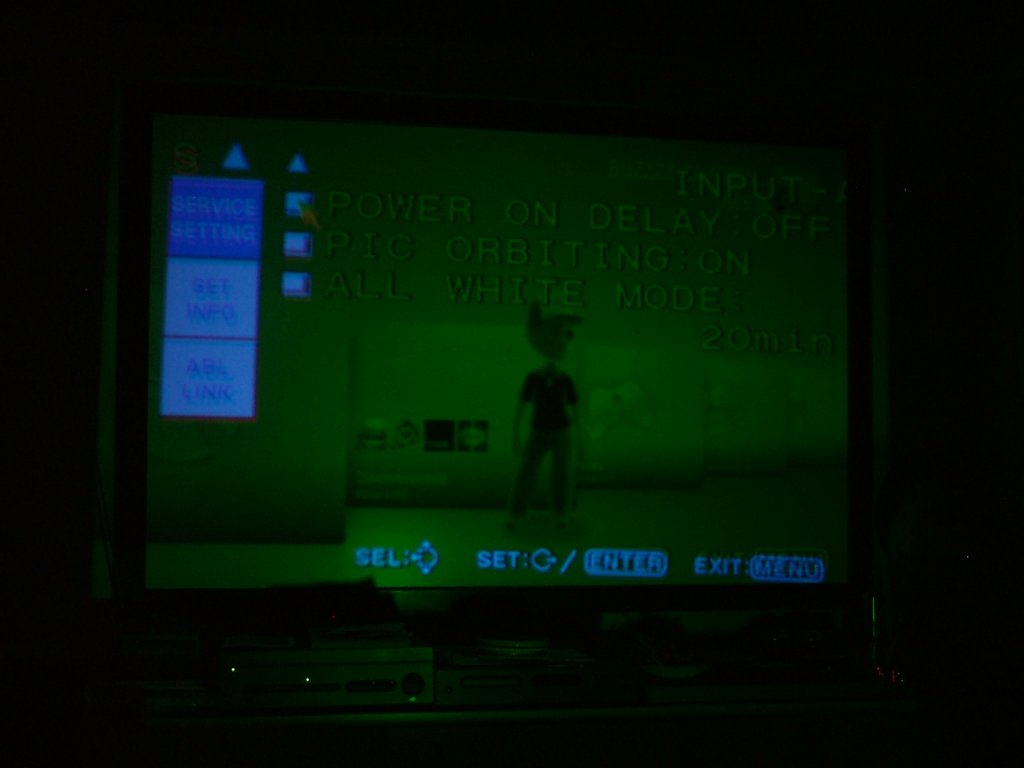
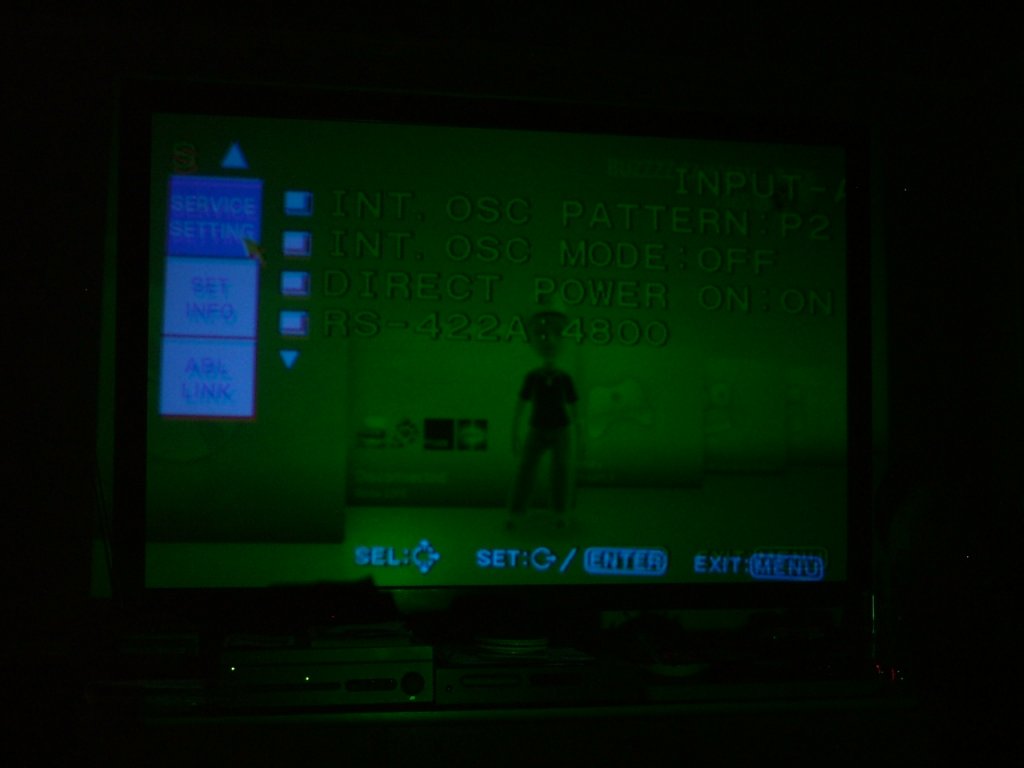
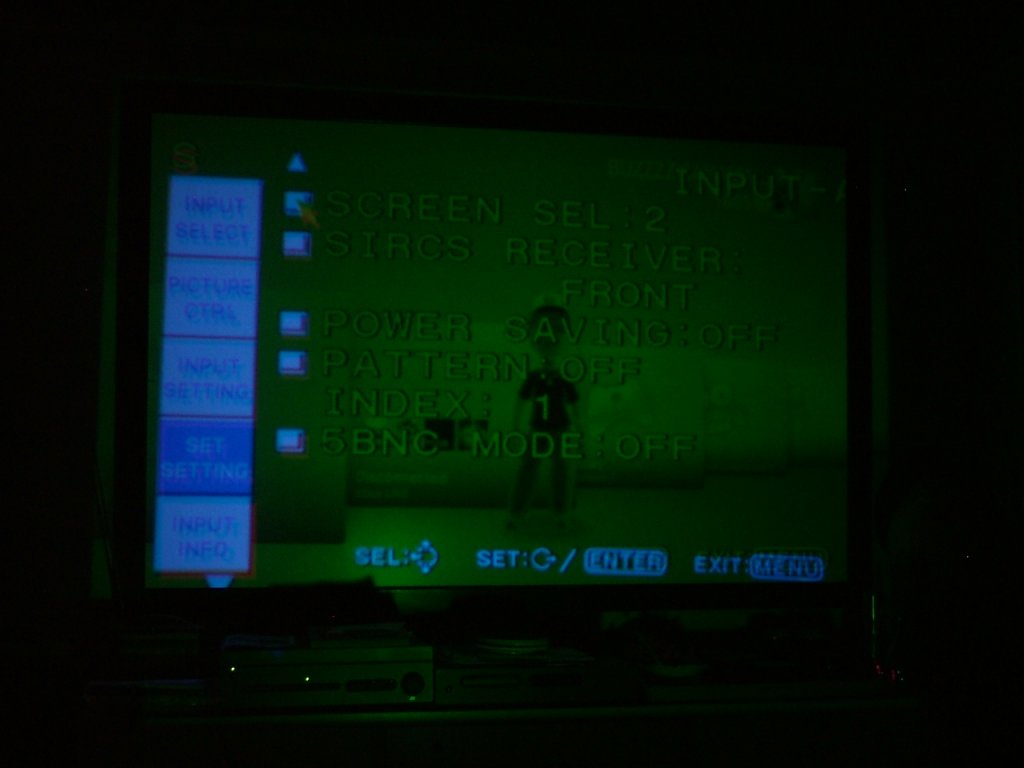
All three tubes work perfectly on a component signal sent from my xbox when my projector is set to hdtv YpBpR. Then i Put a vga lead out of my xbox and connect it to a vga to 5 bnc cable and connect it to my projector, and switch the input setting to RGB and all i get is a green image. Not even a flicker out of my other tubes. Curt says i need to check the setting as it is probably set to component still but i can't find any other setting to change any idea's. As for turning input A or B off to leave one on i'm not sure how to do this, i will add some pictures tomorrow to show you all what i am dealing with.
Cheers
|
|
| Back to top |
|
|
AnalogRocks
Forum Moderator
Joined: 08 Mar 2006
Posts: 26706
Location: Toronto, Ontario, Canada
TV/Projector: Sony 1252Q, AMPRO 4000G
|
| Posted: Sat Jul 04, 2009 3:30 pm Post subject: |
|
|
THe setting in the menu is called HDTV I think. Make sure you have that set to RGB. From your Xbox make sure you aren't sendign 1080p set it to 720P over the VGA. 1080p is too much for the D50
_________________
Tech support for nothing
CRT.
HD done right!
|
|
| Back to top |
|
|
Adz CRT Mania
Joined: 24 Mar 2009
Posts: 22
Location: United Kingdom
|
| Posted: Sat Jul 04, 2009 10:13 pm Post subject: |
|
|
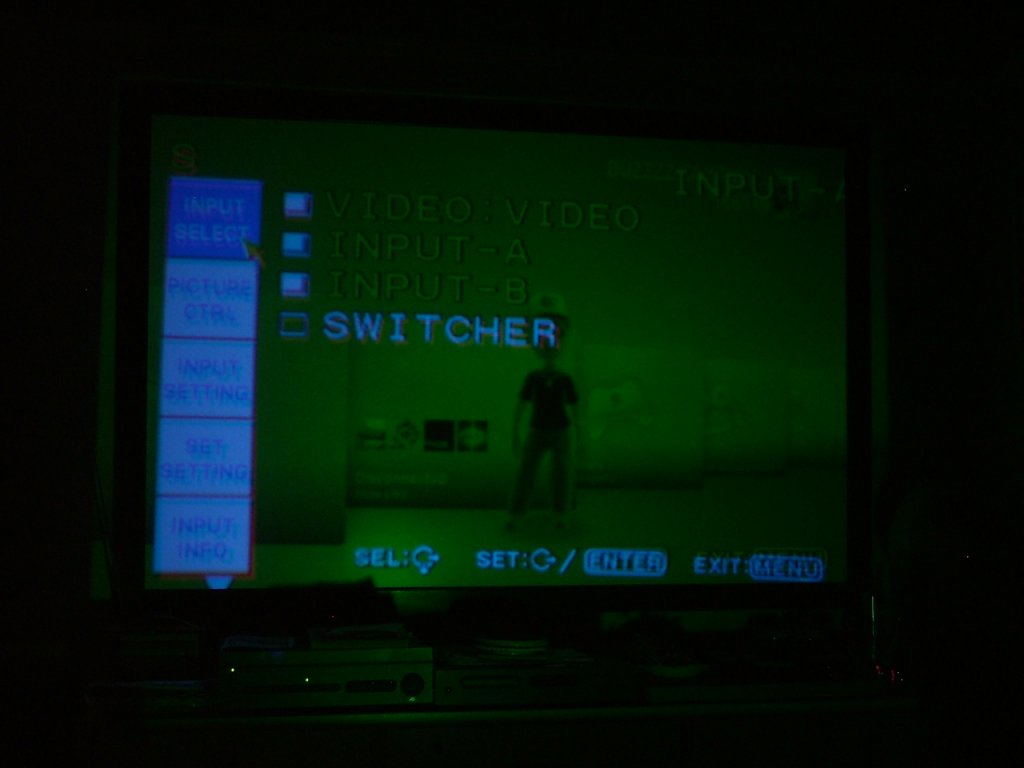
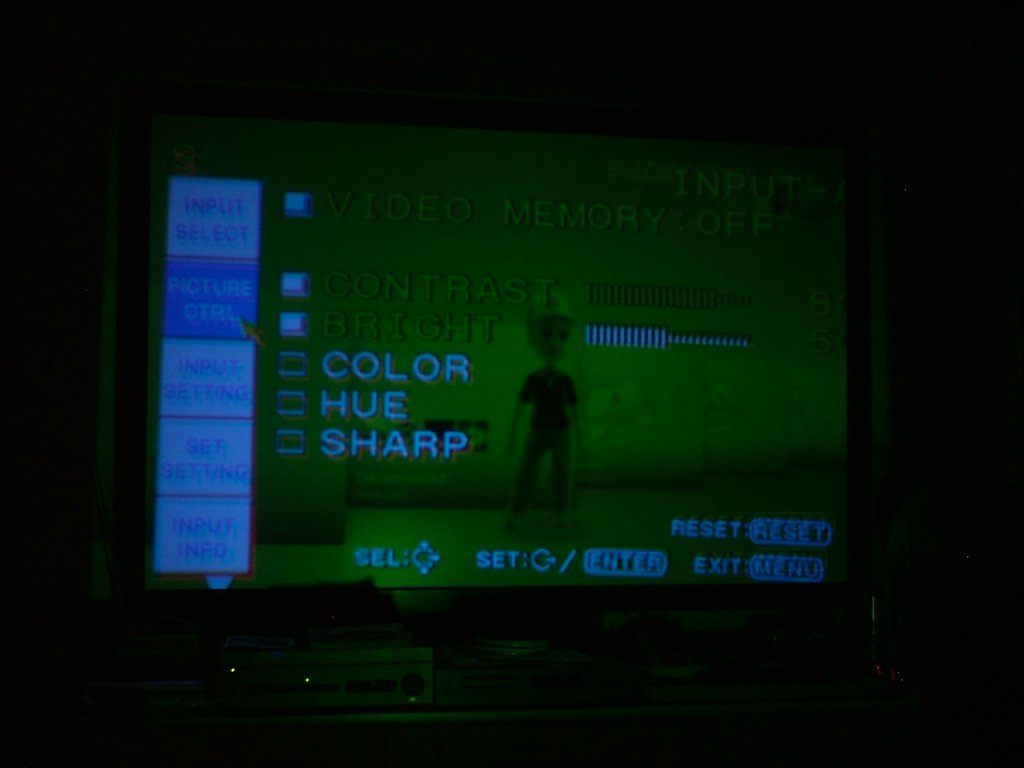
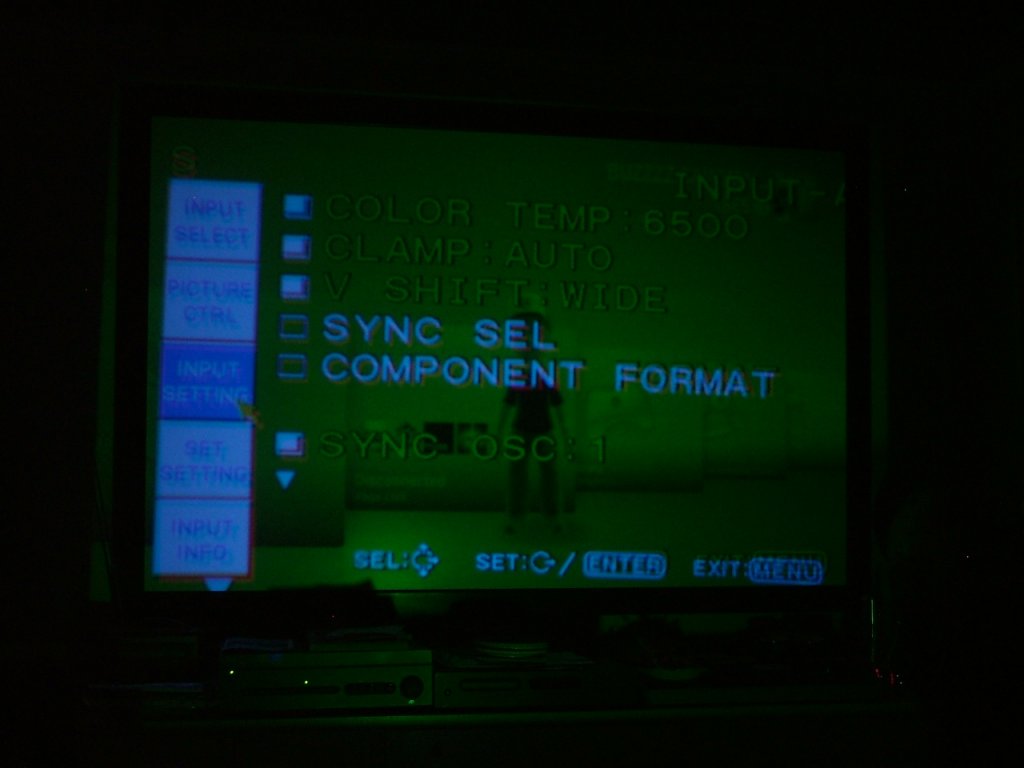
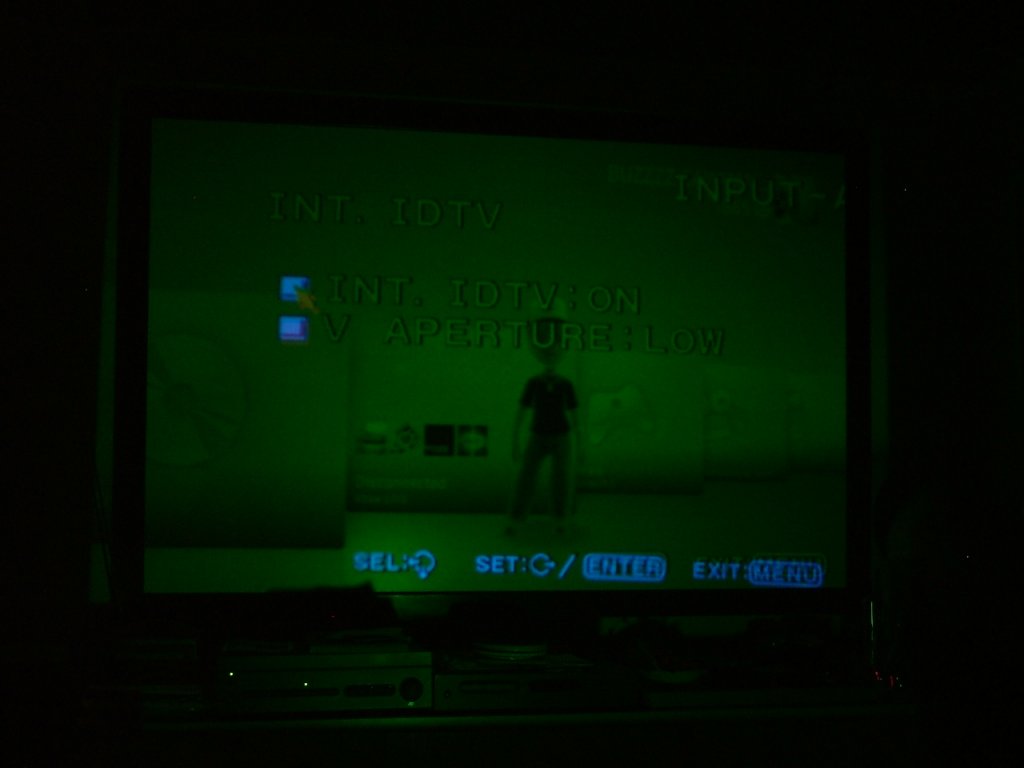
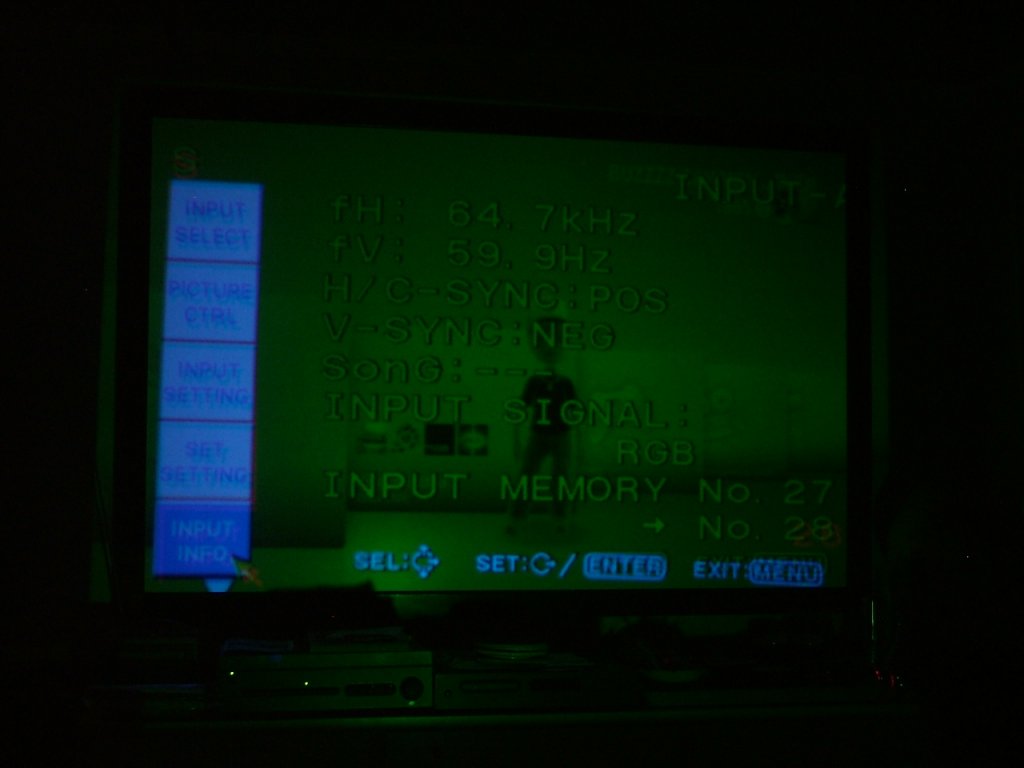
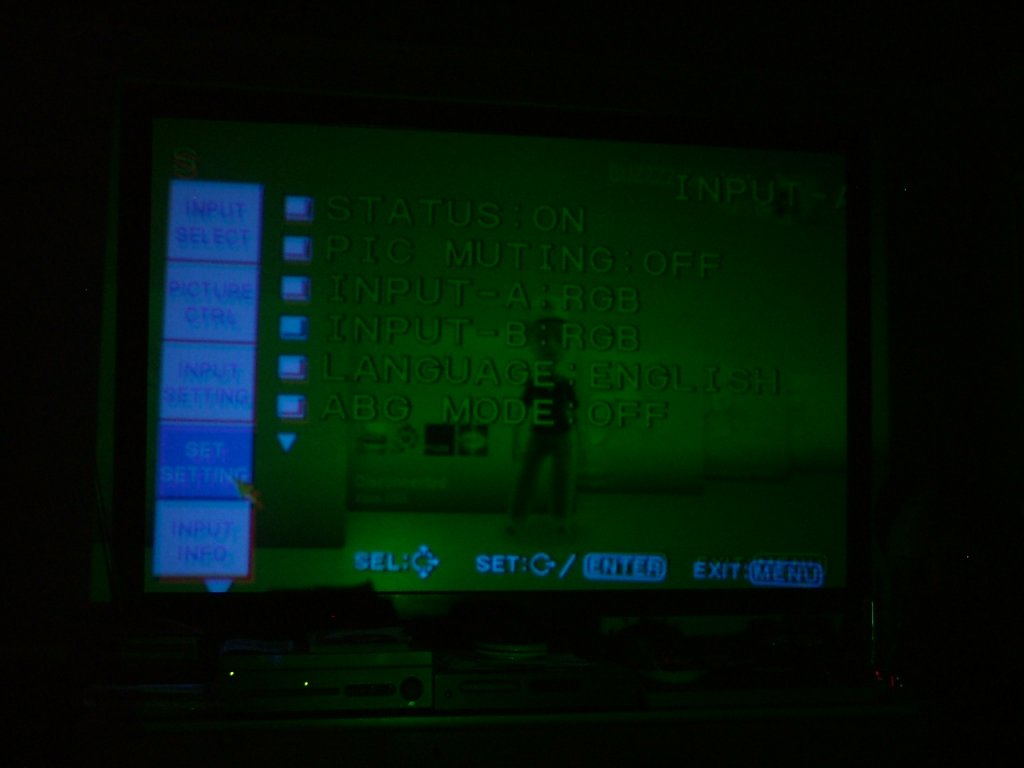
These are some pic's of my projector and how it is set up i hope yu can tell me where i'm going wrong!
cheers
| Description: |
|
| Filesize: |
44.86 KB |
| Viewed: |
11921 Time(s) |
|
| Description: |
|
| Filesize: |
44.14 KB |
| Viewed: |
11921 Time(s) |
|
| Description: |
|
| Filesize: |
45.37 KB |
| Viewed: |
11921 Time(s) |
|
| Description: |
|
| Filesize: |
48.4 KB |
| Viewed: |
11921 Time(s) |
|
| Description: |
|
| Filesize: |
46.21 KB |
| Viewed: |
11921 Time(s) |
|
| Description: |
|
| Filesize: |
50.07 KB |
| Viewed: |
11921 Time(s) |
|
| Description: |
|
| Filesize: |
50.85 KB |
| Viewed: |
11921 Time(s) |
|
| Description: |
|
| Filesize: |
39.63 KB |
| Viewed: |
11921 Time(s) |
|
| Description: |
|
| Filesize: |
47.61 KB |
| Viewed: |
11921 Time(s) |
|
| Description: |
|
| Filesize: |
48.12 KB |
| Viewed: |
11923 Time(s) |
|
|
|
| Back to top |
|
|
Mark_A_W
Joined: 15 Mar 2006
Posts: 3068
Location: Sunny Melbourne Australia
|
| Posted: Sun Jul 05, 2009 1:44 am Post subject: |
|
|
|
Swap the R. B and G leads around at the projector. See if the other colours work with the green signal.
|
|
| Back to top |
|
|
Elaine Benes
Joined: 25 Apr 2006
Posts: 1416
|
| Posted: Sun Jul 05, 2009 1:47 am Post subject: |
|
|
| AnalogRocks wrote: | | 1080p is too much for the D50 |
This is likely your answer.
From the screen shots you posted, you are sending your D50 1080P(as in progressive) which is over the max 64kHz horizontal scan rate your projector is capable of displaying. You need to change the output of your video card to a lower resolution, like 1280x720p, or, if you have the option, choose 1080i(called 30Hz by some video cards, because its an interlaced resolution).
Last edited by Elaine Benes on Sun Jul 05, 2009 2:08 am; edited 2 times in total
|
|
| Back to top |
|
|
AnalogRocks
Forum Moderator
Joined: 08 Mar 2006
Posts: 26706
Location: Toronto, Ontario, Canada
TV/Projector: Sony 1252Q, AMPRO 4000G
|
| Posted: Sun Jul 05, 2009 1:54 am Post subject: |
|
|
Unfortunatly the VGA output from the Xbox360 won't do 1080i.
_________________
Tech support for nothing
CRT.
HD done right!
|
|
| Back to top |
|
|
Elaine Benes
Joined: 25 Apr 2006
Posts: 1416
|
| Posted: Sun Jul 05, 2009 2:02 am Post subject: |
|
|
|
So, for 1080i from an Xbox 360, the OP will need the component output cable and change his D50 input to accept the component output from the D50...
|
|
| Back to top |
|
|
AnalogRocks
Forum Moderator
Joined: 08 Mar 2006
Posts: 26706
Location: Toronto, Ontario, Canada
TV/Projector: Sony 1252Q, AMPRO 4000G
|
| Posted: Sun Jul 05, 2009 2:03 am Post subject: |
|
|
Yep. That would be the best.
He'll also need 3 RCA female to Male BNC adaptors too.
_________________
Tech support for nothing
CRT.
HD done right!
|
|
| Back to top |
|
|
Adz CRT Mania
Joined: 24 Mar 2009
Posts: 22
Location: United Kingdom
|
| Posted: Sun Jul 05, 2009 5:57 pm Post subject: |
|
|
|
I had it set up on component at 1080i and it was a good stable image. I then bought a gammaX to increase the low level gamma and this is a vga type connector so i can't have a component input if i want to in crease the gamma, which i do want to do as the dark scenes are impossible to tell what is going on!
|
|
| Back to top |
|
|
Elaine Benes
Joined: 25 Apr 2006
Posts: 1416
|
| Posted: Sun Jul 05, 2009 7:11 pm Post subject: |
|
|
| Adz CRT Mania wrote: | | I had it set up on component at 1080i and it was a good stable image. I then bought a gammaX to increase the low level gamma and this is a vga type connector so i can't have a component input if i want to in crease the gamma, which i do want to do as the dark scenes are impossible to tell what is going on! |
I think you're missing the point.
THE RESOLUTION YOU'VE CHOSEN IS TOO HIGH.
According to the specifications for your projector, it is only capable of scanning to an absolute maximum of 64kHz, and from your screen shots, you are exceeding that by .7kHz. Stop using that resolution immediately before you damage something.
Also from your screen shots you can see that all three tubes are working, just not displaying the image completely.
Change your HTPC's resolution to 1280x720p if it dosen't allow you to choose 1080i(interlaced).
|
|
| Back to top |
|
|
RobertMfromLI

Joined: 29 Jun 2009
Posts: 114
Location: West Islip, NY
|
| Posted: Sun Jul 05, 2009 8:34 pm Post subject: |
|
|
Well, here's something interesting... last night, I tried hooking up our "Home Theater" PC (err... piece o crap with decent video card and DVD-RW drive) to the BG800 - and had the same problem. This problem, I originally thought, was due to a bad VGA->RGBHV cable. Turns out it wasn't. Both the new cable I got from Curt, and the other cable produce the same problem (lotsa green, some blue, virtually no red - you can see a tiny bit on the CRT itself, but not enough to even notice on the screen).
Hooked everything back up to our test machine (an old laptop's VGA port) and all worked fine. Both machines were set at the same resolutions and refresh rates.
So, in our case, the resolution was *not* the cause of our issue, as the results were the same at 640x480, 800x600, 1024x768, and 1280x1024. Nor was it the cable as originally suspected by me. I am guessing it is something to do with the VGA output. Perhaps one of the sync signals is not the correct polarity, or the video power (R, G, B) is not at the level expected/needed by the PJ.
Our "HTPC" uses an ATI Radeon card of decent quality with VGA and DVI-A connector (and S-Video). The laptop uses an S3 chipset, with a "clone LCD to VGA" mode only (ie: LCD only -or- LCD/VGA cloned -or- VGA only).
I dont know if that applies to the Sony - but I do know that our symptoms were the same as Adz CRT Mania's and the cause had nothing to do with resolution, refresh rate or the like.
_________________
Kirk's 5 Year Mission continues at Star Trek New Voyages: Phase 2
|
|
| Back to top |
|
|
Adz CRT Mania
Joined: 24 Mar 2009
Posts: 22
Location: United Kingdom
|
| Posted: Sun Jul 05, 2009 10:15 pm Post subject: |
|
|
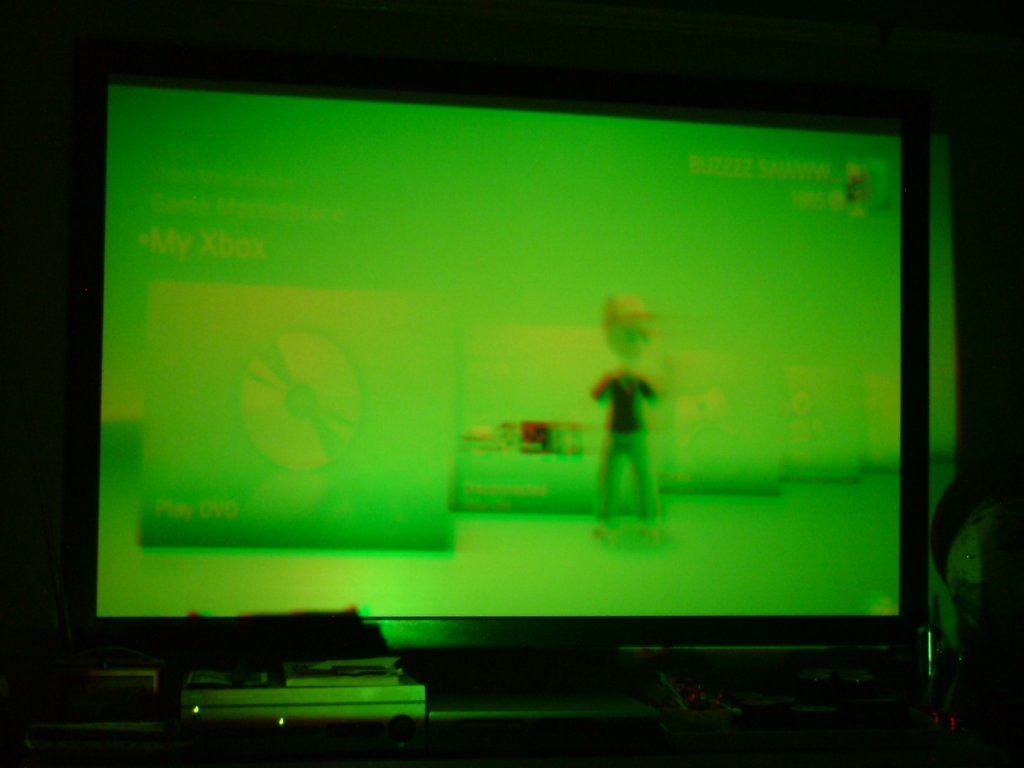
I have now set the res lower and am getting red on constant and green on then flickering and blue not on. Here is a pic.
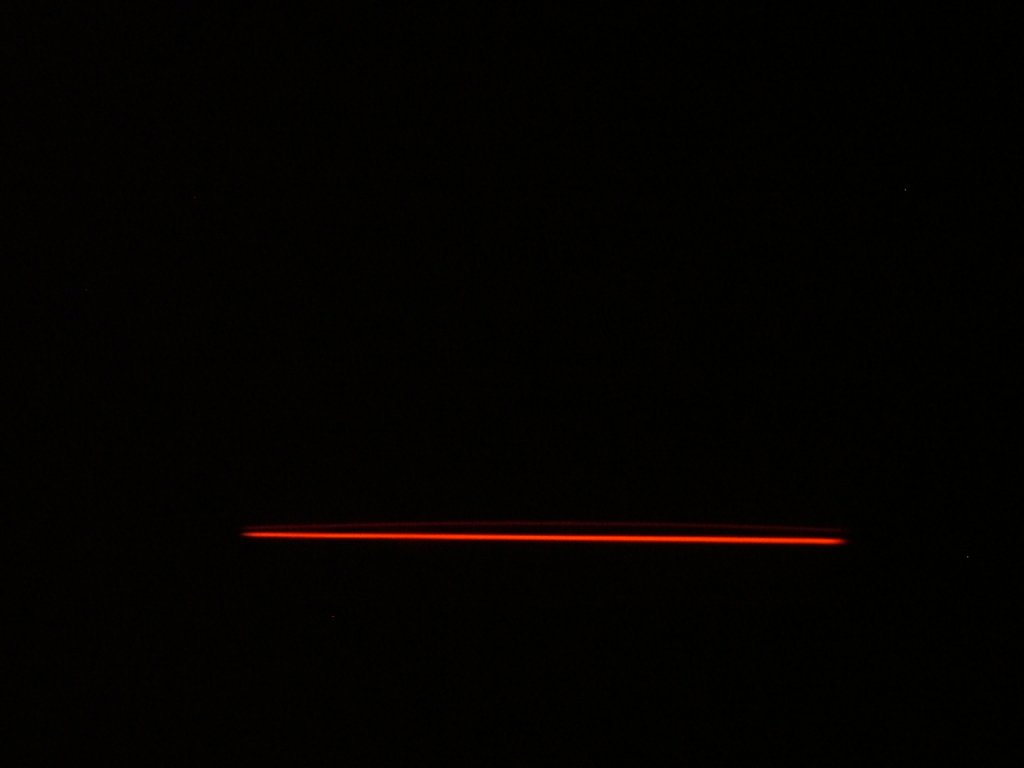
I also havenotice that when there is no input signal i get a wierd line on the bottom of the red and green tube and i don't know what it is or what it will do if i leave as is. Any idea?
I'm planning on cleaning the projector tomorrow as i got it in a bit of a state with a lot of dust and dirt in it which could be causing the problem, how is the best way to clean a crt projector?
Cheers
Here are the pics
| Description: |
|
| Filesize: |
27.07 KB |
| Viewed: |
11831 Time(s) |
|
| Description: |
|
| Filesize: |
56.87 KB |
| Viewed: |
11831 Time(s) |
|
|
|
| Back to top |
|
|
|
|





