| Author |
Message |
Z-Photo

Joined: 07 Mar 2006
Posts: 2749
Location: Huntsville - Alabama
|
| Posted: Tue Sep 09, 2008 1:57 pm Post subject: |
|
|
Thats the best picture I have ever seen from an AMPRO.
_________________
Engineer by Day
Photographer by Night
My Portfolio
The Only GOOD AMPRO - is a Dead AMPRO.
wait - are they not all DEAD already?
|
|
| Back to top |
|
 |
Curt Palme
CRT Tech
Joined: 08 Mar 2006
Posts: 24396
Location: Langley, BC
TV/Projector: All of them!
|
| Posted: Tue Sep 09, 2008 2:19 pm Post subject: |
|
|
HATER! 
|
|
| Back to top |
|
|
tse
Joined: 03 May 2006
Posts: 1014
Location: Sweatbucket, Fl.
|
| Posted: Tue Sep 09, 2008 8:25 pm Post subject: |
|
|
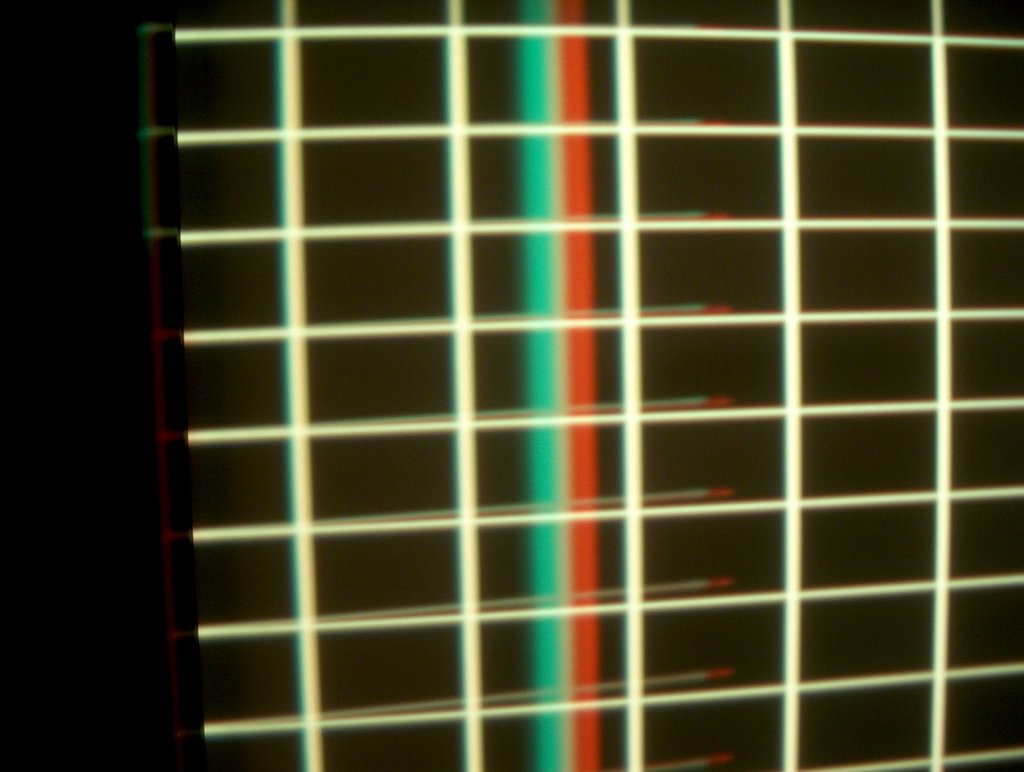
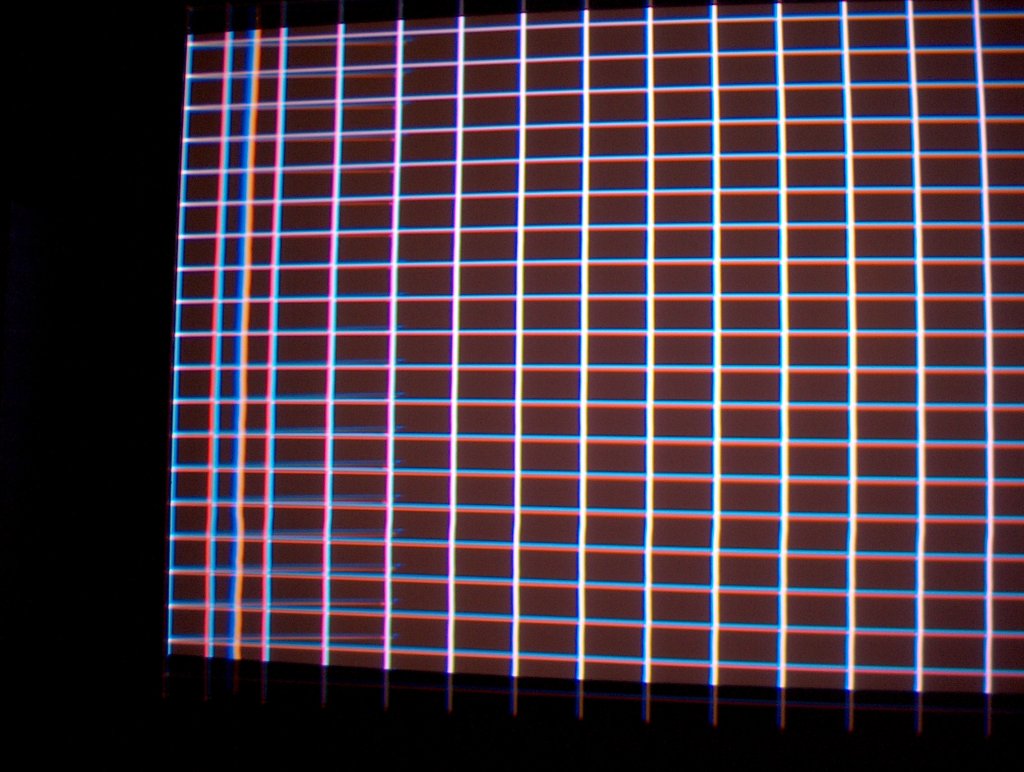
The colored lines look like they are happening during the retrace. Try adjusting the left and right blanking to get rid of them.
Scott
_________________
"Were we directed from Washington when to sow and when to reap, we would soon want bread."
Thomas Jefferson
|
|
| Back to top |
|
|
donr
Joined: 04 Nov 2006
Posts: 162
Location: Montreal
|
| Posted: Sat Sep 13, 2008 2:16 am Post subject: |
|
|
Sorry for the late response but I have been working till 2am every day this week.
Scott
If I use more blanking, I will be cutting off about 1 foot on either side of my 92" screen.
Z
| Quote: | | Thats the best picture I have ever seen from an AMPRO. |
I see you are an Ampro lover.
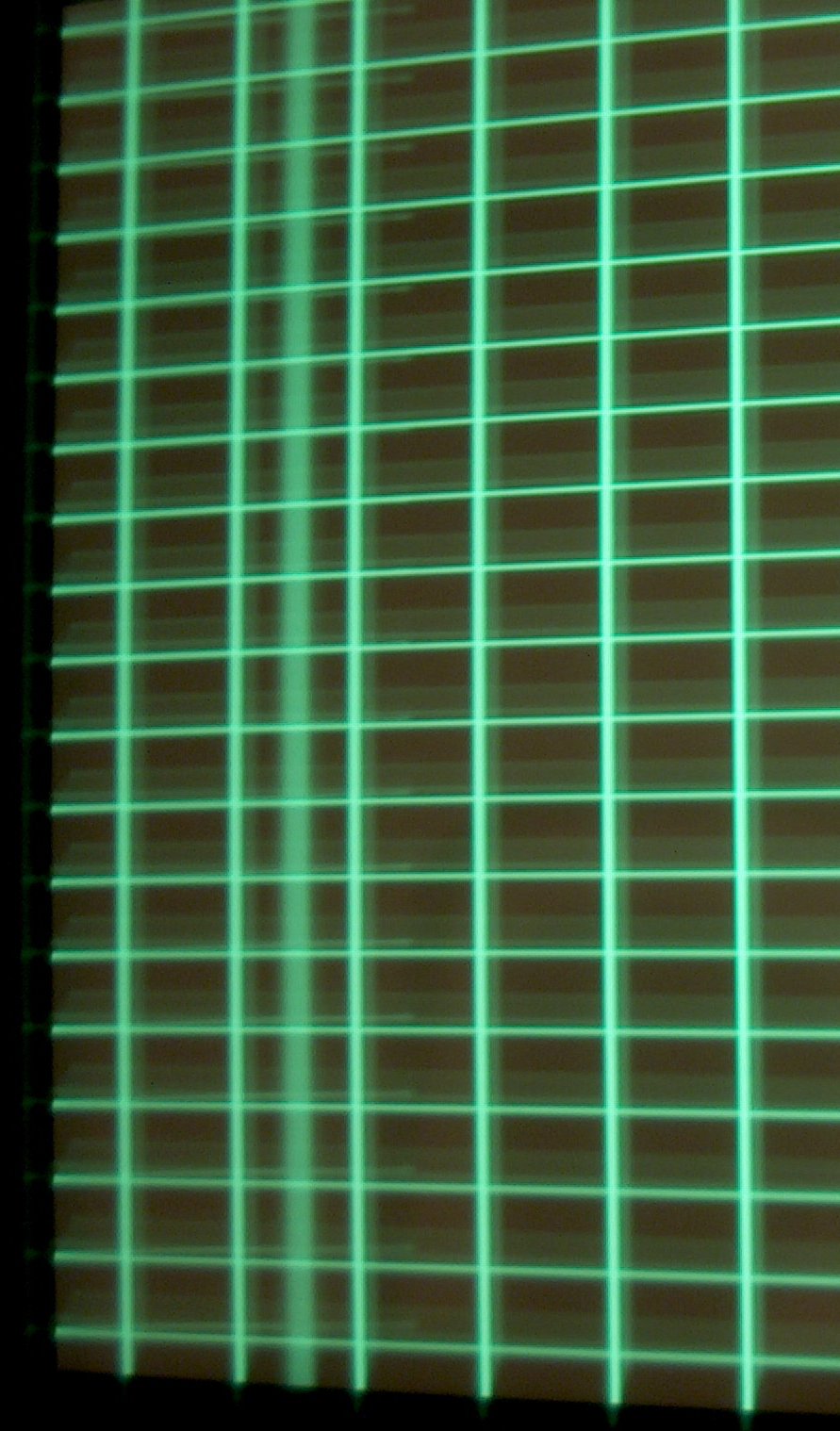
I think I can rule out the heat as the heart of the problem. Haven't touched it in a week and upon power up, same drift problem. I tried taking some better pics but my camera sucks and I sure am no pro at this. Any ideas! These ar pics I took before I re converged again tonight.
Don
| Description: |
|
| Filesize: |
74.83 KB |
| Viewed: |
3568 Time(s) |
|
| Description: |
|
| Filesize: |
87.11 KB |
| Viewed: |
3568 Time(s) |
|
| Description: |
|
| Filesize: |
134.48 KB |
| Viewed: |
3568 Time(s) |
|
| Description: |
|
| Filesize: |
203.01 KB |
| Viewed: |
2697 Time(s) |
|
|
|
| Back to top |
|
|
macgyver655
Joined: 22 Aug 2007
Posts: 8508
|
| Posted: Sat Sep 13, 2008 3:53 am Post subject: |
|
|
|
I have seen the color band before but usually only on a particular test channel. Have you tries test1, test 2 test 3 and test4? Is the band on all channels? The smaller angled lines looks like the grid is bouncing off the edge of the tube. This is why Scott said try blanking but you said you've already tried alot so it maybe phase. This plus the convergence not holding may indicate the convergence system is being strained. If it was me I would try clearing the active channel to null everything, then start from scratch, making sure your starting raster is properly set before doing any alignment or convergence.
|
|
| Back to top |
|
|
AnalogRocks
Forum Moderator

Joined: 08 Mar 2006
Posts: 26706
Location: Toronto, Ontario, Canada
TV/Projector: Sony 1252Q, AMPRO 4000G
|
| Posted: Sat Sep 13, 2008 4:26 am Post subject: |
|
|
Mac's on the right track. It's phase or blanking on mine that causes those lines.
_________________
Tech support for nothing
CRT.
HD done right!
|
|
| Back to top |
|
|
Mr. Green

Joined: 23 Feb 2007
Posts: 1394
Location: Calgary
TV/Projector: Marquee 9501LC / NEC 9PG+
|
| Posted: Sat Sep 13, 2008 5:04 am Post subject: |
|
|
It looks strange. Like the raster was too big for the screen so it was folded back over to fit.
Knowing almost nothing about AmPro's or how different they are from an NEC, I would vote you try "Phase" as well.
_________________
You can be young only once but, you can be immature forever.
Current Projector Marquee9501LC with PS3 (BLu-Ray) at 1080P LOVE IT! Screen is an Elunevision 120" 4:3 (2.4 gain - no hotspots). (also own a NEC 9PG+)
|
|
| Back to top |
|
|
Mr. Green
Joined: 23 Feb 2007
Posts: 1394
Location: Calgary
TV/Projector: Marquee 9501LC / NEC 9PG+
|
| Posted: Sat Sep 13, 2008 5:05 am Post subject: |
|
|
Achoo! - Oh look 200 posts! MWa-hahahaha!!!
_________________
You can be young only once but, you can be immature forever.
Current Projector Marquee9501LC with PS3 (BLu-Ray) at 1080P LOVE IT! Screen is an Elunevision 120" 4:3 (2.4 gain - no hotspots). (also own a NEC 9PG+)
|
|
| Back to top |
|
|
macgyver655
Joined: 22 Aug 2007
Posts: 8508
|
| Posted: Sat Sep 13, 2008 5:10 am Post subject: |
|
|
| Mr. Green wrote: | | Achoo! - Oh look 200 posts! MWa-hahahaha!!! |
I think Analog could sneeze and do 200 posts........................ 
I'm beginning to wonder if his counter is F-ed up, you know, for every post he makes his counter jumps up 10...... 
|
|
| Back to top |
|
|
AnalogRocks
Forum Moderator
Joined: 08 Mar 2006
Posts: 26706
Location: Toronto, Ontario, Canada
TV/Projector: Sony 1252Q, AMPRO 4000G
|
| Posted: Sat Sep 13, 2008 5:40 am Post subject: |
|
|
no
_________________
Tech support for nothing
CRT.
HD done right!
|
|
| Back to top |
|
|
AnalogRocks
Forum Moderator
Joined: 08 Mar 2006
Posts: 26706
Location: Toronto, Ontario, Canada
TV/Projector: Sony 1252Q, AMPRO 4000G
|
| Posted: Sat Sep 13, 2008 5:40 am Post subject: |
|
|
way
_________________
Tech support for nothing
CRT.
HD done right!
|
|
| Back to top |
|
|
Mr. Green
Joined: 23 Feb 2007
Posts: 1394
Location: Calgary
TV/Projector: Marquee 9501LC / NEC 9PG+
|
| Posted: Sat Sep 13, 2008 6:41 am Post subject: |
|
|
I have no intention of competing with Jeremy. It would take to long for me to catch up to his current count and by that time he'd have broken the counter on the forum. 
Now if he'd spend more time getting his theatre together and less time posting we be onto something. I've been bugging him for over a year about his setup. Huh, mister cars, huh??!!! 
_________________
You can be young only once but, you can be immature forever.
Current Projector Marquee9501LC with PS3 (BLu-Ray) at 1080P LOVE IT! Screen is an Elunevision 120" 4:3 (2.4 gain - no hotspots). (also own a NEC 9PG+)
|
|
| Back to top |
|
|
stefuel

Joined: 07 Mar 2006
Posts: 3353
Location: Green Harbor MA USA
|
| Posted: Sat Sep 13, 2008 11:26 am Post subject: |
|
|
That last set of pictures is caused by the blanking controls. Increase the left and right blanking and it will be gone. As you increase the blanking, those lines will work their way out before the actual blanking begins to reduce the size of the raster.
That is also one of the normal AmPro thingies to get used to.
As far as the drifting goes, with the projector warmed up, put up a internal cross hatch. While looking at the center, do a 55[code] (registration off) and see what happens. With the registration off, the center should still be converged. If not, I suspect your mechanical setup is incorrect.
_________________
Chip
A Barco is only a AmPro with training wheels
Card carrying member of the AVS chain gang.
|
|
| Back to top |
|
|
tse
Joined: 03 May 2006
Posts: 1014
Location: Sweatbucket, Fl.
|
| Posted: Sat Sep 13, 2008 6:06 pm Post subject: |
|
|
Stefuel is right. It is a blanking thing. Adjust the left blanking to the right and you will see it move left (!) until it exits the retrace part, then it will move to the right. You won't lose screen size because the internal test patterns have their own blanking settings. The best test option to use is 4 test. The projector will be running at the external sync frequencys then.
Scott
_________________
"Were we directed from Washington when to sow and when to reap, we would soon want bread."
Thomas Jefferson
|
|
| Back to top |
|
|
|
|





