| Author |
Message |
Nashou66

Joined: 12 Jan 2007
Posts: 16171
Location: West Seneca NY
|
| Posted: Wed Apr 30, 2008 11:50 pm Post subject: Eye one Display2LT different trials |
|
|
I have been playing around using the Eye-one Display2LT and HCFR.
I wanted to see what the differences would be when using the probe in various
configurations. for the most part it seems it doesnt matter that much
from my results. Now Mind you I still have a lot to do to get my greyscale flat but i'm still learning this,
and i must say this is a lot of fun, except for my eyes bugging out!!
My projector is the Marquee 8500 with HD 144 lens and moome card, an LGBH100
Combo player,and Lumagen HDQ Video processor . I did the adjustments to 20 IRE and 80 IRE then
measured greyscale here are the results.
First reading using Kals advice probe with diffusor facing screen
 
Now Readings using no diffusor facing screen
this seems a bit smoother
 
Now Facing Projector up near screen with diffusor
not much difference with previous readings
 
So now i need t get the blue hump down and raise it after 80 IRE as I can see a green tint in the 90 and 100 IRE windows, Even though the Mids to the eye look good the Probe says otherwise. I put on Grand Prix and it did look better than my "by Eye" calibration, so bad i didnt even save the greyscale reading too embarassing ! 
I wish they had a way to show the value of the readings in the colorspace chart.
Not sure if this will help any one but just wanted to post my findings with the EYE ONE Display2LT at least, I am getting a Spyder2 also so I'll add to this post when i get a chance to do the same.
Athanasios
_________________
Don't blame your underwear for your crooked ass~ unknown Greek philosopher
"Republicans believe every day is the Fourth of July, but the Democrats believe every day is April 15." --- President Reagan
One Smart Dog!!!
Marquee High Performance Bellows now shipping!!
Marquee Modifications and Performance Enhancement
Marquee C-element and Bellow removal
|
|
| Back to top |
|
 |
garyfritz

Joined: 08 Apr 2006
Posts: 12088
Location: Fort Collins, CO
|
| Posted: Thu May 01, 2008 12:02 am Post subject: Re: Eye one Display2LT different trials |
|
|
| Nashou66 wrote: | | I wish they had a way to show the value of the readings in the colorspace chart. |
Do you know you can hover your mouse over the measurement "dots" and it will show you the x/y values? But maybe you're looking for the Y (ftL) values as well?
|
|
| Back to top |
|
|
Nashou66
Joined: 12 Jan 2007
Posts: 16171
Location: West Seneca NY
|
| Posted: Thu May 01, 2008 12:09 am Post subject: Re: Eye one Display2LT different trials |
|
|
| garyfritz wrote: | | Nashou66 wrote: | | I wish they had a way to show the value of the readings in the colorspace chart. |
Do you know you can hover your mouse over the measurement "dots" and it will show you the x/y values? But maybe you're looking for the Y (ftL) values as well? |
No I knew that, I just wish you could pick which values to show with the dots when saving to Jpeg file.
Athanasios
_________________
Don't blame your underwear for your crooked ass~ unknown Greek philosopher
"Republicans believe every day is the Fourth of July, but the Democrats believe every day is April 15." --- President Reagan
One Smart Dog!!!
Marquee High Performance Bellows now shipping!!
Marquee Modifications and Performance Enhancement
Marquee C-element and Bellow removal
|
|
| Back to top |
|
|
kal
Forum Administrator

Joined: 06 Mar 2006
Posts: 18114
Location: Ottawa, Canada
TV/Projector: JVC DLA-NZ7
|
| Posted: Thu May 01, 2008 12:17 am Post subject: |
|
|
Wow, your classic "CRT Blue Hump" looks *exactly* like the one I made up to use for my guide!
Funny! Mine's not even real readings. I completely made it up the numbers! (Easier to do).
Anyway, I'm working on the tricks and tips section and the blue hump correction is the first one in there. Here's what I've written so far if it helps (probably not, you already know all this):
| Quote: |
The 'blue hump':
The amount of blue typically drops off as you move into the higher IRE values with CRT projectors. When calibrating for the 30 and 80 IRE points as you did above, the result will often look something like this on a CRT projector:

The dreaded CRT projector 'blue hump'. There is way too much blue in the middle region from 30 to 80 IRE and not enough blue above 80 IRE. If we adjust RGBHighEnd at 100 instead of 80 IRE, 100 IRE becomes perfect but the hump just gets higher and wider. If we adjust RGBHighEnd at 50 instead of 80 IRE to try and lower the hump, the middle is fixed but the blue starts to drop below 100% almost immediately after 50 IRE and just gets lower the higher we go.
The solution is fortunately an easy one: Electronic blue defocus. By electronically defocusing the blue tube using the remote (newer electrostatic projectors) or the G2 pot (older electromagnetic projectors) the amount of blue output will increase allowing us to lower the blue RGBHiEnd value and creating a flatter greyscale. The defocusing must be done electronically and not by adjusting the blue lens.
All CRT projectors will have a blue hump of some sort and defocusing the blue tube is an absolute requirement. Some CRT projectors even have an option to automatically defocus blue for you: You set up the projector for the sharpest blue possible then flick a switch to defocus blue a preset amount automatically.
To lower the blue hump, defocus the blue tube a little bit and start over at Step 6.2 and work your way through the steps again. The hump should now be lower. If it's not low enough, defocus blue some more and try again. Do not be concerned if apparently extreme amounts of blue defocus are required. While the defocising may be visible when standing next to the screen, a even highly defocused blue will not be visible by the viewer at typical seating distances as our eyes have a horrible time focusing on blue. |
_________________

Support our site by using our affiliate links. We thank you!
My basement/HT/bar/brewery build 2.0
|
|
| Back to top |
|
|
Nashou66
Joined: 12 Jan 2007
Posts: 16171
Location: West Seneca NY
|
| Posted: Thu May 01, 2008 2:13 am Post subject: |
|
|
Yepp I defocused it a little before i did the cal, but not a lot just a few clicks, i know it needs more but I also think I have a weak Blue tube as its drive value is over the limit
that Tim Martin suggest over on his greyscale set up tech tip, its at 79 right now which is way to high. I might try to add more blue defocus and see what that does but i am keeping it like this till i get the Spyder2 and do a set of reading just like i did with the Eye One. we'll see how close they are.
Athanasios
_________________
Don't blame your underwear for your crooked ass~ unknown Greek philosopher
"Republicans believe every day is the Fourth of July, but the Democrats believe every day is April 15." --- President Reagan
One Smart Dog!!!
Marquee High Performance Bellows now shipping!!
Marquee Modifications and Performance Enhancement
Marquee C-element and Bellow removal
|
|
| Back to top |
|
|
kal
Forum Administrator
Joined: 06 Mar 2006
Posts: 18114
Location: Ottawa, Canada
TV/Projector: JVC DLA-NZ7
|
| Posted: Fri May 02, 2008 1:10 am Post subject: |
|
|
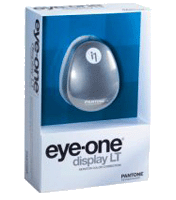
The Eye-One is highly regarded over at AVS so I've spent some more time looking into it vs my current Spyder2. I don't recommend the Spyder2 at all due to the variances you may see but instead recommend the Eye-One. IF suppose if you're going to use their expensive software you might as well do it right.
So I just placed an order for the the Eye-One Display LT (~$140 USD) sensor. What the hell eh? (Not only is this guide taking a whole pile of time, it's now actually COSTING me money too). 
I updated the GREYSCALE CALIBRATION FOR DUMMIES guide with the following information which includes an explanation of the differences:
What tools do I need?
You're going to need a few items to set greyscale properly on your projector/TV. The best part is the price. Total cost is probably only between $70-140 USD for most people as you probably already have a computer (otherwise you couldn't be reading this).
A Colorimeter
Two colorimeters are recommended: The ~$140 Eye-One Display LT or the ~$70 Spyder2. Why pay more for the Eye-One? It's a more accurate sensor and readings do not vary betweenunits. With the Spyder2 every unit tends to read just a little bit differently and you have no way of knowing how accurate your specific unit is. The Eye-One also reads faster (your calibration will take less time) and is better in darker regions. Those of you that would never consider spending more than $70 on greyscale calibration should get the Spyder2. Those that want to do this right should order the Eye-One as it's the better probe and only $70 more. Think of it this way: The Spyder2 will likely get you 80-90% of the way to perfection, the Eye-One will gets you all the way to 100%. Both sensors are an enormous improvement over doing nothing about greyscale or trying to do it 'by eye'. The kits bellow are the least expensive ones as we will not be using the included software. Stay away from the newer $150 Spyder3 as the software we are going to use does not support it (yet).
 
 
Kal
_________________
Support our site by using our affiliate links. We thank you!
My basement/HT/bar/brewery build 2.0
Last edited by kal on Sat Jun 19, 2010 6:12 pm; edited 1 time in total
|
|
| Back to top |
|
|
Nashou66
Joined: 12 Jan 2007
Posts: 16171
Location: West Seneca NY
|
| Posted: Sat May 03, 2008 1:56 am Post subject: |
|
|
Ok I had a half hour to test the Spyder 2 today before i came to work. Now this was a quick test so i may not have had the best angle to the screen but i felt it was as good as the eye ones placement . One thing i noticed is it takes longer for the lower IRE's. Well I must have got one of the bad units. here are the results
with the same settings as my Eye One calibration at the begining of this thread.
Spyder facing screen with filter
 
Now Spyder with out the filter
 
As you can see not very good readings.
I will be fair to say i did not spend as much time as it compared with the Eye One.
i will try again with a more indepth set up
Athanasios
_________________
Don't blame your underwear for your crooked ass~ unknown Greek philosopher
"Republicans believe every day is the Fourth of July, but the Democrats believe every day is April 15." --- President Reagan
One Smart Dog!!!
Marquee High Performance Bellows now shipping!!
Marquee Modifications and Performance Enhancement
Marquee C-element and Bellow removal
|
|
| Back to top |
|
|
Nashou66
Joined: 12 Jan 2007
Posts: 16171
Location: West Seneca NY
|
|
| Back to top |
|
|
Nashou66
Joined: 12 Jan 2007
Posts: 16171
Location: West Seneca NY
|
| Posted: Wed May 14, 2008 5:32 pm Post subject: |
|
|
Some new findings with the Eye One,
1) Make sure you have the latest .dll file from the Eye ones software, run a chck for latest software and update it before you copy the .dll file to HCFR.
2) I found you get higher* ftL using HCFR and the Eye One if the ambient light box is checked even if you are not using the diffusor. With it unchecked I was getting only about 2 ftL's with it checked i was getting about 12 ftL's. I have no Idea why this is but i tried it a few times even rebooting the computer. My theory is that the screen itself acts as a diffusor and with the Eye-One it may need that setting checked. I suggest anyone who has an Eye One try it and let me know if you find the same results.
Athanasios
* Edit: from "better"
_________________
Don't blame your underwear for your crooked ass~ unknown Greek philosopher
"Republicans believe every day is the Fourth of July, but the Democrats believe every day is April 15." --- President Reagan
One Smart Dog!!!
Marquee High Performance Bellows now shipping!!
Marquee Modifications and Performance Enhancement
Marquee C-element and Bellow removal
Last edited by Nashou66 on Wed May 14, 2008 7:53 pm; edited 1 time in total
|
|
| Back to top |
|
|
kal
Forum Administrator
Joined: 06 Mar 2006
Posts: 18114
Location: Ottawa, Canada
TV/Projector: JVC DLA-NZ7
|
|
| Back to top |
|
|
Nashou66
Joined: 12 Jan 2007
Posts: 16171
Location: West Seneca NY
|
| Posted: Wed May 14, 2008 7:51 pm Post subject: |
|
|
KAl I should have said Higher, I dont know why I get higher numbers with the box checked. With the Spyder i was getting in the 10's also . So i dont know why its so low with it unchecked. I read somewhere that it is a good idea to leave it checked i need to find that resource. Also i did the grey scale both ways and they are basicly the same just the foot lamberts numbers are different. Have you tried it this way yet? I'm curious as to why i'm getting it so low when with it one way its higher and with the spyder its high as well.
Athanasios
_________________
Don't blame your underwear for your crooked ass~ unknown Greek philosopher
"Republicans believe every day is the Fourth of July, but the Democrats believe every day is April 15." --- President Reagan
One Smart Dog!!!
Marquee High Performance Bellows now shipping!!
Marquee Modifications and Performance Enhancement
Marquee C-element and Bellow removal
|
|
| Back to top |
|
|
Person99
Joined: 09 Mar 2006
Posts: 4899
Location: Flower Mound, TX
|
| Posted: Wed May 14, 2008 8:26 pm Post subject: |
|
|
| Nashou66 wrote: | | KAl I should have said Higher, I dont know why I get higher numbers with the box checked. |
You get higher numbers because it assumes not all the light it is reading is coming from your screen. So, he says, "hey, not all this light is from the screen, so the screen light must actually be like 20% more than I think."
Basically, you've decreased the accuracy which leads to the (false) higher reading. The 10s is much more likely to be correct as it also lines up with professionally measured CRTs using much better equipment than we are using.
_________________
Dave
A train station is where the train stops. A bus station is where the bus stops. On my desk, I have a work station....
|
|
| Back to top |
|
|
Nashou66
Joined: 12 Jan 2007
Posts: 16171
Location: West Seneca NY
|
|
| Back to top |
|
|
Person99
Joined: 09 Mar 2006
Posts: 4899
Location: Flower Mound, TX
|
| Posted: Wed May 14, 2008 8:57 pm Post subject: |
|
|
| Nashou66 wrote: | But i am only getting 1.8 to 2.3 Foot lamberts with it unchecked!!!! there is no way that is correct, its a lot brighter than that.
Athanasios |
Oh, I did not see that. Yeah, there is not much chance that is correct unless you are running an 9' x 16' screen!
_________________
Dave
A train station is where the train stops. A bus station is where the bus stops. On my desk, I have a work station....
|
|
| Back to top |
|
|
Nashou66
Joined: 12 Jan 2007
Posts: 16171
Location: West Seneca NY
|
| Posted: Wed May 14, 2008 8:59 pm Post subject: |
|
|
| Quote: | | Oh, I did not see that. Yeah, there is not much chance that is correct unless you are running an 9' x 16' screen! |
With the 10% window it doesnt matter does it? I have a 12 foot wide screen.
I was getting 10 Ft lamberts with the spyder once i got that delivered, I am going to do another calibration session anyhow, i'll report back again.
Athansios
_________________
Don't blame your underwear for your crooked ass~ unknown Greek philosopher
"Republicans believe every day is the Fourth of July, but the Democrats believe every day is April 15." --- President Reagan
One Smart Dog!!!
Marquee High Performance Bellows now shipping!!
Marquee Modifications and Performance Enhancement
Marquee C-element and Bellow removal
|
|
| Back to top |
|
|
Person99
Joined: 09 Mar 2006
Posts: 4899
Location: Flower Mound, TX
|
| Posted: Wed May 14, 2008 9:28 pm Post subject: |
|
|
| Nashou66 wrote: | | Quote: | | Oh, I did not see that. Yeah, there is not much chance that is correct unless you are running an 9' x 16' screen! |
With the 10% window it doesnt matter does it? I have a 12 foot wide screen.
I was getting 10 Ft lamberts with the spyder once i got that delivered, I am going to do another calibration session anyhow, i'll report back again.
Athansios |
With a 12' wide screen around 1.0 gain on a 10% window, I would expect something between 4 and 6. So the 2 is closer than the 10!
_________________
Dave
A train station is where the train stops. A bus station is where the bus stops. On my desk, I have a work station....
|
|
| Back to top |
|
|
kal
Forum Administrator
Joined: 06 Mar 2006
Posts: 18114
Location: Ottawa, Canada
TV/Projector: JVC DLA-NZ7
|
|
| Back to top |
|
|
Nashou66
Joined: 12 Jan 2007
Posts: 16171
Location: West Seneca NY
|
| Posted: Thu May 15, 2008 3:38 am Post subject: |
|
|
Ok After working a few sessions this is the best i could do so far with out using the lumagen to correct anything yet. I did some gamma boost with the VimHD but not sure if i set that up the proper way either.
 
I got most of the hump away but do not think i should defocus any more, I think i need to sharpen up my electronic focus on the red and green first. Also on the CIE Chart, 10 and 0 IRE are way out there, no matter how many times i try to fix it.
Athanasios
_________________
Don't blame your underwear for your crooked ass~ unknown Greek philosopher
"Republicans believe every day is the Fourth of July, but the Democrats believe every day is April 15." --- President Reagan
One Smart Dog!!!
Marquee High Performance Bellows now shipping!!
Marquee Modifications and Performance Enhancement
Marquee C-element and Bellow removal
|
|
| Back to top |
|
|
Person99
Joined: 09 Mar 2006
Posts: 4899
Location: Flower Mound, TX
|
| Posted: Thu May 15, 2008 2:53 pm Post subject: |
|
|
| Nashou66 wrote: | Also on the CIE Chart, 10 and 0 IRE are way out there, no matter how many times i try to fix it.
Athanasios |
You can't get very accurate readings much below 30. Below 20 the readings are quite inaccurate. If you look at many of the magazines that publish these numbers, they start their chart at 20 IRE. According to that chart, you black would be very obviously reddish purple. But I'd be willing to bet that your black looks black.
_________________
Dave
A train station is where the train stops. A bus station is where the bus stops. On my desk, I have a work station....
|
|
| Back to top |
|
|
garyfritz
Joined: 08 Apr 2006
Posts: 12088
Location: Fort Collins, CO
|
| Posted: Thu May 15, 2008 4:22 pm Post subject: |
|
|
But even at 20% he's seeing a huge drop in blue. Athanasios, how much did you defocus the blue? I've got mine about 9 off of "sharp" and my blue is pretty flat, see e.g. http://www.curtpalme.com/forum/viewtopic.php?p=119394#119394.
I see you've got a bit of a rise at 90-100% gray, like I did in one of my original readings. Weird.
|
|
| Back to top |
|
|
|
|





