| Author |
Message |
wallace123456

Joined: 14 Aug 2006
Posts: 2236
Location: Northwest VA area
|
| Posted: Thu Apr 17, 2008 4:41 am Post subject: Odd raster on nec 6pgxtra |
|
|
Ok, really I have 2 questions:
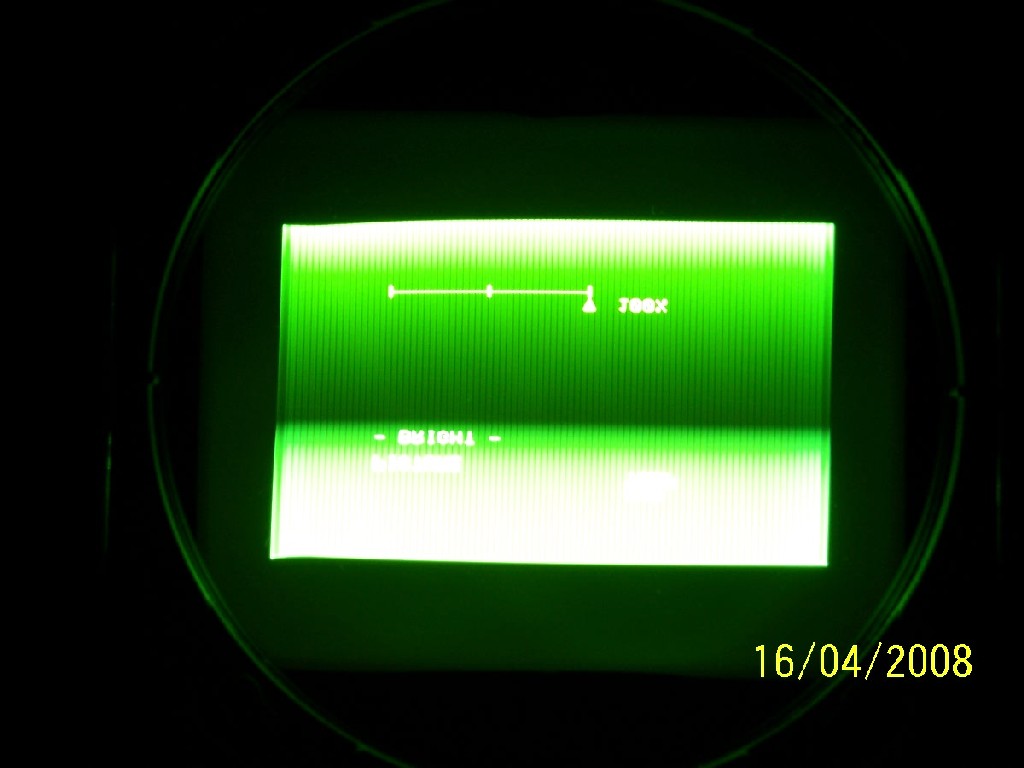
1 - The pic is of a nec 6pgxtra. Al settings have been zeroed out, blanking wide open. The source is xa2 set for 720p, going thru a moome ext box. To make maters worse, when I center the image inside the raster, then strech it fill the raster, the image really gets out of whack. Horz and Vert lines from the center are not straight. Is this common and I just need to try to correct with key, pin, etc, etc, etc? (Also, I tried with a PS3 source, and same odd raster shape.)
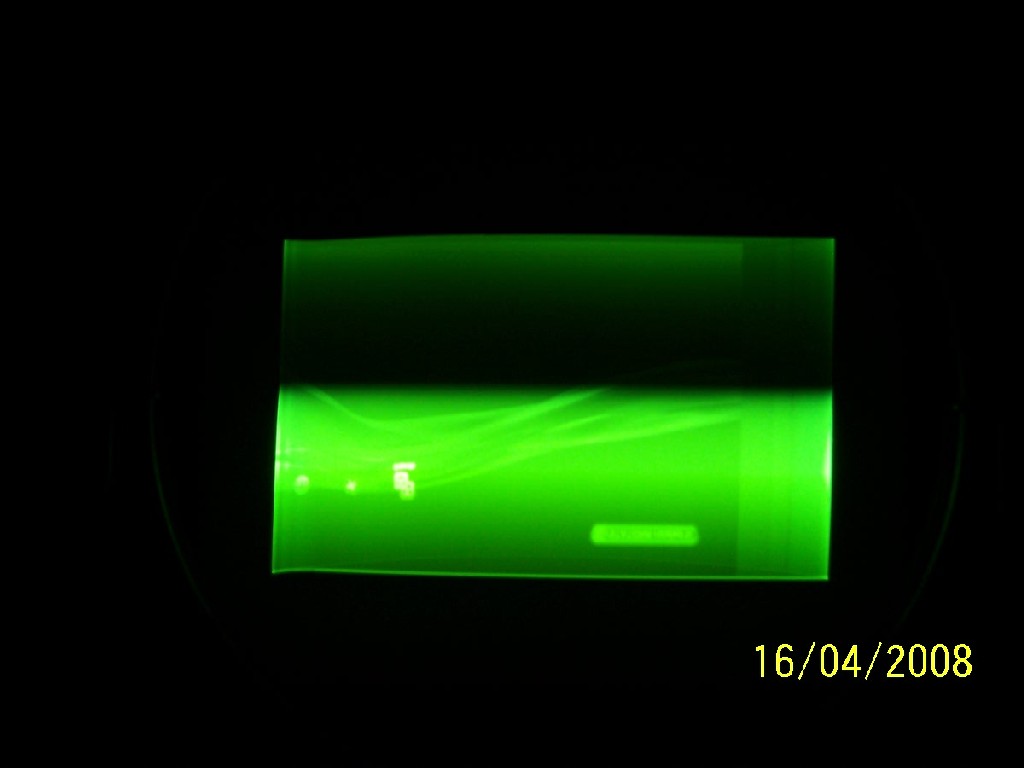
2 - When I try to take a pic of the tube, there is somewhat of a scrolling bar from bottom to top. When I took pics of my sony 1272, there was nothing like that. (But, I did not have the moome box in the video path either.)
thanks.
wallace
| Description: |
|
| Filesize: |
73.23 KB |
| Viewed: |
5727 Time(s) |
|
| Description: |
|
| Filesize: |
42.61 KB |
| Viewed: |
5727 Time(s) |
|
_________________
Life Is Good, But BBQ Is Better! BBQ Competition Team
|
|
| Back to top |
|
 |
Mark_A_W
Joined: 15 Mar 2006
Posts: 3068
Location: Sunny Melbourne Australia
|
| Posted: Thu Apr 17, 2008 5:12 am Post subject: |
|
|
|
Try it without the Moome, with a PC or something.
|
|
| Back to top |
|
|
AnalogRocks
Forum Moderator

Joined: 08 Mar 2006
Posts: 26706
Location: Toronto, Ontario, Canada
TV/Projector: Sony 1252Q, AMPRO 4000G
|
| Posted: Thu Apr 17, 2008 6:18 am Post subject: |
|
|
I'd suspect signal timing's. That look's sorta like what my Ampro was doing with the Moome card in teh Sony 1271 switcher. I added an Extron 202 box and when I shifter the image to the right the picture got brighter.
Yes do try with a regular VGA connection.
_________________
Tech support for nothing
CRT.
HD done right!
|
|
| Back to top |
|
|
wallace123456
Joined: 14 Aug 2006
Posts: 2236
Location: Northwest VA area
|
| Posted: Thu Apr 17, 2008 3:35 pm Post subject: |
|
|
I'll get another dvd player and use the s-video connector.
Also, the scrolling bar is only visable thru the camera. When looking at the tube (no lens), or the image that is displayed on screen, you can't see the scrolling effect. Is it my cheap-o kodak camera? Seems strange that it would only do it on this projector, and not the other sonys I have.
wallace
_________________
Life Is Good, But BBQ Is Better! BBQ Competition Team
|
|
| Back to top |
|
|
dbaisey
Joined: 09 Mar 2006
Posts: 821
Location: Southern Cal LA / Seattle WA
|
| Posted: Thu Apr 17, 2008 11:53 pm Post subject: |
|
|
|
For one thing the phase isnt set for the 720P signal and you will need to start from scratch with convergence. Do the signal entry from the temporary line, set amplitude then do the convergence. Do phase first. Doug
|
|
| Back to top |
|
|
wallace123456
Joined: 14 Aug 2006
Posts: 2236
Location: Northwest VA area
|
| Posted: Fri Apr 18, 2008 4:06 am Post subject: |
|
|
I tried using a Pany RP-56 with s-video to the nec. I disconnected the RGBHV leads and only had the s-video input from the Pany. The pic is still wavy or the same as was using the moome ext box, and RGBHV from the xa2/PS3.
I have another nec 6pgxtra but with burnt blue and green tubes. So, I pulled that out, hooked it up to the Pany via s-video and also via the moome ext box from the xa2. The horz and vert lines are staright as an arrow, but there is still some wavyness to the outter edges. All settings on this pj were also set "zeroed out". The phase did not have to be changed only but a very small amount. I was able to get a good square raster and image with a little keystone and pin adjustments.
| dbaisey wrote: | | For one thing the phase isnt set for the 720P signal and you will need to start from scratch with convergence. Do the signal entry from the temporary line, set amplitude then do the convergence. Do phase first. Doug |
Doug,
Thanks. I thought I created a new signal input for 720p, but now am questioning if I did it properly. I erased all other singal entries and only have 2 now. 1 for 720p and 1 for s-video.
My problem is that I cannot get the green raster square, nor the horz and vert straight. When I adjust amplitude to get a 16:9 image, the horz and vert lines get really squirly. And I mean bad.
Any and all help is appreciated and I aint giving up. The nec is 10x sharper than the sony 1272 I have. I just need to learn it.
wallace
_________________
Life Is Good, But BBQ Is Better! BBQ Competition Team
|
|
| Back to top |
|
|
dbaisey
Joined: 09 Mar 2006
Posts: 821
Location: Southern Cal LA / Seattle WA
|
| Posted: Fri Apr 18, 2008 4:16 pm Post subject: |
|
|
Shapes from your photos:
Phase affects the top and bottom line shape or curve. Some Extras also had what we called S curve that affects the sides.
If you cant get rid of the side curve try 1080I. I have done mods to the deflection timings for 720P in the past but it will reduce the width just a bit. Easier to correct if you can run 1080I.
|
|
| Back to top |
|
|
dropzone7

Joined: 12 Jun 2007
Posts: 1069
Location: Charlotte, NC
|
| Posted: Fri Apr 18, 2008 5:55 pm Post subject: |
|
|
I never had much luck getting 720p looking right on any NEC I have had. Probably could have gotten it there but 1080i was just so much easier as Doug says. It really seems to be the sweet spot for these projectors.
_________________
"Coffee is for Closers."
|
|
| Back to top |
|
|
overclkr

Joined: 08 Mar 2006
Posts: 4227
|
| Posted: Sat Apr 19, 2008 3:00 pm Post subject: |
|
|
| wallace123456 wrote: | I'll get another dvd player and use the s-video connector.
Also, the scrolling bar is only visable thru the camera. When looking at the tube (no lens), or the image that is displayed on screen, you can't see the scrolling effect. Is it my cheap-o kodak camera? Seems strange that it would only do it on this projector, and not the other sonys I have.
wallace |
Don, I'm going to ask Ken about this.
Cliff
|
|
| Back to top |
|
|
wallace123456
Joined: 14 Aug 2006
Posts: 2236
Location: Northwest VA area
|
| Posted: Mon Apr 21, 2008 10:51 pm Post subject: |
|
|
| overclkr wrote: | | wallace123456 wrote: | I'll get another dvd player and use the s-video connector.
Also, the scrolling bar is only visable thru the camera. When looking at the tube (no lens), or the image that is displayed on screen, you can't see the scrolling effect. Is it my cheap-o kodak camera? Seems strange that it would only do it on this projector, and not the other sonys I have.
wallace |
Don, I'm going to ask Ken about this.
Cliff |
Big Dog,
The rolling bar is on all projectors in my house. WTF? The sony 1272 has the same rolling bar stuff. Is it my cheap-o Kodak camera?
wallace
_________________
Life Is Good, But BBQ Is Better! BBQ Competition Team
|
|
| Back to top |
|
|
dropzone7
Joined: 12 Jun 2007
Posts: 1069
Location: Charlotte, NC
|
| Posted: Tue Apr 22, 2008 1:46 am Post subject: |
|
|
| wallace123456 wrote: | | overclkr wrote: | | wallace123456 wrote: | I'll get another dvd player and use the s-video connector.
Also, the scrolling bar is only visable thru the camera. When looking at the tube (no lens), or the image that is displayed on screen, you can't see the scrolling effect. Is it my cheap-o kodak camera? Seems strange that it would only do it on this projector, and not the other sonys I have.
wallace |
Don, I'm going to ask Ken about this.
Cliff |
Big Dog,
The rolling bar is on all projectors in my house. WTF? The sony 1272 has the same rolling bar stuff. Is it my cheap-o Kodak camera?
wallace |
I see exactly the same rolling bars through my camera viewfinder and or LCD display. However, it usually does not show up in the final picture after I hit the button. It's probably a quarter of the height of my screen and scrolls from bottom to top if I remember correctly. I'm using a Sony DSC-H7 camera.
You can see the same effect if you watch a television news broadcast where they have CRT monitors in the background. The monitors will exhibit the scrolling bars.
Last edited by dropzone7 on Tue Apr 22, 2008 1:47 am; edited 1 time in total
|
|
| Back to top |
|
|
AnalogRocks
Forum Moderator
Joined: 08 Mar 2006
Posts: 26706
Location: Toronto, Ontario, Canada
TV/Projector: Sony 1252Q, AMPRO 4000G
|
| Posted: Tue Apr 22, 2008 1:47 am Post subject: |
|
|
It's the difference in shutter timing to the refresh rate of the projector.
_________________
Tech support for nothing
CRT.
HD done right!
|
|
| Back to top |
|
|
|
|




